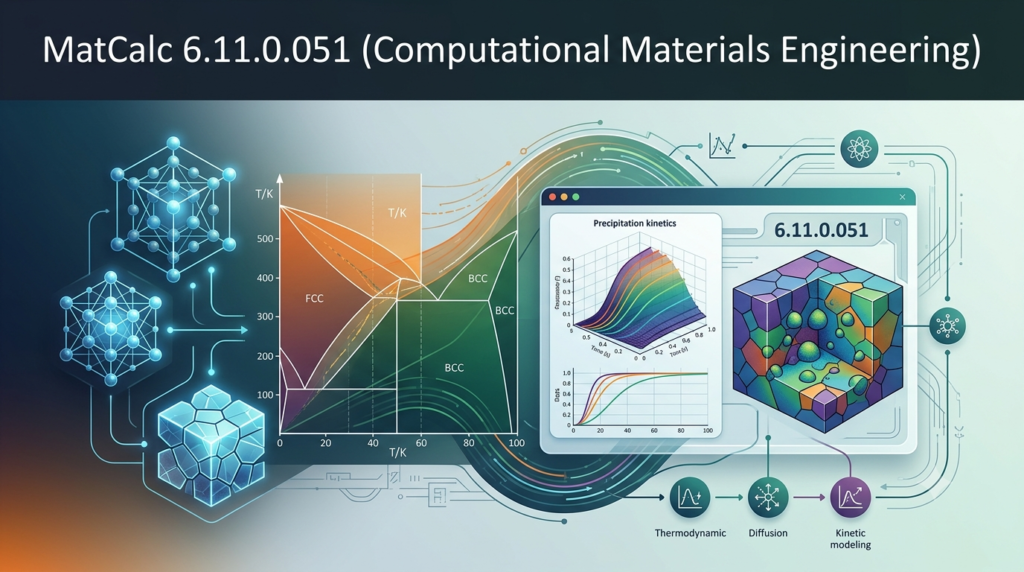

Overview of MatCalc Software
Table of Contents
MatCalc is a specialized scientific software application designed for modeling phase transformations and microstructure evolution in metallic alloys. Developed initially in 1993 at Graz University of Technology under the leadership of Ernst Kozeschnik, the software has evolved into a sophisticated computational tool widely used in metallurgy, materials science, and industrial research and development centers .
The software is built on the CALPHAD (CALculation of PHAse Diagrams) method, which provides a thermodynamic foundation for predicting material behavior. Today, MatCalc is commercially supported by MatCalc Engineering GmbH and continues to be developed at TU Wien, where ongoing research pushes the boundaries of computational materials engineering .
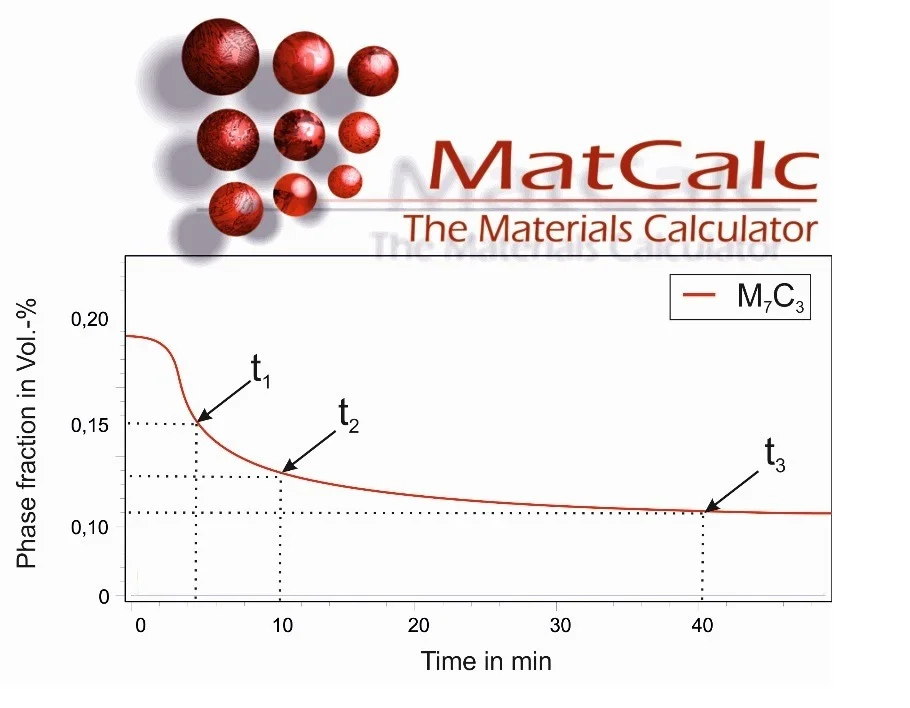
MatCalc enables researchers and engineers to simulate complex material phenomena including phase equilibrium calculations, precipitation kinetics of carbides, nitrides, and intermetallic phases, diffusion processes, grain growth, recrystallization, and the evolution of mechanical properties such as yield strength during heat treatment processes .
Key Features of MatCalc 6.11.0.051
MatCalc 6.11.0.051 offers a comprehensive suite of simulation capabilities for materials science professionals:
Thermodynamic Calculations
-
Compute phase equilibria and construct phase diagrams for multi-component alloy systems
-
Calculate driving forces for phase transformations
-
Perform Scheil-Gulliver simulations for non-equilibrium solidification
-
Determine T0 temperatures for diffusionless transformations
Kinetic Simulations
-
Model precipitation kinetics using the SFFK (Semi-Empirical Fast Fourier Transform-based Kampmann-Wagner) model
-
Simulate nucleation, growth, and coarsening of precipitates
-
Calculate TTP (Time-Temperature-Precipitation) diagrams
-
Model diffusion-controlled phase transformations with realistic diffusion field geometries
Microstructure Evolution
-
Predict grain growth during thermal treatments
-
Model recovery and recrystallization processes
-
Simulate work hardening behavior
-
Track vacancy dynamics during heat treatment
Mechanical Property Prediction
-
Calculate yield strength evolution based on microstructure changes
-
Model flow curves for various deformation conditions
-
Predict hardness changes during aging treatments
-
Simulate strengthening contributions from precipitation, solid solution, and grain boundaries
Database Integration
-
Access to open thermodynamic and mobility databases for Fe, Ni, and Al-based alloys
-
Support for commercial MatCalc Engineering databases with enhanced accuracy
-
Compatibility with CALPHAD-type unencrypted database formats
The software’s GUI-based workspace environment makes complex simulations accessible while supporting scripting capabilities for advanced users who need to automate workflows or perform batch calculations .
What’s New in MatCalc Version 6.11.0.051
Version 6.11.0.051 brings several enhancements to the MatCalc platform:
-
Updated thermodynamic databases including mc_fe_v2.062 (November 2024), mc_ni_v2.036 (August 2024), and mc_al_v2.037 (July 2025), with expanded element coverage including rare earth elements like La and Y
-
Enhanced diffusion mobility databases with mc_fe.ddb v2.016, mc_ni.ddb v2.012, and mc_al.ddb v2.008 for improved kinetic simulation accuracy
-
Improved precipitation modeling capabilities with refined nucleation theory implementations and better treatment of interfacial energies
-
Extended scripting functionality enabling more complex automated workflows and parameter studies
-
Optimized simulation performance for faster computation of complex multi-component systems
-
Enhanced graphical representation tools for better visualization of simulation results and data export capabilities
System Requirements for MatCalc 6.11.0.051
To run MatCalc 6.11.0.051 effectively, your system should meet the following specifications:
Operating System
-
Windows 10 or Windows 11 (64-bit recommended)
-
Limited Linux support through compatibility layers
-
Windows 7 and 8 may work but are not officially supported
Hardware Requirements
-
Processor: Intel Core i5 or equivalent (i7 recommended for complex simulations)
-
RAM: 8 GB minimum, 16 GB or more recommended for multi-component systems
-
Storage: 500 MB minimum for installation, additional space for databases and project files
-
Display: 1366 x 768 minimum resolution, 1920 x 1080 or higher recommended
Software Prerequisites
-
Microsoft .NET Framework 4.7.2 or later
-
Administrative privileges for installation
-
Internet connection for database updates and license validation
Database-Specific Requirements
-
Sufficient storage for thermodynamic and mobility databases
-
Regular updates recommended for access to latest database versions
Installation Guide for MatCalc 6.11.0.051
Step 1: Download the Installer
-
Visit the official MatCalc website (www.matcalc.at) to obtain the latest installation package
-
Ensure you have a valid license or contact MatCalc Engineering GmbH for trial access
Step 2: Prepare Your System
-
Verify system requirements are met
-
Close other applications, especially memory-intensive software
-
Ensure sufficient disk space for installation and future project files
Step 3: Run the Installation
-
Execute the downloaded installer with administrative privileges
-
Follow the on-screen instructions
-
Accept license agreements and choose installation directory (default recommended)
-
Select additional components such as example files and documentation
Step 4: Database Setup
-
Download open databases (mc_fe, mc_ni, mc_al) from the MatCalc website
-
Place database files in the appropriate MatCalc directories
-
For commercial databases, follow the provided licensing and installation instructions
Step 5: License Activation
-
Enter your license key when prompted
-
If using a floating license, configure network settings according to provided documentation
-
For trial versions, follow the temporary activation process
Step 6: Installation Verification
-
Launch MatCalc to verify successful installation
-
Check that databases are correctly loaded
-
Run example simulations to confirm functionality
How to Use MatCalc 6.11.0.051 for Materials Simulations
Getting Started with the Interface
When you first launch MatCalc, you’ll encounter a workspace-based interface designed for efficient workflow management. The main window consists of several key areas:
-
Workspace Browser: Navigate between different simulation projects
-
Property Panels: Configure simulation parameters and material properties
-
Simulation Console: Run calculations and view progress
-
Graphical Display: Visualize results including phase diagrams, precipitation kinetics, and microstructure evolution
Setting Up a Basic Simulation
Step 1: Define Your Material System
-
Select the appropriate thermodynamic database for your alloy system (Fe, Ni, or Al-based)
-
Specify the chemical composition in weight percent or atomic fraction
-
Define the temperature range and thermal history
Step 2: Configure Thermodynamic Calculations
-
Choose the type of calculation (equilibrium, Scheil-Gulliver, T0 temperature)
-
Set pressure conditions (usually atmospheric)
-
Define phases to consider or let the system identify stable phases
Step 3: Set Up Kinetic Simulations
-
For precipitation calculations, define:
-
Nucleation site types (grain boundaries, dislocations, random distribution)
-
Interfacial energy parameters
-
Diffusion field geometry
-
Temperature profile (isothermal, continuous cooling, or custom
-
Step 4: Run the Simulation
-
Execute calculations using the simulation controls
-
Monitor progress through the console output
-
Adjust parameters if needed based on preliminary results
Advanced Features
Scripting and Automation
MatCalc supports scripting for advanced users. Scripts enable:
-
Batch processing of multiple compositions
-
Parameter studies and optimization loops
-
Automated data extraction and export
-
Custom workflow creation
Chaining Calculations
For complex simulations, you can chain multiple calculation types:
-
First, perform a thermodynamic equilibrium calculation
-
Then, use the results as input for precipitation kinetics
-
Finally, calculate mechanical properties based on the resulting microstructure
Data Export and Visualization
-
Export data in various formats for external analysis
-
Generate publication-quality graphs
-
Create reports containing both numerical data and visual representations
Best Use Cases for MatCalc 6.11.0.051
MatCalc excels in several critical applications within materials science and engineering:
Steel Heat Treatment Optimization
-
Simulate quenching and tempering processes for steel
-
Predict carbide precipitation during heat treatment
-
Optimize tempering parameters for desired mechanical properties
-
Model martensite formation and subsequent tempering reactions
Aluminum Alloy Development
-
Simulate age hardening in aluminum alloys
-
Predict precipitation sequences (GP zones, metastable phases, equilibrium phases)
-
Optimize aging treatments for maximum strength
-
Model welding-induced precipitation in heat-affected zones
Nickel-Based Superalloy Design
-
Model complex precipitation of gamma-prime and other strengthening phases
-
Simulate long-term microstructural stability at service temperatures
-
Predict creep properties based on microstructure evolution
-
Optimize composition and processing for turbine applications
Failure Analysis and Investigation
-
Reconstruct thermal histories from microstructural observations
-
Determine root causes of property deviations
-
Evaluate processing routes for optimal microstructure
Research and Development
-
Investigate fundamental materials science questions
-
Screen new alloy compositions virtually
-
Compare simulation results with experimental data
-
Develop new models and theories
Industrial Process Optimization
-
Minimize processing time while achieving target properties
-
Reduce experimental trial-and-error
-
Implement in quality control workflows
-
Support certification and qualification processes
Advantages and Limitations of MatCalc
Advantages
Scientific Foundation
-
Based on the well-established CALPHAD methodology
-
Continuously developed and validated with experimental data
-
Rooted in rigorous thermodynamics and kinetic theory
Comprehensive Capabilities
-
Covers thermodynamics, kinetics, and mechanical properties in one platform
-
Handles complex multi-component alloy systems
-
Supports various simulation types from phase diagrams to flow curves
User-Friendly Interface
-
Intuitive workspace environment
-
Visual representation of complex data
-
Accessible to both beginners and experts
Flexibility and Customization
-
Scripting capabilities for automation
-
Support for custom databases
-
Open database format for transparency
Academic and Industry Trust
-
Developed at leading European universities
-
Used in research centers worldwide
-
Supported by a dedicated commercial entity
Training and Support
-
Comprehensive training courses available
-
Active user community and workshops
-
Direct access to development team
Limitations
Learning Curve
-
Requires understanding of thermodynamics and kinetics
-
Complex parameter selection for accurate results
-
May require specialized training for advanced applications
Platform Constraints
-
Primarily Windows-based
-
May require additional software for Linux environments
-
Performance dependent on hardware capabilities
Database Limitations
-
Open databases have limited element coverage and accuracy
-
Commercial databases require additional licensing
-
Cannot handle all alloy systems due to missing data
Computational Intensity
-
Complex simulations can be time-consuming
-
Memory requirements increase with system complexity
-
May require high-performance computing for large systems
Input Sensitivity
-
Results depend on parameter quality
-
Database quality affects simulation accuracy
-
Requires careful model validation for new applications
Alternatives to MatCalc
While MatCalc is a powerful tool for computational materials engineering, several alternatives exist in the market, each with its own strengths:
Thermo-Calc
-
Developed by Thermo-Calc Software AB (founded by the same group as the CALPHAD method)
-
Widely used in academic and industrial settings
-
Offers extensive databases and graphical user interface
-
Particularly strong in thermodynamic calculations
-
May be more expensive than MatCalc
DICTRA
-
Specializes in diffusion-controlled phase transformations
-
Developed by the same team as Thermo-Calc
-
Excellent for concentration profile simulations and homogenization
-
Often used in conjunction with Thermo-Calc
JMatPro
-
Developed by Sente Software
-
Focuses on practical engineering materials
-
Includes a range of calculation modules from thermodynamics to mechanical properties
-
User-friendly interface targeted at engineers
-
Proprietary databases with limited transparency
PREMAC (Precipitation Modeling)
-
Specialized tool for precipitation kinetics
-
Often used for its fast computation and basic features
-
Less comprehensive than MatCalc
Python-Based Alternatives
-
pycalphad: Open-source CALPHAD toolkit with API access
-
matcalc Python library: A separate project focused on material property calculation from potential energy surfaces, part of the MatML ecosystem
General-Purpose Materials Modeling
-
VASP (Vienna Ab initio Simulation Package): First-principles calculations at the DFT level
-
LAMMPS (Large-scale Atomic/Molecular Massively Parallel Simulator): Classical molecular dynamics
-
ASE (Atomic Simulation Environment): Python framework for managing simulations
Each alternative has specific strengths, and the choice depends on your application, budget, and specific requirements. MatCalc often serves as a preferred solution for integrated thermodynamic and kinetic modeling of metallic alloys, particularly for researchers who value transparent database formats and active academic involvement.
Frequently Asked Questions
What is MatCalc primarily used for in materials science?
MatCalc is a computational materials engineering tool used to model phase transformations and microstructure evolution in metallic alloys. It helps researchers predict precipitation kinetics, grain growth, recrystallization, and mechanical property evolution, particularly in steel, aluminum, and nickel-based alloys .
Is MatCalc available for free?
MatCalc offers open database licenses for mc_fe, mc_ni, and mc_al databases for free under the Open Database License regulations . However, the software itself requires a commercial license. MatCalc Engineering GmbH also offers enhanced commercial databases for advanced simulations .
How does MatCalc differ from Thermo-Calc?
While both are based on the CALPHAD method, MatCalc specializes more strongly in kinetic simulations and precipitation modeling, whereas Thermo-Calc has traditionally focused on thermodynamics . MatCalc offers its own GUI and scripting capabilities, providing an integrated environment for both thermodynamic and kinetic modeling.
What databases does MatCalc support?
MatCalc uses CALPHAD-type thermodynamic and diffusion mobility databases. The software supports open databases (mc_fe, mc_ni, mc_al) and commercial MatCalc Engineering databases. The open databases can be downloaded and used free of charge under open database license regulations .
Can MatCalc predict mechanical properties?
Yes, MatCalc can predict yield strength and flow curves based on microstructure evolution. It models various strengthening mechanisms including precipitation strengthening, solid solution strengthening, and grain boundary strengthening, considering the evolving microstructure during thermal processing .
Does MatCalc support scripting?
Yes, MatCalc supports scripting for automation and batch processing . This feature is particularly useful for parameter studies, optimization routines, and workflow automation. The scripting capabilities are covered in MatCalc training courses .
What is the MatCalc Python library?
There is a separate project called “matcalc” on PyPI that is a Python library for calculating material properties from potential energy surfaces (PES) using machine learning interatomic potentials . This is a distinct tool from the MatCalc software described in this article, though both serve materials science applications.
What training resources are available for MatCalc?
MatCalc Engineering GmbH offers training courses covering basic thermokinetic simulations and advanced microstructure evolution simulations . These courses cover topics like thermodynamics fundamentals, precipitation kinetics, nucleation theory, and practical workshop sessions. User meetings are also organized to encourage experience sharing among users .
What types of simulations can MatCalc perform?
MatCalc performs phase equilibrium calculations, precipitation kinetics, diffusion modeling, grain growth, recrystallization, hardening, and mechanical property predictions. It can simulate heat treatments, aging processes, and welding effects on materials .
What are the system requirements for MatCalc 6.11.0.051?
MatCalc 6.11.0.051 requires Windows 10 or 11 (64-bit recommended), an Intel Core i5 processor or better, at least 8 GB RAM, and 500 MB storage space. Additional space is needed for databases and project files. Administrative privileges are recommended for installation.
Final Thoughts
MatCalc 6.11.0.051 represents a mature computational tool for materials science and engineering, bridging the gap between fundamental thermodynamics and practical industrial applications. Its integrated approach to modeling thermodynamics, kinetics, and mechanical properties makes it a versatile platform for researchers and engineers working with metallic alloys.
The software’s strength lies in its comprehensive treatment of precipitation phenomena and microstructure evolution, supported by transparent database formats and an active development community at TU Wien. While competitors offer alternative approaches, MatCalc’s combination of academic rigor, industrial applicability, and active training support makes it a valuable tool for understanding and optimizing the behavior of metallic materials.
For those considering implementation, the investment in training is recommended to fully leverage the capabilities of the software . The ability to simulate complex alloy systems and predict mechanical properties from processing conditions positions MatCalc as a key tool in modern materials engineering workflows, reducing the need for extensive experimental trial-and-error.
As the field of computational materials engineering continues to evolve, with increasing integration of machine learning approaches and high-throughput calculation frameworks, MatCalc’s commitment to the CALPHAD methodology provides a stable foundation for reliable materials design.
Our Paid Service
“We do not sell or provide any software. We only offer professional support services. If any software on your system is not working properly, or you are facing installation errors, crashes, or any other technical issue — just contact us. We will help you fix the problem quickly and remotely via AnyDesk. No software will be provided from our side — only expert troubleshooting and support.”