
Overview of the Software
Table of Contents
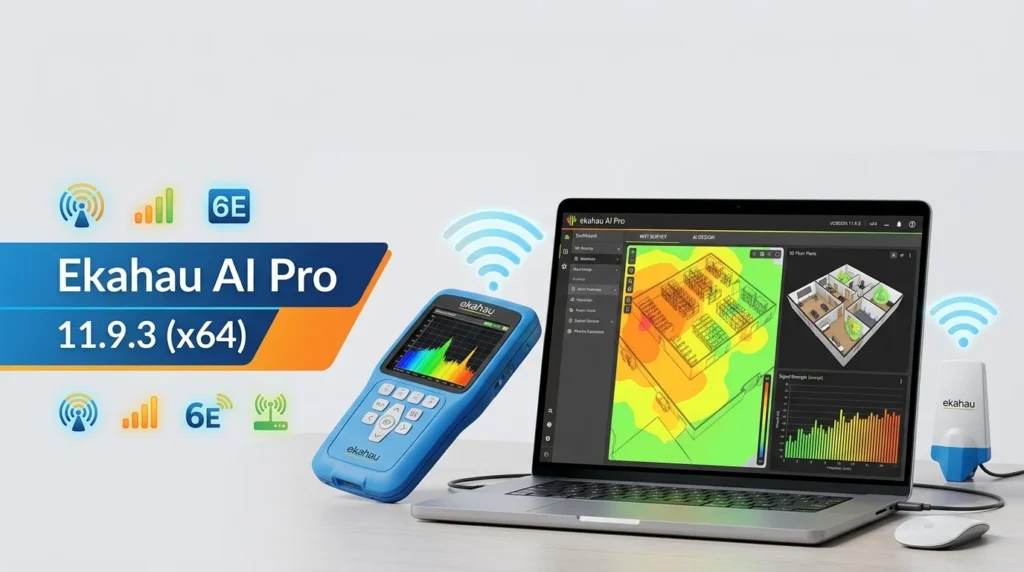
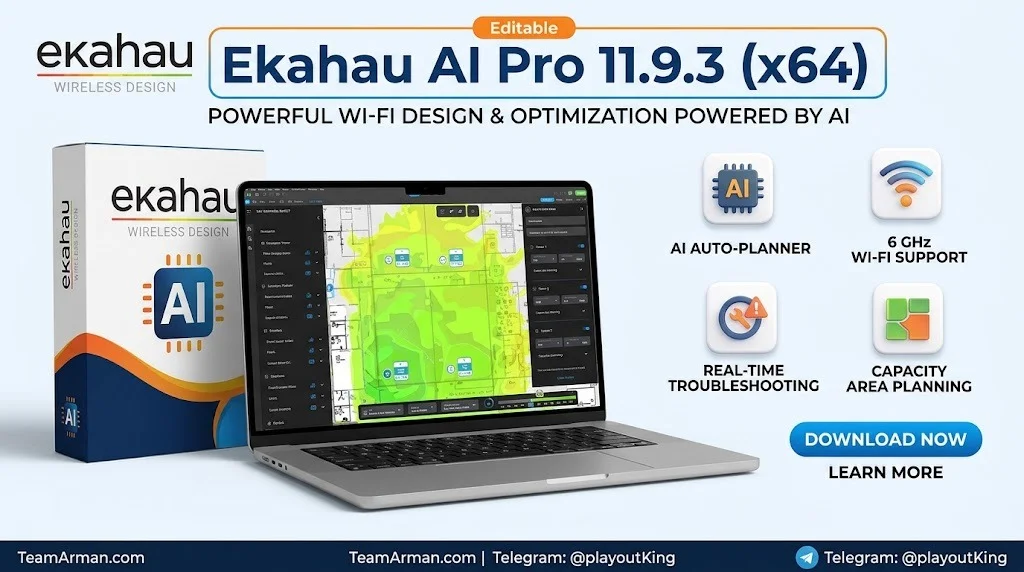
Ekahau AI Pro 11.9.3 is the latest iteration of Ekahau’s flagship Wi-Fi design, analysis, and optimization platform, developed by Ookla (the company behind Speedtest). Formerly known as Ekahau Pro, this professional-grade software has been rebuilt with an AI-first architecture that leverages advanced algorithms to automate thousands of network design iterations, enabling wireless engineers to discover optimal access point (AP) placement and configuration in seconds.
The software is purpose-built for enterprise environments where Wi-Fi reliability is business-critical. It supports the full spectrum of wireless networking standards, including 2.4 GHz, 5 GHz, and the 6 GHz band (Wi-Fi 6E), making it a comprehensive solution for modern multi-band deployments. Ekahau AI Pro 11.9.3 continues the platform’s evolution with enhanced smart pattern-making capabilities and deeper 3D design integration, positioning itself as the industry standard for wireless network planning, site surveys, and troubleshooting.
The software operates as a desktop application on Windows and macOS, with an additional browser-based online version available through a subscription to Ekahau Connect. A 30-day free trial of Ekahau AI Pro is available, allowing potential users to explore its capabilities before committing to a license.
Key Features
Ekahau AI Pro 11.9.3 includes a robust feature set designed for both beginners and seasoned wireless professionals. The following are the core capabilities that define the platform:
AI Auto-Planner
The AI Auto-Planner is the centerpiece of Ekahau AI Pro. It automates the tedious task of manually placing and configuring access points by running thousands of iterative optimizations. The tool resolves AP configurations including transmit power, channels, bandwidths, and radio on/off states, automatically placing APs across all floors of a defined building. Users can deploy the AI-generated design as-is or continue adjusting it to fit specific installation needs.
Network Simulator and Channel Planner
The Network Simulator allows engineers to run “rip-and-replace” scenarios, visualizing how a network would perform with different AP models. This is particularly valuable for evaluating the impact of 6 GHz on existing infrastructure and ensuring that Wi-Fi 6E investments deliver immediate returns. The Channel Planner utilizes an automatic channel optimization algorithm based on the real signal patterns of deployed APs, minimizing channel interference across all three bands.
Comprehensive Visualization Suite
Ekahau AI Pro includes 26 heatmap visualizations that transform invisible Wi-Fi signals into recognizable, actionable data. The Map View serves as the heart of the application, allowing users to evaluate the quality of both predictive and measured networks through color-coded heatmaps. Advanced visualizations include Airtime Utilization and Capacity views, which assess how busy the wireless medium will be under load—not just signal strength.
Automatic Wall Calibration
Design accuracy is critical in complex building environments. The Automatic Wall Calibration feature eliminates hidden wall attenuation anomalies by using measured Sidekick data to refine the signal propagation model, improving design accuracy without manual intervention.
6 GHz (Wi-Fi 6E) Design Support
With full support for the 6 GHz frequency band, Ekahau AI Pro enables engineers to plan and simulate tri-band networks that leverage the expanded spectrum of Wi-Fi 6E. The software includes a database of over 4,000 access points and antennas, ensuring compatibility with virtually any enterprise-grade hardware.
Network Filter
The Network Filter in AI Pro provides a versatile approach to filtering and displaying access points and networks. Engineers can display all APs, only simulated APs, only measured APs, or filter by specific SSIDs. Custom AP groups can be marked with up to seven distinct colors for quick identification during analysis.
What’s New in the Latest Version
Ekahau AI Pro 11.9.3 builds upon the foundation established in the 11.x series, which introduced a complete UI overhaul and the rebranding from Ekahau Pro to Ekahau AI Pro. Key enhancements in the 11.9.3 release include:
-
Refined AI Auto-Planner algorithms that further reduce the time required to generate optimized network designs.
-
Enhanced smart pattern-making capabilities that improve the accuracy of predictive modeling across complex multi-floor environments.
-
Deeper 3D design integration for more intuitive visualization of vertical signal propagation and inter-floor interference.
-
Improved Network Filter with expanded options for AP group comparison and analysis.
-
Streamlined wall detection in AI Pro Online, automatically identifying walls and materials from floor plan images.
For a complete history of updates and bug fixes, users can refer to the official Ekahau Release Notes page.
System Requirements
Before installing Ekahau AI Pro 11.9.3, ensure your system meets the following hardware and software requirements:
Operating System
-
Windows: Windows 11 or Windows 10 (64-bit)
-
macOS: macOS 11 (Big Sur) or newer
-
ARM-based processors: Windows 11 ARM devices with x64 emulation support can run the application, though graphical and performance issues may arise. Apple Silicon Macs require macOS 11+ and Rosetta 2
Hardware Specifications
-
Processor: 1.5+ GHz, multi-core recommended
-
RAM: 8 GB minimum, 16 GB or higher recommended
-
Hard Disk Space: 1 GB free space
-
Screen Resolution: 1366 x 768 or higher (1920 x 1080 recommended)
Survey Device Requirements
For conducting site surveys, Ekahau recommends using the Ekahau Sidekick 2™ or the original Ekahau Sidekick™. These specialized devices enable simultaneous passive and active surveys with dual-band spectrum analysis. Legacy adapters such as the Ekahau NIC-300-USB are no longer recommended.
Note: A laptop computer is required for recording surveys; a desktop computer is sufficient for planning and analysis activities.
Installation Guide
Installing Ekahau AI Pro 11.9.3 involves a straightforward process that begins with downloading the installer and ends with account activation.
Step 1: Download the Installer
Visit the official Ekahau download page at sw.ekahau.com/download/pro/ to obtain the latest version of Ekahau AI Pro for your operating system.
Step 2: Run the Installer
Double-click the executable file and follow the on-screen wizard instructions. The installation process is identical for both Windows and macOS platforms.
Step 3: Create an Ekahau Account
Upon first launch, the application will prompt you to create an Ekahau Account. Enter the necessary information and have your license key ready for activation.
Step 4: Activate Your License
Enter your Ekahau Connect license key during account creation. You will receive a confirmation email that finalizes the activation process. Once activated, log in with your new credentials.
Step 5: Complete Initial Setup
After logging in, the application will present a setup screen where you can configure preferences such as units of measurement and default project settings. Click through the options and the main workspace will load.
Important: One Ekahau AI Pro license can only be used by a single user. Sharing a license between multiple users is a breach of the End User License Agreement (EULA). However, you may install the software on two different computers simultaneously and switch between them as needed.
How to Use the Software
Ekahau AI Pro 11.9.3 is designed to accommodate both predictive design workflows and measurement-based surveys. The following sections outline the primary usage patterns.
For Predictive Design (Projects Created from Scratch)
-
Import a floor plan in one of the supported formats (DWG, PDF, PNG, BMP, JPG, GIF, or SVG). The maximum map image size is 10,000 x 5,000 pixels.
-
Set the scale for the imported map to ensure accurate signal propagation calculations.
-
Define network requirement areas using the Automatic Area Detection tool, which identifies coverage zones from the floor plan image.
-
Run the AI Auto-Planner to automatically place and configure simulated APs. The tool resolves AP configurations and optimizes channel assignments in a single operation.
-
Review heatmap visualizations to evaluate coverage, capacity, and interference across all bands.
-
Generate installation reports to guide physical deployment.
For Survey-Based Projects
-
Connect an Ekahau Sidekick 2 to your laptop via USB.
-
Conduct a passive or active survey by walking the site with the Sidekick and the AI Pro software running. The application collects RSSI information, network data, and spectrum analysis in real time.
-
Use the AI environment generator to create a signal propagation model based on the collected Sidekick 2 survey data. This enables simulation of any network changes.
-
Analyze results using the Network Filter to isolate specific SSIDs or AP groups, and switch between measured and simulated views.
-
Run the Optimizer to automatically detect configuration issues and receive actionable recommendations for deployment.
Best Use Cases
Ekahau AI Pro 11.9.3 is deployed across a wide range of enterprise scenarios where wireless reliability is paramount. Key use cases include:
-
Large campus and enterprise deployments: Organizations with multi-building campuses use the software to design and validate Wi-Fi networks that support thousands of users and devices.
-
Healthcare facilities: Hospitals and clinics require flawless Wi-Fi for electronic health records, medical IoT devices, and real-time location services. Ekahau AI Pro’s accuracy in complex environments with dense walls and interference sources makes it ideal for these settings.
-
Educational institutions: Universities and schools leverage the AI Auto-Planner to design networks that support high-density lecture halls, libraries, and dormitories.
-
Warehouses and logistics centers: The software’s 3D integration helps engineers plan coverage across tall racking and multi-level storage areas.
-
Stadiums and conference centers: High-density venues benefit from the Capacity and Airtime Utilization visualizations, which ensure networks remain performant under peak load.
-
Wi-Fi 6E upgrades: Organizations planning to migrate to 6 GHz can use the Network Simulator to model rip-and-replace scenarios and validate design decisions before investing in new hardware.
Advantages and Limitations
Advantages
-
Industry-leading accuracy: Independent studies show that Ekahau AI Pro achieves a deviation of only 1.5 dBm in signal strength measurements, making it the most accurate tool for long-term planning in complex building environments.
-
Time savings through AI automation: The AI Auto-Planner eliminates hours of manual AP placement and channel configuration work.
-
Comprehensive visualization suite: With 26 heatmap visualizations and advanced views like Airtime Utilization, engineers gain deep insights into network performance beyond simple signal strength.
-
Dual-band spectrum analysis: The software performs simultaneous spectrum analysis during site surveys, saving significant time compared to tools that require separate passes.
-
Extensive hardware database: Support for over 4,000 APs and antennas ensures compatibility with virtually any enterprise hardware.
-
Regular updates: Ookla maintains an active release cycle with frequent firmware and software updates.
Limitations
-
High cost: Ekahau AI Pro is priced at approximately $5,995 for the software license, plus a mandatory Ekahau Connect subscription of $1,995 per year, bringing the total first-year investment to $7,990. Additional hardware such as the Sidekick 2 costs $4,995.
-
Learning curve: The depth of features requires proper training. Ekahau offers certification courses, but these add to the overall investment.
-
Cloud syncing issues: Some users report that cloud uploads for site surveys can be slow and that syncing with the Optimizer occasionally presents challenges.
-
Report generation limitations: Several users note that the report generation feature lacks detail and requires further refinement.
-
Three-dimensional modeling: While 11.9.3 improves 3D integration, some users still find the 3D viewing capabilities less advanced than competing tools like iBwave.
-
macOS survey device compatibility: The only supported external scanning devices for macOS are the Ekahau Sidekick 2 and the original Sidekick.
Alternatives to the Software
While Ekahau AI Pro remains the industry standard for enterprise Wi-Fi design, several alternatives exist that may suit different budgets or project requirements.
NetSpot
NetSpot is a cost-effective Wi-Fi site survey and planning tool that supports both Windows and macOS. It delivers sufficiently accurate results with an average difference of 6.75 dBm and significantly faster execution times compared to Ekahau, making it ideal for rapid network audits under limited budgets. However, it is recommended for fast, dynamic assessments rather than long-term complex planning.
iBwave Wi-Fi
iBwave is a robust wireless network design solution geared toward larger projects and complex environments such as stadiums, subways, and airports. It offers three-dimensional modeling and backhaul processing capabilities where Ekahau historically lagged. iBwave tends to be more telecom-oriented and may be excessive for smaller deployments.
Hamina
Hamina excels in fast predictive design and visualization. It is well-suited for engineers who prioritize rapid iteration over deep airtime modeling. However, it lacks the comprehensive survey-based analysis capabilities that Ekahau provides.
Sidos
Sidos introduces a modern simulation approach to Wi-Fi planning, appealing to engineers who prefer a simulation-first workflow. Like Hamina, it is less focused on physical site survey validation than Ekahau.
Cisco DNA Center (with Ekahau Integration)
For organizations already invested in Cisco infrastructure, Ekahau AI Pro integrates with Cisco DNA Center. Designs can be exported from Ekahau and imported into DNA Center for deployment and management, creating a streamlined workflow for Cisco-centric environments.
Frequently Asked Questions
What is Ekahau AI Pro 11.9.3 used for?
Ekahau AI Pro 11.9.3 is a professional Wi-Fi design, survey, and optimization platform. It is used by wireless engineers to plan enterprise networks, conduct site surveys, simulate network changes, and troubleshoot performance issues across 2.4 GHz, 5 GHz, and 6 GHz bands.
Is Ekahau AI Pro free?
Ekahau AI Pro is not free software, but a 30-day free trial is available through Ekahau’s “See, Try, Buy” program. The trial includes the AI Pro software, a Sidekick 2 device, and a Connect subscription. After the trial period, a paid license is required.
How much does Ekahau AI Pro 11.9.3 cost?
The Ekahau AI Pro software license costs approximately $5,995. A mandatory one-year Ekahau Connect subscription adds $1,995, bringing the total first-year cost to $7,990. The Ekahau Sidekick 2 hardware is an additional $4,995.
What are the system requirements for Ekahau AI Pro 11.9.3?
Ekahau AI Pro requires Windows 11 or Windows 10 (64-bit), or macOS 11 (Big Sur) or newer. The minimum RAM requirement is 8 GB, though 16 GB or higher is recommended. At least 1 GB of free hard disk space is required. A screen resolution of 1366 x 768 or higher is necessary.
Can Ekahau AI Pro run on Apple Silicon Macs?
Yes, Ekahau AI Pro can run on Apple Silicon Macs, provided that macOS 11 (Big Sur) or newer is installed and Rosetta 2 is available. The software operates as a 64-bit application under emulation.
What file formats does Ekahau AI Pro support for floor plans?
Ekahau AI Pro supports DWG, DXF, PDF, PNG, BMP, JPG, JPEG, GIF, SVG, and WBMP file formats for importing floor plans. The maximum map image size is 10,000 x 5,000 pixels.
How does Ekahau AI Pro compare to NetSpot?
Ekahau AI Pro delivers higher accuracy (1.5 dBm deviation) and is better suited for long-term planning in complex building environments. NetSpot offers faster execution times and lower costs, making it ideal for rapid network audits with limited budgets. The choice depends on whether accuracy and depth of analysis or speed and affordability are the priority.
Can I use Ekahau AI Pro without the Sidekick hardware?
Yes, Ekahau AI Pro can be used for predictive design and analysis without the Sidekick. However, conducting site surveys requires a supported survey device. The Ekahau Sidekick 2 is the recommended device for both passive and active surveys, and it is the only supported external scanning device for macOS.
Final Thoughts
Ekahau AI Pro 11.9.3 represents the culmination of years of development in wireless network design technology. Its AI-driven automation, comprehensive visualization suite, and support for the latest Wi-Fi standards make it an indispensable tool for organizations that depend on reliable wireless connectivity. While the price point places it firmly in the enterprise segment, the accuracy and time savings it delivers justify the investment for complex, business-critical deployments.
The 11.9.3 release continues the platform’s trajectory of refinement, with enhanced smart pattern-making and 3D integration that address the evolving needs of modern wireless engineers. For professionals who require the most accurate and feature-rich Wi-Fi design platform available, Ekahau AI Pro remains the definitive choice.
Our Paid Service