
Overview of 12d Model Software
Table of Contents
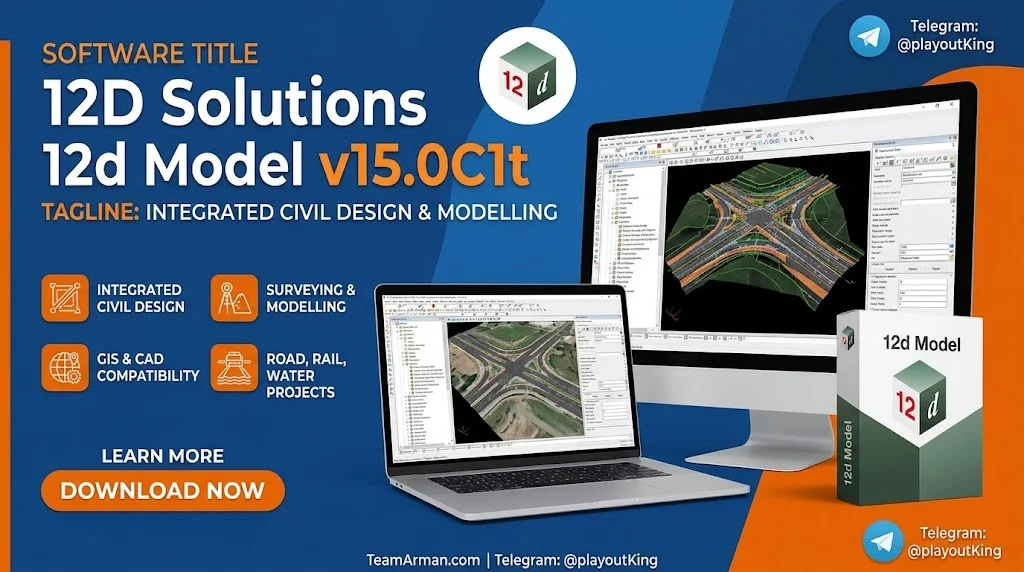
12d Model is a powerful terrain modelling, surveying, and civil engineering software solution used in over 65 countries. First released in 1991, it has become a trusted platform for infrastructure teams working with accurate, connected data throughout the project lifecycle. The software provides specialised solutions for a wide range of projects, including land development, road and rail design, earthworks, water infrastructure, ports, and mining civil infrastructure.
The 12d Model Base platform serves as the core, supporting DTM creation, survey imports, and BIM functionality. Advanced modules can be added to meet specific project needs, such as 12d Field for mobile data collection and 12d Synergy for project information management. The software supports machine control output formats for major manufacturers and offers integrated CAD functionality with full compatibility with major CAD packages.
Key Features of 12d Model v15
The following features represent the most significant capabilities of 12d Model v15.0C1t.
Smart Pattern-Making and Parametric Design
The parametric geometry generator, known as Components, quickly produces fully linked objects for intersections, turning lanes, roundabouts, and other complex civil engineering objects. This smart pattern-making capability is essential for creating subdivision road centrelines, kerb returns, roundabouts, and cul-de-sacs with precision and efficiency.
3D Design Integration and Terrain Modelling
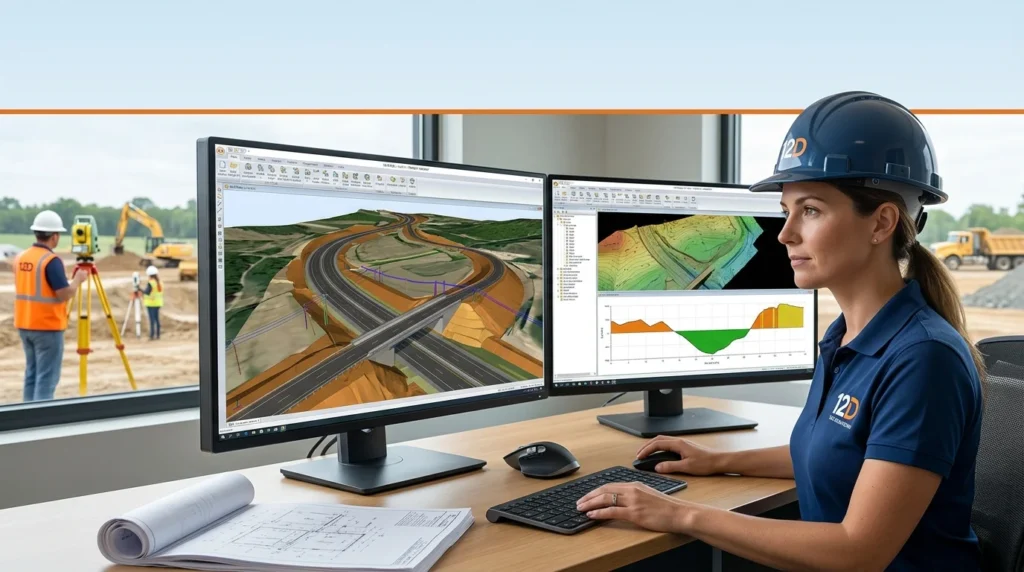
12d Model excels at detailed terrain and grading analysis using algorithmic methods. The software’s “super string” tool provides a simple solution for 3D modelling of utilities such as telephone lines, electricity cables, gas lines, and water pipes. The software handles very large datasets with speed, stability, and precision, making it suitable for large-scale infrastructure projects.
Project Launcher and Themes System
Version 15 introduces a new Project Launcher, a front screen for creating and accessing projects, with quick links to manuals, videos, and the 12d.com website. The Themes system allows users to switch between different interface configurations, including a Standard theme, a Classic theme (emulating V14), and themes tailored for BIM, CAD, Design, 12d Field, Survey, Tin Analysis, and Water workflows.
Object Tree and Attribute Management
The new Object Tree provides a hierarchical view of project data, allowing for more intuitive navigation and management of complex models. The MetaConnex feature enables the creation and checking of attributes, enhancing data integrity and project organisation.
Integrated CAD and Data Exchange
12d Model offers integrated CAD functionality for drafting and output, with full compatibility with major CAD packages. The software supports a wide range of industry-standard file formats for both import and export, ensuring seamless data exchange between platforms.
What’s New in 12d Model v15.0C1t
The C1t release includes several important updates and additions to the v15 platform.
AutoUpdater and Install Manager
The AutoUpdater service ensures that users are notified of and can install the latest updates efficiently. The Install Manager simplifies the deployment and management of the software across multiple machines.
Enhanced 12d Field Integration
Improvements to 12d Field include the display of dongle usage in attributes, a draw box added to the GNSS Status panel, and GNSS sentence support to show satellites in use. Optimisations have also been made to Synergy calls during Master Shares.
Expanded GNSS and Data Support
The C1t release adds support for expanded HiTarget GNSS and large image files. HexFloat support for XYZ readers and writers, and point cloud conflict points are also included, enhancing the software’s data handling capabilities.
Water and Infrastructure Modules
New Quick Water options and improvements to the GIS Manager are included. Support for ADAC 6.0 and AutoCAD 2025 ensures compatibility with the latest industry tools.
System Requirements for 12d Model v15
12d Model is predominantly a single-core application, meaning that a CPU with many cores offers minimal benefit over one with fewer cores. Instead, investment should be directed toward memory and storage, as large projects require substantial resources.
Recommended Hardware Specifications
The following specifications are recommended for optimal performance.
-
CPU: Intel i5 or AMD Ryzen 5 (anything above an Intel i7 would be overkill)
-
RAM: 32GB (2x16GB) minimum; 64GB (2x32GB or 4x16GB) preferred
-
Storage: Two SSDs — 500GB M.2 SSD for OS/software, 1TB+ 2.5″ SSD for project data
-
GPU: NVIDIA GPU with OpenGL support (mid-spec is sufficient for day-to-day tasks)
-
I/O: One USB Type-A port required for the 12d dongle
-
Operating System: Windows 10 or Windows 11 (64-bit only)
Important Notes for Version 15
Only a 64-bit version of 12d Model 15 is available. The old Hardlock dongles will not work with version 15; CodeMeters require drivers of at least version 6.1. Administrator privileges are required for installation, and approximately 2 gigabytes of disc space is needed.
Installation Guide for 12d Model v15
Installing 12d Model involves several key steps, from downloading the installer to configuring the licensing dongle.
Step 1: Download the Installer
Navigate to the 12d Model website (www.12d.com) and access the download link for version 15. Download the installation PDF and the 64-bit installer file. The installation starts by unpacking the information in the installation exe.
Step 2: Run the Installer
Launch the installer and select “Next” to continue. Tick the option to install 12d Model, and also tick “12d Model Updater Service” to allow automatic updates. The standard installation is set to automatically certify the 12d dongle during the 28-day warning period.
Step 3: Install CodeMeter Drivers
Install the CodeMeter dongle drivers from the provided link. This is essential for the licensing system to function correctly. Once drivers are installed, start 12d Model. If an authorization error panel appears, click the “dongles.4d” option to complete the dongle setup.
Step 4: Initial Configuration
Upon first launch, the new Project Launcher will appear. Use this interface to create a new project or open an existing one. The launcher provides quick links to the What’s New documentation, Reference manuals, Macro manuals, and 12d YouTube videos.
How to Use 12d Model: A Beginner’s Guide
12d Model’s workflow centres on creating and managing projects that contain survey data, design models, and documentation.
Opening and Creating Projects
From the Project Launcher, you can either open a project directly or browse to its location. To create a new project, select the “Create New Project” option and define the project settings, including the coordinate system and working units.
Importing Survey Data
12d Model supports a wide range of import formats. To import DWG or DXF data, navigate to File > Data Input > DWG/DXF/DXB. The software provides options to control how data is organised and converted during the import process.
Creating a TIN and Generating Contours
A fundamental workflow involves creating a Triangulated Irregular Network (TIN) from survey data. Use the “Create TIN” function to triangulate survey points, then generate and export contours ready for plotting or client export. The software also allows you to inquire and measure distances within the model.
Road Design with Templates
Road design in 12d Model uses three key inputs: a TIN of the existing ground survey, templates, and alignment strings. The “Apply MTF” function brings these elements together to create the final design. This approach allows for precise control over cross-sections and corridor modelling.
Best Use Cases for 12d Model Software
12d Model is suited for a diverse range of civil engineering and surveying applications.
Land Development and Subdivisions
12d Model is the most versatile solution for sustainable land development projects, including residential subdivisions. It enables easy management of earthwork quantities, road design, utilities, and drainage design from a single platform.
Road and Rail Infrastructure
The software is used for major infrastructure projects, including the North East Link in Australia. Key applications include complex barrier systems, pavement modelling, and 3D signage placement. For rail projects, 12d Model focuses on chainage-based alignment and cross-section workflows.
Earthworks and Volume Calculations
Earthwork design and analysis are core strengths, with the ability to develop mass haul diagrams and precise volume calculations. This makes the software ideal for projects requiring detailed cut-and-fill analysis.
Water, Ports, and Mining Infrastructure
12d Model supports water infrastructure design, port civil infrastructure, dredging design, and mine civil infrastructure. Applications include modelling access roads, intersections, hardstands, retaining walls, storage ponds, dams, and canals.
Advantages and Limitations of 12d Model
Advantages
-
Robust Earthwork and Terrain Analysis: 12d Model is renowned for its detailed earthwork, terrain, and stormwater analysis capabilities.
-
Powerful String-Based Modelling: The software’s string-based approach offers highly flexible and precise control over design geometry.
-
Extensive File Format Support: Import and export compatibility with 12da, 12daz, XYZ, DWG, DXF, SHP, IFC, LandXML, and many other formats ensures seamless integration into existing workflows.
-
Comprehensive Module Ecosystem: The Base platform can be extended with specialised modules for field data collection, project management, and advanced design tasks.
Limitations
-
Steeper Learning Curve: The software’s powerful and flexible string-based modelling approach can be more challenging to learn compared to some alternatives.
-
Static Workflow: Unlike some BIM-centric tools, 12d Model follows a more traditional and less “live” workflow, requiring more manual updates when design changes occur.
-
Single-Core Performance: The application is predominantly single-core, meaning that high-core-count CPUs do not provide significant performance benefits.
Alternatives to 12d Model
Several other software solutions serve similar civil engineering and surveying needs. The choice often depends on regional preferences, project requirements, and existing software ecosystems.
Autodesk Civil 3D
Civil 3D is widely used globally and is built on a BIM-centric, parametric approach that delivers live dynamic linking. Design changes update automatically in real time. It is easier to learn with its AutoCAD interface and is well-suited for subdivisions, multidisciplinary projects, and documentation. However, its pavement and drainage tools often require add-ons and can be less efficient for certain tasks.
Bentley MX Road
MX Road excels in high-precision alignment and corridor modelling with strong roots in the US and Europe. Its tools are powerful but typically require more manual updates compared to Civil 3D. It is known for mathematical optimisation in corridor designs.
Other Alternatives
Other alternatives include Civil Designer, Civil Site Design, OpenRoads Designer, and RoadEng Civil Engineer. Each offers a different balance of features, pricing, and regional suitability.
Frequently Asked Questions About 12d Model
What is 12d Model used for?
12d Model is a surveying and civil engineering software package used for terrain modelling, civil design, earthworks analysis, road and rail design, water infrastructure, and construction documentation.
Can I run 12d Model on Windows 11?
Yes, 12d Model is compatible with both Windows 10 and Windows 11. Ensure your system meets the recommended hardware specifications for optimal performance.
What are the most common file formats 12d Model can import?
12d Model can import 12da, 12daz, 12dxml, 12dxmlz, XYZ ASCII, DWG, DXF, Arcview SHP, Mapinfo MID/MIF and TAB, IFC, OBJ, DEM, LandXML, and MX Genio files.
What should I do if I encounter an “Authorization Error”?
First, try the troubleshooting steps in the 12d Wiki article on error starting 12d Model. If the issue persists, click the email support button on the panel and send the details to your local 12d support team.
What is 12d Field?
12d Field is a mobile application for field data collection and management that integrates with 12d Model for seamless data transfer between the office and the field.
Where can I find training resources for 12d Model?
Training materials and courses are available through 12d Model Training. The Project Launcher also provides quick links to manuals, videos, and other resources.
Is 12d Model suitable for large infrastructure projects?
Yes, 12d Model is used on major projects such as the North East Link in Australia. Its ability to handle very large datasets with speed and precision makes it well-suited for large-scale infrastructure.
Can 12d Model be used from home?
Yes, there are no 12d Solutions licence restrictions when working from home, and there is no restriction to accessing network licences from outside the office.
Final Thoughts
12d Model v15.0C1t represents a significant evolution of a mature and powerful civil engineering platform. The introduction of the Project Launcher, Themes system, and Object Tree enhances usability and workflow flexibility, while the core strengths in terrain modelling, earthwork analysis, and parametric design remain intact. For professionals working in land development, road and rail infrastructure, water, ports, and mining, 12d Model offers a comprehensive and reliable solution. While the learning curve is steeper than some alternatives, the depth of control and precision it provides make it a valuable tool for complex civil engineering projects.
For the latest updates, training resources, and support, visit the official 12d Model website and community wiki.
Our Paid Service
“We do not sell or provide any software. We only offer professional support services. If any software on your system is not working properly, or you are facing installation errors, crashes, or any other technical issue — just contact us. We will help you fix the problem quickly and remotely via AnyDesk. No software will be provided from our side — only expert troubleshooting and support.”