
Overview of Winmostar
Table of Contents
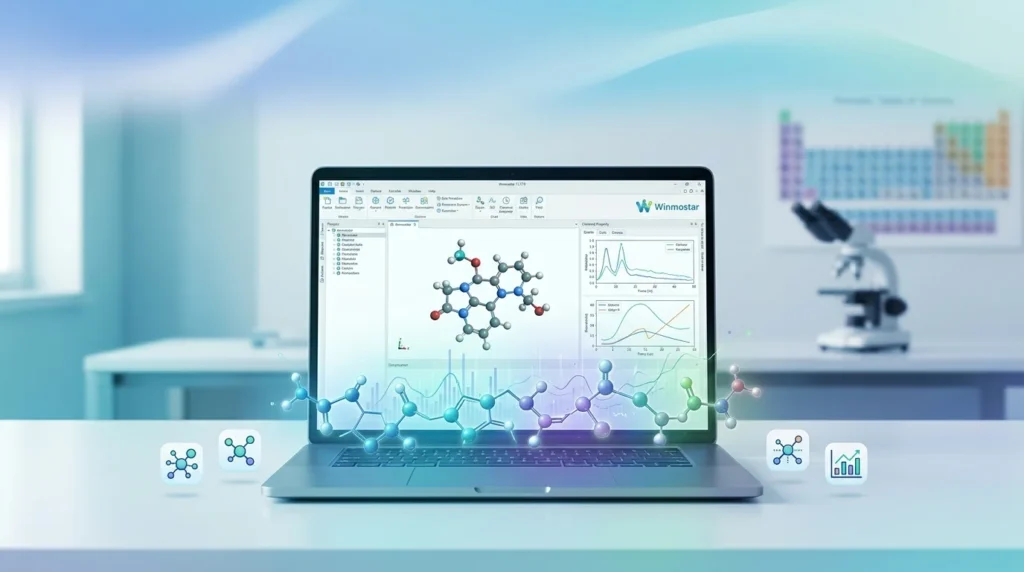
Winmostar is a simulation environment that acts as a unified front-end for a wide array of computational chemistry solvers. Rather than requiring researchers to manually prepare input files and interpret complex command-line outputs, Winmostar provides a mouse-driven interface that handles everything from initial structure creation to final data analysis.
The software supports multiple simulation methodologies, including molecular orbital (MO) calculations, density functional theory (DFT), first-principles calculations, and molecular dynamics (MD). It integrates with industry-standard solvers such as GAMESS, Gaussian, MOPAC, LAMMPS, GROMACS, Quantum ESPRESSO, NWChem, OpenMX, and VASP, making it a versatile tool for a broad range of computational research.
Winmostar has been in development since 2001 and has accumulated a substantial user base across academia and industry. As of 2023, the software has been adopted by 171 private companies, 28 research institutions, and 118 universities, with 82 educational institutions using it for coursework. The software has been cited in 144 academic papers and 13 corporate patents.
Key Features
Winmostar 11.17.0 offers a comprehensive feature set organized around the core stages of computational simulation.
Structure Building and Modeling
The software provides extensive modeling capabilities for a wide variety of systems:
-
Molecular and complex structures: Build organic molecules, coordination complexes, and organometallic compounds
-
Condensed phases: Generate liquid, amorphous, polymer, and crystalline structures
-
Surfaces and interfaces: Create slab models and interface structures for surface science studies
Additional modeling tools include SMILES string input, Z-Matrix editing, automatic hydrogen addition, bond recognition, conformer searching via Balloon, and point-group symmetry analysis.
Solver Integration and Calculation Setup
Winmostar’s key strength lies in its ability to configure and execute calculations across multiple solvers without leaving the GUI. The software supports:
-
Quantum chemistry solvers: GAMESS, Gaussian, MOPAC, NWChem, and CNDO/S
-
Molecular dynamics solvers: LAMMPS, GROMACS, and MODYLAS
-
First-principles solvers: Quantum ESPRESSO, OpenMX, and VASP
Calculation conditions can be set through dedicated workflow setup windows, with preset options for common tasks such as geometry optimization, frequency analysis, and transition state searches.
Results Analysis and Visualization
The software includes robust post-processing tools for analyzing calculation outputs. Users can visualize molecular orbitals, electrostatic potentials, electron density isosurfaces, and various spectra. The 3D viewer supports animation playback for MD trajectories, and export options include GIF animation, MP4 video, and POV-Ray scene files.
Project Management and Workflow
Version 11 introduced two operating modes: Project Mode and File Mode. Project Mode allows users to manage jobs without manually handling individual files, which is the recommended approach for most workflows. File Mode retains the traditional file-centric approach for users who prefer explicit file management.
What’s New in Winmostar 11.17.0
The 11.17.0 release includes several targeted improvements:
-
Red bond display enhancement: Red bonds (auxiliary bonds) can now be displayed as dashed lines, improving visual clarity in molecular structures
-
Toolbar stability fix: Resolved a bug where the toolbar button layout could become misaligned after resuming from sleep
-
Job Manager fix: Corrected an issue where job submission via the Job Manager did not work properly in certain situations
-
Working folder status fix: Fixed a bug where the “Recheck Status” function for working folders did not function correctly
-
New Gaussian keywords: Added Hamiltonian, SCF, SCRF, and Int keywords to the Gaussian keyword settings
-
Interface Builder: Added a new Interface Builder tool under the Solid menu for constructing interface structures
-
Slab Builder improvement: When the generated cell has gamma = 60 degrees, the cell is now redefined to use gamma = 120 degrees instead
-
Quantum ESPRESSO band structure: Changed the data source from .dat to .gnu files, increasing available numerical precision
System Requirements
Winmostar is designed to run on standard Windows workstations without requiring high-end hardware for the main application. The minimum specifications are:
| Component | Requirement |
|---|---|
| Operating System | Windows 11 (64-bit, x86 and Arm) |
| CPU & RAM | Compliant with Windows 11 system requirements |
| Storage | 20 GB or more free space |
| Network | Not required for local operation |
The software also runs on Windows 7, 8, and 10, though these are not covered by the operation guarantee. macOS and Linux users can access Winmostar through a virtual machine running Windows.
For Arm-based CPUs, X-Ability has verified compatibility with Snapdragon X Plus processors on Windows 11 Pro. A network connection is not required for the software to function, making it suitable for offline workstations.
Installation Guide
Installing Winmostar 11.17.0 involves three main stages: installing the main application, setting up the CygwinWM environment, and configuring the desired solvers.
Step 1: Install Winmostar
Download the installer from the official X-Ability website and run winmostar0_setup_11.17.0.exe. The installer is identical for all editions—FREE, STUDENT, PROFESSIONAL, and Trial—with edition availability determined by license registration.
Step 2: Set Up CygwinWM
CygwinWM provides the UNIX-like environment required for running solvers such as Quantum ESPRESSO, LAMMPS, and GROMACS. For Winmostar V11.5.0 or later on 64-bit systems, install CygwinWM version 2023/04/05 or later, which includes recommended solver versions.
Step 3: Configure Solvers
Individual solvers must be installed separately. Winmostar provides configuration options under Tools → Preferences to specify solver executable paths. For solvers installed on remote Linux servers, SSH/SCP communication must be configured.
License Registration
License registration can be performed through the GetLicense tool. A 30-day professional trial is available, and academic users can register for the STUDENT Edition using an academic email address.
How to Use Winmostar
The typical workflow in Winmostar follows a logical sequence from structure creation to results analysis. The following example demonstrates a basic molecular orbital calculation using MOPAC.
Creating a New Project
Launch Winmostar and click Create New Project (3D). Enter a project name and click Save. This creates a project directory where all calculation files and results will be stored.
Building or Importing a Molecular Structure
Structures can be built directly in the 3D viewport, drawn using the JSME molecular editor, imported from standard file formats (PDB, MOL, XYZ, CIF), or loaded from sample files. For this example, import the indigo molecule from the sample files.
Running a Calculation
Select MOPAC from the solver toolbar and click Workflow Setup. Configure the calculation settings and click Run. The job manager will execute the calculation and monitor its progress.
Analyzing Results
Once the calculation status changes to END, the results become available for analysis. For a MOPAC optimization, click Coordinate (Final) to view the optimized geometry. For spectral calculations, click MO & UV-Vis to display the calculated spectrum.
Best Use Cases
Winmostar is particularly well-suited to several research and educational scenarios:
-
Materials screening: Rapidly evaluate candidate materials for properties such as band gaps, adsorption energies, and mechanical properties before committing to experimental synthesis
-
Reaction mechanism studies: Explore potential energy surfaces and identify transition states for chemical reactions
-
Polymer and soft matter research: Build and simulate polymer melts, amorphous materials, and liquid systems using LAMMPS or GROMACS
-
Surface science: Construct slab models and study adsorption, catalysis, and interface phenomena using Quantum ESPRESSO or VASP
-
Education and training: Teach computational chemistry concepts through an accessible GUI without requiring command-line expertise
Advantages and Limitations
Advantages
-
Unified interface: Manage multiple solvers from a single GUI, eliminating the need to learn different input file formats for each program
-
Beginner-friendly: Mouse-driven operations make computational chemistry accessible to experimental researchers
-
Comprehensive solver support: Covers quantum chemistry, molecular dynamics, and first-principles methods
-
ARM compatibility: Runs on Windows on Arm devices, enabling simulation on modern power-efficient hardware
-
Strong track record: Over 20 years of development with verified adoption in industry and academia
-
Extensive tutorials: More than 40 tutorials covering various simulation types and solvers
-
Remote job support: Can submit and manage jobs on Linux servers and HPC clusters
Limitations
-
Windows-only: While macOS and Linux users can use virtual machines, there is no native support for these platforms
-
Solver licenses required: Commercial solvers such as Gaussian and VASP require separate licenses
-
Learning curve for advanced features: While basic operations are intuitive, advanced workflows still require domain knowledge
-
Storage requirements: 20 GB of free disk space is needed for the application and associated files
Alternatives to Winmostar
Several other software packages offer comparable functionality for computational chemistry and materials simulation.
| Software | Developer | Key Differences |
|---|---|---|
| Materials Studio | BIOVIA (Dassault Systèmes) | Broader materials modeling capabilities, higher cost, more complex interface |
| Avogadro | Open-source community | Free and open-source, but limited solver integration and post-processing |
| GaussView | Gaussian, Inc. | Focused exclusively on Gaussian, no MD or first-principles support |
| VESTA | JP-Minerals | Free visualization tool, but no calculation execution capability |
| Quantum ATK | Synopsys | Advanced first-principles capabilities, steep learning curve, higher cost |
Winmostar’s primary differentiators are its integration of multiple solver types in a single interface and its focus on usability for researchers who may not have extensive computational chemistry backgrounds.
Frequently Asked Questions
What is Winmostar used for?
Winmostar is used for atomic and molecular scale simulations, including quantum chemistry calculations, molecular dynamics simulations, and first-principles calculations. It provides a unified GUI for building structures, setting up calculations, running jobs, and analyzing results.
Is Winmostar free?
Winmostar offers a FREE Edition with limited features, a STUDENT Edition for enrolled students, and paid PROFESSIONAL Edition options. A 30-day trial of the Professional Edition is available. The FREE Edition includes basic modeling functions and MO calculations for up to 30 atoms.
What solvers does Winmostar support?
Winmostar supports GAMESS, Gaussian, MOPAC, NWChem, CNDO/S, LAMMPS, GROMACS, MODYLAS, Quantum ESPRESSO, OpenMX, and VASP. Solver installation and configuration are required separately.
Can I run Winmostar on macOS or Linux?
Winmostar is a Windows application. macOS and Linux users can run it by installing Windows in a virtual environment such as VirtualBox.
What are the system requirements for Winmostar 11.17.0?
Winmostar requires Windows 11 (64-bit, x86 or Arm), a CPU and RAM compliant with Windows 11 requirements, and at least 20 GB of free disk space. A network connection is not required for local operation.
Does Winmostar support remote job submission?
Yes. Winmostar can submit jobs to remote Linux servers and HPC clusters via SSH/SCP. Supported job schedulers include TORQUE, PBS, Slurm, SGE, and LSF.
What file formats does Winmostar support?
Winmostar supports a wide range of file formats for import and export, including PDB, MOL, MOL2, XYZ, SDF, CIF, GRO, POSCAR, LAMMPS data, and Cube formats.
Is Winmostar suitable for beginners?
Yes. Winmostar is designed with a beginner-friendly interface that uses mouse operations for most tasks. The software includes a Beginner’s Guide, numerous tutorials, and training sessions for new users.
Final Thoughts
X-Ability Winmostar 11.17.0 represents a mature and well-established solution for researchers who need to perform computational chemistry and materials simulations without the overhead of learning multiple command-line tools. Its strength lies in the breadth of solver integration, the accessibility of its GUI, and the comprehensive set of modeling and analysis tools it provides.
The 11.17.0 release, while a relatively modest update, demonstrates X-Ability’s continued commitment to refining the user experience through targeted bug fixes and incremental feature additions. For research groups and educational institutions looking to lower the barrier to entry for computational chemistry, Winmostar offers a compelling combination of capability, usability, and value.
Researchers should note that while Winmostar provides the interface and workflow management, the underlying solvers—particularly commercial ones like Gaussian and VASP—require separate licenses. The FREE and STUDENT editions provide accessible entry points for evaluation and educational use, while the PROFESSIONAL editions unlock the full feature set for industrial and advanced research applications.
Our Paid Service
“We do not sell or provide any software. We only offer professional support services. If any software on your system is not working properly, or you are facing installation errors, crashes, or any other technical issue — just contact us. We will help you fix the problem quickly and remotely via AnyDesk. No software will be provided from our side — only expert troubleshooting and support.”