
Overview of the Software
Table of Contents
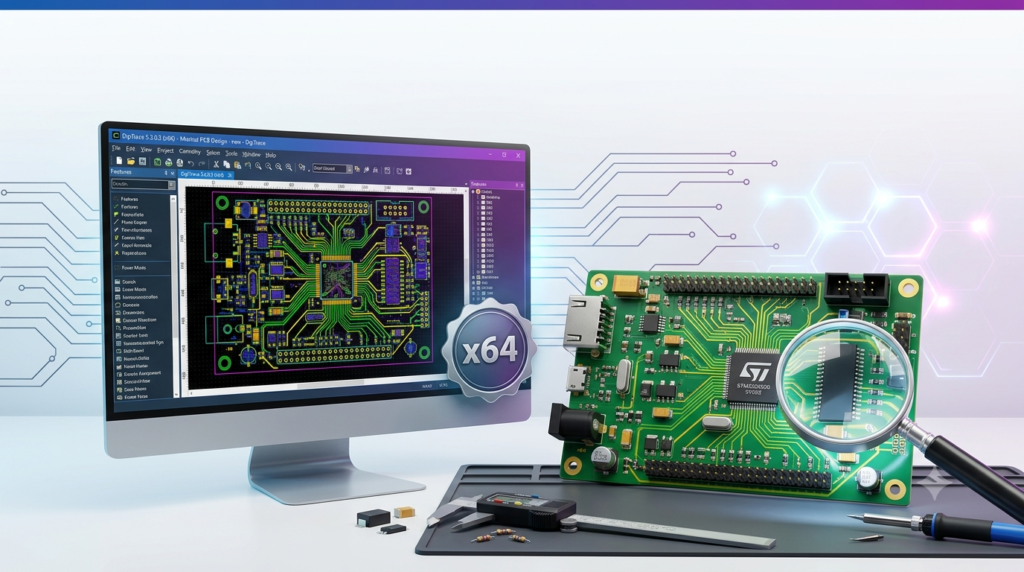
DipTrace is a comprehensive PCB design software suite developed by Novarm Ltd. It provides an integrated environment for schematic capture, PCB layout, component and pattern editing, and 3D modeling. Since its initial release in 2004, DipTrace has been adopted by more than 30,000 engineers worldwide. The software is available under a perpetual license model, meaning users purchase it once and own it outright without recurring subscription fees.
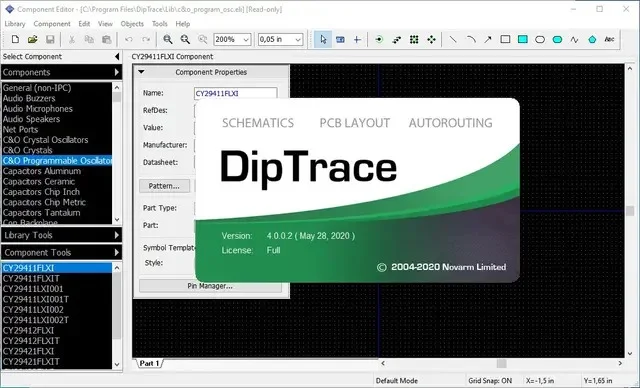
DipTrace is designed for both Windows and macOS environments. It supports Windows operating systems from XP through Windows 11, and macOS 10.15.4 Catalina or higher. Linux users can run the software through Wine. The suite consists of four primary modules: Schematic Capture, PCB Layout, Pattern Editor, and Component Editor, all accessible through a central launcher.
Version 5.3 represents a significant milestone in the software’s evolution. It introduces interactive editing capabilities that enable engineers to push surrounding traces and vias while moving or editing board elements. This feature automates what was previously a manual process, substantially reducing rework and accelerating design cycles. The update is free for all existing DipTrace 5.x users.
The software is particularly suited to professionals who require reliable offline tools, long-term design stability, and full ownership of their engineering data. It is a viable alternative to cloud-based or subscription-only EDA tools, offering comparable functionality in a more traditional software package.
Key Features
Schematic Capture
The Schematic Capture module provides a multi-page, hierarchical environment for circuit design. Engineers can create complex designs with multiple levels of hierarchy, and the software includes robust error checking to ensure design integrity. Key capabilities include:
-
Multi-page hierarchical schematics with advanced validation and design rule checks
-
Digital SPICE Simulator for accurate simulation of digital circuits, a significant upgrade over the standard NG Spice parser
-
Netlist import/export supporting KiCad and other third-party EDA tools
-
Direct PDF export for documentation and sharing
-
Cross-selection and highlighting for seamless navigation between schematic and PCB layout
PCB Layout
The PCB Layout module is the core of the DipTrace experience, offering professional-grade tools for board design. It supports designs with varying complexity, from simple single-layer boards to dense multi-layer configurations.
-
Push and Shove Router: Introduced in version 5.0, this feature dynamically pushes traces and vias during manual routing, adapting the layout without requiring manual rerouting of entire sections
-
Interactive Editing (version 5.3): Move or edit traces, vias, components, pads, mounting holes, shapes, and board outline, with surrounding copper automatically adjusted
-
Walk Around Router: Routes traces around obstacles like pads and keepouts automatically
-
Length-priority routing mode: Sketch a rough path and let the router decide how to route around or push existing copper
-
PCB Calculator: Provides calculations for trace width, clearance, current capacity, resistance, transmission line characteristics, and differential pair impedance
-
Real-time DRC (Design Rule Checking): Ensures designs stay within defined manufacturing constraints
-
High-speed and differential signal support: Includes dedicated routing capabilities for complex signal integrity requirements
Component Libraries and Management
DipTrace includes extensive built-in libraries and tools for component management:
-
160,000+ built-in package components with access to over 10 million additional devices
-
IPC-7351 Pattern Generator for creating standard-compliant footprints
-
Component Search with Preview (version 5.3): Database-powered search with fast result previews
-
Mouser Supplier Integration: Displays current component availability and pricing within the design environment
-
CSV/TXT pin list import to quickly define parts from external data sources
-
Batch Assembly Tracking in the interactive HTML BOM
3D Modeling and Mechanical CAD Integration
DipTrace offers full 3D design and visualization capabilities:
-
Real-time 3D PCB preview at any stage of the design process
-
Built-in 3D model generation for custom components
-
11,000+ pre-built package models ready for immediate use
-
STEP and VRML export for integration with mechanical CAD software
Manufacturing Output
The software produces a comprehensive range of manufacturing files:
-
Gerber file generation for standard PCB fabrication
-
IPC-2581C Export: Vendor-neutral file generation for fabrication, assembly, and testing
-
ODB++ Export for streamlined communication with manufacturers
-
G-code Export for solder paste dispensing and other CNC processes
-
Pick-and-Place files with customizable column titles
What’s New in DipTrace 5.3
DipTrace 5.3, released as a stable version in July 2026 following a beta period, represents a significant evolution of the platform. The update is free for all existing 5.x users.
Interactive Editing
The centerpiece of version 5.3 is interactive editing, which dramatically reduces manual rework during layout. This feature enables engineers to move or edit almost any board element—including traces, vias, components, pads, mounting holes, shapes, and the board outline—while the software automatically adjusts surrounding traces and vias.
The interactive editing system also supports a new length-priority routing mode. Engineers can sketch a rough path, and the router intelligently determines what to push aside and what to route around, guided by length-priority parameters.
Native XML Project Format
DipTrace 5.3 introduces a native XML project format that works identically to the binary format but offers significant advantages for team development. XML-based projects are version-control friendly, enabling teams to:
-
Track changes using standard development tools like Git
-
Compare revisions at the file level
-
Resolve merge conflicts more effectively
The XML format provides fast, memory-efficient import and export, making it suitable for collaborative workflows without compromising performance.
Enhanced Component Management
Version 5.3 includes a new database-powered component search with fast result previews. The integrated Mouser Electronics support displays current component availability and pricing directly inside the design environment, streamlining the component selection and procurement process.
Additional Enhancements
Other improvements in version 5.3 include:
-
QR Code Support: Place QR codes directly on designs or convert between text and codes
-
Batch Assembly Tracking in interactive HTML BOMs
-
Monospaced vector font with fractional font sizes for improved labeling clarity
-
Improved DXF import/export for better mechanical CAD interoperability
-
Enhanced EAGLE import for smoother migration from other tools
System Requirements
Minimum System Requirements
-
Processor: 1 GHz Pentium III or equivalent
-
Memory: 1 GB RAM
-
Hard Disk Space: 2.0 GB free space
-
Display: 1024×768 screen resolution or higher
-
Graphics: OpenGL / DirectX 9.0 or higher
Supported Operating Systems
-
Windows: XP, Vista, 7, 8, 8.1, 10, and 11 (both 32-bit and 64-bit versions)
-
macOS: 10.15.4 Catalina or higher
-
Linux: Supported through Wine
Download Information
The software package is approximately 220 MB for Windows (Trial or Freeware versions) and 1.2 GB for macOS installations. Versions available include:
-
30-day Trial: All features and libraries included
-
Freeware: 300 pins and 2 signal layers limit, for non-profit use
-
DipTrace Viewer: Free viewing tool for checking DipTrace projects
Installation Guide
Windows Installation
-
Download the DipTrace installer from the official website
-
Launch the downloaded
.exefile. If prompted, click “Run” and then “Allow” if Windows asks for permission -
Welcome dialog: Click “Next>” to proceed
-
License Agreement: Read and accept the terms by selecting “I accept the terms of the license agreement,” then click “Next>”
-
Destination folder: Choose the installation path (default is
C:\Program Files\DipTrace). Click “Next>” to continue -
Start menu folder: Set the folder name for program shortcuts (default is “DipTrace”). Click “Next>”
-
Confirm installation: Review settings and click “Next>” to begin file copying
-
Completion: Click “Finish.” Optionally select to run DipTrace immediately after installation
macOS Installation
-
Download the DipTrace DMG file
-
Open the DMG file and move DipTrace to the Applications folder
-
Terminal command: Open Terminal (Applications → Utilities → Terminal) and run:
xattr -rd com.apple.quarantine /Applications/DipTrace.app -
Launch DipTrace from Applications. First startup may take up to 5 minutes
Linux Installation (Wine)
-
Install Wine through your package manager or Flatpak
-
Download the Windows installer
-
Run the installer using Wine. The software will be installed to
drive_c/Program Files/DipTrace/ -
Launch DipTrace Launcher from the installation directory
Activation
DipTrace offers a 30-day trial period. After the trial, users can purchase a license through the online store. Upon receiving registration details (username and license key), enter these in the registration window when DipTrace launches. The license can be applied by clicking the “Apply” button.
File Types and Locations
DipTrace uses the following native file formats:
-
*.dip– PCB layout board files -
*.dch– Schematic files -
*.lib– Pattern library files -
*.eli– Component library files
Standard libraries are installed in C:\Program Files\DipTrace\Lib and are overwritten during version upgrades. User-created libraries should be stored separately to avoid loss. Settings files are stored in C:\ProgramData\DipTrace\.
How to Use the Software
Getting Started
After installation, launch DipTrace from the Start menu (Windows) or DipTrace Launcher (Mac). From the launcher, you can open any of the four modules: Schematic Editor, PCB Layout, Pattern Editor, or Component Editor.
Basic Workflow
The standard workflow follows a logical progression from concept to manufacturing:
1. Schematic Capture
Start by creating a schematic in the Schematic Editor. Place components from the built-in libraries, draw connections between pins, and use the multi-page hierarchical structure for complex designs. The SPICE Simulator enables circuit validation before proceeding to layout.
2. Component and Pattern Editing
For components not available in the libraries, use the Component Editor and Pattern Editor to create new parts. The IPC-7351 Pattern Generator simplifies footprint creation.
3. PCB Layout
Transfer the design to the PCB Layout module. Place components on the board outline and route connections. Use the interactive editing and push-and-shove router features to adjust routing efficiently. The real-time DRC ensures design rules are followed throughout the process.
4. 3D Review and Validation
Preview the board in 3D to check for mechanical interference and component clearance.
5. Manufacturing Output
Generate Gerber files, ODB++, IPC-2581C, or other manufacturing formats for fabrication.
Advanced Workflows
Version Control with XML Format (version 5.3): Save projects in XML format to enable tracking and collaboration through version control systems like Git.
Cross-Selection: Use the cross-selection feature to highlight corresponding elements between schematic and PCB layout, making design navigation more intuitive.
Netlist-based PCB Update: Update your PCB design from netlists generated by third-party software, enabling flexible collaborative workflows.
Best Use Cases
Professional Electronics Engineering
DipTrace is well-suited for professional engineering environments, particularly those that prefer perpetual licensing models over subscription-based EDA tools. Its offline availability and local data storage make it appropriate for organizations with strict data security requirements or limited internet access. The software is used in industries ranging from consumer electronics to industrial control systems.
PCB Design for Contract Manufacturing
The software’s comprehensive manufacturing output capabilities—including Gerber, ODB++, IPC-2581C, Pick-and-Place, and G-code generation—make it suitable for designers who need to deliver complete manufacturing packages to fabricators and assemblers.
Educational and Hobbyist Applications
The freeware version, which includes all features with a 300-pin, 2-layer limit, is appropriate for educational environments, non-profit projects, and hobbyist use. The intuitive interface and extensive library support lower the learning curve for students and beginners.
Collaborative Team Environments
The XML project format introduced in version 5.3 makes DipTrace suitable for teams that need to use version control systems to manage design files. This feature addresses a common pain point in PCB design collaboration, where binary formats traditionally made change tracking and conflict resolution difficult.
Advantages and Limitations
Advantages
Perpetual License Model: DipTrace uses a one-time purchase model with no recurring subscription fees. This approach provides long-term cost predictability and full ownership of engineering data.
Offline Usability: The software can be used without an internet connection, making it reliable in environments with limited or restricted internet access.
Comprehensive Feature Set: The software includes features that compete with more expensive EDA tools, including push-and-shove routing, SPICE simulation, 3D modeling, and extensive manufacturing output options.
Cross-Platform Support: Native support for Windows and macOS, with Linux compatibility through Wine, supports a wide range of hardware environments.
Extensive Library Ecosystem: Access to over 160,000 components and 10+ million additional parts through built-in libraries and supply chain integrations.
Regular Updates: The 5.x release cycle has delivered significant new features, including push-and-shove routing (5.0), import/export enhancements (5.1, 5.2), and interactive editing (5.3), all included at no additional cost for existing users.
Limitations
Linux Support via Wine: While functional, Linux users must run DipTrace through Wine rather than as a native application, which can introduce compatibility considerations and require additional configuration.
Community and Ecosystem Size: Compared to industry-standard tools like Altium Designer, the DipTrace user community and third-party ecosystem are smaller. This may impact the availability of community resources and third-party libraries.
Limited Cloud Collaboration: DipTrace’s offline-first approach means it lacks the cloud-based collaboration features found in some modern EDA tools. The XML format addresses version control but does not provide built-in cloud synchronization.
Alternatives to the Software
When evaluating PCB design software, it is important to consider the available alternatives against the specific needs of your projects and workflow. Each tool has its own strengths, licensing model, and target user base.
Altium Designer
Altium Designer is an industry-standard EDA tool with a comprehensive feature set. It offers advanced functionality for complex, high-speed designs and extensive manufacturing support. The software uses a subscription-based licensing model, which can be costly and requires ongoing renewal. Altium is best suited for professional engineering teams at large enterprises that require the most advanced design tools. Its major features include 3D PCB design, signal integrity analysis, and a unified design environment.
KiCad
KiCad is an open-source PCB design suite that is completely free to use. It provides full-featured capabilities, including schematic capture, PCB layout, 3D viewer, and SPICE simulation. KiCad has a growing library and community, and it supports the same manufacturing outputs as commercial tools. It does not offer integrated push-and-shove routing to the same level as DipTrace 5.x. KiCad is best for hobbyists, students, and professional teams that prefer open-source software. Its key strengths are its free cost and active open-source community.
Eagle (Autodesk)
Eagle PCB design software is known for its intuitive user interface and strong hobbyist presence. It offers powerful schematic capture and layout tools with a large component library. Eagle is a subscription-based tool, and its free version has limited features. It is best suited for makers, hobbyists, and small engineering teams. Eagle provides good integration with Fusion 360 for mechanical CAD.
PADS (Siemens)
PADS is a professional-grade PCB design suite for enterprise-level engineering. It offers advanced routing, simulation, and design-for-manufacturing tools. The software uses a high-cost subscription or perpetual license model and targets large engineering organizations. PADS is best for companies requiring highly scalable, enterprise-level PCB design. It features advanced constraints management, high-speed design, and integrated simulation tools.
Frequently Asked Questions
Is DipTrace available for free?
Yes, DipTrace offers a Freeware version that includes all features but is limited to 300 pins and 2 signal layers for non-profit use. A 30-day trial version with no pin or layer limitations is also available.
What operating systems does DipTrace support?
DipTrace runs on Windows (XP through 11, both 32-bit and 64-bit), macOS 10.15.4 Catalina or higher, and Linux through Wine.
What is the difference between DipTrace versions 5.2 and 5.3?
DipTrace 5.3 introduces interactive editing, which automatically pushes surrounding traces and vias when editing board elements, a native XML project format for version control, database-powered component search with Mouser integration, and other enhancements.
What are the system requirements for DipTrace?
DipTrace requires a 1 GHz Pentium III or equivalent processor, 1 GB of RAM, 2 GB of free hard disk space, 1024×768 screen resolution, and OpenGL/DirectX 9.0 or higher.
How much does DipTrace cost?
DipTrace is available under a perpetual license model—a one-time purchase with no recurring fees. Pricing details are available through the DipTrace online store.
Can I use DipTrace for commercial projects?
Yes, DipTrace can be used for commercial projects with a purchased license. The Freeware version is limited to non-profit use only.
What file formats does DipTrace support for export?
DipTrace supports export to Gerber, ODB++, IPC-2581C, STEP, VRML, G-code, PDF, and other formats.
Does DipTrace have a SPICE simulator?
Yes, DipTrace includes a Digital SPICE Simulator in the Schematic Capture module, and its parser has been updated to support digital models where the standard NG Spice parser is insufficient.
What is the pin limit in DipTrace Freeware?
The Freeware version of DipTrace has a limit of 300 pins and 2 signal layers.
Final Thoughts
DipTrace 5.3 represents the latest evolution of a mature PCB design platform that has served engineers for over two decades. The introduction of interactive editing brings the software’s routing capabilities in line with industry expectations, while the new XML project format addresses a key collaboration pain point for team-based development.
The software’s perpetual licensing model remains a distinguishing feature in an industry increasingly shifting toward subscriptions. For engineers and organizations that value full ownership of their design tools and data, DipTrace offers a compelling value proposition.
With its comprehensive set of features—including hierarchical schematic capture, digital simulation, advanced routing, 3D modeling, and extensive manufacturing output options—DipTrace is appropriate for a wide range of PCB design applications. The freeware and trial versions provide accessible entry points for evaluation, education, and non-commercial use.
For engineers seeking a reliable, professional PCB design solution that does not require ongoing subscription payments, DipTrace 5.3 merits serious consideration. Its regular feature updates, cross-platform support, and robust library ecosystem make it a capable tool for both individual designers and engineering teams.
Our Paid Service
“We do not sell or provide any software. We only offer professional support services. If any software on your system is not working properly, or you are facing installation errors, crashes, or any other technical issue — just contact us. We will help you fix the problem quickly and remotely via AnyDesk. No software will be provided from our side — only expert troubleshooting and support.”