
Overview of Blue Iris 6.1.1.4
Table of Contents
Blue Iris has long been recognized as one of the most feature-rich video security software packages available for Windows. The version 6.1.1.4 release represents the latest iteration of this mature platform, building upon the major version 6 overhaul that introduced significant architectural improvements.
The software functions as a full video management system (VMS) that connects to your cameras, records footage, detects motion, sends alerts, and provides remote access through both web browsers and mobile applications. Unlike cloud-dependent solutions, Blue Iris operates primarily on your local hardware, giving you complete control over your video data and eliminating recurring subscription fees for core functionality.
The x64 designation indicates this version is built for 64-bit Windows systems, which is essential for handling the memory demands of multiple high-resolution camera streams and the built-in AI processing features introduced in version 6.
Key Features of Blue Iris 6.1.1.4
Blue Iris 6.1.1.4 includes an extensive feature set that caters to both home users and professional installers.
Multi-Camera Management
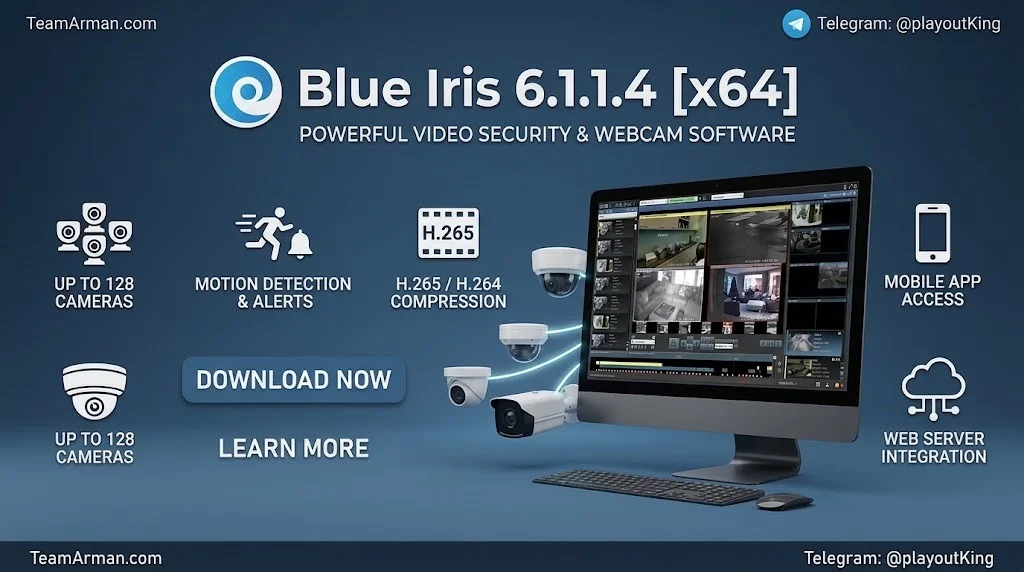
The software supports connections to a wide variety of camera types, including IP cameras, USB webcams, and analog cameras when paired with capture cards. With support for up to 128 cameras, Blue Iris can handle large-scale surveillance deployments that would overwhelm many competing products. The camera management interface allows you to organize cameras into groups, customize individual settings, and view multiple feeds simultaneously.
Advanced Motion Detection and AI
One of Blue Iris’s standout capabilities is its sophisticated motion detection system. Users can configure motion sensitivity, define specific zones within camera views, and receive alerts via email or push notifications when activity is detected. The built-in AI engine takes this further by providing object detection and classification, allowing the system to distinguish between people, vehicles, animals, and other objects. This dramatically reduces false alerts compared to simple pixel-based motion detection.
Recording Flexibility
Blue Iris offers multiple recording modes to suit different monitoring needs. You can choose continuous recording, scheduled recording during specific hours, or motion-triggered recording that only saves footage when activity occurs. The software supports various video resolutions and codecs, including H.264 and H.265, with hardware-accelerated encoding and decoding available through Intel QSV/OneVPL and Nvidia NVENC platforms.
Remote Access and Notifications
Remote monitoring is handled through both web browser interfaces and dedicated mobile apps for Android and iOS. The integrated HTTPS server provides encrypted connections without requiring third-party tools like STunnel. Push notifications, email alerts, and SMS messaging keep you informed of security events in real time, regardless of your location.
User Management and Interface
The software supports multiple user accounts with customizable access permissions, making it suitable for environments where different people need varying levels of control. Version 6 introduced a refreshed user interface with a modern “dark mode” aesthetic, improved contrast, and better legibility.
What’s New in Blue Iris 6.1.1.4
The 6.1.1.4 release includes several enhancements and bug fixes that improve stability and functionality. According to update logs, this version introduces the ability to use BVR (Blue Iris Video Recording) files as a camera video source, ALPR (Automatic License Plate Recognition) pre and post-processing improvements, and various BVR/Viewer enhancements.
The version 6.x series as a whole brought transformative changes to Blue Iris. The database system was completely rewritten, resulting in a more robust and efficient storage architecture that simplifies backups and improves search performance. The camera limit was doubled from 64 to 128, addressing a long-standing request from users with extensive surveillance setups.
Version 6 also integrated AI services directly into the software, eliminating the need for third-party AI processing tools. Custom model support allows users to load their own ONNX-format object detection models, including YOLOv5, YOLOv8, and YOLOv10 variants. The AI system now supports object counting, tracking the number of people, vehicles, or other objects entering a scene.
Other notable additions include native H.265 streaming support, Sonoff (eWeLink) DIY switch integration for home automation control, and improved periodic AI scanning that better distinguishes static objects from active ones.
System Requirements
Blue Iris 6.1.1.4 (x64) runs on the following Windows operating systems:
-
Windows 11 (64-bit)
-
Windows 10 (64-bit)
-
Windows 8 (64-bit)
-
Windows 7 (64-bit)
The 64-bit architecture requirement reflects the memory-intensive nature of multi-camera video processing and the software’s evolution away from legacy 32-bit systems. For systems running many high-resolution cameras, a modern multi-core processor, substantial RAM (8GB or more recommended), and dedicated storage drives for video archives are advisable. The software installation itself requires approximately 131 MB of disk space.
Installation Guide
Installing Blue Iris 6.1.1.4 follows a straightforward process:
-
Download the installer from the official Blue Iris website or a trusted software repository. Always verify the source to ensure you’re obtaining legitimate software.
-
Run the installer with administrative privileges by right-clicking and selecting “Run as Administrator.”
-
Follow the installation wizard, which will guide you through selecting installation location and initial configuration options.
-
Configure your storage paths during or after installation, designating where video recordings and database files will be stored.
-
Set up administrator credentials for the web server and software access.
-
Launch Blue Iris and begin adding your cameras through the camera configuration interface.
Users upgrading from version 4 or 5 should back up their settings and license information before installing version 6, then install the full version installer rather than a patch.
How to Use Blue Iris
Getting started with Blue Iris involves several key steps:
Adding Cameras
After launching the software, navigate to the camera configuration section. Blue Iris can automatically discover ONVIF-compatible cameras on your network. For manual setup, you’ll need the camera’s IP address, RTSP stream URL, username, and password.
Configuring Motion Detection
Access each camera’s motion detection settings to define detection zones and sensitivity. The zone editor allows you to mask out areas prone to false triggers, such as trees swaying in the wind or roads with passing traffic.
Setting Up Recording
Choose your recording mode based on your needs. Continuous recording captures everything, while motion-triggered recording conserves storage space by only saving relevant footage. The scheduling feature lets you combine both approaches, recording continuously during business hours and motion-only at other times.
Remote Access Setup
Enable the web server to access your cameras from any browser. For mobile access, install the Blue Iris app on your Android or iOS device and configure it with your server’s external address and login credentials.
Best Use Cases
Blue Iris 6.1.1.4 excels in several scenarios:
-
Home Security: Monitor your property with multiple cameras, receive alerts when unexpected activity occurs, and review footage remotely.
-
Small Business Surveillance: Keep an eye on entrances, cash registers, and inventory areas with a cost-effective software-based NVR.
-
DIY NVR Projects: Build a custom network video recorder using a dedicated Windows PC, avoiding the limitations of proprietary hardware solutions.
-
License Plate Recognition: Use the AI-powered ALPR features to automatically capture and catalog vehicle license plates entering your property.
-
Multi-Site Management: Remotely manage surveillance systems across multiple locations through the centralized interface.
Advantages and Limitations
Advantages:
-
One-time purchase model with no mandatory subscription fees for core functionality
-
Extensive feature set comparable to enterprise VMS solutions
-
Built-in AI object detection eliminates third-party dependencies
-
Support for up to 128 cameras
-
Active development with frequent updates
-
Local data storage provides privacy and eliminates cloud dependency
Limitations:
-
Windows-only platform
-
Steeper learning curve compared to simpler consumer cameras apps
-
Requires capable hardware for optimal performance with many cameras
-
Some features may require additional configuration and technical knowledge
Alternatives to Blue Iris
Several alternatives exist for users seeking different approaches:
-
Frigate NVR: An open-source NVR with local AI object detection, popular in the Home Assistant community.
-
ZoneMinder: A free, open-source video camera security suite for Linux systems.
-
Netcam Studio: Windows-based IP camera software with mobile apps and support for up to 64 cameras.
-
Contacam: A free, lightweight video surveillance application for Windows.
-
Wisenet WAVE: A VMS from Hanwha with free and paid tiers, supporting up to 72 cameras.
Frequently Asked Questions
What is Blue Iris 6.1.1.4 used for?
Blue Iris 6.1.1.4 is video surveillance software that transforms a Windows PC into a full-featured network video recorder (NVR). It connects to IP cameras, webcams, and analog cameras to provide live viewing, recording, motion detection, and remote access.
How many cameras can Blue Iris support?
Version 6 of Blue Iris supports up to 128 cameras simultaneously, doubling the previous limit of 64.
Does Blue Iris require a subscription?
No. Blue Iris operates on a one-time purchase model. The full version costs approximately $69.95, with a “lite” version available for $34.95 that supports fewer cameras. There are no recurring subscription fees for the core software.
Can I access Blue Iris remotely?
Yes. Blue Iris provides remote access through web browsers and dedicated mobile apps for Android and iOS devices. The software includes built-in HTTPS/SSL support for secure connections.
Does Blue Iris have AI features?
Yes. Blue Iris 6 includes integrated AI capabilities for object detection and classification, supporting custom ONNX models like YOLOv5, YOLOv8, and YOLOv10. It can detect and distinguish people, vehicles, animals, and other objects.
What are the system requirements for Blue Iris 6.1.1.4?
The software requires a 64-bit version of Windows 7, 8, 10, or 11. The installation file is approximately 131 MB.
Can I try Blue Iris before purchasing?
Yes. Blue Iris offers a free trial that allows you to evaluate the software before committing to a purchase.
Final Thoughts
Blue Iris 6.1.1.4 (x64) represents a mature and feature-rich video surveillance solution for Windows users who want extensive control over their security camera systems. The version 6 architecture brought meaningful improvements in database performance, AI integration, camera capacity, and user interface design, making this release a compelling option for both home users and small businesses.
While the software demands capable hardware and has a learning curve that may challenge casual users, the depth of features and one-time pricing model make Blue Iris an attractive alternative to subscription-based cloud services and limited consumer camera apps. For those willing to invest the time in proper configuration, Blue Iris 6.1.1.4 delivers professional-grade surveillance capabilities at a reasonable cost.
Our Paid Service
“We do not sell or provide any software. We only offer professional support services. If any software on your system is not working properly, or you are facing installation errors, crashes, or any other technical issue — just contact us. We will help you fix the problem quickly and remotely via AnyDesk. No software will be provided from our side — only expert troubleshooting and support.”