

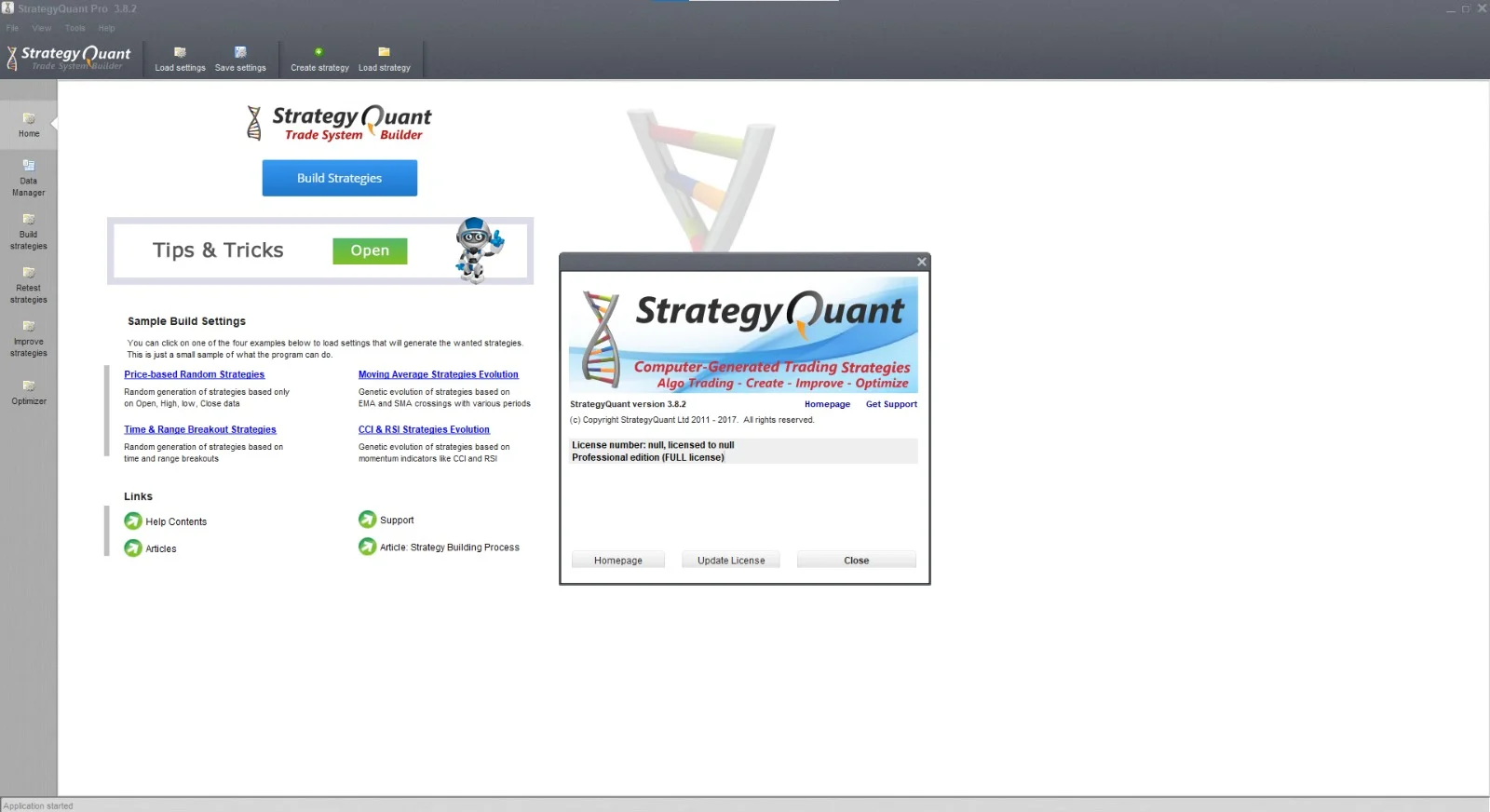
Overview of StrategyQuant Pro
Table of Contents
StrategyQuant Pro is not merely a backtesting platform; it is a complete environment for the automated development of trading systems. It is designed to generate and validate trading strategies for a wide array of financial instruments, including Forex, stocks, futures, and cryptocurrencies. Its core philosophy is rooted in the idea that machines can assist in the creative process of finding market patterns, which are then rigorously tested against historical data to ensure their statistical validity and robustness.
The software is developed by StrategyQuant, a company known for its commitment to providing cutting-edge tools for traders and quants. StrategyQuant Pro is the flagship product, distinguished from other offerings by its advanced genetic algorithms and machine learning capabilities. It is a professional-grade tool that empowers users to move beyond manual strategy development, significantly reducing the time and effort required to identify potentially profitable trading systems.
Key Features of StrategyQuant Pro
StrategyQuant Pro is packed with features that streamline the entire lifecycle of a trading strategy, from conception to execution. Here are some of its most powerful capabilities:
-
Automated Strategy Generation: The software uses advanced genetic algorithms to create thousands of unique trading strategies from a set of market data and predefined building blocks.
-
Robust Backtesting Engine: It provides a sophisticated backtesting environment that supports multiple asset classes and timeframes, allowing you to simulate trading performance with high accuracy.
-
Walk-Forward and Monte Carlo Analysis: To ensure strategies are not curve-fitted, StrategyQuant Pro offers walk-forward analysis and Monte Carlo simulations. These advanced tools validate a strategy’s resilience and future viability.
-
Data Mining and Pattern Detection: The platform can sift through large datasets to find repeating patterns or market conditions that can be exploited.
-
Multi-Strategy Portfolio Testing: It allows you to test how multiple strategies perform together as a portfolio, providing insights into overall portfolio risk and performance.
-
Multi-Objective Optimization: This feature enables you to optimize strategies against multiple goals simultaneously, such as maximizing profit while minimizing drawdown.
-
Cloud and Distributed Computing: For resource-intensive tasks, the software can leverage cloud computing or be distributed across multiple computers to speed up the strategy generation and optimization process.
-
High-Frequency and Tick Data Support: It supports high-frequency trading (HFT) analysis by allowing testing on tick data and second-level timeframes.
What’s New in StrategyQuant Pro 3.8.2?
The release of version 3.8.2 brings a host of enhancements, performance improvements, and new features that make the software even more powerful and user-friendly. It’s a testament to the developers’ commitment to continuous improvement, responding to user feedback and the evolving needs of the algorithmic trading community.
Enhanced Performance and Stability
This version focuses heavily on under-the-hood optimizations, resulting in faster backtesting and generation speeds. Users will notice a smoother, more responsive experience when handling large datasets and complex optimizations. The software is now more stable, with many reported bugs from previous versions fixed.
New Indicators and Building Blocks
The library of built-in indicators has been expanded, offering more flexibility in strategy creation. These new tools allow for more creative and nuanced strategy designs, enabling users to capture a wider range of market phenomena. Additionally, enhancements have been made to the visual strategy builder for easier and more intuitive use.
Improved User Interface
Significant user interface (UI) improvements make navigation more intuitive and the overall user experience more pleasant. The layout is cleaner, and key functions are more accessible, streamlining the workflow from strategy generation to analysis.
Data Export and Integration
Version 3.8.2 improves data export capabilities, making it easier to analyze results in other software like Excel or MATLAB. Its integration with popular trading platforms like MetaTrader 4 (MT4), MetaTrader 5 (MT5), and NinjaTrader has also been enhanced, ensuring a smoother path from strategy development to live trading.
System Requirements for StrategyQuant Pro 3.8.2
Before you begin, it’s crucial to ensure your system can handle StrategyQuant Pro’s data-processing requirements. The software performs millions of calculations, so a powerful computer is highly recommended for optimal performance.
Recommended System Requirements
-
Operating System: Windows 10 or Windows 11 (64-bit)
-
Processor: Intel Core i7 or AMD Ryzen 7 processor (or better)
-
RAM: 32 GB or more
-
Hard Disk Space: 1 TB SSD or faster with at least 100 GB of free space for data storage
-
Graphics: A dedicated graphics card is not strictly necessary but can improve visual rendering
Minimum System Requirements
-
Operating System: Windows 7 SP1, Windows 8.1, or Windows 10 (64-bit)
-
Processor: Intel Core i5 or AMD Ryzen 5 processor
-
RAM: 16 GB
-
Hard Disk Space: 1 TB HDD with at least 50 GB of free space for data storage
Note: While these are the minimum requirements, trading strategies can be computationally intensive. For the best experience, especially when performing complex optimizations, a machine that meets or exceeds the recommended specifications is advised.
Installation Guide for StrategyQuant Pro
The installation process for StrategyQuant Pro is straightforward. Follow these step-by-step instructions to get the software up and running on your system.
Step-by-Step Installation Process
-
Download the Installer: Visit the official StrategyQuant website and download the installer file for StrategyQuant Pro 3.8.2.
-
Run the Installer: Locate the downloaded executable file (e.g.,
StrategyQuantPro.exe) and run it as an administrator. You may be prompted by Windows User Account Control (UAC) to allow the program to make changes to your device; click “Yes.” -
Choose Your Language: Select your preferred language and click OK.
-
Follow the Installation Wizard: The setup wizard will guide you through the process.
-
License Agreement: Read the End-User License Agreement (EULA), accept the terms, and click Next.
-
Select Installation Folder: Choose the directory where you want the software installed. The default is usually
C:\Program Files\StrategyQuant Pro. Click Next. -
Select Additional Tasks: Choose if you want to create a desktop shortcut and associate the software with its file types. Click Next.
-
Ready to Install: Review your settings and click Install to begin the installation.
-
-
Complete the Installation: Once the installation is complete, click Finish.
First-Time Activation
After installation, you will need to activate your license. Launch the program, and a license manager window will appear. Enter your license key, which you should have received after purchase. Ensure you have a stable internet connection for online activation. If you encounter any issues, contact StrategyQuant support for assistance.
How to Use the Software for Strategy Development
StrategyQuant Pro’s power lies in its structured approach to strategy development. The typical workflow involves a series of steps that guide the user from idea to a robust, tradable strategy.
Step 1: Data Import and Preparation
The first step is to ensure you have high-quality, clean data. StrategyQuant supports various data providers and formats. You’ll need to import historical price data for the instruments you wish to trade (e.g., EURUSD, AAPL, ES). The software will process this data, making it available for analysis.
Step 2: Strategy Generation
This is the core function of StrategyQuant Pro. You define the parameters for your strategy.
-
Define Building Blocks: Select indicators and conditions that will form the logic of your strategy. These include moving averages, RSI, MACD, price patterns, and other technical indicators.
-
Set Optimization Parameters: Specify which variables the genetic algorithm can adjust and their ranges, such as the period of a moving average or the threshold for an RSI signal.
-
Run the Generator: The software will then use its genetic algorithms to explore millions of potential combinations, creating a population of strategies. It will then test each one to find those that best fit your criteria.
Step 3: Backtesting and Analysis
Once you have a collection of candidate strategies, you will backtest them on historical data to evaluate their past performance. This is where the software’s robust backtesting engine comes in. You’ll analyze key metrics such as:
-
Total Net Profit
-
Maximum Drawdown
-
Sharpe Ratio
-
Profit Factor
-
Win Rate
-
Average Trade Duration
Step 4: Robustness Testing
A strategy that performs well on one dataset may fail in the live market. To mitigate this risk, StrategyQuant Pro offers advanced robustness testing.
-
Walk-Forward Analysis: This tests the strategy’s performance on out-of-sample data over multiple periods. If a strategy survives walk-forward testing, it is considered much more robust.
-
Monte Carlo Simulation: This method uses statistical modeling to simulate thousands of different market scenarios and trade variations. It helps you understand the potential range of a strategy’s performance and its risk of ruin.
Step 5: Optimization
Optimization is the process of fine-tuning your strategy’s parameters to achieve a balance between performance and robustness. StrategyQuant Pro offers multi-objective optimization, allowing you to optimize for multiple goals simultaneously, like maximizing the profit factor while keeping the drawdown within a specific range.
Step 6: Portfolio Testing
If you have developed multiple strategies, you can test them together as a portfolio. Portfolio testing helps you understand how the strategies interact. A diversified portfolio can help reduce overall risk and smooth out equity curve returns.
Step 7: Export
Once you are satisfied with your strategy’s performance and robustness, StrategyQuant Pro allows you to export it in various formats. The most common exports are for MetaTrader 4 (MQ4), MetaTrader 5 (MQ5), and NinjaTrader (C# code), enabling you to automate your trading for live execution.
Best Use Cases for StrategyQuant Pro
StrategyQuant Pro is a versatile tool that can be employed by various types of traders and institutions.
-
Professional Retail Traders: The software allows individual traders to level the playing field by developing systematic trading strategies that were once only accessible to large institutions.
-
Quantitative Analysts (Quants): StrategyQuant Pro serves as a high-productivity research tool. Quants can use it to rapidly prototype and test new hypotheses, generating alpha signals efficiently.
-
Hedge Funds and Fund Managers: The software is invaluable for portfolio management and risk analysis. It can be used to construct and monitor a portfolio of strategies, ensuring a balanced risk-return profile.
-
Prop Trading Firms: For firms that rely on proprietary strategies, StrategyQuant Pro provides a secure environment for development and testing, ensuring strategies are robust before they are deployed with firm capital.
-
Algorithmic Trading Course Creators: The software can be used in educational settings to teach the principles of quantitative analysis, algorithmic strategy development, and robust backtesting to students.
Advantages and Limitations of StrategyQuant Pro
As with any powerful tool, StrategyQuant Pro has its strengths and weaknesses. An honest assessment helps users understand if it is the right fit for their needs.
Advantages
-
Saves Time: Significantly reduces the time needed to generate and test strategies compared to manual coding.
-
Data-Driven Discovery: Utilizes a scientific approach to finding market patterns.
-
Comprehensive Analysis: Provides a suite of advanced tools for robustness testing, like walk-forward analysis and Monte Carlo simulations.
-
User-Friendly Interface: The graphical user interface makes it accessible for traders who may not have a strong programming background, while still offering advanced features for experienced quants.
-
High Customization: Offers a vast library of indicators and building blocks, as well as the ability to code your own custom logic in C#.
Limitations
-
Steep Learning Curve: While the interface is user-friendly, the concepts of quantitative strategy development, optimization, and robustness testing can be complex to master.
-
Computationally Intensive: Running large-scale optimizations and backtests requires a high-performance computer.
-
Risk of Overfitting: Even with robust testing tools, there is always a risk of developing a strategy that is overly optimized for historical data. The software provides the tools to mitigate this, but it is up to the user to apply them correctly.
-
Data Dependency: The quality and accuracy of your historical data directly impact the quality of your strategies. Garbage in, garbage out.
Alternatives to StrategyQuant Pro
The market for quantitative trading tools is diverse. If StrategyQuant Pro does not fit your specific needs, there are several alternatives to consider.
| Software | Key Features | Best For | Key Differentiator |
|---|---|---|---|
| MetaTrader 5 (MT5) Strategy Tester | Built-in strategy tester with multi-currency and multi-threaded optimization. | Beginners and retail traders who use MetaTrader. | Free with the platform. Limited to MQL5 coding. |
| TradingView Pine Script Backtester | Cloud-based platform with an easy-to-learn scripting language and large community. | Traders who want to share and learn from a community. | Ease of use and powerful charting tools. |
| MultiCharts .NET | A full-featured trading platform with support for C# and the .NET framework. | Serious retail traders and quants. | Strong integration with brokerages for live trading. |
| NinjaTrader | Professional-grade trading platform with advanced charting and backtesting. | Professional and institutional traders. | Deep market analytics and order flow tools. |
| Amibroker | High-performance backtesting and optimization. | Traders needing fast, lightweight testing. | Very fast and efficient, with a lower price point. |
Why Choose StrategyQuant Pro?
While the alternatives are strong, StrategyQuant Pro distinguishes itself with its automated strategy generation using genetic algorithms and machine learning. It is designed specifically for strategy discovery, a feature that is not the core focus of many other tools. If your primary goal is to automate the creative process of strategy generation, StrategyQuant Pro is the superior choice.
Frequently Asked Questions
1. What is StrategyQuant Pro used for?
StrategyQuant Pro is an advanced software platform used to design, generate, backtest, and optimize automated trading strategies. It is widely used by traders and quantitative analysts for developing robust trading algorithms.
2. Can StrategyQuant Pro be used with MetaTrader?
Yes, StrategyQuant Pro can export generated strategies as MQ4 files for MetaTrader 4 and MQ5 files for MetaTrader 5, enabling you to run them directly on these platforms for live or demo trading.
3. Is StrategyQuant Pro suitable for beginners?
While beginners can use it, the platform has a steep learning curve due to the complex concepts involved in quantitative strategy development. It is recommended to have a basic understanding of trading and backtesting before diving in.
4. What kind of data does StrategyQuant Pro need?
The software requires historical price data (OHLCV). It supports a wide range of timeframes, from tick data to monthly data, and can process data for Forex, stocks, futures, and cryptocurrencies.
5. Does StrategyQuant Pro guarantee profitable trading?
No software can guarantee profits. StrategyQuant Pro is a tool that provides advanced analysis and optimization features to help increase the probability of developing a robust strategy. However, all trading involves risk, and a user’s success depends on their skills, data quality, and market understanding.
6. Can I code my own indicators in StrategyQuant Pro?
Yes, StrategyQuant Pro allows you to create custom indicators and conditions using C#. This provides advanced users with the flexibility to implement their own proprietary trading logic.
7. What is the difference between StrategyQuant Pro and StrategyQuant X?
StrategyQuant X is a newer, cloud-based version of the software, designed for collaboration and modern workflows. StrategyQuant Pro is the traditional desktop application, which remains a powerful and popular choice for many users.
Final Thoughts
StrategyQuant Pro 3.8.2 is a state-of-the-art solution for anyone serious about algorithmic trading. Its ability to merge powerful computational algorithms with an intuitive user interface places it in a unique position in the market. While the journey to mastering systematic trading can be challenging, having a robust, reliable, and advanced tool like StrategyQuant Pro makes the path significantly smoother. By enabling you to automate the strategy generation process, conduct rigorous robustness testing, and analyze performance from a portfolio perspective, the software provides a clear edge.
As you venture deeper into the world of automated trading, remember that the tool is only as good as the strategy and the data you feed it. A solid foundation in trading principles, combined with the power of StrategyQuant Pro, provides a strong framework for navigating the complex financial markets and developing a systematic, rule-based approach to trading that can lead to long-term success.
Our Paid Service