


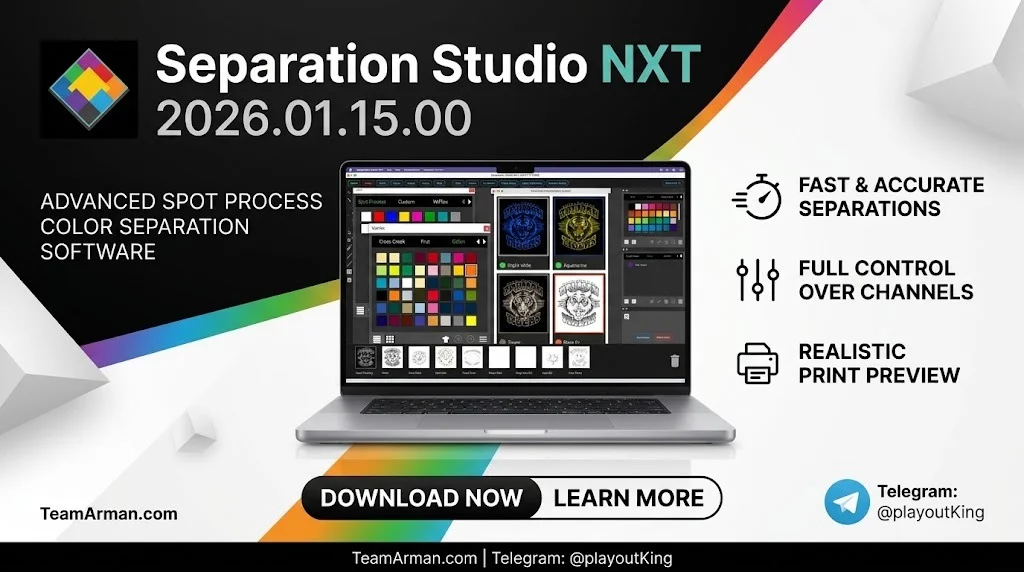
Overview of Separation Studio NXT
Table of Contents
Separation Studio NXT is not a general-purpose graphic design application. It is a dedicated color separation engine developed by Freehand Graphics, a company with over four decades of experience in the screen printing space. The software accepts raster files (JPG, PNG, TIF, PSD) and vector PDFs, then breaks them into print-ready channels using two distinct engines: the legendary Spot Process® engine for raster images and the Vector PDF engine for vector artwork.
The 2026 release continues this dual-engine approach while adding pattern-making intelligence and better 3D design file handling. The result is a tool that speaks the language of screen printers—not designers who occasionally print shirts.
Who Is This Software For?
Separation Studio NXT targets three primary user groups:
-
Small to mid-size screen printing shops that need in-house separation capability without hiring a dedicated prepress artist.
-
Production managers looking to reduce press-side color adjustments by generating cleaner separations upfront.
-
Freelance separators who want a single tool that handles both raster and vector separation workflows.
If you already work comfortably in Photoshop with plugins like UltraSeps, NXT offers a more guided, screen-print-specific path. If you typically outsource separations, NXT gives you a viable in-house option for routine jobs.
Key Features
Dual Separation Engines
The Spot Process® engine analyzes raster images and generates unadjusted RGB primary color separations in print order. You can then adjust saturation, merge channels, and refine each separation with a single click. The Vector PDF engine converts process colors in vector files into optimized spot colors while preserving intentional separations.
Smart Pattern-Making Tools
The 2026 version expands pattern-making capability. You can generate repeating patterns from separated elements, apply choke and spread to pattern edges, and merge pattern layers into existing separation sets. This is particularly useful for all-over prints, collar prints, and repeating background textures.
3D Design Integration
NXT now accepts 3D design files and separates mapped textures into print-ready channels. The integration is not a full 3D modeling suite. It is a bridge: you bring in a 3D-rendered design, and NXT extracts the flat artwork you need for film output.
PressFit® and Power Merge
PressFit® resizes separations to match your press dimensions without distorting artwork proportions. Power Merge combines unnecessary channels, reducing screen count and ink usage on press.
Robust Print Window
The print window includes screen-print-friendly press marks, labels, and layouts. You can save directly to file or print through AccuRIP® Emerald, Ruby, Black Pearl, or any other industry RIP.
Multi-Layer Densitometer
Sep Studio is the only separation software that offers a multi-layer densitometer, which is critical for shops printing wet-on-wet (WOW). This feature lets you evaluate ink density across multiple channels simultaneously.
Cloud-Based License Management
Licenses are managed through a cloud account, making it straightforward to install, transfer, or recover the software when you change machines.
What’s New in Version 2026.01.15.00
The 2026.01.15.00 build focuses on three areas:
-
Enhanced pattern generation engine with support for repeatable pattern tiles and edge-aware choke/spread.
-
Expanded 3D file format support for common design exchange formats, allowing texture maps to be separated directly.
-
Improved gradient management for complex multi-color gradients, reducing banding in simulated process separations.
-
Performance improvements in file handling and separation processing for larger raster files.
If you are upgrading from an earlier NXT build, your existing separation presets, ink sets, and textile profiles carry forward.
System Requirements
Windows
| Component | Minimum | Recommended |
|---|---|---|
| OS | Windows 10 (64-bit) | Windows 11 (64-bit) |
| Processor | Intel Core i5 or AMD equivalent | Intel Core i7 / Ryzen 7 or higher |
| RAM | 8 GB | 16 GB or more |
| Hard Drive | 2 GB available space | SSD with 10 GB available |
| Display | 1440 × 900 | 1920 × 1080 or higher |
macOS
| Component | Minimum | Recommended |
|---|---|---|
| OS | macOS 11 Big Sur | macOS 14 Sonoma or later |
| Processor | Apple M1 or Intel Core i5 | Apple M2 / M3 or Intel Core i7 |
| RAM | 8 GB | 16 GB or more |
| Hard Drive | 2 GB available space | SSD with 10 GB available |
| Display | 1440 × 900 | 1920 × 1080 or higher |
A dedicated graphics card such as NVIDIA GeForce GTX 1050 or AMD Radeon RX 560 (or equivalent) improves soft proofing and color accuracy assessment. The software also integrates with a wide range of Epson printers for film output, including the ET-15000, ET-16600, ET-8550, Artisan 1430, SC-P700, SC-P900, and SureColor series.
Installation Guide
-
Download the installer from your Freehand Graphics account or the official Solutions for Screen Printers website.
-
Run the installer and follow the on-screen prompts for your operating system.
-
Sign in with your cloud license credentials when prompted. This activates the software and ties the installation to your account.
-
Install AccuRIP or configure your preferred RIP if you plan to print directly from NXT.
-
Launch Separation Studio NXT and verify the build version by opening the Help menu and selecting “About Separation Studio”.
-
Run the 8-day free trial if you have not yet purchased a license. The trial is fully functional with unlimited printing and no watermarks.
How to Use the Software
Spot Process Workflow (Raster Images)
-
Open a raster file (TIF, PNG, JPG, or PSD). This triggers the Spot Process engine.
-
The spectral analyzer breaks the image into RGB primary separations in print order.
-
Adjust saturation and color using the separation bar sliders. High saturation adds ink density; low saturation removes low-percentage data.
-
Merge or delete unnecessary channels to reduce screen count.
-
Apply PressFit® to resize for your press dimensions.
-
Save the separations or print directly through your RIP.
Vector PDF Workflow
-
Open a vector PDF created in Illustrator or CorelDRAW. The Vector PDF engine activates automatically.
-
The engine converts process colors into optimized spot colors while retaining intentional separations.
-
Use Power Merge to consolidate channels for your press size and budget.
-
Create custom bases from existing separations, adjust choke and spread, and finalize the layout.
-
Save or print.
Pattern-Making Workflow
-
Separate your base design first.
-
Select the Pattern Generator from the tools panel.
-
Choose the elements you want to repeat and define the tile dimensions.
-
Apply choke and spread to pattern edges to prevent halos on press.
-
Merge the pattern layer into your separation set and output.
Best Use Cases
Simulated Process Separations
Simulated process (sim process) is where NXT shines. The software generates up to three levels of custom tonal black separations, applies Auto Adjust and ColorCrunch™, and produces separations that run clean on press without extensive on-press color correction.
All-Over and Repeat Prints
The new pattern-making tools make NXT a stronger fit for all-over prints and repeating background designs. You can build a seamless tile from a separated element and merge it into the separation stack without returning to Illustrator.
Wet-on-Wet Production
The multi-layer densitometer is a differentiator for shops that print wet-on-wet. It lets you evaluate density relationships across channels before you ever burn a screen.
Small Shops Handling Their Own Separations
If you run a small shop and currently outsource every sim process job, NXT gives you a way to handle routine separations in-house. For complex or high-color-count jobs, many users still prefer to send work to specialists like MySeps or NetSeps.
Advantages and Limitations
Advantages
-
Purpose-built for screen printing. Every tool assumes a screen printing workflow, unlike Photoshop or Illustrator.
-
Dual-engine flexibility. Handles both raster and vector files with dedicated engines.
-
Multi-layer densitometer. Unique to Sep Studio and valuable for WOW printing.
-
Cloud license management. Easy installation, transfer, and recovery.
-
RIP integration. Works with AccuRIP and other industry RIPs.
-
Ongoing updates. Active membership keeps you on the latest build.
Limitations
-
Raster-centric. The software is fundamentally a raster separation tool. Users who need vector output often must place separated images back into Illustrator to continue.
-
Learning curve for pattern tools. The new pattern-making features require some experimentation to integrate cleanly into existing workflows.
-
Subscription model. NXT is sold as a membership with annual renewal, not a perpetual license.
-
Not a design tool. You cannot create original artwork in NXT. It is strictly a separation and prepress application.
Alternatives to Separation Studio NXT
| Software | Type | Best For | Pricing Model |
|---|---|---|---|
| UltraSeps | Photoshop plugin | Shops already working in Photoshop | One-time purchase |
| Separo | Standalone | Sim process separations | Subscription |
| MySeps / NetSeps | Outsourced service | Complex jobs or shops without in-house capability | Per-separation fee |
| Photoshop + Manual Techniques | Manual workflow | Experienced artists who prefer full control | Photoshop license only |
Forum users consistently mention UltraSeps as the strongest DIY alternative, citing good product quality and support. For shops that do not want to invest time in learning separation software, outsourcing to MySeps or NetSeps remains a common approach.
Frequently Asked Questions
What is Separation Studio NXT used for?
Separation Studio NXT is color separation software for the screen printing industry. It converts raster and vector artwork into print-ready spot color, simulated process, halftone, and specialty ink separations.
Can Separation Studio NXT open PDF files?
Yes. The Vector PDF engine opens vector PDFs created in Illustrator or CorelDRAW and converts process colors into optimized spot colors while retaining intentional separations.
Does Separation Studio NXT work on Mac?
Yes. It supports modern macOS versions, including Apple Silicon and Intel-based Macs.
Is there a free trial for Separation Studio NXT?
Yes. Freehand offers an 8-day free trial with unlimited printing, no watermarks, and no obligation.
What file formats does Separation Studio NXT support?
The Spot Process engine supports TIF, PNG, JPG, and PSD raster files. The Vector PDF engine supports vector PDFs. The 2026 version also accepts 3D design files with mapped textures for separation.
Can I print directly from Separation Studio NXT?
Yes. The software integrates with AccuRIP® Emerald, Ruby, Black Pearl, and Black Pearl SE. It also supports hot folder printing with other popular RIP software brands.
Is Separation Studio NXT a one-time purchase?
No. NXT is sold as a 1-year membership with annual renewal. This keeps you on the latest version and includes unlimited U.S.-based technical support.
What is the difference between Spot Process and Vector PDF engines?
Spot Process separates raster images into RGB primary channels using spectral analysis. Vector PDF converts vector process colors into optimized spot colors while preserving intentional separations.
Final Thoughts
Separation Studio NXT 2026.01.15.00 is a mature, focused tool for screen printers who want to control their separations in-house. The dual-engine architecture covers both raster and vector workflows, the multi-layer densitometer addresses a real pain point for wet-on-wet production, and the new pattern-making and 3D integration features extend its usefulness to all-over prints and design-to-print pipelines.
It is not a replacement for Photoshop or Illustrator for artwork creation, and the raster-centric output model means vector-first shops will still need to round-trip through their design software. But for the core job of turning artwork into clean, press-ready separations, NXT remains one of the most purpose-built options available.
If you are evaluating separation software for your shop, the 8-day free trial is the most direct way to assess whether NXT fits your production volume and workflow style. For shops that routinely run sim process or WOW jobs, the multi-layer densitometer alone may justify the membership cost.
Our Paid Service


