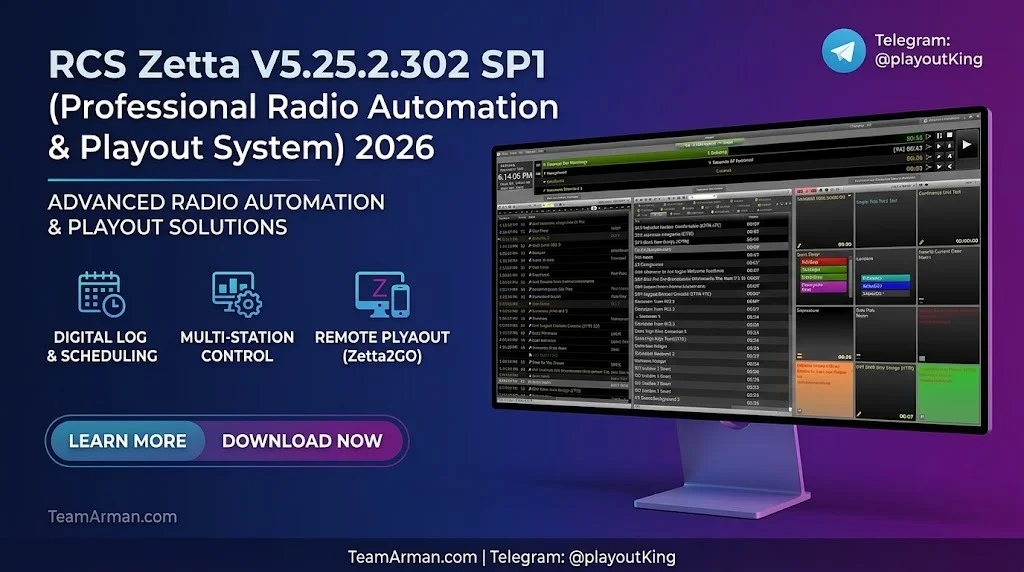
Overview of RCS Zetta
Table of Contents
RCS Zetta is a modern radio automation solution built on decades of broadcast engineering experience and feedback from thousands of radio stations worldwide. The platform is structured around a detached playout model, which means the on-air audio continues running even if the user interface is closed, layouts are switched, or operators move between studios. This architecture gives broadcasters maximum operational flexibility without risking off-air interruptions.
Zetta is widely adopted across commercial, public, and community radio. RCS reports that over 4,000 radio stations worldwide use its software ecosystem, and more than 530 AM/FM stations rely specifically on ZettaCloud for cloud-native playout. The platform supports diverse formats, from News/Talk and music programming to satellite-delivered content, making it suitable for single-station operations and large multi-market groups alike.
Key Features
Detached Playout Architecture
Zetta’s detached playout is its defining technical feature. Operators can close the Zetta application, switch layouts, or control multiple stations from different studios without affecting the live broadcast. This design eliminates the common fear of “will this take us off the air?” during routine operations.
Multi-Track Editor
The built-in Multi-Track Editor allows a single user to produce content and prepare on-air elements from the same workstation. Users can pivot between live on-air duties and production tasks without switching software or studios.
Exact Time Markers (ETMs) with Live Triggers
ETMs are no longer just flat-file references; they now carry live real-time triggers. Programmers can define stretchable or squeezable filler beds between two ETM markers, ensuring the station hits the top of the hour exactly at 00:00 even when long-form programming runs slightly over.
GSelector Live Integration
Zetta features 100% live integration with GSelector, RCS’s music scheduling software. Any song added or edited in Zetta is automatically reflected in GSelector, and vice versa. The live log eliminates manual reconciliation by displaying missed elements in real time.
Zetta2GO Remote Control
Zetta2GO provides browser-based access to the Zetta playout system. Users can voice track, edit logs, add songs, trigger Hot Keys, and monitor stations from any web-enabled device with a VPN connection.
Cloud Disaster Recovery
RCS Cloud Disaster Recovery automatically backs up all audio, schedules, metadata, and SQL databases to the cloud. Stations can bring operations back online with a single “Bring Online” click after a natural disaster, cyberattack, or hardware failure.
What’s New in Zetta V5.25.2.302 SP1
The 5.25.2 release introduces several features designed to improve system redundancy and operational efficiency.
High Availability Slots (HAS)
High Availability Slots are the headline feature of Zetta 5.25.2. HAS allows engineers to define a Global Slot Pool of computers that can take over sequencer and air chain control when triggered. These are override configurations, not permanent reconfigurations, making them ideal for routine maintenance or emergency failover.
Multiple Database Watchers
The 5.25.2 build supports multiple Database Watcher (DB Watcher) computers. If one watcher machine fails, a second machine automatically takes over system monitoring.
Control Text and Live Metadata Enhancements
The update includes improvements to control text handling, live metadata delays, and user customization options. These enhancements give programmers finer control over on-air metadata presentation and operational workflows.
Features Carried Forward from 5.25.1
Zetta 5.25.1, included in the 5.25.2 release cycle, added one-way Site Replication for transmitter backup systems, Spot Block Segmentation with new output variables, and a switch from AFC to BASS audio encoding to support higher-end formats like FLAC and Opus.
System Requirements
Zetta runs on Microsoft SQL and ships with SQL 2019 Standard Edition alongside current Windows OS builds. Supported operating systems include:
-
Windows 10 Pro
-
Windows 11 Pro
-
Windows Server 2022
For production environments, RCS recommends isolating the sequencer on its own machine, though smaller stations can combine sequencer and control room functions into a single “On Air Machine” to reduce hardware costs. Zetta also supports external third-party editing applications and can load XML DAT files for content management.
Installation Guide
Zetta installation follows a topology-based approach. The process begins with defining the station’s operational requirements, then mapping those needs to the appropriate hardware and software configuration.
Step 1: Define the Zetta Topology
Identify whether the station needs a separate file server, sequencer machine, and control room machines, or whether a combined setup is sufficient. Enterprise deployments typically isolate the sequencer, while smaller operations may consolidate roles.
Step 2: Install SQL Server
Install Microsoft SQL Server 2019 Standard Edition on the designated database server. RCS ships this with current Windows OS builds to ensure compatibility.
Step 3: Configure the File Server and Sequencer
The Zetta file server stores audio, metadata, and logs. The sequencer handles audio triggers from any Zetta machine. If GSelector is part of the ecosystem, install its server on the Zetta file server for proper network connectivity and live integration.
Step 4: Set Up Client Machines
Install Zetta client software on control room, production, and management workstations. Configure user rights, layouts, and Hot Keys according to each role. Layouts can be saved as macros and included in clocks so that specific talent layouts load automatically at the start of their shifts.
Step 5: Enable Redundancy Features
Configure Site Replication, High Availability Slots, and Database Watchers as needed. For cloud backup, activate RCS Cloud Disaster Recovery to automatically upload audio, schedules, and metadata.
How to Use Zetta
Adding Audio
Zetta supports multiple import methods: CD ripping, drag and drop, Windows Explorer, and Auto Load. The system saves a default non-destructive copy of each audio file. The Marks Analysis tool automatically defines Trim In, Trim Out, and Segue Points, including station-specific normalization.
Scheduling and Clocks
Use clocks to schedule repetitive elements and attributes. Macros created in Zetta are instantly available in GSelector’s Clocks Control dropdown. ETMs can be inserted into clocks to enforce timing discipline, such as a 45:00 marker that shows talent how far over or under they are.
Voice Tracking
Zetta2GO enables remote voice tracking from any browser. Talent can record voice tracks, edit metadata, and continue live broadcasting without being physically present in the studio.
Production Workflows
The Multi-Track Editor allows production staff to record and edit elements between on-air breaks. Since Zetta’s playout is detached, switching to a production layout does not interrupt the broadcast.
Managing Multiple Stations
Enterprise users can control multiple stations from a single interface. ZCast enables multi-site audio and database sharing between stations, while Zetta WANcast automatically propagates changes to remote Zetta systems.
Best Use Cases
Commercial Radio Groups
Large broadcast groups use Zetta to manage hundreds of stations across multiple markets. SiriusXM, for example, runs 250 radio stations from nearly a dozen locations using Zetta’s automation infrastructure.
Remote Voice Tracking Operations
Northwestern Media selected Zetta specifically for the ability to voice track remotely via Zetta2GO in a web browser. This capability allows talent to contribute to broadcasts from any location.
Disaster Recovery and Business Continuity
Stations in regions prone to natural disasters or cyber threats rely on Zetta’s cloud-based disaster recovery to maintain broadcast continuity. The system continuously backs up audio, schedules, and metadata, enabling recovery in minutes rather than days.
Multi-Format Stations
Zetta supports News/Talk, music formats, and satellite programming within a single environment. A single operator can toggle between stations and formats from the same workstation.
Community and Campus Radio
Smaller stations benefit from Zetta’s flexibility in combining sequencer and control room functions on fewer machines, reducing hardware overhead while maintaining broadcast reliability.
Advantages and Limitations
Advantages
-
Detached playout ensures on-air continuity regardless of UI operations
-
Enterprise scalability supports single stations through multi-market groups
-
Deep GSelector integration eliminates manual music scheduling reconciliation
-
Cloud disaster recovery provides rapid recovery from catastrophic failures
-
Remote control via Zetta2GO enables browser-based voice tracking and monitoring
-
Multi-format support handles diverse audio codecs including FLAC and Opus
-
High Availability Slots deliver intelligent failover without permanent reconfiguration
Limitations
-
Microsoft SQL dependency requires Windows Server infrastructure and database administration
-
Higher learning curve for new users compared to simpler entry-level automation tools
-
Cost structure is customized per station, which can be difficult to budget for smaller operations
-
Windows-only server environment limits deployment to Microsoft platforms
Alternatives to RCS Zetta
WideOrbit Automation for Radio
WideOrbit is a common alternative for commercial stations, particularly those already using WideOrbit Traffic for ad management. It offers API-driven provisioning and maps scheduled elements to on-air automation logs. However, Zetta is generally considered stronger for voice tracking and production workflows.
Dalet Galaxy five
Dalet Galaxy five is a media workflow and radio automation platform suited to news and music broadcasters. It supports broadcast production, newsroom operations, and media management, making it a fit for organizations that need tight newsroom-automation integration.
iMediaTouch (OMT)
iMediaTouch is praised for reliability in commercial station environments. It is often chosen by stations that do not require extensive voice tracking features and prefer a straightforward automation workflow.
Simian (BSI)
Simian offers a one-time purchase model with no ongoing licensing, which appeals to stations that prefer capital expenditure over subscription costs. It provides flexibility and reliability for smaller operations.
RadioBOSS
RadioBOSS is a PC-based radio automation solution that supports playlist scheduling, live input routing, and stream publishing. It is more affordable than Zetta and suits web radio and smaller community stations.
AzuraCast and LibreTime
For internet radio and community broadcasters, AzuraCast and LibreTime offer open-source alternatives with web-based interfaces. They lack the enterprise redundancy features of Zetta but provide accessible automation for smaller operations.
Frequently Asked Questions
What is RCS Zetta used for?
RCS Zetta is a professional radio automation and playout system. It schedules and plays audio content, manages logs, integrates with music scheduling software, and provides redundancy features for continuous broadcast operations.
What are the system requirements for Zetta 5.25.2?
Zetta requires Microsoft SQL Server 2019 Standard Edition and runs on Windows 10 Pro, Windows 11 Pro, or Windows Server 2022.
How does Zetta’s detached playout work?
Detached playout separates the audio playback engine from the user interface. Operators can close the UI, switch layouts, or move between studios without interrupting the on-air audio stream.
Can I control Zetta remotely?
Yes. Zetta2GO provides browser-based remote control, allowing users to voice track, edit logs, trigger Hot Keys, and monitor stations from any web-enabled device with VPN access.
What is High Availability Slots in Zetta 5.25.2?
High Availability Slots allow engineers to define a pool of computers that can take over sequencer and air chain control during maintenance or failure scenarios. These are override configurations, not permanent changes.
Does Zetta support cloud backup?
Yes. RCS Cloud Disaster Recovery automatically backs up all audio, schedules, metadata, and SQL databases to the cloud, enabling rapid recovery after disasters or cyberattacks.
What audio formats does Zetta support?
Zetta manages various sample rates, bit rates, and formats. Zetta 5.25.1 added BASS audio encoding to support higher-end formats like FLAC and Opus.
How does Zetta integrate with GSelector?
Zetta features 100% live integration with GSelector. Changes made in either system are immediately reflected in the other, and the live log displays missed elements in real time without manual reconciliation.
Final Thoughts
RCS Zetta V5.25.2.302 SP1 represents a mature, enterprise-grade radio automation and playout system that continues to evolve with the needs of modern broadcasters. The 5.25.2 release strengthens the platform’s redundancy capabilities with High Availability Slots and multiple Database Watchers, while the existing detached playout architecture, GSelector integration, and Zetta2GO remote control remain core differentiators.
For commercial radio groups, remote voice tracking operations, and stations requiring robust disaster recovery, Zetta delivers a reliable and scalable solution. Smaller stations should evaluate whether the Microsoft SQL infrastructure and customized pricing model fit their operational budget, and may consider alternatives like Simian or RadioBOSS if enterprise redundancy is not a priority.
Broadcast engineers evaluating automation systems should request a topology consultation with RCS to map Zetta’s configuration options to their specific station requirements. The platform’s flexibility means no two Zetta deployments are identical, and proper planning during the topology phase is essential for long-term operational success.
Our Paid Service