
Overview of SETCAD EDS PRO
Table of Contents
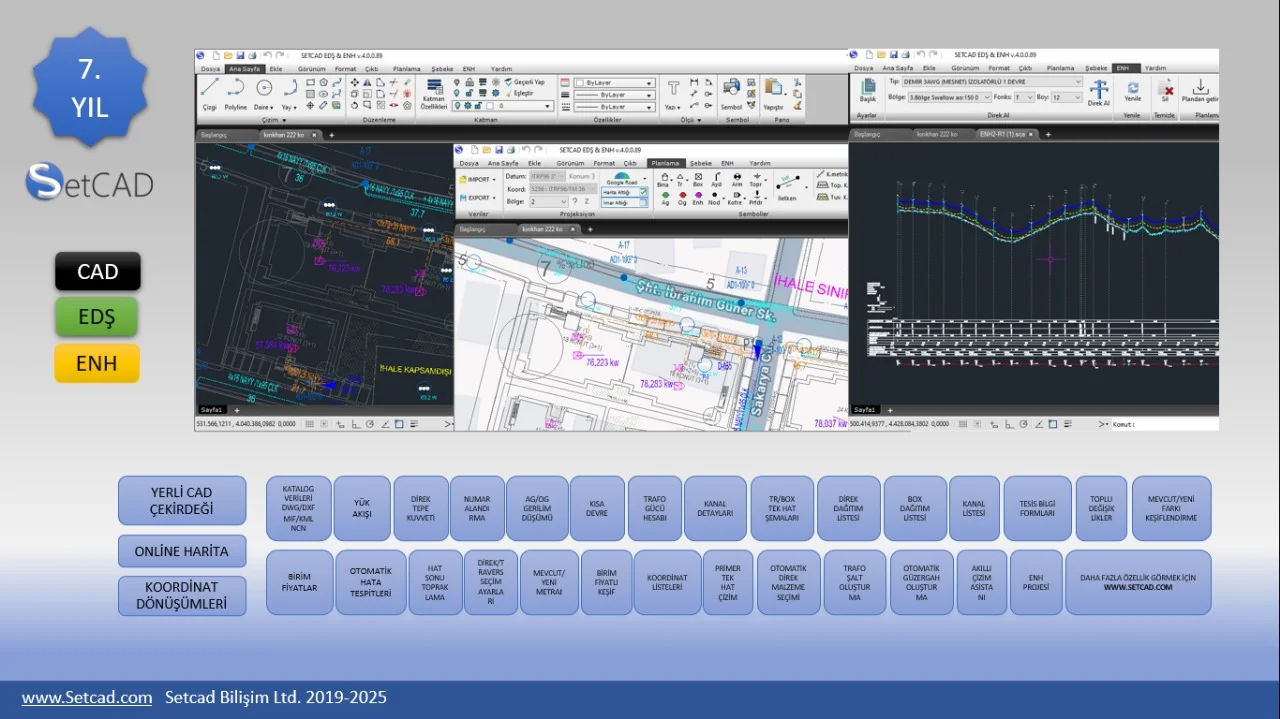
SETCAD is an accessible computer-aided design (CAD) application primarily used for creating technical drawings and electrical diagrams . Its core strength lies in its approachable interface. The software is designed so that you do not need professional PC skills to get started; you can quickly understand its functions by exploring its menus and buttons . This focus on usability makes it a strong choice for those new to CAD software or for professionals who need a straightforward tool for quick tasks.
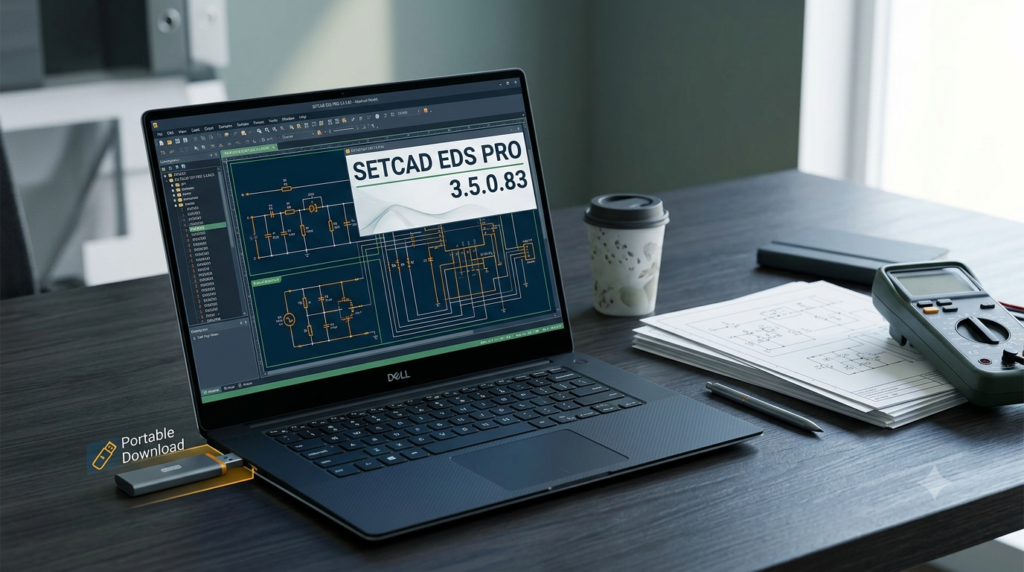
Key to its design is the ability to start a new project quickly. Once you name your project, you can immediately begin drawing . This efficient workflow makes SETCAD a practical option for rapid prototyping and on-the-fly design modifications. Its portable nature also means you can run it from a USB drive, making your workspace truly mobile.
Key Features
SETCAD EDS PRO is equipped with a suite of features that cater to a variety of design needs. These features are organized to be intuitive yet comprehensive, allowing for the creation of complex projects without unnecessary complexity.
Core Drawing Tools
The software provides essential tools for creating precise drawings. You can add fundamental elements such as lines, polylines, circles, and arcs . For circles, it offers several presets, including:
-
Center, Radius
-
Center, Diameter
-
2 Points
-
3 Points
-
Tan, Tan, Radius
-
Tan, Tan, Tan
Similarly, the arc tool includes multiple construction methods, such as:
-
3-Point
-
Start, Center, End
-
Start, Center, Angle
-
Start, Center, Length
-
Start, End, Angle
-
Start, End, Direction
-
Start, End, Radius
-
Center, Start, End
-
Center, Start, Angle
-
Center, Start, Length
These options allow for high flexibility and precision when drafting intricate designs.
Powerful Editing Suite
After creating your initial elements, you can modify them using a comprehensive editing toolkit. Supported edits include move, mirror, chamfer, copy, erase, explode, extend, scale, rotate, stretch, array, and join . This extensive set of commands ensures you can refine your drawings to exact specifications. You can also tamper with layer properties or add annotations to your current project .
Advanced Customization
Personalizing your workspace and designs is straightforward with SETCAD. You can tinker with:
-
Colors
-
Line types and weights
-
Text styles
-
The look of your lines, multi-lines, and dimensions
Modular and User-Friendly Interface
SETCAD is built with a modular design, allowing for extensibility and customization to suit different workflows . The software interface supports both Turkish and English, making it accessible to a broad user base .
Export Capabilities
Once your project is complete, you can easily export it to widely compatible formats like DXF or PDF, facilitating sharing and collaboration .
What’s New in SETCAD EDS PRO Version 3.5.0.83
The latest version of SETCAD focuses on refining the user experience and enhancing performance. Key improvements include:
-
Performance Optimization: The new algorithms improve the software’s speed and stability, particularly when handling large and complex drawings .
-
Refined User Interface: The interface has been further streamlined to make the software more intuitive and responsive, reducing the learning curve for new users and improving efficiency for experienced professionals.
-
Enhanced Compatibility: Continued support for the latest versions of Windows, ensuring stability across a wide range of hardware configurations.
-
Improved File Handling: Users will experience faster file loading and saving, making the design process smoother.
These updates reinforce SETCAD’s position as a competitive, user-friendly CAD solution for professionals and hobbyists alike.
System Requirements
Before downloading and installing SETCAD EDS PRO 3.5.0.83, ensure your system meets the following requirements. As a relatively lightweight CAD application, it can run well on most modern computers .
-
Operating System: Windows 7, Windows 8, Windows 10, or Windows 11.
-
Processor: Intel Core i3 or equivalent AMD processor (i5 recommended for complex designs).
-
RAM: 4 GB minimum (8 GB or more recommended).
-
Hard Disk Space: 500 MB of free space for installation.
-
Graphics: Any graphics card that supports DirectX 10 or higher.
Installation Guide for SETCAD EDS PRO
SETCAD EDS PRO 3.5.0.83 is designed for straightforward installation. Follow these steps to set up the software.
-
Download the Installer: Obtain the official installer file from the software provider’s official website.
-
Run as Administrator: Right-click the downloaded file and select “Run as administrator” to ensure installation permissions.
-
Follow the Setup Wizard: Accept the license agreement, choose your installation directory, and select any additional components you wish to install.
-
Launch the Application: Once installation is complete, launch SETCAD EDS PRO from your Start Menu or desktop shortcut.
-
Activate Your License: Enter your valid license key to unlock full access to the software’s capabilities. This step is crucial for legal and compliant use.
How to Use SETCAD EDS PRO
Using SETCAD EDS PRO effectively involves understanding its workflow and toolset.
Creating a New Project
Begin by launching the software and assigning your new project a name. This organizes your work and allows you to manage multiple projects seamlessly .
Building Your Design
You can start adding elements to your canvas by selecting the type of component you need. The clear menu structure lets you place items like lines, circles, and arcs with ease. You can also insert blocks or even PNG images to enhance your design .
Precise Measurements and Annotations
The software allows for precise measurements. You can measure distance, radius, area, or angle by simply defining the elements you are interested in processing . Annotations are also easy to add, ensuring your drawings contain all necessary explanatory information.
Modifying and Finalizing
After you have added all elements, you can use the diverse editing tools to alter them to your liking . Once satisfied, export your project to DXF or PDF to share it with colleagues or clients .
Best Use Cases
SETCAD EDS PRO’s versatility makes it suitable for a wide range of applications. Here are a few primary use cases:
-
Electrical Design and Drafting: Creating electrical diagrams and schematics is a core function of SETCAD EDS PRO . Its tools are well-suited for planning and documenting electrical systems.
-
Architectural Drawings: The software can be used for basic floor plans, layouts, and other architectural technical drawings .
-
Engineering Projects: Engineers can use SETCAD for a variety of 2D drafting tasks, from component design to system layouts.
-
Education: Students and beginners can use the software to learn CAD principles without being overwhelmed by more complex, professional-grade tools.
-
Hobbyist and Maker Projects: For DIY enthusiasts, SETCAD is a great tool for planning projects, from woodworking to custom electronics enclosures.
Advantages and Limitations
Like any software, SETCAD EDS PRO has strengths and areas where it may not be the best fit.
Advantages
-
Ease of Use: Its primary advantage is its accessible interface, making it easy for beginners to start creating technical drawings .
-
Portability: The portable version allows you to run the software directly from a USB drive, enabling you to work on any compatible computer.
-
Lightweight: It requires minimal system resources, making it suitable for older or less powerful hardware .
-
Comprehensive Toolset: Despite its simplicity, it includes a robust set of drawing and editing tools suitable for various projects .
-
Cost-Effective: SETCAD offers a professional-level toolset at a more accessible price point compared to industry giants like AutoCAD .
Limitations
-
Limited 3D Capabilities: The software primarily focuses on 2D drafting. It lacks the advanced 3D modeling features found in competitors like Shapr3D or Autodesk Inventor .
-
Industry Standard: While powerful, it may not be the industry-standard tool in some sectors, which could be a limitation for professionals who need to collaborate with firms using other software.
-
Advanced Features: It may lack the highly specialized features and automation found in dedicated electrical design tools like Siemens Electrical Designer or Autodesk’s Electrical Toolset for complex industrial projects .
Alternatives to SETCAD EDS PRO
The CAD software market is vast, offering various alternatives that cater to different needs, budgets, and skill levels. Here are several strong alternatives to consider.
Autodesk AutoCAD Electrical Toolset
AutoCAD is the industry standard for CAD software. Its Electrical Toolset is included with an AutoCAD subscription and is designed specifically for electrical engineers, designers, and drafters . It offers an extensive library of over 65,000 pre-made electrical symbols, automated wire numbering, and real-time error checking . Its electromechanical workflow integrates with Autodesk Inventor, enabling seamless collaboration between electrical and mechanical teams . A study suggested that AutoCAD’s Electrical toolset can boost productivity by up to 95% .
Siemens Electrical Designer
Siemens’ Electrical Designer is a cloud-based electrical design tool that is part of the TIA Selection Tool Cloud . This smart software is the first and only solution in the IEC market (International Electrotechnical Commission standards) that automatically selects components, verifies short-circuits, sizes cables, and creates necessary documentation, all according to standards like IEC 60204-1 . It is designed to cut design time in half and eliminate errors .
Shapr3D
Shapr3D is a modern, intuitive CAD modeling app designed for iPad and Mac . It is unique for its touch-first, user-friendly interface, enabling designers and engineers to create complex 3D models with an Apple Pencil . It uses the powerful Siemens Parasolid® modeling kernel and supports a wide range of import/export formats like STEP, STL, and DXF . While it excels in 3D modeling, it also supports 2D drawings.
LibreCAD Portable
LibreCAD is a fully comprehensive, open-source 2D CAD application that runs on Windows, macOS, and Linux . Its portable version can be run directly from a USB stick, making it an excellent free alternative for users with basic needs . It supports over 20 languages and includes features for creating accurate technical drawings .
ProtoPulse
ProtoPulse is a newer, browser-based electronics design tool that aims to be an all-in-one solution for makers . It combines schematic capture, breadboard and PCB layout, and SPICE simulation with a powerful AI assistant that can help generate entire designs from text descriptions . It is open source and free to use, making it a compelling alternative for hobbyists and educators .
EzyCad
EzyCad is an open-source CAD application for hobbyist machinists to design 2D and 3D models for machining projects . It supports exporting models to formats like STEP or STL and can even run in a web browser via WebAssembly . Like LibreCAD, it represents a strong, cost-free option for personal projects.
Frequently Asked Questions
Is SETCAD EDS PRO suitable for beginners?
Yes, SETCAD EDS PRO is designed to be user-friendly. Its interface and toolset are structured so users can understand its functions without needing expert PC skills, making it an excellent choice for beginners .
What types of projects can I create with SETCAD?
You can create a wide variety of technical drawings, including architectural drawings and electrical diagrams. It’s well-suited for 2D drafting, schematic design, and project planning .
Is SETCAD a portable application?
Yes, a key feature of SETCAD EDS PRO is its portability. You can run the software directly from a USB drive, allowing you to work on your designs on any compatible computer without installing the software on the host machine .
What is the difference between SETCAD and AutoCAD?
SETCAD is a lightweight, affordable, and user-friendly 2D CAD tool ideal for straightforward drafting tasks. AutoCAD, with its specialized toolsets, is a comprehensive, industry-standard platform for complex 2D and 3D design, offering a much broader and deeper feature set at a higher price point .
What are the main uses of electrical drawing software?
Electrical drawing software is used to create electrical plans, schematics, and wiring diagrams. These technical documents are essential for designing, installing, and maintaining electrical systems and are used by electricians, engineers, and designers .
Can I collaborate with others using SETCAD?
While SETCAD may not have built-in cloud collaboration features like Siemens Electrical Designer or web-based tools like AutoCAD Web, you can collaborate by sharing the project files directly with team members .
Final Thoughts
SETCAD EDS PRO 3.5.0.83 presents itself as a compelling option in the competitive CAD software market. It effectively bridges the gap between professional functionality and user accessibility, particularly for 2D technical drawing and electrical design.
Its major selling points—portability, ease of use, and a comprehensive toolset—make it an ideal choice for students, hobbyists, and professionals who need a reliable drafting tool without the complexity or cost of heavyweight software like AutoCAD.
While it lacks the advanced 3D capabilities and specialized automation of tools like Autodesk Inventor or Siemens Electrical Designer, SETCAD EDS PRO excels in its core mission: providing a powerful, efficient, and portable solution for 2D CAD projects. For users who prioritize simplicity and mobility, it is a highly effective tool that can significantly streamline the design process.