
Overview of RealCADD 5.70
Table of Contents
RealCADD is a professional 2D CAD software solution designed for architects, engineers, designers, and drafting professionals who need a fast, intuitive, and precise vector-based drawing tool. Developed by Eric Pousse, this cross-platform application runs natively on macOS, Windows, and Linux, offering a compelling alternative to more complex and resource-heavy CAD systems.
Unlike bloated CAD programs that try to do everything, RealCADD focuses on what matters most for 2D drafting: speed, accuracy, and usability. It follows the familiar, straightforward paradigm of classic applications like MacDraw but with significantly enhanced capabilities for professional work. The software is particularly beloved by users who find AutoCAD and its clones overly complicated and cumbersome for their 2D drafting needs.
The latest version, RealCADD 5.70 x64, builds on this legacy with powerful new boolean operations, improved stability, and full compatibility with modern operating systems.
Key Features of RealCADD
RealCADD packs a comprehensive set of drafting and design features into a lightweight, efficient package. Here are the core capabilities that make it a standout 2D design tool:
-
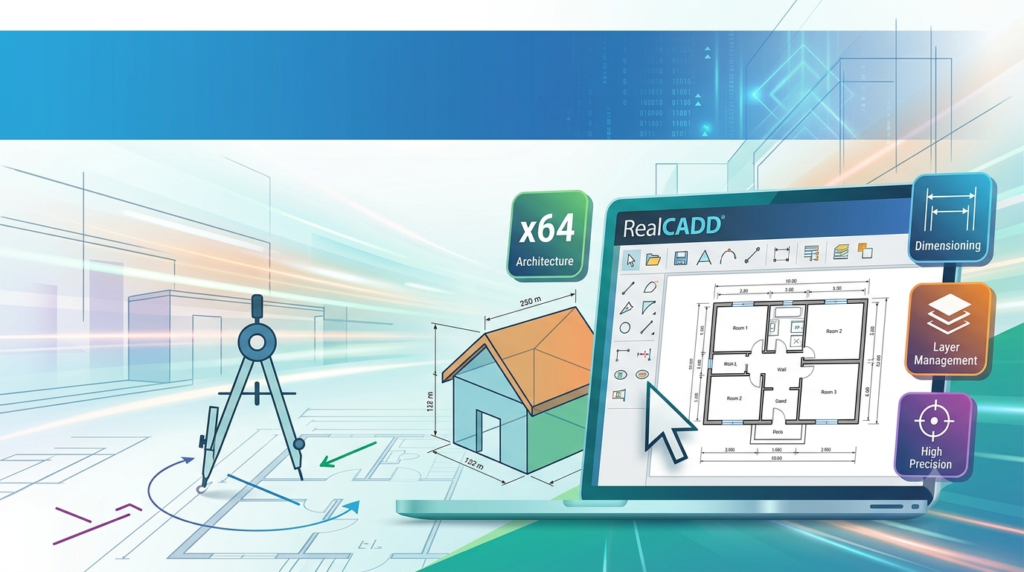
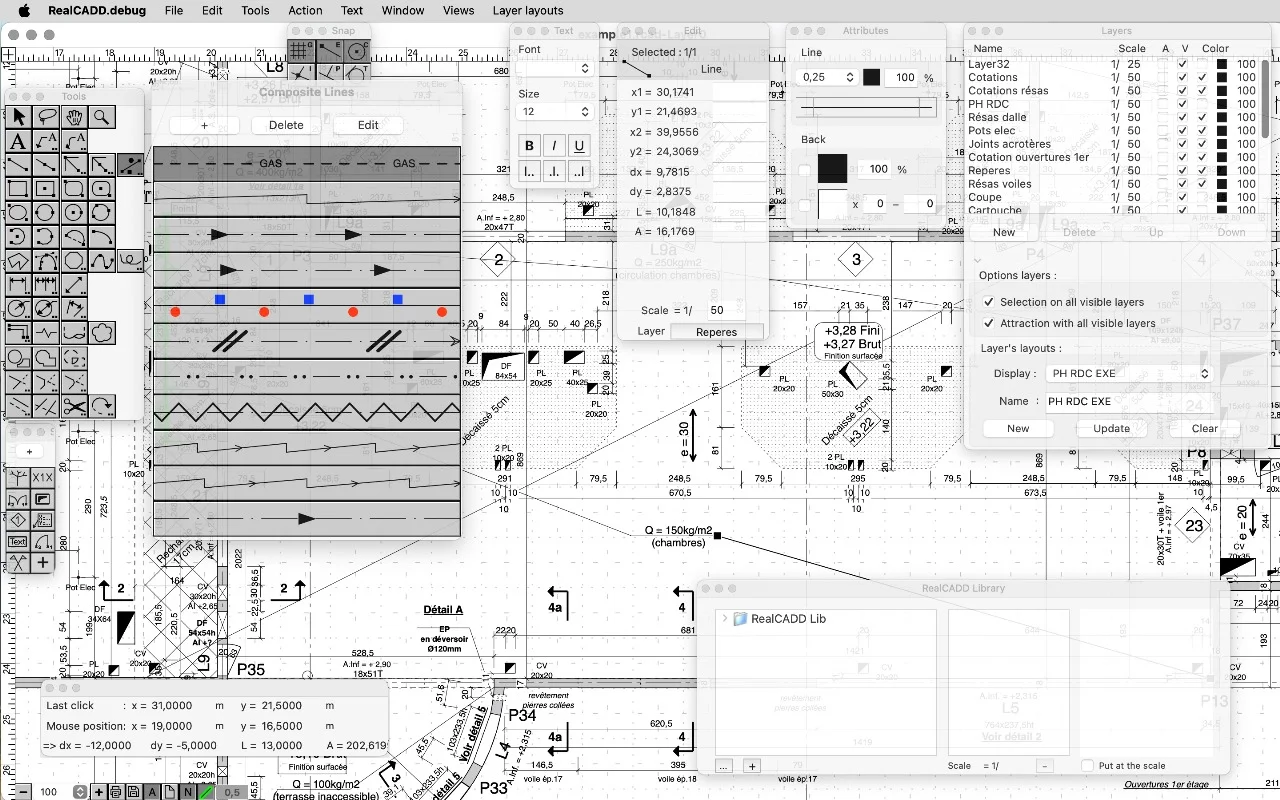
Complete 2D Drawing Toolkit: Create and edit lines, rectangles, ellipses, arcs, polygons, text, and freehand lines with precision. The software provides all the essential tools for technical and architectural drafting.
-
Layer Management: Organize complex drawings with a robust layer system. Users can create, name, and configure layers and layer combinations for efficient workflow management.
-
Dimensioning Tools: Add professional measurements to your drawings with comprehensive dimensioning capabilities, including the new radius and diameter tools introduced in recent updates.
-
Custom Tool Creation: Advanced users can extend the software’s functionality by creating their own tools using a built-in scripting language, tailoring the CAD application to specific workflows.
-
WYSIWYG Interface: What you see on screen is exactly what you get. Unlike older CAD systems that separate model and paper space, RealCADD offers a straightforward, intuitive canvas.
-
High-Resolution Support: The software is optimized for Apple Retina displays and modern high-DPI screens, ensuring crisp, clear visuals on any device.
-
Cross-Platform Compatibility: Enjoy the same powerful 2D CAD software experience whether you are on macOS, Windows, or Linux.
-
Mobile Integration: RealCADD files are fully compatible with iPocket Draw, the sister application for iPhone and iPad. This allows users to start a project on a mobile device and seamlessly continue it on a desktop, or vice versa.
What’s New in RealCADD 5.70
Version 5.70 represents a significant step forward for RealCADD, introducing powerful new tools and important stability improvements.
H3: New Boolean Tools for Shapes
The headline feature of this release is the addition of three new boolean operations for shapes:
-
Cut Shapes: Use one shape to cut another, creating complex geometries with ease.
-
Union of Shapes: Combine two overlapping shapes into a single, unified object.
-
Intersection of Shapes: Create a new shape from the overlapping area of two objects.
These tools work on rectangles, ellipses, arcs, polygons, and other shapes, dramatically expanding the software’s design capabilities. The order of object selection determines the result, providing flexibility in how the operations are applied.
H3: Bug Fixes and Stability Improvements
Version 5.70 addresses several issues that were present in previous releases:
-
Fixed a crash that could occur when using the circle and arc tools with three points—a bug that existed since version 5.60.
-
Numerous other improvements and bug fixes contribute to a more stable and reliable drafting experience.
H3: macOS Tahoe Compatibility
RealCADD 5.70 has been tested and confirmed to work correctly on the latest macOS Tahoe operating system, ensuring users on the newest Apple hardware and software can work without issues. As of the initial 5.70 release, the update is available only for macOS due to a Windows code-signing issue, which the developer is actively working to resolve.
System Requirements
Understanding the system requirements for RealCADD is essential to ensure your hardware can run the software effectively.
| Platform | Operating System | Notes |
|---|---|---|
| macOS | macOS 11.0 (Big Sur) or later | Requires a 64-bit processor; tested on macOS Tahoe |
| Windows | Windows 7 or later (64-bit recommended) | The 5.70 update is pending for Windows |
| Linux | Various modern distributions | Cross-platform build available |
Other requirements:
-
File Size: Approximately 18–38.5 MB, depending on platform and version
-
Language Support: English, German, and French
Installation Guide
Installing RealCADD is a straightforward process, though the steps vary slightly by platform. Below is a general guide.
For macOS:
-
Download the RealCADD disk image (
.dmg) file from a trusted source or the developer’s website. -
Open the downloaded
.dmgfile. -
Drag the RealCADD application icon into your
Applicationsfolder. -
Launch RealCADD from the
Applicationsfolder. If you see a security warning, go toSystem Preferences > Security & Privacyand allow the app to open. -
The software can be demoed prior to purchase.
For Windows:
-
Download the RealCADD installer file.
-
Run the installer and follow the on-screen instructions.
-
Once installation is complete, launch the application from the Start Menu.
-
Note that the 5.70 update for Windows was not yet available at the time of writing due to a code-signing issue, but a solution is expected soon.
For Linux:
-
Download the appropriate package for your distribution.
-
Follow your distribution’s standard installation procedure for third-party applications.
How to Use RealCADD
RealCADD is designed to be intuitive, especially for users familiar with classic vector drawing tools. Here’s a quick guide to get you started with this CAD drawing software.
-
Create a New Drawing: Launch the application and choose “New” from the File menu to start a blank project.
-
Set Up Layers: Before you start drawing, plan and configure your layers. Use the Layer menu or the new “Config Layers” feature to create a layer structure for your project (e.g., walls, dimensions, furniture, text).
-
Use the Drawing Tools: Select a tool from the toolbar—Line, Rectangle, Ellipse, Arc, Polygon, or Text. Click and drag on the canvas to create your objects. For precise drawing, you can directly enter the length after starting a line creation.
-
Edit and Modify: Use the arrow tool to select objects. You can then move, resize, rotate, or modify their properties. Access the context menu (right-click) for quick actions, including layer configuration.
-
Apply Boolean Operations: For complex shapes, select two objects and use the new Cut, Union, or Intersection tools available in version 5.70.
-
Add Dimensions: Use the dimensioning tools to add accurate measurements to your drawing. The radius and diameter tools now allow you to constrain your measurement lines for cleaner results.
-
Work with iPocket Draw: Save your file and open it in iPocket Draw on your iPad or iPhone to continue editing on the go.
Best Use Cases for RealCADD
RealCADD excels in a variety of professional and personal 2D drafting scenarios. Here are some ideal use cases:
-
Architectural Floor Plans: Create detailed, accurate floor plans for residential and commercial projects. The layer system and dimensioning tools are perfect for this.
-
Interior Design Layouts: Design furniture arrangements, space planning, and interior layouts with precision, using the software’s intuitive drawing and editing features.
-
Technical Illustrations: Produce clear and precise technical diagrams, schematics, and illustrations for documentation or presentation purposes.
-
Mechanical and Engineering Drawings: Draft mechanical parts, components, and engineering schematics with the software’s robust 2D toolset.
-
Site Plans and Landscaping: Create site plans and landscaping designs, benefiting from the software’s ability to import images and work with scaled drawings.
-
Rapid Prototyping: Use the software for quick design iterations and prototyping before moving to more complex software or production stages.
Advantages and Limitations of RealCADD
Every software has its strengths and weaknesses. Here is an overview of the pros and cons of RealCADD.
Advantages
-
Lightweight and Fast: The software is remarkably small and uses minimal system resources, making it fast to launch and responsive to use, even on older hardware.
-
Intuitive Interface: The MacDraw-like paradigm is straightforward and easy to learn, especially for users new to CAD, without the steep learning curve of more complex software.
-
Native Cross-Platform: Runs natively on macOS, Windows, and Linux, offering a consistent experience across operating systems without the need for emulation or virtual machines.
-
Excellent File Compatibility: Reads and writes DXF files and supports import of PDF, EPS, SVG, and images, ensuring smooth workflow integration.
-
Mobile Integration: Seamless file compatibility with iPocket Draw allows for on-the-go editing and collaboration.
-
Affordable: Priced at $74.99 (USD), it is a cost-effective alternative to high-end CAD software like AutoCAD, especially for professionals who primarily work in 2D.
Limitations
-
No 3D Capabilities: RealCADD is strictly a 2D application. If your work requires 3D modeling, this is not the right tool.
-
Limited OS-Specific Updates: The release of updates may not be simultaneous across all platforms. The 5.70 update for Windows was delayed significantly compared to macOS.
-
Niche User Base: With a smaller community compared to giants like AutoCAD, finding extensive third-party tutorials or community support might be more challenging.
-
Specialized Workflows: While powerful for 2D, it may lack some of the advanced, industry-specific features found in specialized CAD software.
Alternatives to RealCADD
If you are evaluating RealCADD against other CAD software alternatives, consider the following options:
| Software | Platform | Focus | Key Feature | Price (approx.) | Best For |
|---|---|---|---|---|---|
| RealCADD | Mac, Win, Linux | 2D Drafting | Lightweight, intuitive, cross-platform | $75 | Users seeking a fast, affordable 2D drafting tool. |
| AutoCAD | Mac, Win, Mobile | 2D & 3D Design | Industry standard, extensive features | High | Professionals requiring a full suite of CAD tools and industry-standard file compatibility. |
| DraftSight | Mac, Win, Linux | 2D Drafting | Professional 2D CAD, familiar interface | Moderate | Users who need a more feature-rich 2D alternative with a similar feel to AutoCAD. |
| LibreCAD | Mac, Win, Linux | 2D Drafting | Open-source, free | Free | Budget-conscious users and those who prefer open-source software. |
| QCAD | Mac, Win, Linux | 2D Drafting | Open-source, modular | Free / Pro | Users looking for a free or low-cost, open-source CAD solution. |
| SketchUp Free | Web, iPad | 3D Design | Beginner-friendly, web-based | Free | Beginners and hobbyists focusing on 3D modeling for architecture and design. |
Frequently Asked Questions
What is RealCADD used for?
RealCADD is a powerful 2D computer-aided design (CAD) software used for creating precise technical drawings, floor plans, architectural diagrams, engineering schematics, and other vector-based 2D illustrations. It is suitable for professionals and hobbyists alike.
Is RealCADD compatible with Windows 10/11?
Yes, RealCADD is a cross-platform application that supports Windows, as well as macOS and Linux. A 64-bit version (x64) is available. Please note that the 5.70 update for Windows was delayed due to a code-signing issue, but the developer is actively working on a solution.
How much does RealCADD cost?
RealCADD is priced at $74.99 USD. A demo version is available for users to try before making a purchase.
Can RealCADD open AutoCAD DXF files?
Yes, RealCADD has robust file compatibility and can both read and write standard DXF files, making it easy to exchange drawings with other 2D CAD software like AutoCAD.
What is the difference between RealCADD and iPocket Draw?
RealCADD is the full-featured desktop version of the software for macOS, Windows, and Linux. iPocket Draw is its sister application, designed specifically for iPhone and iPad. Their file formats are fully interchangeable, allowing users to work on the same project across desktop and mobile devices.
Is RealCADD available for Mac?
Yes, RealCADD is fully optimized for macOS and is available on the Mac App Store. It works natively on Apple Silicon and Intel-based Macs running macOS 11.0 or later. The 5.70 version is confirmed to work on the latest macOS Tahoe.
What are the new features in RealCADD 5.70?
Version 5.70 introduces three powerful boolean tools—Cut, Union, and Intersection—for shapes like rectangles, ellipses, and polygons. It also includes bug fixes for stability and is compatible with macOS Tahoe.
Can RealCADD create 3D models?
No, RealCADD is designed specifically for 2D drafting and does not support 3D modeling. It focuses on providing a fast, intuitive, and powerful 2D drawing experience.
Final Thoughts
RealCADD 5.70 offers a compelling solution for professionals and hobbyists seeking a powerful, lightweight, and intuitive 2D CAD software. Its new boolean tools in version 5.70 significantly enhance its design capabilities, while its native cross-platform support and mobile integration provide unparalleled flexibility.
For users who find AutoCAD and similar tools overly complex, expensive, or resource-heavy, RealCADD presents a refreshing alternative. It embodies a “less is more” philosophy, stripping away unnecessary features to deliver a focused and highly efficient drafting experience. The software’s long-standing presence in the market, active development, and responsive developer point to a reliable and trustworthy tool.
If you are in need of a robust 2D drafting application that works seamlessly across your devices without compromising performance, RealCADD 5.70 is undoubtedly worth exploring.
Our Paid Service
“We do not sell or provide any software. We only offer professional support services. If any software on your system is not working properly, or you are facing installation errors, crashes, or any other technical issue — just contact us. We will help you fix the problem quickly and remotely via AnyDesk. No software will be provided from our side — only expert troubleshooting and support.”