
Overview of the Software
Table of Contents
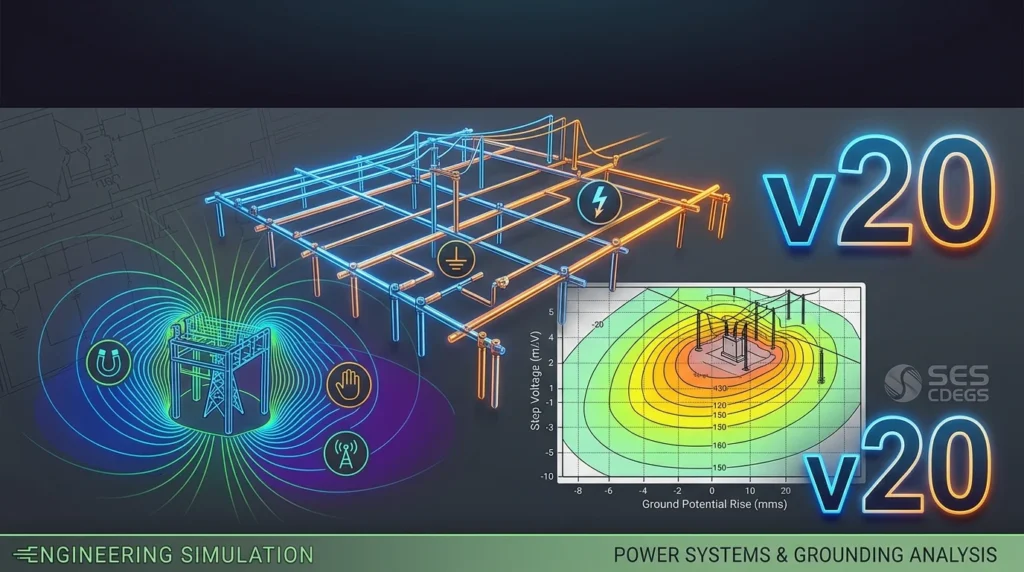
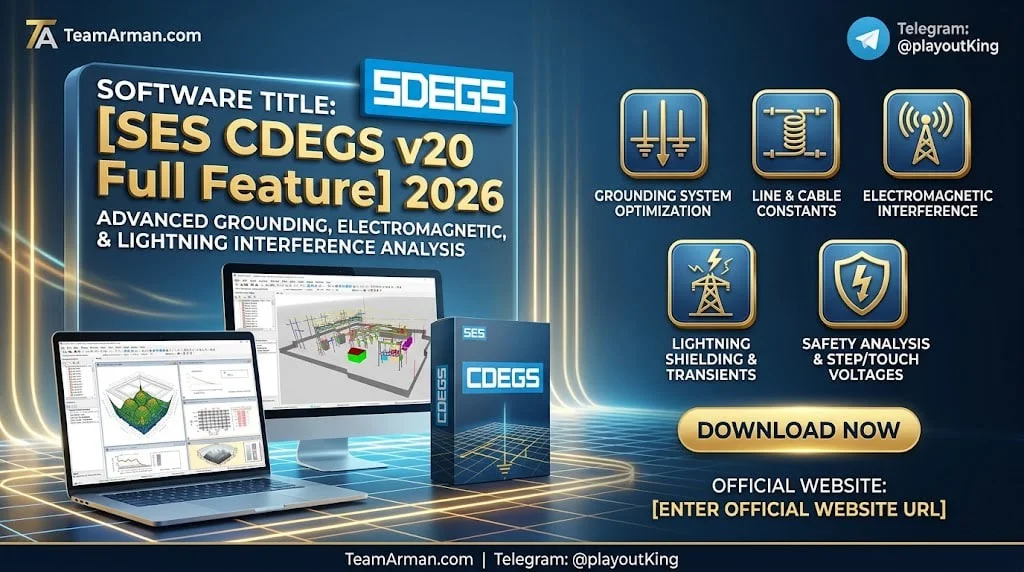
SES CDEGS v20 (Current Distribution, Electromagnetic Fields, Grounding and Soil Structure Analysis) is the latest major release of the industry-standard software suite developed by Safe Engineering Services & technologies ltd. (SES), headquartered in Laval, Québec, Canada. This comprehensive engineering software package is designed to accurately analyze problems involving grounding (earthing), electromagnetic fields, electromagnetic interference (EMI), and transient phenomena in power systems and related infrastructure.
CDEGS stands as the most powerful and accurate suite of commercially available grounding and electromagnetic analysis software on the market, comprising eight powerful computation engines (modules) and several automation and utility tools that bind the various components together. The software is trusted by electrical engineers, utility companies, and research institutions worldwide for critical infrastructure design and safety analysis.
The CDEGS v20 release, documented in the official Getting Started manual and New Features guide, represents a significant evolution of the platform with enhanced performance, improved modeling realism, and a more integrated user experience.
Key Features
SES CDEGS v20 offers an extensive array of features organized around its eight core computation modules and supporting integrated applications.
Core Computation Modules
The CDEGS suite consists of eight powerful and accurate computation engines, each specialized for specific analysis tasks:
-
RESAP (Soil Resistivity Analysis): Analyzes soil resistivity measurements and constructs multi-layer soil models from field data.
-
MALT (Low-Frequency Grounding Analysis): Performs grounding system analysis in the low-frequency domain, suitable for power frequency studies.
-
MALZ (Frequency-Domain Grounding Analysis): Conducts grounding analysis in the frequency domain, accounting for conductor self-impedance and more complex electromagnetic phenomena.
-
TRALIN (Cable Parameter Calculation and Inductive Analysis): Calculates cable parameters and performs inductive coupling analysis.
-
SPLITS (Detailed Fault Current Distribution and EMI Analysis): Performs detailed fault current distribution and electromagnetic interference analysis.
-
HIFREQ (Electromagnetic Field Analysis): Conducts high-frequency electromagnetic field analysis, including transient and lightning studies.
-
FCDIST: Performs fault current distribution calculations.
-
FFTSES: Provides fast Fourier transform capabilities for frequency-domain analysis.
Integrated Software Packages
CDEGS v20 includes numerous specialized packages that extend its capabilities:
-
AutoGrid Pro: High-precision grounding analyses with soil resistivity and fault current distribution capabilities.
-
MultiGround Series: Includes MultiGround, MultiGround Lite, MultiGround+, MultiGroundZ, MultiGroundZ Lite, and MultiGroundZ+ for various grounding analysis needs.
-
MultiFields Series: Includes MultiFields, MultiFields Lite, MultiFields Pro, and MultiFields+ for electromagnetic field analysis.
-
SESShield-3D and SESShield-2D: Specialized shielding analysis tools, with SESShield-3D now supporting multi-zone shielding analysis with the Rolling Sphere method.
-
CorrCAD: Corrosion analysis and cathodic protection design, now featuring an improved iteration approach for Working Potential polarization types.
-
SESTLC Pro: AC interference analysis tool.
-
SESEnviroPlus: Environmental analysis package.
-
Right-of-Way (ROWCAD): Standalone interface for the Right-of-Way computation engine.
-
SESAmpacity: Combines ampacity features with bimetallic calculations.
-
SESBatch: A robust solution for running multiple CDEGS programs consecutively or simultaneously.
-
SESPlotViewer: Preserves preferred plot styles and attributes.
-
SESTrainSimulator: Boosts computational efficiency with automatic detection of previous computation files.
Advanced Technical Capabilities in Version 20
Version 20 introduces several advanced technical capabilities that enhance modeling realism and accuracy:
-
Soil Structure Analysis: The Driven-Rod measurement method interpretation is now available in SESResap, and the inaugural version of vertical soil models is supported in HIFREQ.
-
Enhanced Modeling Realism: New concentric cable and metallic plate models are available in MALZ. HIFREQ now supports magnetic shielding and frequency-dependent power transformers.
-
Refined Accuracy: Improved cable models in HIFREQ and TRALIN incorporate proximity effects for calculations in pipe-type cables.
-
Optimized SESLibrary: Now includes new permeability, curve-fitted permeability, transformers, and coatings databases.
What’s New in the Latest Version
SES CDEGS v20 brings a host of improvements that create a smoother, more integrated user experience while elevating technical capabilities.
General Improvements
-
Real-Time Version Notifications: The software now provides real-time notifications and a streamlined automatic update process, keeping users informed of available updates.
-
Performance Boost: Users can expect a 30% increase in file reading speed and more fluid graphical interactions.
-
New File Launcher: Opening associated applications is now possible with a simple double-click on any F05 or F21 file.
-
Improved Organization: Documents and resources are now easier to find following a comprehensive reorganization, with program settings and reference material residing in the System and DocRef folders.
-
SESBatch Maturity: The batch processing tool is no longer in beta and provides a robust solution for running multiple CDEGS programs consecutively or simultaneously.
Application Availability Updates
-
New Integrated Application: SESBatch has graduated from beta status and is now fully integrated.
-
Moved Applications: Right-of-Way and Ampacity have been moved to the Legacy Applications shortcut folder, superseded by Right-of-Way (ROWCAD) and SESAmpacity, respectively.
-
Removed Applications: CDEGS-Legacy, Legacy AutoGroundDesign, SESCurveFit, and other legacy tools and applications have been removed to streamline the application list.
-
Restructured Applications: RowCAD is now Right-of-Way (ROWCAD), a complete standalone interface for the Right-of-Way core computation engine. SESAmpacityBM is now SESAmpacity, combining old application features with bimetallic calculations.
Core Improvements
-
File Association: SES .F05 and .F21 files can now be associated with the CDEGS File Launcher program in Windows, automatically selecting the appropriate application.
-
Update Notifications: The update notification system can be disabled during installation via the Update Notification dialog, with settings stored in the SESUPDATES.INI file.
System Requirements
To successfully install and run SES CDEGS v20, your computer system must meet specific hardware and operating system requirements. The following tables summarize the required and recommended specifications.
Hardware Requirements
| Component | Required | Recommended |
|---|---|---|
| CPU | Intel Core i3 or equivalent | Intel Ultra 9, multicore |
| Platform | 64-bit | 64-bit |
| Memory (RAM) | 16 GB | 64 GB or more (for parallel core runs) |
| Video Adapter | SXGA display (1280×1024), DirectX-capable | UHD display (3840×2160) |
| Disk Space | 50 GB (10 GB required by installer) | 500 GB for storing computation files |
| Software Protection Dongle Port | USB 2.0 | USB 3.0 |
Note: The software protection dongle port is not required for software-based licenses.
Memory requirements depend on the complexity of the models being built. For parallel core runs, 64 GB or more is strongly recommended.
Operating System Requirements
SES Software version 20 has been tested and validated on the following operating systems:
Professional Operating Systems:
-
Windows 11 Pro
-
Windows Server 2025
Consumer Operating Systems:
-
Windows 11 Home
-
Windows 10 Pro
-
Windows 10 Home
The software has also been validated on Windows Server 2022 and Windows Server 2016/2019.
Important Note: Windows 10 will reach the end of support in mid-October 2025. SES will not be able to offer support for users still on Windows 10 after Microsoft’s official support ends. Users are strongly recommended to upgrade to Windows 11.
Installation Guide
Installing SES CDEGS v20 requires careful preparation to ensure a successful installation. The following steps outline the process based on the official Installation Guide.
Installation Preparation
Before beginning the installation, ensure that:
-
All SES programs are closed during the installation process.
-
Your hardware and operating system meet the software’s requirements.
-
Critical and important updates for your operating system are installed.
-
You have full administrator privileges for your computer.
Installing SES Software
-
Start the Installation Package: Run the installation package program, SES200.EXE. This will unpack the installation and documentation files to a default distribution folder named SETUP.[Z], where [Z] represents the build number of the release. The distribution folder is created under the SES Software documents folder (e.g., C:\Users\Public\Documents\SES Software\20.0\Setup.[Z]).
-
Automatic Installation Start: The installation will automatically start following the unpacking. If you need to start the installation manually, run SETUP.EXE from the distribution folder.
-
Three Installation Phases: The installer will guide you through three phases:
-
Prerequisite installations
-
Core installation
-
Sentinel LDK Runtime Environment installation (including the driver).
-
-
Handle Reboot Requests: If the installer requests a computer reboot at any phase, please do so. If the installation was not completed at the time of reboot, it will automatically continue after the reboot. Make sure to log in with the same administrative account after each reboot.
-
Update Windows: To avoid reboots, ensure Windows is up to date with the latest updates, including feature updates.
-
Set Up Security Profile: Prior to running any SES Software application, you must set up the software’s security profile. Depending on your license type:
-
Standalone License: Refer to StandaloneInstall.pdf in Reference Material\Support.
-
Network License: Refer to NetInstall.pdf in Reference Material\Support.
-
Updating SES Software
SES Software features an enhanced update notification and installation system. Programs alert you when a new version is available for download and installation. A notification dialog titled “New Version of CDEGS Found” appears at program startup and may also be displayed in an application crash dialog.
The seamless download process allows you to download and install updates directly within the application, eliminating the need for external downloads or authentication steps. The built-in update wizard guides you through selecting, downloading, and installing update packages.
How to Use the Software
SES CDEGS v20 provides a comprehensive graphical user interface (GUI) for defining engineering cases, selecting computation modules, and analyzing results. The following guide outlines the typical workflow for using the software.
Starting CDEGS
When you launch CDEGS, you are presented with the Start-up CDEGS Window, which provides access to several tabs and options:
-
Definition of the Case: Specify the working directory and JobID for your project.
-
Selection of the Computation Module: Choose from the eight core computation modules (RESAP, MALT, MALZ, TRALIN, SPLITS, HIFREQ, FCDIST, FFTSES) based on your analysis needs.
-
Selection of the Session Type: Choose between input session (model specification) or output session (results viewing).
-
Tools Tab: Access utility tools and integrated applications.
-
Legacy Tools Tab: Access legacy tools that have been moved to this location.
-
Options Tab: Configure software settings and preferences.
-
Help Tab: Access documentation and support resources.
CDEGS Input Session – Model Specification
The input session is where you build your engineering model. The process involves:
-
Starting an Input Session: Select the appropriate computation module and session type.
-
Understanding Field Types: Familiarize yourself with the various field types available in the input window.
-
Key and Mouse Behavior: Learn the keyboard shortcuts and mouse interactions for efficient modeling.
-
Common Fields, Buttons & Windows: Use the standard input window components, including the input window of MALT, MALZ, and HIFREQ modules, and the output window.
Module-Specific Input Features
Each computation module has its own specific input features:
-
RESAP Computation Module: Input soil resistivity measurements and configure soil model parameters.
-
TRALIN Computation Module: Define cable and transmission line parameters.
-
SPLITS Computation Module: Configure fault current distribution and EMI analysis parameters.
-
FCDIST Computation Module: Set up fault current distribution calculations.
-
FFTSES Computation Module: Configure frequency-domain analysis parameters.
Invoking Computation Modules
Once your model is defined, you can invoke the computation modules to run your analysis. The software provides a computation module interface that allows you to launch RESAP, MALT, MALZ, SPLITS, FCDIST, TRALIN, HIFREQ, and FFTSES modules.
Output Data Processor
After computation is complete, the Output Data Processor allows you to:
-
View, print, plot, and export computation results.
-
Use plotting and reporting tools including SESResultsViewer, GRServer, and SESSystemViewer.
-
Configure and generate computation plots and reports.
-
Access further details and documentation.
Tutorials and Getting Started
The software includes comprehensive tutorials and getting started materials to help you begin your engineering projects. These resources include documentation, email support access, and access to the SES website for additional resources.
Best Use Cases
SES CDEGS v20 is used across a wide range of engineering applications in the power industry and beyond. The following are the primary use cases for the software.
Substation Grounding Design
CDEGS is extensively used for designing grounding systems for electrical substations. The grounding system of a substation serves as the critical interface between high-voltage equipment and the Earth, providing a path for fault currents and lightning impulses to dissipate safely. Engineers use CDEGS to:
-
Design grounding grids for new substations.
-
Analyze and optimize existing grounding systems.
-
Calculate ground potential rise (GPR), step and touch voltages.
-
Evaluate the effectiveness of grounding grid layouts.
-
Design grounding systems for high soil resistivity areas using deep well grounding electrodes.
Electromagnetic Interference (EMI) Analysis
CDEGS is widely used to examine AC electromagnetic interference in power systems. The software helps engineers:
-
Analyze inductive and conductive coupling between power lines and nearby metallic pipelines.
-
Evaluate the impact of transmission corridors on secondary cables.
-
Study electromagnetic fields generated by high-voltage substations.
-
Assess the effects of HVDC grounding pole interference on buried pipelines.
Soil Resistivity Analysis
Accurate soil resistivity analysis is fundamental to proper grounding design. CDEGS provides:
-
Interpretation of soil resistivity measurements using various methods.
-
Construction of multi-layer soil models.
-
Analysis of multi-scale soil electrical properties.
-
Determination of measurement depth requirements for layered soil models.
Transient and Lightning Analysis
The HIFREQ module enables engineers to:
-
Perform broadband coupling modeling of grounding systems.
-
Analyze transient ground potential rise (TGPR) during switching operations.
-
Study lightning impulse propagation in grounding networks.
-
Evaluate magnetic shielding effectiveness.
Railway Power Systems
CDEGS is applied in the design of grounding grids for railway power systems, providing precise modeling capabilities for these specialized applications.
GIS Substation Analysis
The software is used to establish broadband coupling models of “gas-insulated substation (GIS)-grounding grid-soil” systems to mitigate risks associated with transient ground potential rise during GIS switching operations.
Advantages and Limitations
Advantages
SES CDEGS v20 offers several significant advantages that make it the preferred choice for complex grounding and electromagnetic analysis:
-
Industry-Standard Accuracy: CDEGS represents the industry standard for grounding and electromagnetic analysis, with results that are generally an accurate representation of measured values.
-
Comprehensive Module Suite: The software includes eight powerful computation engines covering soil analysis, low and high-frequency grounding, cable parameters, fault current distribution, and electromagnetic fields.
-
Advanced Soil Modeling: Supports multi-layer resistivity models and non-homogeneous conditions, providing more realistic representations of actual soil conditions.
-
Detailed Electrode Interactions: Models complex grid geometries and electrode interactions with high precision.
-
Transient Simulations: Supports transient simulations and high-accuracy analysis for lightning and switching studies.
-
Conductor Self-Impedance: MALZ accounts for the self-impedance of conductors, providing more accurate results than tools that assume lossless conductors.
-
CAD Import/Export: The software can import and export data from most CAD packages in DXF format.
-
Continuous Development: SES continues to enhance the software with new features, performance improvements, and expanded capabilities.
Limitations
While CDEGS is a powerful tool, users should be aware of certain limitations:
-
Learning Curve: The comprehensive feature set and complex modeling capabilities require significant training and experience to use effectively.
-
Computational Intensity: High-accuracy analyses, particularly with HIFREQ and complex models, can be computationally intensive and require substantial processing power.
-
Hardware Requirements: The software has relatively high system requirements, particularly for memory and disk space when working with complex models.
-
License Cost: CDEGS is a commercial software package with licensing costs that may be prohibitive for smaller organizations. Network licenses cost multiples of the standalone license price.
-
Windows Only: The software is designed for Windows operating systems, limiting its use on other platforms.
Alternatives to the Software
While SES CDEGS is the industry standard for comprehensive grounding and electromagnetic analysis, several alternative software packages are available, each with different capabilities and target use cases.
ETAP Grounding Systems
ETAP is a widely used power system analysis platform that includes grounding system analysis capabilities. According to industry discussions, ETAP is convenient for early-stage or simpler designs, while CDEGS is preferred for detailed, high-accuracy grounding studies. The key difference lies in calculation methods: CDEGS uses the method of moments, while ETAP uses finite element algorithms for irregular grounding network modeling.
CYMGRD
CYMGRD, provided by EATON Corporation, is another commercially available grounding analysis tool. A technical comparison notes that CYMGRD may assume conductors are lossless (neglecting conductor impedance), while CDEGS MALZ accounts for self-impedance, providing more accurate results, especially for large earthing grids. CYMGRD is often compared to the MALT module of CDEGS in terms of analysis approach.
ELEK SafeGrid
ELEK SafeGrid is a grounding system design software that offers an alternative to CDEGS for earthing system analysis. It is included in comparison studies of the best earthing and grounding system design software alongside CDEGS, XGSLab, and ETAP.
XGSLab
XGSLab is a specialized grounding analysis software that provides an alternative for engineers requiring accurate grounding system analysis with a potentially different pricing structure and user interface.
Beasy
Beasy is a numerical simulation software that has been compared with CDEGS for HVDC grounding pole interference analysis in buried pipelines. Research has analyzed the calculation principles and compared the advantages and disadvantages of both packages.
EPRI Software
The Electric Power Research Institute (EPRI) offers EMF modeling software that has been compared with CDEGS. Research indicates that CDEGS produces more precise results compared to EPRI software.
Selection Considerations
When selecting an alternative to CDEGS, consider the following factors:
-
Analysis Type: Low-frequency vs. high-frequency grounding, EMI, or soil analysis.
-
Model Complexity: Simple grounding grids vs. complex, multi-layer soil models.
-
Accuracy Requirements: Standard engineering practice vs. research-grade precision.
-
Budget: Standalone license vs. network license costs.
-
Integration Needs: Compatibility with existing CAD and power system analysis tools.
Frequently Asked Questions
Q1: What is SES CDEGS v20 used for?
SES CDEGS v20 is a comprehensive engineering software suite used for analyzing grounding (earthing) systems, electromagnetic fields, electromagnetic interference (EMI), and transient phenomena in power systems. It is primarily used by electrical engineers for substation grounding design, soil resistivity analysis, AC interference studies, and lightning/transient analysis.
Q2: What are the system requirements for CDEGS v20?
The minimum requirements include an Intel Core i3 or equivalent processor (64-bit platform), 16 GB of RAM, a DirectX-capable SXGA display, and 50 GB of disk space (10 GB for the installer). Recommended specifications include an Intel Ultra 9 multicore processor, 64 GB or more RAM, a UHD display, and 500 GB of disk space for computation files. The software runs on Windows 11 Pro, Windows Server 2025, Windows 11 Home, Windows 10 Pro, and Windows 10 Home.
Q3: How do I install CDEGS v20?
Installation involves running the SES200.EXE installation package, which unpacks files to a distribution folder and automatically starts the installer. The installer guides you through three phases: prerequisite installations, core installation, and Sentinel LDK Runtime Environment installation. Administrator privileges are required, and you must set up a security profile before running the software.
Q4: What is new in CDEGS version 20?
CDEGS v20 introduces real-time version notifications, a 30% increase in file reading speed, a new file launcher for F05 and F21 files, improved document organization, and the graduation of SESBatch from beta. Advanced technical capabilities include Driven-Rod measurement interpretation in SESResap, vertical soil models in HIFREQ, new concentric cable and metallic plate models in MALZ, and magnetic shielding support in HIFREQ.
Q5: How does CDEGS compare to ETAP for grounding analysis?
ETAP is convenient for early-stage or simpler grounding designs, while CDEGS is preferred for detailed, high-accuracy grounding studies. CDEGS uses the method of moments for calculations, while ETAP uses finite element algorithms. CDEGS provides more accurate results for complex grounding networks and multi-layer soil models.
Q6: What is the difference between MALT and MALZ in CDEGS?
MALT performs low-frequency grounding analysis and assumes conductors are lossless (neglecting conductor impedance). MALZ performs frequency-domain grounding analysis and accounts for the self-impedance of conductors, providing more accurate results, especially for large earthing grids.
Q7: Can CDEGS import data from CAD software?
Yes, CDEGS can import and export data from most CAD packages in DXF format, facilitating integration with existing design workflows.
Q8: Is CDEGS available for Mac or Linux?
No, SES CDEGS is designed exclusively for Windows operating systems. The current version supports Windows 11 (Pro and Home), Windows 10 (Pro and Home), Windows Server 2025, Windows Server 2022, and Windows Server 2016/2019.
Final Thoughts
SES CDEGS v20 represents a significant evolution of the industry-standard grounding and electromagnetic analysis software suite. With its eight powerful computation modules, extensive integrated applications, and advanced technical capabilities, CDEGS v20 provides engineers with the tools needed to accurately analyze complex grounding systems, electromagnetic fields, and soil structures.
The version 20 release brings meaningful improvements in performance, user experience, and modeling realism. The 30% increase in file reading speed, real-time version notifications, and streamlined update process enhance productivity, while advanced features like vertical soil models in HIFREQ and new cable models in MALZ expand the software’s analytical capabilities.
For organizations involved in power system design, substation engineering, pipeline integrity management, and electromagnetic compatibility studies, SES CDEGS v20 represents a substantial investment in engineering accuracy and safety. While the software has a learning curve and requires robust hardware, its comprehensive feature set and industry-leading accuracy make it the preferred choice for critical infrastructure analysis.
As power systems continue to grow in complexity and renewable energy integration introduces new challenges, tools like CDEGS v20 will remain essential for ensuring the safety, reliability, and electromagnetic compatibility of electrical infrastructure. Engineers and organizations considering grounding and electromagnetic analysis software should evaluate CDEGS v20 against their specific technical requirements, budget constraints, and existing software ecosystems to determine the best fit for their needs.
Our Paid Service