
Overview of PrintLimit Print Tracking
Table of Contents
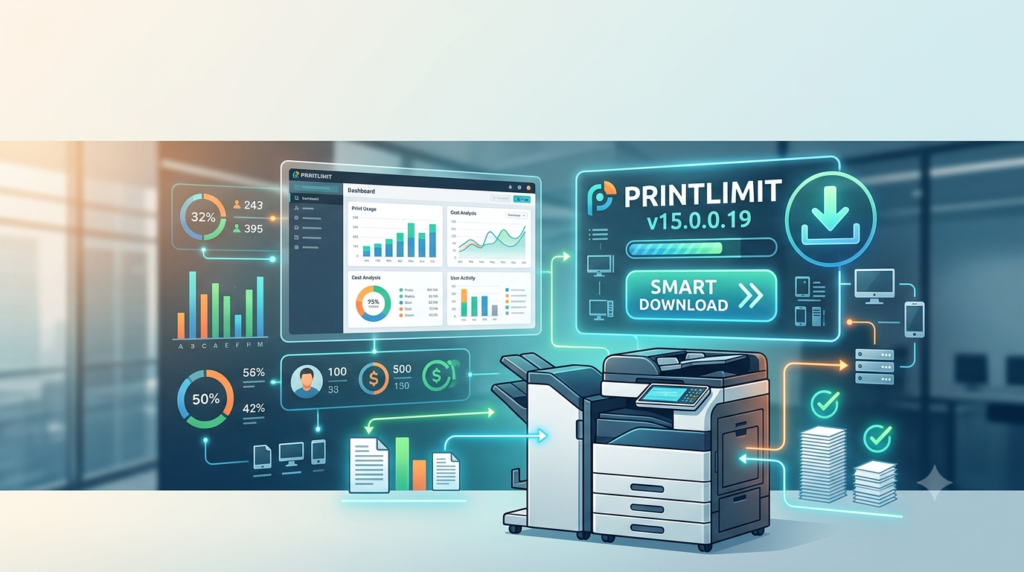
PrintLimit Print Tracking functions as a centralized print management solution that eliminates the complexities often associated with monitoring distributed printing environments. The software works with any printer brand and supports three primary printing scenarios: Windows print server environments, direct IP network printing, and locally connected printers .
At its core, the system captures comprehensive data about every print job—including username, computer name, document name, page count, color usage, paper size, and submission timestamp . This information is stored in either MS Access or SQL Server databases (including the free SQL Server edition) for detailed reporting and analysis . Organizations can implement print quotas, authenticate users via PIN codes, assign costs to client or project codes, and generate automated reports in any language .
The software is particularly valuable for organizations seeking to reduce waste, allocate printing costs accurately, and ensure compliance with data handling policies . By providing visibility into print behaviors, administrators can identify inefficiencies and implement targeted cost-saving measures.
Key Features
Centralized Print Monitoring and Management
PrintLimit Print Tracking provides unified monitoring of all printers and print servers from a single interface . Administrators can simultaneously monitor 1 to 500 printers and their print jobs on one screen, with real-time updates on job status, queue length, and printer health . The system supports centralized management of print jobs across multiple servers and locations, enabling administrators to resume, pause, cancel, or restart jobs across different printers at once .
Comprehensive Print Tracking and Accounting
The software functions as a sophisticated print job accounting solution, capturing detailed information about every document sent to any printer :
-
Job data collection: Tracks username, computer name, printer name, document name, submission date/time, color status, paper size, job size, and page count
-
Cost calculation: Administrators can set pre-defined charges per printer based on pages, monochrome/color printing, duplex/simplex, and paper size (68 standard and 40 definable sizes)
-
Client billing: Enables assignment of print costs to client codes, project codes, or job codes for accurate expense allocation
User Authentication and Print Quotas
PrintLimit Print Tracking implements robust print control mechanisms to regulate usage :
-
PIN authentication: Users must enter a PIN code before printing, preventing unauthorized access
-
Print quotas: Administrators can allocate page limits to users or groups; jobs are automatically paused or canceled when quotas are exceeded
-
Active Directory integration: Users and groups can be imported directly from Windows Active Directory or CSV files
-
Self-service portal: Users can check remaining balances and change PINs from their workstations
Document Archiving and Content Viewing
The software can automatically save a copy of all printed documents in PDF format, enabling easy searching, viewing, and reprinting . This feature proves invaluable for compliance auditing, security investigations, and document retrieval purposes.
Automated Reporting and Analytics
With over 100 usage reports—including 64 default and 36 customizable templates—PrintLimit Print Tracking delivers comprehensive print analytics for cost analysis and billing :
-
Reports can be exported to PDF, Word, Excel, or rich text formats
-
Automated email delivery on daily, weekly, or monthly schedules
-
Customizable reports in any language for global organizations
Printer Inventory and Health Monitoring
The software automatically scans the network to collect printer information including IP addresses, models, serial numbers, MAC addresses, printer counters, and toner/ink levels . Administrators receive email alerts for printer errors, low toner, out-of-paper conditions, and jobs stuck in queues beyond predefined wait times .
Real-Time Print Notifications
Users receive pop-up notifications displaying job information—document name, printer name, page count, cost, and account balance—before printing is confirmed. This print job tracker functionality helps prevent accidental or unauthorized printing . Notifications and authentication prompts support 25 languages, with additional languages available on request.
Print Rules and Restrictions
Administrators can create print rules that restrict printing based on :
-
Username, computer name, or document title (including restricted words)
-
Color usage (blocking color printing to save costs)
-
Job size and maximum allowable print limits
-
Day and time restrictions (preventing after-hours printing)
Secure Print Release
Users can authenticate at the printer using PIN codes or ID badges before documents are released, preventing unattended documents from being viewed by unauthorized individuals . This feature significantly enhances document security and reduces paper waste from unclaimed print jobs.
Watermark and Header/Footer Insertion
The software can add watermarks, usernames, computer names, dates, times, and page counts to printed documents . This functionality helps track document origin and provides professional branding or security markings.
What’s New in Version 15.0.0.19
While specific version 15.0.0.19 release notes are limited, the PrintLimit Print Tracking v15 series introduces several significant enhancements over previous versions:
-
Enhanced support for modern Windows environments including both 32-bit and 64-bit systems
-
Improved integration capabilities with SQL Server databases
-
Expanded mobile device printing support
-
Enhanced printer counter and toner level monitoring with automated scheduling
-
Refined user interface for both administrators and end users
Based on the product’s development trajectory, version 15.0.0.19 continues to refine the platform’s core strengths: ease of use, cross-platform compatibility, and comprehensive print management functionality.
System Requirements
PrintLimit Print Tracking v15.0.0.19 has modest system requirements, making it accessible for organizations of all sizes :
| Component | Requirement |
|---|---|
| Operating System | Windows 32-bit and 64-bit versions |
| CPU | 300 MHz or higher |
| Memory | 256 MB or more |
| Hard Disk Space | 100 MB |
The software supports both MS Access and SQL Server databases (including the free SQL Server edition) for data storage, with Active Directory integration available for user management .
Installation Guide
Step-by-Step Installation Process
-
Download the Software: Obtain the PrintLimit Print Tracking installer from the PrintLimit® LLC website. A 30-day free trial is available for evaluation .
-
System Preparation: Ensure the target computer meets the minimum system requirements. Verify that Windows is up to date and that the system has appropriate database support (MS Access or SQL Server) if not using the bundled options.
-
Run the Installer: Launch the installation file with administrator privileges. Follow the on-screen prompts, accepting the license agreement and selecting the installation directory.
-
Database Configuration: Choose between MS Access (simpler, suitable for smaller deployments) or SQL Server (recommended for larger organizations with multiple print servers) .
-
Configure Network Settings: Specify the print servers, IP ranges, or network segments to be monitored. The software can automatically discover printers on the network.
-
Import Users and Groups: Integrate with Windows Active Directory or import CSV files to set up user accounts, groups, and print quotas .
-
Define Print Rules and Costs: Configure print charges, set quotas, define print restrictions, and establish reporting schedules.
-
Deploy Print Job Agent: For non-print server environments (direct IP or USB-connected printers), deploy the Print Job Agent add-on to client workstations using Windows Group Policy or manual installation .
-
Test and Verify: Submit test print jobs to verify tracking, authentication, and reporting functionality.
Installation Scenarios
Scenario 1 – Print Server Environment: Install on each Windows print server to monitor shared printer activity .
Scenario 2 – Direct IP Printing: Install on a central server and deploy Print Job Agent to workstations that print directly to network printers via IP .
Scenario 3 – Local USB Printers: Similar to direct IP printing, deploy Print Job Agent to workstations with locally connected printers .
Scenario 4 – Multiple Print Servers: Install on each print server and connect to a central SQL database server for unified reporting .
How to Use the Software
For Administrators
Monitoring Print Activity: Launch the PrintLimit Print Tracking console to view all active print jobs across the network. Monitor printer status, queue lengths, and user activity in real-time .
Managing Users and Quotas: Access the user management interface to add or remove users, adjust print quotas, reset PINs, and modify group assignments. Users can be imported from Active Directory or added automatically when they print for the first time .
Configuring Print Rules: Establish rules to restrict printing by username, computer, document title, color, job size, or time of day. When users exceed limits, jobs can be automatically paused or canceled .
Generating Reports: Access the reporting module to create detailed usage reports. Export reports to PDF, Word, or Excel formats. Schedule automatic report generation and email delivery to stakeholders .
Managing Printer Inventory: Use the network scan function to discover printers and collect inventory data including counters, toner levels, and serial numbers. Configure alerts for critical conditions .
For End Users
Checking Print Quotas: Users can view their remaining quota and account balance through a web browser or from their workstation pop-up notifications .
Authenticating Print Jobs: When prompted, enter PIN codes or use ID badges to authorize print job release. This ensures only intended recipients receive sensitive documents .
Viewing Print History: Access individual print history through the web interface to track personal usage and verify charges .
Selecting Client/Project Codes: For organizations using client billing, users will be prompted to select the appropriate client, project, or job code before printing .
Advanced Usage
Database Configuration: For larger deployments, use SQL Server as the backend database to support multiple print servers and high-volume printing environments .
Custom Report Creation: Utilize the 36 customizable report templates to create reports tailored to specific organizational needs, including client billing, departmental cost allocation, and usage trends .
Integration with Existing Systems: Leverage Active Directory integration for seamless user management, and export data to accounting or ERP systems for comprehensive cost tracking .
Best Use Cases
Educational Institutions
Universities, colleges, and schools use PrintLimit Print Tracking to :
-
Allocate print quotas to students and faculty
-
Reduce paper and toner waste in computer labs
-
Implement PIN-based secure printing to prevent unattended documents
-
Track printing costs by department or course
-
Generate reports for budget planning and cost allocation
Corporate and Business Environments
Organizations across all industries benefit from :
-
Monitoring employee print activity to identify waste and misuse
-
Implementing client billing to pass project-related printing costs to clients
-
Reducing overall printing costs by 20-50%
-
Enforcing print policies and restrictions
-
Enhancing document security through authentication and secure release
Architectural and Engineering Firms
Firms with high-volume plotting and large-format printing use the software to :
-
Allocate plot costs to specific projects or clients
-
Track and bill for large-format document production
-
Monitor expensive color and large-format toner usage
-
Generate detailed client billing reports
Libraries and Public Facilities
Public facilities implement PrintLimit Print Tracking to :
-
Control patron printing with prepaid or pay-to-print models
-
Set up print release stations with payment processing
-
Monitor and manage public printing resources
-
Generate usage reports for resource planning
Government and Healthcare Organizations
Sensitive environments use the software for :
-
Compliance with document handling regulations
-
Security auditing and data leak prevention
-
Tracking document printing for investigation purposes
-
Archiving printed documents for regulatory compliance
Advantages and Limitations
Advantages
Cross-Platform Compatibility: Supports Windows, Linux, Unix, and Mac clients, making it suitable for diverse IT environments .
Any Printer Brand Support: Works with all printer brands including HP, Canon, Ricoh, Xerox, Epson, Brother, Konica Minolta, and more .
Flexible Deployment Options: Operates with or without Windows print servers, accommodating direct IP printing and locally connected printers .
Comprehensive Feature Set: Combines print tracking, quota management, authentication, reporting, and printer health monitoring in a single solution .
Cost Savings: Reduces wasteful printing by 20-50%, generating significant ROI for organizations .
Perpetual Licensing: One-time fee for lifetime use with no mandatory yearly fees, offering excellent value .
User-Friendly Interface: Designed for ease of use, even for organizations without dedicated print management staff .
Strong Reporting Capabilities: Over 100 report templates in any language, with automated delivery options .
Security Features: PIN authentication, secure print release, document archiving, and content viewing for compliance auditing .
Limitations
Windows-Centric Administration: The primary management console requires Windows, though clients can be on any OS .
No Cloud-Native Version: While mobile printing is supported, the software is primarily designed for on-premises deployment .
Database Scaling Considerations: While SQL Server is supported, organizations with extremely large fleets may need to carefully plan database architecture .
Limited Built-In MFP Integration: Unlike some competitors like PaperCut MF, PrintLimit Print Tracking may not offer native integration with multifunction printer copy/scan/fax tracking without additional configuration .
Alternatives to PrintLimit Print Tracking
PaperCut MF and NG
PaperCut is a widely-used print management solution with over 60,000 client sites worldwide . It offers features similar to PrintLimit, including print quota management, cost tracking, and secure print release. PaperCut MF provides hardware-level integration for capturing copy, fax, and scan activity on MFPs . PaperCut is available for Windows, Mac, Linux, and Novell environments .
Ricoh Streamline NX
Ricoh’s Streamline NX is a modular print management suite that simplifies device management, enterprise printing, and print cost accounting . It offers a single interface for managing printers, scheduling reports, and safeguarding data communications. Advanced modules include secure print, scan and capture, and mobile printing capabilities .
ManageEngine OpManager
For organizations primarily focused on printer monitoring and health, ManageEngine OpManager provides robust printer monitoring capabilities . It tracks printer availability, toner levels, paper levels, and hardware faults using SNMP. While not a full print management solution like PrintLimit, it offers comprehensive printer health monitoring with alerting and workflow automation .
Pharos Cloud
Pharos Cloud offers enterprise-grade print analytics and reporting with a cloud-native architecture . It provides intuitive dashboards, job-level detail visibility, and comprehensive fleet analytics. Unlike PrintLimit’s on-premises focus, Pharos Cloud is designed for organizations seeking cloud-based print management with scalability and simplified deployment .
RSA QDirect
For production printing environments, RSA QDirect provides output management and workflow automation for high-volume printing operations . It supports job submission from multiple sources, load balancing across printers, and advanced job ticketing. This is a more specialized solution for commercial and in-plant print centers .
Teramind
For organizations with strong security and compliance requirements, Teramind offers print monitoring as part of its user activity monitoring platform . It tracks who prints, what was printed, and the content of printed documents, with alerting for sensitive data printing attempts .
Frequently Asked Questions
1. Is PrintLimit Print Tracking compatible with non-Windows operating systems?
Yes, PrintLimit Print Tracking supports clients running Windows, Linux, Unix, and Mac operating systems . The software can track print jobs from all these platforms, making it suitable for mixed-OS environments. The Print Job Agent add-on extends tracking capabilities to workstations that don’t use Windows print servers .
2. Does the software require a Windows print server?
No, PrintLimit Print Tracking works with or without a Windows print server. It supports direct IP printing (where users send jobs directly to printers via IP address) and locally connected USB/LPT printers . The Print Job Agent add-on captures printing information from workstations in non-print server environments .
3. How does PrintLimit Print Tracking handle print cost allocation?
The software allows administrators to set pre-defined charges for each printer based on page count, monochrome/color, simplex/duplex, and paper size . Charges can be assigned to client codes, project codes, or job codes for accurate expense allocation. Detailed reports track costs by user, department, project, or client .
4. Can the software help reduce printing costs?
Yes, organizations typically reduce printing costs by 20-50% using PrintLimit Print Tracking . The software reduces waste through print quotas, restrictions on color printing, user authentication, and better visibility into printing habits. Many organizations find that the ROI justifies the software investment within months.
5. Is a free trial available for PrintLimit Print Tracking?
Yes, PrintLimit LLC offers a 30-day free trial of PrintLimit Print Tracking . The trial allows organizations to test the software in their environment with full functionality before purchasing.
6. What types of printers and devices does the software support?
PrintLimit Print Tracking supports all printer brands including HP, Canon, Ricoh, Xerox, Epson, Brother, Konica Minolta, Kyocera, Lexmark, and many others . It works with network printers, USB-connected printers, and plotters. The software also monitors printer health including toner levels, paper levels, and error conditions .
7. How does the software handle data security and compliance?
PrintLimit Print Tracking provides document security through PIN-based authentication, secure print release, and document archiving . All print activity is logged with user and document details for compliance auditing. The software can automatically save printed documents as PDFs for security investigations and regulatory compliance .
8. What is the licensing model for PrintLimit Print Tracking?
PrintLimit Print Tracking uses perpetual licensing with a one-time fee for lifetime use—there are no mandatory yearly fees . Licensing is based on the number of users with unlimited printers and unlimited print servers per site (local area network). This model offers excellent long-term value compared to subscription-based competitors.
9. Does the software integrate with Active Directory?
Yes, PrintLimit Print Tracking integrates with Windows Active Directory . Users and groups can be imported directly from Active Directory, simplifying user management and authentication. Active Directory integration also enables single sign-on capabilities and centralized user quota management.
10. What types of reports can PrintLimit Print Tracking generate?
The software offers over 100 reports including 64 default and 36 customizable templates . Reports cover user activity, printer usage, cost analysis, department summaries, client billing, and printer health metrics. Reports can be exported to PDF, Word, Excel, or rich text formats and automatically emailed on a schedule .
Final Thoughts
PrintLimit Print Tracking v15.0.0.19 stands as a robust, comprehensive print management solution that addresses the core challenges organizations face in controlling printing costs, ensuring document security, and gaining visibility into print operations. Its flexibility to work with any printer brand and across multiple operating systems makes it a versatile choice for diverse IT environments.
The software’s strength lies in its balance of powerful features and user-friendly design. Organizations can implement print quotas, PIN authentication, client billing, and detailed reporting without requiring specialized IT expertise. The ability to save printed documents as PDFs adds a valuable compliance and security dimension that many organizations find essential.
For organizations seeking to reduce printing costs by 20-50%, implement secure printing practices, and gain detailed insights into print behaviors, PrintLimit Print Tracking offers a compelling solution. The 30-day free trial provides an opportunity to evaluate its capabilities in your specific environment before committing.
As printing remains a significant operational expense for most organizations, investing in print management software like PrintLimit Print Tracking represents a strategic decision with measurable ROI. The perpetual licensing model, cross-platform compatibility, and comprehensive feature set make it suitable for organizations from small businesses to large enterprises and educational institutions.
To get started with PrintLimit Print Tracking v15.0.0.19, visit the official PrintLimit® LLC website to download the free trial, explore the comprehensive documentation, or contact their sales team for guidance on deployment in your environment.
Our Paid Service
“We do not sell or provide any software. We only offer professional support services. If any software on your system is not working properly, or you are facing installation errors, crashes, or any other technical issue — just contact us. We will help you fix the problem quickly and remotely via AnyDesk. No software will be provided from our side — only expert troubleshooting and support.”