
Overview of Ham Radio Deluxe
Table of Contents
Ham Radio Deluxe, developed by HRD Software LLC, originated as a freeware project by Simon Brown HB9DRV before the rights were sold in 2011 to the current company. Today, it stands as one of the most recognizable amateur radio software packages available, offering an all-in-one solution that simplifies and enhances radio operation.
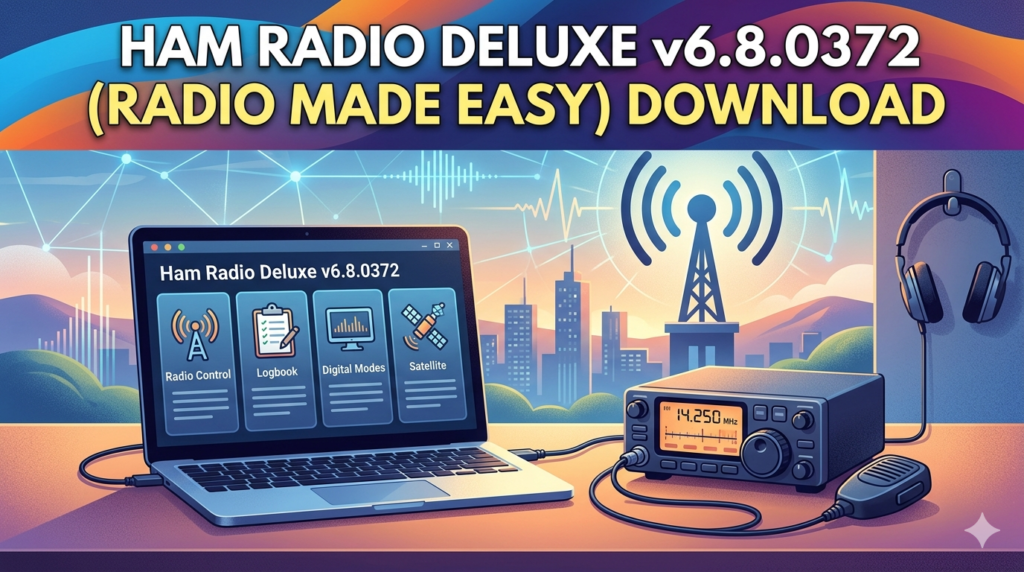
The software consists of five integrated modules that work seamlessly together:
-
Rig Control: Provides direct computer-based control of your transceiver, allowing you to adjust frequency, mode, power, and other settings from your PC
-
Logbook: A comprehensive digital logging system for tracking QSOs, managing awards, and organizing contact information
-
Digital Master (DM-780): Supports various digital communication modes including PSK31, RTTY, and FT8
-
Satellite Tracking: Enables real-time tracking of amateur radio satellites for communication through orbital relays
-
Rotator Control: Offers precise control of antenna rotators for optimal signal direction
This unified suite approach means you can manage all aspects of your amateur radio station from a single interface, eliminating the need to switch between multiple applications. The tight integration between modules creates a workflow where logged QSOs automatically capture frequency and mode data from the rig control module, making logging more accurate and efficient.
Key Features
Ham Radio Deluxe is packed with features designed to enhance every aspect of amateur radio operation. Below is an overview of the key functionality provided by each module.
Rig Control
The rig control module provides comprehensive computer-based control of your transceiver:
-
Multi-Radio Support: Works with over 100 radios from major manufacturers including Yaesu, Icom, Kenwood, Elecraft, FlexRadio, and Ten-Tec
-
CAT Control: Uses standard serial connections (DB9, USB, or Serial/USB converters) for reliable radio-to-computer communication
-
Dual VFO Control: Independent control of both main and sub-band VFOs for radios with dual-receive capability
-
Frequency and Mode Management: Direct frequency selection, mode changes, and memory channel management
-
Remote Control Capability: Operate your radio from a different location using remote access features
Logbook Module
The HRD Logbook is one of the most comprehensive logging solutions available for amateur radio operators:
-
QSO Logging: The Add Logbook Entry (ALE) window features 15 tabs for detailed contact information including location, propagation data, contest exchanges, and award tracking
-
Automatic Population: Frequency and mode data automatically populate from the rig control connection
-
Awards Tracking: Track progress toward DXCC, IOTA, WAS, and other awards with dedicated tracking columns
-
LoTW and eQSL Integration: Upload and download QSL data directly from Logbook of the World and eQSL.cc services
-
Custom Fields: Six customizable fields for tracking specialized data like Summits on the Air (SOTA) references
-
Search and Filter: Quickly find QSOs with powerful filtering capabilities
-
DX Cluster Integration: View real-time DX spotter information and band maps
Digital Master (DM-780)
The digital communications module supports a wide range of digital modes:
-
Multiple Digital Modes: Support for PSK31, RTTY, CW, Olivia, Contestia, Thor, Throb, and FT8 via integration
-
Waterfall Display: Visual band scanning for identifying active digital signals
-
Integrated Soundcard Management: Built-in audio processing eliminates the need for external soundcard software
-
Macro System: Customizable macros for efficient contesting and rag-chewing
Satellite Tracking
The satellite tracking module extends your station’s capabilities into orbital communications:
-
Real-time Pass Prediction: Accurate predictions for satellite overpasses at your location
-
Visualization: Grayline maps and great-circle route displays showing satellite positions relative to your QTH
-
Integration with Rig Control: Automated Doppler correction and antenna pointing
Rotator Control
The rotator control module provides precise antenna management:
-
Fine-Tuning Control: Accurate antenna positioning for both azimuth and elevation rotators
-
Rotor Automation: Automatic antenna pointing based on satellite tracking data or DX cluster spots
-
Easy Setup: Supports multiple rotator systems and can control multiple rotators simultaneously
DX Cluster and Band Maps
-
DX Cluster Integration: Real-time spotting network information displayed directly in the interface
-
Band Maps: Visual frequency mapping of all collected spots for selected bands
-
Grayline Map: Shows the grayline map with operator location, Maidenhead grid squares, and great circle path visualization
-
DX Histogram: Visual display of the last 2,000 DX spots to show “where the action is”
Additional Tools
-
Audio Recorder: Record audio from your radio’s AF source
-
Solar Data Display: 30-day solar data from NOAA and solar cycle progression tracking
-
FT8/FT4 Integration: Display decodes from your favorite FT8/FT4 software directly within HRD
What’s New in Ham Radio Deluxe Version 6.8.0.372
Ham Radio Deluxe v6.8.0.372, released in February 2023, focuses primarily on maintenance and stability improvements. The key update in this version addresses false positive detection by antivirus software, ensuring smoother operation without interference from security applications. While not a major feature release, this maintenance update reflects HRD Software LLC’s commitment to keeping the software reliable and functional in modern computing environments.
Users should note that the documentation available for v6.9 is updated for that version, and v6.8.0.372 may have some differences in features and interface elements.
System Requirements
Ham Radio Deluxe runs on Windows operating systems supported by Microsoft:
-
Operating System: Windows 10 or Windows 11 (recommended). Windows 7 and 8.1 are no longer officially supported but may still function
-
Memory: Microsoft’s minimum requirements plus an additional 2GB of RAM
-
Processor: Any processor meeting Microsoft’s requirements for your operating system
Important Windows Version Information
Microsoft support timelines significantly impact HRD compatibility:
-
Windows 10: Support ends October 14, 2025 for Windows 10 Home and Pro editions
-
Windows 11: Only the xxH2 versions receive 24-month support for Home/Pro editions. Versions released before 21H2 are already beyond Microsoft support
-
End-of-Life Systems: Windows 8.1 (support ended January 10, 2023), Windows 7 (support ended January 14, 2020), Windows Vista, and Windows XP are no longer supported
Radio Interface Requirements
All radios require a serial connection between the computer and radio for CAT control:
-
USB-Equipped Radios: Newer radios with USB ports connect directly with a standard USB cable
-
Serial-Equipped Radios: Older radios with DB9 serial ports connect through serial/USB converters
-
FTDI or SI Labs Chipsets: Recommended for reliable operation. Avoid Prolific chipsets which are often counterfeit and cause system crashes, program lockups, and disappear of COM ports
Internet Connection
While not absolutely required, a full-time internet connection (cable or DSL) is recommended to fully utilize features including licensing verification, DX cluster access, LoTW integration, and callsign lookup services.
Installation Guide
Installing Ham Radio Deluxe is a straightforward process when you obtain it through official channels. Here is a step-by-step guide to installing HRD v6.8.0.372:
-
Download the Software: Visit the official Ham Radio Deluxe website (www.hamradiodeluxe.com) to download the installer. HRD Software LLC offers both free trial versions and paid licenses through their website
-
Verify System Requirements: Ensure your Windows computer meets the minimum system requirements outlined above. If running an older operating system like Windows 7 or 8.1, be aware that full support is not guaranteed
-
Run the Installer: Launch the downloaded installer and follow the on-screen instructions. The installation wizard will guide you through selecting installation directories and components
-
Connect Your Radio: Connect your transceiver to your computer using the appropriate interface cable. For radios with USB ports, a standard USB cable is sufficient. For legacy radios, use a Serial/USB converter with recommended FTDI or SI Labs chipsets
-
Activate Your License: Upon first launch, you will need to activate your software. HRD requires an internet connection for license verification. If using a VPN, note that some users have reported issues where a VPN must be disconnected to allow activation
-
Configure Your Radio: Follow the radio setup wizard to select your radio model and configure the appropriate COM port and baud rate settings
-
Test Operation: After installation and configuration, test rig control by attempting to change frequency or mode from the software
How to Use Ham Radio Deluxe
Using Ham Radio Deluxe effectively requires understanding its core workflow and module navigation.
Getting Started with the Interface
The HRD interface is organized around its five main modules, accessible through the application ribbon at the top of the window. You can switch between modules using tabs or flip between Rig Control and Logbook views.
Rig Control Module
The rig control module features a radio-like interface showing frequency, mode, and VFO information. Key controls include:
-
Main and Sub-Band Tuning Sliders: Quick frequency adjustment for both VFOs
-
Mode Selection: Easy switching between operating modes
-
Memory Channels: Save and recall favorite frequencies
-
Rig-specific Settings: Access to radio-specific controls like filter settings and power output
Logbook Module
The logbook module is divided into several panes:
-
Upper Left Pane: Tabs for callsign lookup, favorites, and radio pane with quick access to rig control features
-
Lower Left Pane: Audio recorder and network server status
-
Upper Pane: Logbook data display showing recent QSOs with columns you can customize
-
Lower Pane: Solar data, audio monitor, DX cluster, HRD Alert decodes, DX histogram, grayline map, clock, and band map information
-
Bottom Status Bar: Recent DX cluster announcements, WCY solar data, and WWV solar data
Adding a QSO
To log a QSO in HRD Logbook:
-
Click the “Add” button in the toolbar to open the Add Logbook Entry (ALE) window
-
The frequency and mode from your rig control connection will automatically populate
-
Enter the callsign, signal reports (RST sent/received), time, and other details
-
Select the appropriate tabs for additional information:
-
Contact Tab: Operator details, club membership, email, website
-
Location Tab: QTH, state/province, county, ARRL section
-
IOTA Tab: Island reference number and name
-
Award Tab: Award tracking status
-
Contest Tab: Contest-specific exchange data
-
My Station Tab: Select from multiple station profiles
-
Propagation Tab: Solar data automatically recorded when tracking is enabled
-
QSL/eQSL/LoTW Tabs: Manage QSL confirmation status
-
-
When using digital modes, the DM-780 module will automatically log QSOs that are confirmed
Working with Awards
The awards tracking system in HRD Logbook uses specific QSL fields to track confirmation status:
-
QSL Rcvd Values: Y (confirmed), N (not confirmed), R (requested), I (ignore/invalid), V (verified)
-
QSL Sent Values: Y (sent), N (not sent), R (requested by station), Q (queued), I (ignore/invalid)
The Awards Tracking tab uses these values to populate the “Not Submitted,” “Submitted,” and “Granted” columns for each award program.
Digital Modes
Using the Digital Master (DM-780) module:
-
Select Mode: Choose from supported digital modes like PSK31, RTTY, or FT8
-
Tune to Signal: Use the waterfall display to find signals on the band
-
Transmit: Use macros for standard transmissions, or type custom messages
-
Automatic Logging: Confirmed digital QSOs can be automatically logged to the Logbook
Best Use Cases
Ham Radio Deluxe serves a wide range of amateur radio needs and operating styles.
DXing and Contesting
The powerful logging and integration features make HRD ideal for DXers and contester:
-
Automatic logging with frequency and mode data ensures accurate records
-
DX Cluster integration provides real-time spotting information
-
Awards tracking helps monitor progress toward DXCC and other awards
-
Contest tab in the ALE window allows detailed contest exchange tracking
-
Current time tracking (recommended for DXers and contesters) increases QSL matching accuracy on services like LoTW
Casual Operating and Rag-Chewing
For less formal operating, HRD provides tools that make each session enjoyable:
-
Easy rig control means you spend less time on setup and more time on the air
-
Callsign lookup provides immediate information about the station you’re working
-
Audio recorder allows you to save memorable conversations
-
Set by user time tracking (recommended for rag-chewers) accommodates longer QSOs
Digital Mode Operation
HRD’s DM-780 module is perfect for operators who enjoy digital modes:
-
Multiple digital modes supported in a single interface
-
Waterfall display makes finding signals easy
-
Integration with FT8/FT4 software like WSJT-X
-
Automatic logging of confirmed digital QSOs
-
Macro system for efficient contesting and repetitive transmissions
Satellite Communication
For ham radio enthusiasts focused on satellite communications:
-
Real-time satellite tracking with pass predictions
-
Automated Doppler correction and antenna pointing
-
Integration with rotator control for precise antenna positioning
-
Satellite tab in the ALE window stores orbital data with QSOs
Remote Station Operation
HRD’s remote control capabilities allow operators to manage stations from different locations, making it possible to:
-
Operate a station while away from your home QTH
-
Manage a club station from a remote location
-
Enable secure remote access for trusted operators
Advantages and Limitations
Every software solution has its strengths and weaknesses. Here is a balanced look at what Ham Radio Deluxe does well and where it falls short.
Advantages
Integrated All-in-One Solution: HRD combines five essential modules into a single cohesive suite. This integration eliminates the need to juggle multiple applications and ensures that data flows seamlessly between modules.
Powerful Logbook: The HRD Logbook is one of the most comprehensive logging solutions available, with support for awards tracking, multiple QSL services, and detailed QSO metadata.
Wide Radio Compatibility: Support for over 100 radios from major manufacturers makes HRD accessible to nearly any amateur radio operator.
Professional Development: HRD Software LLC actively develops the software, with regular updates and dedicated customer support for paid subscribers.
User Community: With over 40,000 users, there is a substantial community of HRD operators who share knowledge and tips.
Limitations
Cost: The paid version requires a yearly subscription price of around $99 for the first year, with a discounted annual maintenance fee of approximately $30 thereafter. For some operators, especially those with limited budgets, this cost may be prohibitive when free alternatives exist.
Steep Learning Curve: New users often find the interface complex and overwhelming. The software’s many features and options can take considerable time to master.
Aging Interface: Some users have noted that the interface feels dated compared to newer software options.
Licensing and Connectivity: Recent versions require an internet connection for license verification. Some users have reported issues with VPNs blocking the activation process.
Compatibility Concerns: Some users have reported that specific modules (like the mapper or rotator control) work differently in recent versions compared to older freeware versions.
Resource Usage: While generally efficient, the software can be resource-intensive on older computers.
Alternatives to Ham Radio Deluxe
For operators seeking alternatives to Ham Radio Deluxe, several options exist at various price points and capability levels:
FLDigi
-
License: Free and open source
-
Platforms: Windows, Mac, Linux
-
Description: A digital modem program supporting PSK, RTTY, Olivia, Contestia, Thor, and Throb
-
Pros: Free, multi-platform, strong digital mode support
-
Cons: Less integrated logging, no rig control features
Digipan
-
License: Free, proprietary
-
Platforms: Windows
-
Description: Freeware program focused on PSK31 with digital panoramic tuning
-
Pros: Free, lightweight, focused on PSK operation
-
Cons: Limited to PSK31, no other features
HamBook
-
License: Free, open source
-
Platforms: Windows
-
Description: Modern CAT-control software for ham radios (currently designed for Yaesu FT-891 but expandable to other Yaesu radios)
-
Pros: Free, open source, CAT control focus
-
Cons: Limited radio compatibility
Alternative Logging Software
According to eHam.net reviews, several other logging solutions are well-regarded:
-
Log4OM by IW3HMH: Free, rating 4.8/5 from 79 reviews
-
MacLoggerDX: $95, rating 4.8/5 from 188 reviews
-
N3FJP AC Log: $15, rating 4.8/5 from 217 reviews
-
DXLab Suite: Free, rating 4.8/5 from 181 reviews
-
N1MM Logger+: Free, rating 4.7/5 from 86 reviews
Free HRD Versions
Some operators continue to use older free versions of Ham Radio Deluxe, noting that certain features (particularly the mapper) work better in version 3.4 than in current paid releases. However, these versions lack support, updates, and compatibility with newer radios.
Frequently Asked Questions
1. What is Ham Radio Deluxe used for in amateur radio?
Ham Radio Deluxe is an integrated software suite that provides rig control, logging, digital modes, satellite tracking, and rotator control for amateur radio operators. It allows you to manage your entire amateur radio station from a single computer interface, making operation more convenient and efficient.
2. What is the difference between free and paid versions of Ham Radio Deluxe?
The free version offers basic functionality including rig control, logging, and some digital mode support but has a dated interface and no official updates, support, or compatibility with newer radios. The paid version includes an improved user interface, regular software updates, customer support, compatibility with the latest radios, LoTW/eQSL integration, and access to all five modules. The freeware rights were sold to HRD Software LLC in 2011, and the current free version is the last release under the original developer.
3. What radios are compatible with Ham Radio Deluxe?
Ham Radio Deluxe supports over 100 radios from popular manufacturers including Yaesu, Icom, Kenwood, Elecraft, FlexRadio, and Ten-Tec. The specific radio list is available on the HRD website. Most radios require a serial connection (USB or Serial/USB converter) with FTDI or SI Labs chipsets recommended for best results.
4. What system requirements do I need to run Ham Radio Deluxe?
Ham Radio Deluxe runs on Windows 10 or Windows 11, with Windows 7 and 8.1 no longer officially supported. You’ll need Microsoft’s minimum hardware requirements plus an additional 2GB of RAM. The software requires a serial connection for CAT control and works best with a full-time internet connection for features like DX clusters and callsign lookups.
5. How do I install Ham Radio Deluxe?
Download the installer from the official Ham Radio Deluxe website (www.hamradiodeluxe.com), run it, and follow the installation wizard. Connect your radio to your computer using the appropriate interface, activate your license (requires internet), and configure your radio model and COM port settings.
6. What digital modes does Ham Radio Deluxe support?
Ham Radio Deluxe’s DM-780 module supports PSK31, RTTY, CW, Olivia, Contestia, Thor, Throb, and integrates with FT8 and FT4 software like WSJT-X.
7. How do I log a QSO in Ham Radio Deluxe?
Click the Add button in the Logbook toolbar to open the Add Logbook Entry window. Frequency and mode automatically populate from rig control. Enter the callsign and other details, use the tabs for additional information, and save the entry. The software supports both current time tracking (recommended for DXers) and user-set time tracking (recommended for rag-chewers).
8. What awards tracking does Ham Radio Deluxe support?
HRD Logbook supports tracking for DXCC, IOTA, WAS, and other awards. The Awards Tracking tab displays “Not Submitted,” “Submitted,” and “Granted” columns based on QSL field values in each QSO record.
9. What are the best alternatives to Ham Radio Deluxe?
Free alternatives include FLDigi (digital modes), Digipan (PSK31), HamBook (CAT control), Log4OM (logging), N1MM Logger+ (contest logging), and DXLab Suite (comprehensive suite). Commercial alternatives include MacLoggerDX (macOS).
10. How do I connect my radio to Ham Radio Deluxe?
Connect your radio to your computer using a USB cable (for radios with USB ports) or a Serial/USB converter (for radios with DB9 serial ports). Use converters with FTDI or SI Labs chipsets—avoid Prolific chipsets due to reliability issues. Configure the COM port and baud rate in HRD’s radio setup.
11. Is an internet connection required to use Ham Radio Deluxe?
While not absolutely required, an internet connection is essential for full feature utilization including license verification, DX cluster integration, callsign lookups, LoTW/eQSL uploads/downloads, and software updates. Some users have reported VPN connectivity issues with the activation process.
Final Thoughts
Ham Radio Deluxe v6.8.0.372 stands as a comprehensive software solution for amateur radio operators seeking an integrated approach to station management. The suite’s powerful combination of rig control, advanced logging, digital modes, satellite tracking, and rotator control makes it a versatile tool for operators across all skill levels and interests.
The software shines in its integration—data flows seamlessly between modules, eliminating manual entry and reducing errors. The logbook, in particular, deserves recognition as one of the most capable logging solutions available to the amateur radio community. For operators involved in contesting, DXing, or pursuing awards, HRD’s robust logging and tracking features provide significant advantages.
However, potential buyers should carefully consider their needs and budget. The cost of the paid version represents a significant investment, especially when free alternatives exist that may meet less demanding requirements. New users should also be prepared for a learning curve, as the interface’s comprehensive feature set can seem overwhelming at first.
Ultimately, Ham Radio Deluxe is best suited for operators who want a single integrated solution and are willing to invest in the software and the time needed to master it. For those with the budget and motivation, HRD can significantly enhance the amateur radio experience, providing powerful tools that make every QSO more enjoyable and productive. As always, ensure that you obtain the software through official channels to support the developers and maintain the integrity of the amateur radio community.
Our Paid Service
“We do not sell or provide any software. We only offer professional support services. If any software on your system is not working properly, or you are facing installation errors, crashes, or any other technical issue — just contact us. We will help you fix the problem quickly and remotely via AnyDesk. No software will be provided from our side — only expert troubleshooting and support.”