

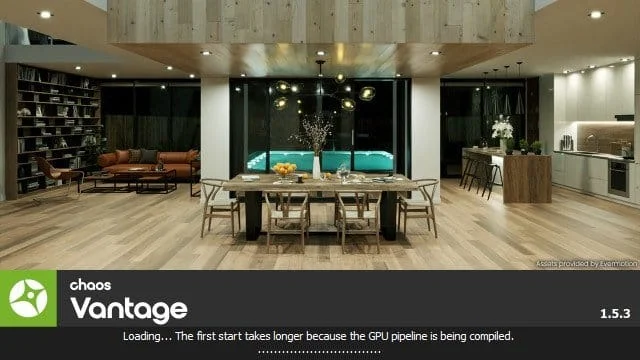
Overview of Chaos Vantage
Table of Contents
Chaos Vantage is a standalone real-time renderer designed specifically for exploring and presenting large, complex 3D scenes. Unlike traditional rendering engines that require time-consuming calculations for each frame, Vantage uses a unique live link technology to provide instant visual feedback . This makes it an invaluable tool for the AEC (Architecture, Engineering, and Construction) industry and VFX artists.
The software works by directly loading .vrscene files exported from V-Ray. It then uses your computer’s GPU to perform real-time ray tracing, delivering photorealistic images and animations in a fraction of the time . Recent updates have expanded its capabilities, allowing it to support open standards like USD and MaterialX, which makes it more versatile for various pipelines .
Key Features of Chaos Vantage
Chaos Vantage is packed with features that streamline the visualization process. Here are some of its core capabilities:
-
Real-Time Ray Tracing: The software provides an interactive, fully ray-traced viewport. This allows you to see changes in lighting, materials, and geometry instantly, removing the guesswork from the rendering process .
-
Live Link Functionality: Vantage connects directly to supported 3D modeling applications like 3ds Max, SketchUp, Rhino, and Revit. Changes made in your modeling software are updated in real-time within Vantage, creating a seamless workflow .
-
Gaussian Splats: This cutting-edge feature allows you to render real-world environments captured as 3D data. Architects and designers can place their projects directly into lifelike contexts, gaining an immediate sense of scale and surroundings .
-
AI Material Generator: This tool can turn a simple photo into a fully tiled, render-ready PBR (Physically Based Rendering) material. It is ideal for quickly creating detailed and realistic secondary materials for your scenes .
-
Volume Rendering: You can add realistic atmospheric effects such as fog, smoke, and light rays. This greatly enhances the mood and realism of your scenes, especially in outdoor or large-scale environments .
-
5,000+ Cosmos Assets: The integrated Chaos Cosmos library has been expanded to include over 1,300 new people models, 2,000+ vegetation assets, and 1,800+ furniture pieces, allowing you to populate your scenes with high-quality 3D objects quickly .
-
Camera Tracking: This feature lets you bring real-world camera motion into your projects. You can record the movement of a physical camera and translate it directly into Vantage for natural, cinematic shots without manual keyframing .
-
Hydra Render Delegate: This allows Vantage to be plugged directly into Digital Content Creation (DCC) tools like Houdini, providing instant, high-quality feedback during look development and pre-visualization without needing to leave your primary application .
What’s New in Chaos Vantage 3.3.0
The 3.3.0 update introduces several powerful new features and performance enhancements for an optimized user experience .
Wet Effects
A new “wet effects” system is introduced in beta. This allows you to add a convincing layer of realism to your scenes with features like:
-
Wetness
-
Puddles
-
Dynamic ripples
-
Drops on static surfaces
Enhanced Workflow & Integration
Chaos Veras: The software now supports viewing Chaos Veras directly from the Vantage viewport.
Chaos Anima: You can now load scenes from Chaos Anima projects directly into Vantage.
Material & Lighting
Node Material Editor: A new node-based material editor (beta) has been implemented for advanced material creation and editing directly within Vantage.
DLSS Frame Generation: This performance-boosting feature now provides frame generation multipliers from 2x to 4x, significantly improving viewport smoothness.
New Light Support: The update introduces support for V-Ray LightCylinder.
Fluid Simulator Improvements: The fluid simulator now includes a new “caching” mode for better playback and improvements to vortex and curl noise generation.
User Interface (UI) Enhancements:
-
Added search filters in dropdowns and clickable tags.
-
A new eyedropper tool in color samples.
-
Light Lister now has options to “Show All,” “Show Enabled,” and “Show Disabled.”
System Requirements for Chaos Vantage
To run Chaos Vantage 3.3.0 effectively, your system needs to meet specific hardware requirements to handle its real-time ray tracing demands .
Minimum Requirements
-
Operating System: Windows 10 or newer
-
CPU: Intel Core i7 8700K or AMD equivalent
-
RAM: 16 GB
-
GPU: NVIDIA RTX 2070 or newer with at least 8 GB of VRAM
-
Storage: 1 TB of available space
Recommended System
-
Operating System: Windows 10 or newer
-
CPU: Intel Core i9 11900K or AMD equivalent
-
RAM: 32 GB or more
-
GPU: NVIDIA RTX 3080 or newer with 12 GB+ of VRAM
-
Storage: 2 TB+ of available space
Installation Guide for Chaos Vantage 3.3.0
Installing Chaos Vantage is a straightforward process. It is recommended to use the default installation path to ensure all features function correctly.
-
Download the Installer: Obtain the official Chaos Vantage 3.3.0 installer from your Chaos account or the Chaos website.
-
Run the Installer: Double-click the installer file to begin the setup process.
-
Select Advanced Installation: When prompted, choose the “Advanced” option .
-
License Server Setup: During installation, you will be asked to configure the license server. Select “License Server” and then choose the “Local” option to ensure the license is correctly loaded on your machine .
-
Complete Installation: Follow the remaining on-screen instructions to complete the installation.
-
Launch the Software: Once installed, you can launch Chaos Vantage from your desktop or start menu.
How to Use Chaos Vantage
Using Chaos Vantage is designed to be intuitive, focusing on speed and interactivity. Here is a basic workflow:
-
Export Scene: From your 3D modeling software (e.g., 3ds Max, SketchUp), export your scene as a
.vrscenefile. -
Open in Vantage: Launch Chaos Vantage and open your
.vrscenefile. The scene will load and begin rendering in real-time. -
Navigate: Use the mouse and keyboard to navigate through your 3D scene. Orbit, pan, and zoom to explore the design from every angle.
-
Adjust in Real-Time: Use the software’s tools to change lighting, apply materials from the Cosmos library, add atmospheric effects, or even change the time of day. The viewport updates instantly .
-
Use Live Link: For an even faster workflow, enable Live Link from your modeling software. Edits made to your model will be updated in Vantage in real-time .
Best Use Cases for Chaos Vantage
Chaos Vantage excels in a variety of professional scenarios.
Architectural Visualization: Architects can use the software to review design variations, present concepts to clients, and create high-quality renderings and animations of buildings and interiors. The ability to add context with Gaussian splats of real-world locations provides an immediate sense of scale and environment .
VFX and Previsualization: VFX artists leverage Vantage for previsualization, allowing them to see how complex scenes will look before final production. The Hydra Render Delegate for Houdini and Maya makes it a key tool for look development .
Interactive Design Reviews: Teams can use Vantage for collaborative design reviews. Its real-time feedback allows stakeholders to explore a model freely, making it easier to spot design issues and reach consensus quickly.
Quick Client Presentations: Instead of waiting for offline renders, designers can use Vantage to generate photorealistic images, walkthroughs, and even VR experiences for clients on the spot.
Advantages and Limitations
Advantages
-
Incredible Speed: Provides instant, photorealistic results, drastically reducing the time from design to presentation .
-
Seamless Integration: Works perfectly with V-Ray and supports open standards like USD and MaterialX, making it compatible with a wide range of workflows .
-
High Quality: Delivers physically based rendering that rivals offline renderers, ensuring professional-grade output.
-
User-Friendly: The intuitive interface and real-time navigation make it accessible to both professionals and those new to visualization.
-
Advanced Features: Tools like AI material generation, Gaussian splats, and volume rendering push the boundaries of real-time visualization .
Limitations
-
Hardware Dependent: Requires a high-end NVIDIA RTX GPU to run smoothly, which can be a significant investment .
-
File Format: Primarily relies on
.vrscenefiles, which means it is optimized for the V-Ray ecosystem, though USD support is expanding this. -
Post-Processing: While it has some color correction tools, its post-processing capabilities are more limited than dedicated compositing software.
Alternatives to Chaos Vantage
While Chaos Vantage is a leading tool, other software options may better suit specific needs.
Enscape
Category: Real-time Rendering
Overall Rating: 8.7/10
Enscape is a popular choice for architects due to its ease of use and tight integration with BIM and CAD tools. It’s known for its live synchronization and is excellent for rapid client presentations. However, it can be less flexible for advanced look development than Vantage .
Twinmotion
Category: Interactive Visualization
Overall Rating: 8.1/10
Twinmotion is praised for its user-friendly interface and powerful time-of-day and weather systems. It excels at creating fast, high-quality walkthroughs and is a strong competitor for architectural presentations .
Lumion
Category: Walkthrough Videos
Overall Rating: 7.6/10
Lumion is a long-standing tool in the industry known for its speed in creating walkthrough videos. While its visual quality has improved, it may not match the physical accuracy of Chaos Vantage .
Frequently Asked Questions
Is Chaos Vantage a render engine?
Chaos Vantage is a real-time ray tracing application, but it can be considered a render engine. It uses a physically based renderer to create photorealistic images in real-time, which differs from traditional offline render engines that process images frame by frame .
Do I need V-Ray to use Chaos Vantage?
No, you do not need V-Ray to use Chaos Vantage. While it works seamlessly with V-Ray and .vrscene files, the software now supports open standards like USD and MaterialX, allowing you to integrate it into any pipeline .
What are the GPU requirements for Chaos Vantage?
Chaos Vantage requires a dedicated NVIDIA RTX GPU for optimal performance. The minimum requirement is an RTX 2070, but a more powerful card like an RTX 3080 or higher is recommended for working with complex scenes .
Can Chaos Vantage handle animation?
Yes, Vantage can produce high-quality ray-traced animations. It includes features like camera tracking and offset animation to help you create sophisticated animated sequences from your 3D scenes .
What is a .vrscene file?
A .vrscene is a file format used by Chaos V-Ray. It contains all the data for a 3D scene, including geometry, materials, lights, and cameras. Vantage can load these files directly to begin real-time rendering .
Final Thoughts
Chaos Vantage 3.3.0 stands as a cornerstone of modern visualization workflows. Its ability to deliver real-time, photorealistic feedback empowers professionals in architecture and VFX to iterate faster, explore more creative possibilities, and present their ideas with stunning clarity. The latest features, from Wet Effects to AI tools, continue to push the boundaries of what’s possible in real-time rendering.
While the software requires a powerful, dedicated GPU, the investment is justified by the immense productivity gains and the exceptional quality it offers. If you are seeking to dramatically speed up your design and presentation pipeline while maintaining the highest visual standards, Chaos Vantage is an indispensable tool.
Our Paid Service
“We do not sell or provide any software. We only offer professional support services. If any software on your system is not working properly, or you are facing installation errors, crashes, or any other technical issue — just contact us. We will help you fix the problem quickly and remotely via AnyDesk. No software will be provided from our side — only expert troubleshooting and support.”