
Overview of Video Transport Software
Table of Contents
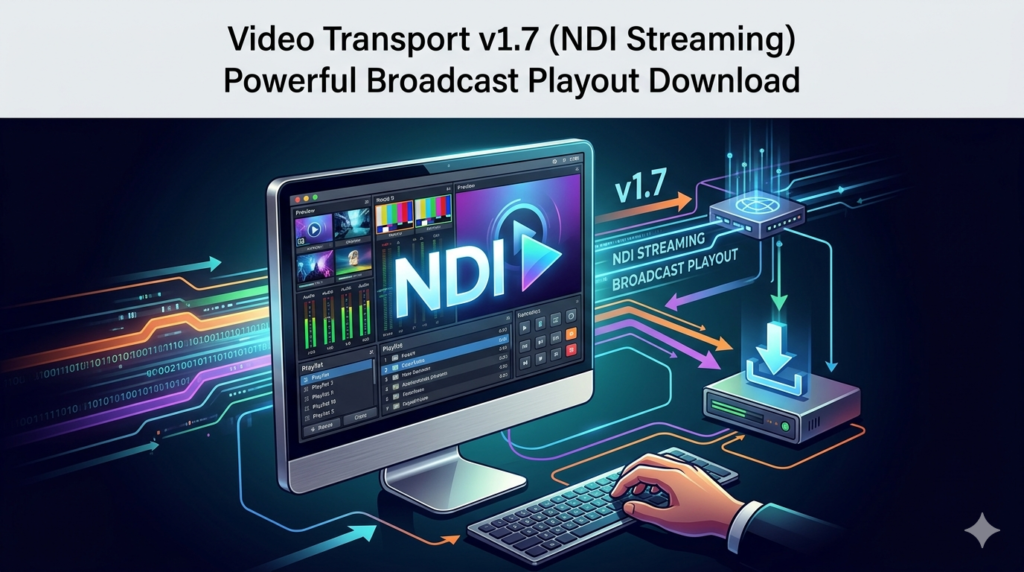
Video Transport v1.7 is a professional-grade broadcast playout and NDI streaming solution designed for video production professionals, broadcasters, and content creators. This powerful software enables seamless transmission of high-quality video signals over standard IP networks using the NewTek NDI (Network Device Interface) protocol. Whether you’re managing live productions, multi-camera setups, or remote broadcasting workflows, Video Transport v1.7 delivers reliable, low-latency video streaming with professional-grade features.
The software stands out in the crowded video streaming landscape by combining robust NDI streaming capabilities with comprehensive broadcast playout functionality. Video Transport v1.7 serves as a bridge between traditional broadcast infrastructure and modern IP-based production workflows, making it an essential tool for studios transitioning to network-based video distribution.
Key Features of Video Transport v1.7
NDI Streaming Capabilities
-
High-quality NDI encoding with support for up to 4K resolution at 60fps
-
Multi-channel streaming for simultaneous transmission of multiple video sources
-
Low-latency transmission optimized for live production environments
-
Adaptive bitrate streaming that adjusts to network conditions for reliable delivery
-
Support for NDI 5 with enhanced discovery and connection management
Broadcast Playout Features
-
Playlist management with support for multiple media formats including MP4, MOV, AVI, and MXF
-
Real-time scheduling with precise timing control for professional broadcast workflows
-
Graphics overlay support for lower thirds, logos, and custom text overlays
-
Transition effects including cuts, fades, and wipes between sources
-
Audio mixing capabilities with support for multi-channel audio formats
Advanced Production Tools
-
Frame-accurate switching for seamless transitions during live productions
-
Upstream and downstream keying for advanced graphics compositing
-
Audio delay compensation to maintain perfect A/V synchronization
-
Remote control interface supporting industry-standard protocols
-
Unlimited source switching capability for complex production scenarios
File Format Support
Video Transport v1.7 provides extensive support for professional video formats, including ProRes, DNxHD, H.264, HEVC, and other industry-standard codecs. This versatility ensures compatibility with virtually any production workflow, from corporate video production to large-scale broadcasting operations.
What’s New in Video Transport v1.7
The latest version introduces significant enhancements that make professional NDI streaming more accessible and powerful than ever before:
-
Enhanced NDI 5 compatibility with improved discovery and connection management across different network segments
-
New GPU acceleration support for faster encoding and reduced system resource usage
-
Improved playlist management with drag-and-drop functionality and support for nested playlists
-
Advanced audio processing with new equalizer and dynamics processing capabilities
-
Enhanced graphics engine for real-time text and shape rendering
-
Improved network optimization for better performance on challenging network infrastructures
-
New remote management API for integration with third-party automation systems
System Requirements for Video Transport v1.7
Minimum Hardware Specifications
-
Processor: Intel Core i5 or AMD equivalent (6th generation or newer)
-
RAM: 8GB DDR4 (16GB recommended for 4K workflows)
-
Storage: 256GB SSD with at least 50GB free space for cache and temporary files
-
Network: Gigabit Ethernet (10GbE recommended for multiple 4K streams)
-
Graphics: Dedicated GPU with 4GB VRAM, NVIDIA GeForce GTX 1660 or better
-
Operating System: Windows 10 Pro (64-bit) or Windows 11 Pro
Recommended Hardware for Professional Workflows
-
Processor: Intel Core i7 or AMD Ryzen 7 (10th generation or newer)
-
RAM: 32GB DDR4 for smooth multitasking and buffer management
-
Storage: NVMe SSD with 1TB capacity for efficient media access
-
Network: 10GbE NIC for maximum throughput on high-quality video streams
-
Graphics: NVIDIA RTX 3060 or better with 8GB VRAM for GPU-accelerated processing
-
Dual monitors for efficient production management and monitoring
Installation Guide for Video Transport v1.7
Preparing Your System for Installation
Before installing Video Transport v1.7, ensure your Windows system meets the minimum requirements and has the latest updates installed. Microsoft Visual C++ Redistributable packages and .NET Framework 4.8 or higher must be present on your system for optimal performance.
Step-by-Step Installation Process
1. Download the official installer
Visit the authorized software distribution portal to obtain the legitimate Video Transport v1.7 installer. Only download software from official sources to ensure security and authenticity.
2. Extract installation files
Unzip the downloaded package and run the setup.exe file with administrator privileges for proper system integration.
3. Accept the license agreement
Carefully review and accept the end-user license agreement to proceed with installation.
4. Select installation directory
Choose your preferred installation location or accept the default path for a standard setup.
5. Configure installation components
Select the necessary components for your workflow, including NDI support and encoder plugins.
6. Complete installation
Allow the setup wizard to complete the installation process and launch Video Transport v1.7 from your desktop or start menu shortcut.
Activation and Licensing
Video Transport v1.7 uses a secure licensing system that requires activation using a valid software license code. Professional users can purchase commercial licenses with various deployment options, including single-user, multi-seat, and enterprise licensing for larger operations. The software also offers a free trial version for evaluation purposes with time-limited access to all features.
How to Use Video Transport v1.7
Setting Up Your First Stream
Step 1: Source Configuration
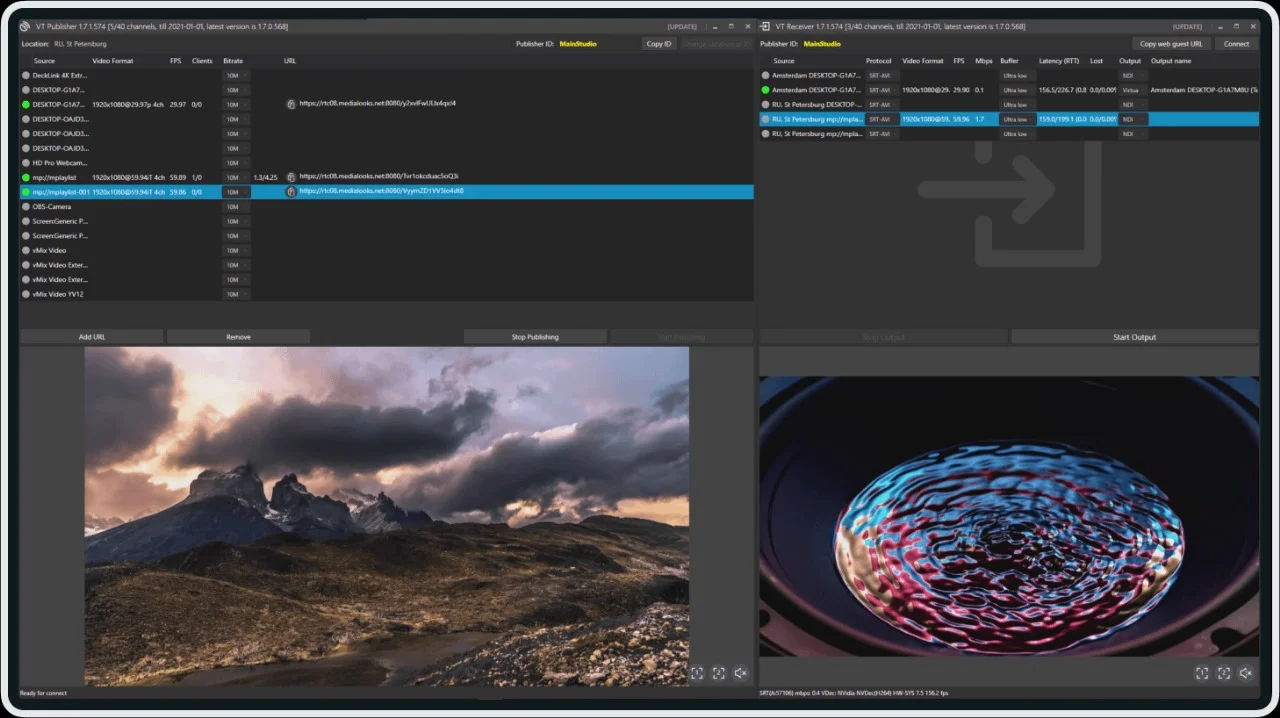
Launch Video Transport v1.7 and configure your video sources. The software supports NDI sources, IP cameras, capture cards, and local file playback. Properly configure these sources with appropriate frame rates and resolutions matching your production requirements.
Step 2: Build Your Playlist
Create a playlist by dragging and dropping media files into the playlist panel. Video Transport v1.7 supports various file formats and automatically identifies video properties for optimal playback. Organize media segments, transitions, and graphics overlays to build a comprehensive broadcast timeline.
Step 3: Stream Setup
Configure your output stream by selecting the NDI destination or IP address. Video Transport v1.7 provides multiple streaming profiles optimized for different use cases, from web streaming to professional broadcast contribution.
Step 4: Encoding Parameters
Specify encoding parameters based on your target platform or use predefined templates for common streaming configurations. The software’s encoding engine supports both software and hardware encoding, with options for GPU acceleration to optimize system performance.
Step 5: Production Environment
Configure production settings including overlay graphics, audio mixing, and network transport parameters. Video Transport v1.7 offers real-time preview windows for monitoring all sources before transmission.
Step 6: Start Streaming
Begin your broadcast by clicking the “Start Streaming” button. The software provides real-time monitoring of stream quality, network performance, and error conditions.
Advanced Production Techniques
Multi-Camera Management: Video Transport v1.7 excels at handling multiple NDI sources simultaneously. Production teams can manage multiple camera feeds through the main interface, switching between sources with frame-accurate precision.
Real-Time Graphics Insertion: The software’s robust keying and overlay capabilities allow for professional-quality graphics insertion. Lower thirds, logos, and custom text can be applied during live productions without disrupting the main program output.
Remote Operation: Through its extensive remote control API, Video Transport v1.7 can be controlled remotely or integrated into automation systems for broadcast infrastructure.
Best Use Cases for Video Transport v1.7
Live Event Streaming
Video Transport v1.7 is ideal for streaming concerts, sporting events, and conferences. The software’s ability to handle multiple NDI sources, low-latency transport, and professional broadcast features makes it a top choice for live event production teams.
-
Sports production with instant replay integration
-
Conference streaming with multi-camera coverage
-
Concert broadcasting with live audio mixing
-
Remote production with distributed NDI sources
Broadcast Facilities
Broadcasters rely on Video Transport v1.7 for reliable playout, streaming, and multi-channel broadcasting.
-
Newsroom production with live feed integration
-
Studio production with advanced keying capabilities
-
Remote contribution for field reporting
-
Master control room streaming operations
Corporate AV Systems
Corporate users benefit from Video Transport v1.7’s enterprise capabilities and integration options.
-
Corporate communications streaming across locations
-
Executive briefing center streaming applications
-
Educational content distribution and production
-
Digital signage content management and playout
Advantages and Limitations of Video Transport v1.7
Key Advantages
-
Professional-quality NDI streaming with support for 4K and HDR formats
-
Excellent workflow integration with popular broadcast automation systems
-
High-performance NDI encoding optimized for efficiency
-
Comprehensive format support for broad compatibility
-
Flexible deployment options from simple streaming to full broadcast playout
-
Reliable broadcast-grade performance even under demanding conditions
Limitations to Consider
-
Windows-only platform limits deployment in cross-platform environments
-
Premium pricing may be challenging for smaller organizations
-
System requirements demand adequate hardware investment
-
Learning curve for users unfamiliar with broadcast workflows
Alternatives to Video Transport
NDI Studio Monitor
A free alternative from NewTek, NDI Studio Monitor focuses on NDI monitoring and basic streaming. While it lacks Video Transport’s advanced playout and production features, it serves well for monitoring NDI sources. The workflow may be too limited for production applications but offers a good starting point for budget-conscious setups.
vMix
A competing software-based live production solution popular in the streaming community. vMix offers comprehensive live production and streaming capabilities with a different feature set. While strong for live production, it may not match Video Transport’s broadcast playout optimization.
OBS Studio
A free open-source streaming software alternative. While OBS Studio offers extensive features for live streaming, it lacks Video Transport’s professional broadcast playout and NDI optimization. OBS Studio may be suitable for simple live productions but less so for broadcast environments.
Kiloview Stream Encoders
Specialized hardware streaming solutions that offer reliable transport with robust NDI support. These hardware encoders complement software solutions like Video Transport in hybrid setups, providing fixed installations with specialized streaming requirements.
Frequently Asked Questions About Video Transport
Is Video Transport v1.7 compatible with Mac or Linux?
Currently, Video Transport v1.7 is designed specifically for Windows operating systems. The software fully supports Windows 10 Pro and Windows 11 Pro, with all features optimized for this platform.
Does Video Transport v1.7 support 4K streaming?
Yes, Video Transport v1.7 fully supports 4K video streaming at 60fps. The software handles high-resolution streams efficiently, though high-resolution encoding requires appropriate hardware resources to perform optimally.
Can I control Video Transport v1.7 remotely?
Video Transport v1.7 offers remote control through its built-in web interface and network API, supporting various control protocols. Remote management allows seamless integration with automation systems and control surfaces.
Does Video Transport v1.7 support GPU acceleration?
Yes, Video Transport v1.7 supports GPU acceleration, enhancing encoding performance while reducing CPU load. The feature improves overall performance and allows more streams with lower system resource consumption.
Is Video Transport v1.7 suitable for non-linear editing integration?
Video Transport v1.7 integrates smoothly with professional non-linear editing software through NDI and direct file support. Integration allows efficient workflow between production editing and live broadcast streaming.
Can multiple instances of Video Transport v1.7 be run simultaneously?
Multiple instances can be run, provided that system hardware adequately supports the combined streams. Running multiple instances requires appropriate system resources for best performance.
Where can I find training resources for Video Transport v1.7?
The official website offers comprehensive documentation, video tutorials, and community forums. Additional training and certification programs are available through authorized partners.
What support options are available for Video Transport v1.7?
Support options include online documentation, community forums, and email support for standard users. Premium users and enterprise customers can access priority technical support and training resources.
Final Thoughts
Video Transport v1.7 represents a significant evolution in professional NDI streaming and broadcast playout solutions. Its combination of high-quality NDI streaming, comprehensive broadcast features, and professional production tools makes it an invaluable solution for video production professionals.
The software’s ability to handle complex production scenarios with reliable, low-latency transmission makes Video Transport v1.7 an excellent investment for production facilities, broadcast operations, and content creators who demand professional results. While the solution may require adequate hardware investment, its reliability and feature set provide solid value for professional applications.
As the broadcasting industry continues its transformation toward IP-based workflows and remote production, solutions like Video Transport v1.7 become increasingly important. Its continued development and evolution ensure that it will remain a valuable tool in the professional broadcast toolkit.
Our Paid Service
“We do not sell or provide any software. We only offer professional support services. If any software on your system is not working properly, or you are facing installation errors, crashes, or any other technical issue — just contact us. We will help you fix the problem quickly and remotely via AnyDesk. No software will be provided from our side — only expert troubleshooting and support.”