
Overview of GEOMUR Geotechnical Software
Table of Contents
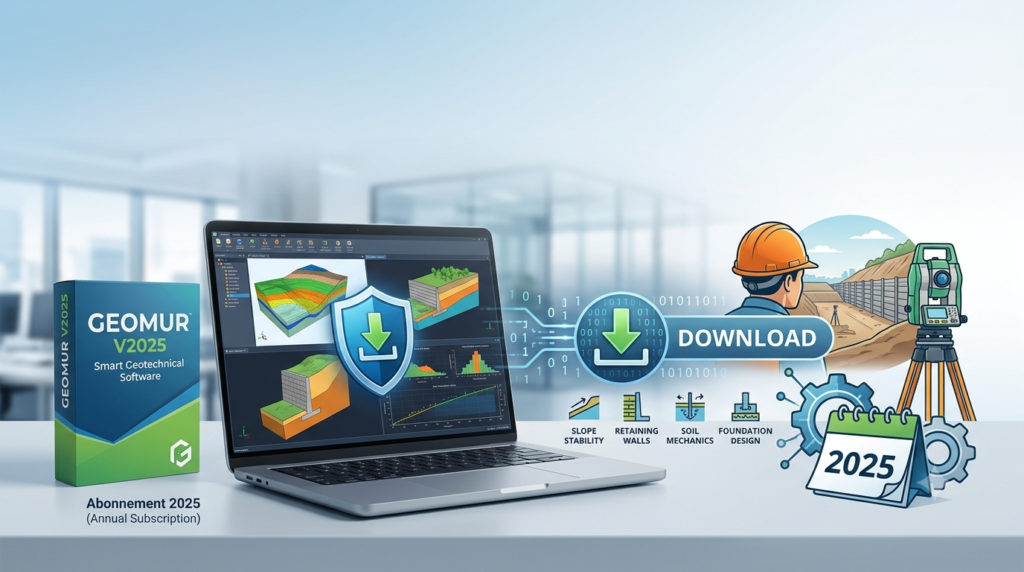
GEOMUR is a specialized geotechnical engineering software application designed for calculating forces on retaining walls and performing external stability checks. Developed by GEOS Ingenieurs Conseils SA, this smart geotechnical software provides engineers with reliable tools for analyzing retaining wall systems under various loading conditions.
The software calculates stresses using the CULMANN method, a well-established approach in geotechnical engineering for determining lateral earth pressures. GEOMUR enables geotechnical professionals to evaluate critical stability parameters including slipping resistance, punching shear capacity, and overturning stability for both stone wall and concrete retaining structures.
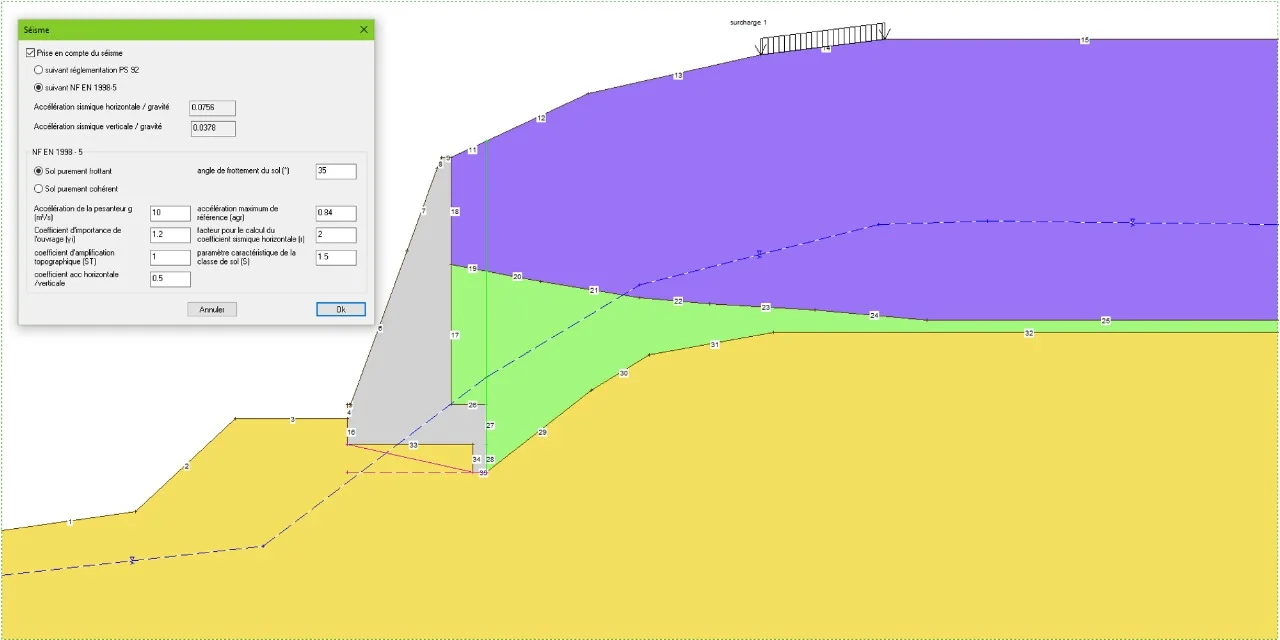
What sets GEOMUR apart is its ability to handle complex geometric configurations. The software supports inclusion of median quelconque structures across multiple floors, partially folded sheets, and various overload conditions. Earthquake loading can be incorporated through rotational geometry adjustments, following recommendations from the French Development Agency (AFD).
Key Features of GEOMUR Retaining Wall Software
GEOMUR offers a comprehensive suite of features for retaining wall analysis and design:
Stability Analysis Capabilities
-
External stability verification including sliding resistance calculations
-
Overturning moment and resisting moment ratio analysis
-
Punching shear assessment for foundation design
-
Soil bearing pressure evaluation under service loads
Advanced Loading Conditions
-
Multiple floor configurations with median quelconque support
-
Partially folded sheet analysis for complex geometries
-
Overload condition modeling
-
Seismic load integration with rotational geometry considerations
Calculation Methodology
-
CULMANN method implementation for lateral earth pressure determination
-
Service load combination analysis for soil pressure checks
-
Factored load combination analysis for strength design
-
Automatic allowable soil bearing pressure increases based on footing dimensions
Design Verification Tools
-
Flexural design verification at increments along wall length
-
One-way and two-way shear design checks
-
Overturning and sliding stability ratios for each load combination
-
Reinforcement detailing with plan and section views
What’s New in GEOMUR V2025 – Abonnement 2025
The V2025 subscription release introduces several enhancements to the geotechnical analysis workflow. While specific release notes for GEOMUR are limited, the geotechnical software landscape has evolved significantly, and V2025 incorporates modern analysis capabilities.
Enhanced Analysis Performance
The 2025 version benefits from improved computational efficiency seen across geotechnical software platforms. Input file creation processes have been optimized, with some applications reporting up to 45% faster generation times and file sizes reduced by as much as 67% for complex models.
Improved Load Combination Management
The subscription model enables more flexible load combination handling. Users can now select from pre-defined load combination sets or create custom combinations specific to project requirements. The ability to apply soil increase factors on individual load combinations provides greater design precision.
Seismic Analysis Refinements
Building on AFD recommendations, the 2025 version incorporates enhanced earthquake loading protocols. The rotational geometry adjustments for seismic conditions have been refined to better represent dynamic loading scenarios.
System Requirements for GEOMUR Geotechnical Software
GEOMUR is compatible with Windows operating systems, supporting the following platforms:
Supported Operating Systems
-
Windows 10 (64-bit recommended)
-
Windows 8.1
-
Windows 7
-
Windows Vista
-
Windows XP
-
Windows NT
-
Windows 95/98 (legacy support)
Recommended Hardware Specifications
-
Processor: Intel Core i5 or equivalent
-
RAM: 8 GB minimum (16 GB recommended for complex analyses)
-
Storage: 500 MB available space for installation
-
Display: 1920 x 1080 resolution recommended
Additional Requirements
-
Microsoft .NET Framework 4.7.2 or higher
-
PDF reader for documentation access
-
Internet connection for subscription verification
Installation Guide for GEOMUR V2025
Step 1: Obtain the Software
GEOMUR V2025 is available through a subscription model (Abonnement 2025). Contact GEOS Ingenieurs Conseils SA or authorized distributors to acquire a valid license. The software is commercial software requiring proper licensing.
Step 2: System Preparation
Before installation, ensure your system meets the minimum requirements. Close all running applications, particularly CAD or other engineering software that might conflict with installation processes.
Step 3: Run the Installer
Execute the GEOMUR V2025 installation file. Administrative privileges may be required for system-level changes.
Step 4: License Activation
The subscription model requires online activation. During installation, you will be prompted to enter your license credentials. Follow the on-screen instructions to complete activation.
Step 5: Verify Installation
After installation, launch GEOMUR and confirm that all modules load correctly. Verify that the software displays V2025 in the about section.
How to Use GEOMUR Retaining Wall Analysis Software
Setting Up a New Project
Begin by defining the retaining wall geometry. Input wall dimensions, soil parameters, and loading conditions. The software supports both stone wall and concrete wall configurations.
Defining Soil Parameters
Enter soil properties including unit weight, friction angle, and cohesion. For the CULMANN method, ensure accurate representation of soil stratigraphy, including multiple soil layers if present.
Applying Loads
Input service loads and factored loads as required. The software distinguishes between service combinations for stability checks and factored combinations for strength design. Consider including:
-
Vertical loads from retained material
-
Lateral earth pressures
-
Surcharge loads
-
Seismic loads (if applicable)
Running Stability Analyses
The software automatically calculates overturning, sliding, and bearing pressure ratios. For each service load combination, review:
-
Overturning moment vs. resisting moment ratios
-
Sliding force vs. resisting force ratios
-
Soil pressure distributions and allowable bearing comparisons
Reviewing Results
Access results through organized tabs:
-
Results tab: Controlling values and highest utilization ratios
-
Soil Pressures tab: Service load combination pressure distributions
-
Overturning & Sliding tab: Stability ratios for each combination
-
Footing Bending tab: Flexural design results along wall length
-
Footing Shear tab: One-way and two-way shear verifications
Best Use Cases for GEOMUR Software
Retaining Wall Design
GEOMUR excels in analyzing traditional retaining wall systems. Engineers can verify stability for gravity walls, cantilever walls, and reinforced concrete walls under various loading conditions. The software’s ability to handle complex geometries makes it particularly valuable for challenging site conditions.
Slope Stability Assessment
The software’s earth pressure calculations support slope stability evaluations. By determining forces exerted on retaining structures, engineers can assess overall slope stability and design appropriate reinforcement measures.
Seismic Design
With earthquake loading capabilities integrated according to AFD recommendations, GEOMUR supports seismic design of retaining structures. The rotational geometry adjustments help model dynamic loading effects on wall stability.
Foundation Verification
GEOMUR’s bearing pressure and sliding resistance calculations help verify foundation designs. Engineers can evaluate soil bearing capacity and determine appropriate footing dimensions and reinforcement requirements.
Advantages and Limitations of GEOMUR
Advantages
-
Specialized Focus: Dedicated to retaining wall analysis with proven CULMANN method implementation
-
Comprehensive Stability Checks: Integrates overturning, sliding, punching shear, and bearing pressure verifications
-
Load Combination Flexibility: Supports both service and factored load combinations with customizable parameters
-
Legacy Compatibility: Runs on older Windows systems, benefiting users with legacy hardware
-
Geometric Flexibility: Handles complex geometries including multiple floors and folded sheets
Limitations
-
Niche Application: Limited to retaining wall analysis; not suitable for general geotechnical modeling
-
Commercial Licensing: Requires subscription purchase; no free version available
-
Limited Modern OS Support: Focus on older Windows versions may not fully leverage newer operating system capabilities
-
Regional Focus: Developed following AFD recommendations, which may align most closely with European design standards
Alternatives to GEOMUR Geotechnical Software
PLAXIS 3D
A finite element package specifically intended for deformation and stability analysis in geotechnical engineering. PLAXIS 3D handles complex geotechnical structures and is widely used for excavation and lateral support design. It offers advanced features including stage construction analysis and structural element modeling.
Ansys Mechanical
Comprehensive finite element analysis software with geotechnical capabilities. Ansys Mechanical supports material modeling, structural analysis, and multiphysics simulations. The 2025 R2 release includes enhanced DesignLife add-on with spot weld analysis and improved fatigue life prediction.
Enercalc Structural Engineering Library
Provides wall footing analysis with service load soil pressure, overturning stability, sliding stability, and footing flexure checks. Enercalc offers automated allowable soil bearing pressure increases based on footing width and depth.
CESAR-LCPC
Another geotechnical software option with capabilities for soil structure interaction analysis. While specific features vary, it represents the broader category of geotechnical analysis tools available in the market.
Frequently Asked Questions
What is GEOMUR software used for?
GEOMUR is specialized geotechnical software for calculating forces on retaining walls and performing stability checks including slipping resistance, punching shear verification, and overturning stability analysis. It uses the CULMANN method for lateral earth pressure calculations.
Is GEOMUR compatible with Windows 10?
Yes, GEOMUR supports Windows 10 along with Windows 7, Windows 8.1, Windows Vista, Windows XP, Windows NT, and Windows 95/98.
What is the Abonnement 2025 subscription model?
The Abonnement 2025 refers to GEOMUR’s subscription-based licensing model for the 2025 version. Users pay for access to the software and updates during the subscription period rather than purchasing a perpetual license.
How does GEOMUR handle earthquake loading?
GEOMUR incorporates seismic analysis through rotational geometry adjustments following AFD recommendations. The software allows engineers to model earthquake loading effects on retaining wall stability.
What design standards does GEOMUR follow?
GEOMUR follows AFD recommendations for retaining wall design. The software implements the CULMANN method for earth pressure calculations and includes provisions for seismic loading and complex geometric configurations.
Can GEOMUR analyze concrete retaining walls?
Yes, GEOMUR supports both stone wall and concrete retaining wall analysis. The software performs internal and external stability checks appropriate for each wall type.
How do I obtain a GEOMUR V2025 license?
GEOMUR is commercial software available through GEOS Ingenieurs Conseils SA or authorized distributors. Visit the developer’s website at https://www.geos.fr/en/ for purchasing information.
Final Thoughts
GEOMUR V2025 – Abonnement 2025 represents a specialized geotechnical software solution for retaining wall analysis. Its implementation of the CULMANN method, comprehensive stability checks, and support for complex geometric configurations make it a valuable tool for geotechnical engineers. The subscription model ensures access to ongoing updates and technical support.
While GEOMUR excels at its specific purpose, engineers working on more complex geotechnical problems may need to supplement it with general-purpose finite element software like PLAXIS 3D or Ansys Mechanical. The choice ultimately depends on project requirements, available budget, and design standards compliance needs.
The 2025 version’s enhancements align with broader industry trends toward improved computational efficiency and flexible load management. As geotechnical analysis continues evolving with more advanced numerical methods, GEOMUR maintains its position as a practical tool for day-to-day retaining wall design.
Our Paid Service
“We do not sell or provide any software. We only offer professional support services. If any software on your system is not working properly, or you are facing installation errors, crashes, or any other technical issue — just contact us. We will help you fix the problem quickly and remotely via AnyDesk. No software will be provided from our side — only expert troubleshooting and support.”