
Overview of Filezo 6.0.19
Table of Contents
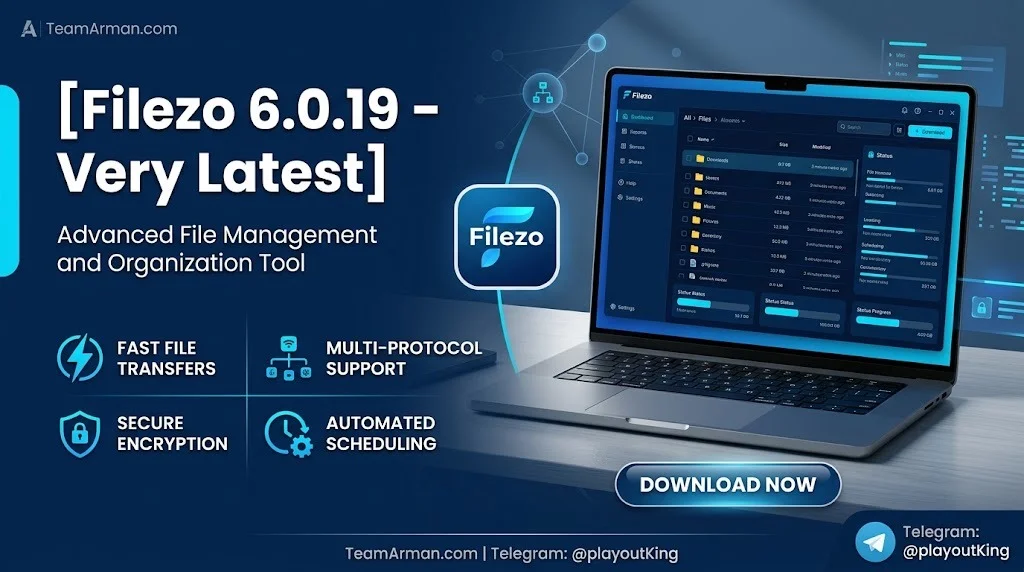
Filezo 6.0.19 is developed by Conceptworld Corporation, the software company behind productivity tools such as Notezilla and Copywhiz. It is a commercial file launcher for Windows that replaces tedious folder navigation with a prefix-driven search engine and a decoupled metadata architecture. The application runs quietly in the background and activates with a hotkey, allowing you to search across local drives, cloud storage, and network locations without opening Windows File Explorer.
Unlike traditional search tools that simply index filenames, Filezo 6.0.19 lets you tag files and folders, attach notes without modifying the original files, and manage clipboard history directly from the launcher interface. This combination of file search, tagging, and clipboard management makes it a topical authority tool for anyone who works with large numbers of documents or frequently reuses copied content.
The software supports Windows 11 and Windows 10 (both 64-bit and 32-bit), and is available as a 30-day free trial with a one-time purchase price of $34.95.
Key Features
Filezo 6.0.19 packs a wide range of features designed to accelerate file access and reduce repetitive tasks. Below are the core capabilities that make it stand out among Windows file search utilities.
Lightning-Fast File and Folder Search
-
Indexes files, folders, and applications across local, cloud, and network drives.
-
Returns results in less than five seconds using a prefix-driven search engine.
-
Supports wildcard matching (
*,?), regular expression search (~), exact match, and exclude match (-). -
Allows searching inside file/folder paths with the
\prefix and inside notes with the:prefix.
Tagging and Pinning System
-
Assign color-coded and hierarchical tags to files and folders for logical grouping.
-
Pin frequently used files and folders to the top of the search list for one-click access.
-
Tags can be assigned directly from Windows File Explorer, not just from within Filezo.
-
Share tagged files and folders with other Filezo users over a network.
Clipboard History Manager
-
Automatically tracks clipboard history and lets you paste any clip inline using Ctrl+Alt+V (configurable).
-
Preview, edit, and annotate clips before pasting them into any application.
-
Save clipboard clips directly to files for future reference.
Integrated File Previewer
-
Preview documents, images, audio, and video files without opening external applications.
-
Supports third-party previewer add-ons for expanded file format compatibility.
-
Helps with quick comparison and decision-making when working with multiple files.
Windows File Open/Save Integration
-
A compact Filezo window appears automatically when any application opens a File Open or Save dialog.
-
Lets you select a file or jump to a folder without hierarchical browsing.
-
Disable automatic popup if preferred through the settings menu.
Notes and Annotations
-
Add text notes to any file or folder without modifying the original item.
-
Notes persist even if the file is moved or renamed (works seamlessly on NTFS).
-
Search inside notes to locate annotated files quickly.
What’s New in Filezo 6.0.19
Filezo 6.0.19 is part of the Filezo 6.x release series, which represents a major update from the earlier RecentX branding. While the version number 6.0.19 indicates a maintenance release, the Filezo 6.0 platform introduced several foundational improvements that remain relevant in this version.
Modern Fluent User Interface: Filezo 6.0 received a completely redesigned modern fluent interface that is more intuitive and visually appealing than the previous RecentX design.
Enhanced Search Capabilities: The 6.0 series added wildcard matching, regular expression search, exact match, and exclude match — features that were not available in earlier versions.
Clipboard History Integration: Clipboard history management was introduced as a core feature in Filezo 6.0, making it a dual-purpose tool for both file launching and clipboard management.
Hierarchical Tags: The tagging system was upgraded to support hierarchical tag structures, allowing users to organize hundreds of searchable tags across nested categories.
Improved Performance: Filezo 6.x delivers cleaner and more stable search results with a lower system performance impact compared to earlier releases.
Accessibility Support: Version 6.0.17 (a predecessor to 6.0.19) added accessibility support and shortcut keys for “Stay on top” and “Auto hide” features.
System Requirements
Before installing Filezo 6.0.19, ensure your system meets the following requirements:
-
Operating System: Windows 11, Windows 10 (64-bit or 32-bit), Windows 8, or Windows 7.
-
Disk Space: Approximately 70 MB for installation.
-
RAM: Minimum 2 GB recommended for smooth operation.
-
Processor: 1 GHz or faster.
-
File System: NTFS recommended for full note and tag persistence; FAT32 supported with additional care.
-
Network: Required for accessing network drives and sharing tagged files with other Filezo users.
Filezo 6.0.19 is a commercial software with a 30-day trial. The trial version includes all features, and after purchase, you receive a perpetual license for the version you buy.
Installation Guide
Installing Filezo 6.0.19 is straightforward and takes only a few minutes. Follow these steps:
-
Download the installer from the official Conceptworld website. The setup file is named
FilezoSetup32.exefor 32-bit systems (a 64-bit installer is also available). -
Run the installer by double-clicking the downloaded
.exefile. Windows may prompt for administrator permission; click “Yes” to proceed. -
Follow the on-screen wizard. Accept the license agreement, choose the installation directory (the default is recommended), and click “Install.”
-
Launch Filezo after installation completes. The application will start automatically and appear as a floating bar on the side of your screen.
-
Complete the initial indexing. Filezo begins indexing your
C:\drive by default. You can add additional local, cloud, or network folders through the Settings menu. -
Set your preferred hotkey. The default activation hotkey can be customized in the settings to avoid conflicts with other applications.
-
Optional: If you are upgrading from RecentX, Filezo will automatically import your existing tags during installation.
After installation, Filezo runs in the background and is accessible via the floating bar or your configured hotkey.
How to Use Filezo 6.0.19
Using Filezo 6.0.19 effectively requires understanding its search prefixes and workflow shortcuts. Below is a practical guide for beginners and professionals.
Basic File Search
-
Press your configured hotkey to activate the Filezo search window.
-
Type any part of a filename, folder name, or application name.
-
Results appear instantly, sorted by relevance and recent usage.
-
Press Enter to open the selected item or arrow keys to navigate results.
Using Search Prefixes
Filezo 6.0.19 supports powerful prefix-based search modifiers:
| Prefix | Function | Example |
|---|---|---|
\ |
Search inside file/folder path | \projects\2026 |
# |
Search by tag | #design |
~ |
Regular expression search | ~^report.*\.pdf$ |
* or ? |
Wildcard search | *.docx |
- |
Exclude keyword | report -draft |
: |
Search inside notes/comments | :urgent |
Managing Tags and Pins
-
Right-click any file or folder in Filezo results and select “Assign Tag” to add color-coded or hierarchical tags.
-
Use the pin icon to pin frequently used items to the top of the search list.
-
Tags can also be assigned directly from Windows File Explorer by right-clicking a file and choosing the Filezo tag option.
Using the Clipboard Manager
-
Copy any text or image as usual (Ctrl+C).
-
Activate Filezo and navigate to the Clipboard tab to view history.
-
Use Ctrl+Alt+V to paste any clip directly into the active application without switching windows.
-
Edit or annotate clips before pasting if needed.
File Operations Without File Explorer
-
Right-click a search result to copy, rename, delete, or move files directly from Filezo.
-
Drag and drop files from Filezo into email clients, browsers, or messaging apps.
Best Use Cases
Filezo 6.0.19 is designed for Windows users who handle large volumes of files and frequently reuse clipboard content. Here are the most common and valuable use cases:
Software Developers and Engineers: Quickly jump to project folders, source files, and documentation across multiple repositories. Use tags to separate client projects and pin frequently edited configuration files.
Graphic Designers and Content Creators: Tag design assets, stock photos, and video files by project. Preview images and videos directly in Filezo before opening them in editing software.
Office Professionals and Administrators: Launch frequently used spreadsheets, presentations, and reports in seconds. Manage clipboard history for repetitive data entry tasks.
IT Administrators and Network Managers: Access network folders and shared drives without navigating through complex directory trees. Share tagged resources with team members who also use Filezo.
Researchers and Academics: Organize hundreds of PDFs, research papers, and datasets with hierarchical tags. Add notes to files for citation reminders and search inside those notes later.
Customer Support and Sales Teams: Keep templates, scripts, and client documents pinned for instant access during calls. Use clipboard history to reuse common responses and data snippets.
Advantages and Limitations
Advantages
-
Exceptional speed: Returns search results in under five seconds, even across network drives.
-
All-in-one utility: Combines file search, tagging, clipboard management, and preview in a single lightweight application.
-
Low system impact: Optimized for performance and does not slow down the system.
-
Deep Windows integration: Works seamlessly with File Open/Save dialogs and File Explorer.
-
Flexible organization: Supports color-coded, hierarchical tags and pinned favorites.
-
Active development: Regular updates from Conceptworld Corporation address bugs and add features.
Limitations
-
Windows-only: Filezo is not available for macOS or Linux.
-
Commercial license: After the 30-day trial, a paid license is required ($34.95).
-
Initial indexing time: The first full index of a large drive may take several minutes.
-
NTFS recommended: Notes and tags work best on NTFS file systems; FAT32 and other file systems require additional care.
-
No mobile companion app: Filezo does not currently offer a mobile or web version.
Alternatives to Filezo 6.0.19
If you are evaluating file launcher and search utilities for Windows, consider these alternatives:
Everything by Voidtools: A free, lightweight file search tool that indexes NTFS drives with exceptional speed. It focuses purely on filename search and does not offer tagging, clipboard management, or notes.
Listary: A free (with Pro upgrade) file search and launcher that integrates with Windows File Explorer. It supports fuzzy search and quick folder navigation but lacks Filezo’s clipboard history and annotation features.
Wox + Everything: An open-source launcher that combines Wox’s plugin system with Everything’s search engine. Highly customizable but requires more setup and lacks native tagging.
Keypirinha: A free, portable launcher for Windows with a plugin-based architecture. Supports file search and clipboard management through community plugins but has a steeper learning curve.
Launchy: A classic, open-source application launcher that can search files and folders with plugins. It is lightweight but does not offer clipboard history or tagging.
RecentX (legacy): The predecessor to Filezo. Users who prefer the older interface can still find RecentX, but Filezo 6.x offers significantly improved performance and features.
Frequently Asked Questions
What is Filezo 6.0.19 used for?
Filezo 6.0.19 is a Windows file launcher and search utility that lets you instantly find and open files, folders, and applications with a few keystrokes. It also includes clipboard history management, file tagging, and note-adding features.
Is Filezo 6.0.19 free?
Filezo 6.0.19 offers a 30-day free trial with full functionality. After the trial period, a one-time purchase license is required at $34.95.
Does Filezo work on Windows 11?
Yes, Filezo 6.0.19 is fully compatible with Windows 11 as well as Windows 10 (64-bit and 32-bit), Windows 8, and Windows 7.
Can Filezo search network drives?
Yes, Filezo indexes local drives, cloud storage, and network locations. You can add any folder path — including network shares — to the indexing list.
How is Filezo different from Everything?
While Everything focuses exclusively on filename search, Filezo combines file search with tagging, clipboard management, file notes, and preview capabilities. Filezo also integrates with Windows File Open/Save dialogs.
Does Filezo modify my files when I add tags or notes?
No. Filezo stores tags and notes in its own decoupled metadata architecture without modifying the original files or folders. Notes persist even if files are moved or renamed.
Can I share tags with other Filezo users?
Yes, Filezo allows you to share tagged files and folders over a network with other Filezo users. The recipient can immediately access the tagged items using their own Filezo installation.
Is there a portable version of Filezo?
A portable version of Filezo is available for users who prefer not to install software on their system. The portable version retains most core features and can be run from a USB drive.
Final Thoughts
Filezo 6.0.19 is a mature, feature-rich file launcher for Windows that solves a universal productivity problem: finding and accessing files quickly. By combining lightning-fast search, intelligent tagging, clipboard history, and seamless Windows integration, it eliminates the friction of folder navigation and repetitive copy-paste tasks.
For professionals who work with hundreds of documents daily, Filezo delivers measurable time savings. The 30-day trial provides ample opportunity to evaluate whether the tool fits your workflow. While it is a commercial product and Windows-only, its depth of features and low performance overhead make it a compelling choice for anyone seeking a serious file launcher and clipboard manager — not just a basic search tool.
If you value speed, organization, and reduced context-switching, Filezo 6.0.19 is worth adding to your Windows productivity toolkit.
Our Paid Service
“We do not sell or provide any software. We only offer professional support services. If any software on your system is not working properly, or you are facing installation errors, crashes, or any other technical issue — just contact us. We will help you fix the problem quickly and remotely via AnyDesk. No software will be provided from our side — only expert troubleshooting and support.”