
Overview of Falcon Google Maps Scraper
Table of Contents
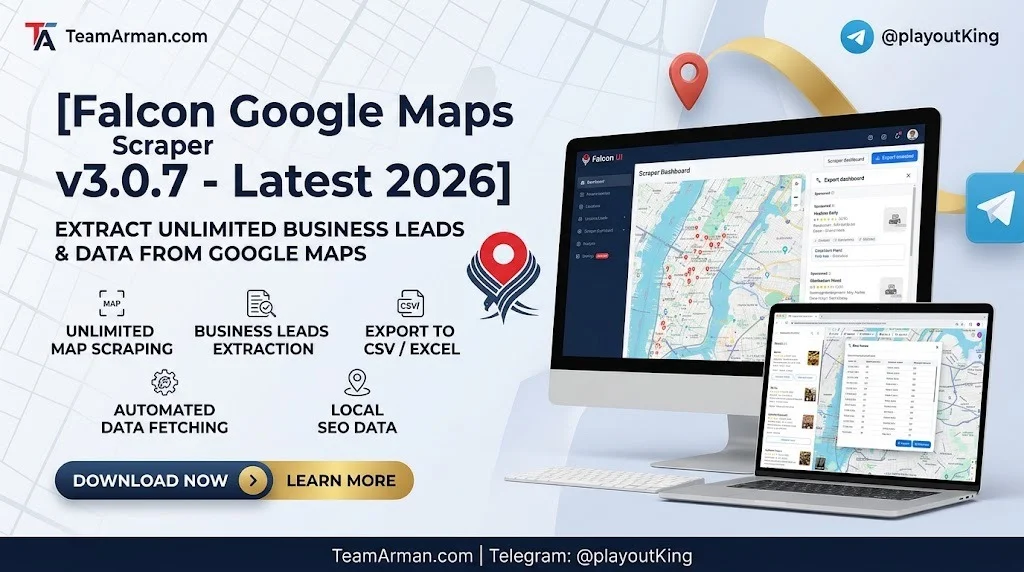
Falcon Google Maps Scraper is a desktop-based automation tool that extracts publicly available information from Google Maps search results. Unlike manual copy-paste methods, the scraper processes hundreds of listings in minutes, capturing structured fields such as business names, addresses, phone numbers, websites, ratings, review counts, and geographic coordinates.
The software belongs to the web scraping and local SEO tool category. It operates through browser automation, simulating human search behavior to retrieve data without triggering rate limits. Version 3.0.7 focuses on two major enhancements: smart pattern-making for identifying recurring data structures across search results, and 3D design integration for visualizing extracted location data in spatial formats.
The developer of this tool is an independent software vendor specializing in marketing automation utilities. The software is compatible with Windows operating systems and exports data in CSV, JSON, and XLSX formats for integration with CRM platforms and business intelligence dashboards.
Key Features
Core Data Extraction Capabilities
-
Automated listing collection: Scrapes business name, address, phone, website, rating, review count, category, and operating hours from Google Maps search results.
-
Bulk keyword processing: Accepts multiple search queries simultaneously, allowing users to extract data across different cities, niches, or service categories in one session.
-
Smart pattern-making engine: Version 3.0.7 analyzes recurring data patterns across listings to auto-detect field mappings, reducing manual configuration for new search queries.
-
Coordinate and geolocation capture: Extracts latitude and longitude for each listing, enabling map-based visualization and spatial analysis.
Design and Visualization Tools
-
3D design integration: Exports location data into three-dimensional spatial layouts, useful for market density analysis and territory planning.
-
Heatmap generation: Creates visual density maps showing business concentration across geographic areas.
-
Custom field mapping: Allows users to define which data points to extract and how they should be labeled in the output file.
Automation and Workflow
-
Scheduled scraping: Supports recurring extraction tasks at defined intervals for ongoing market monitoring.
-
Proxy support: Compatible with residential and datacenter proxies to distribute requests and maintain consistent access.
-
Deduplication: Automatically removes duplicate listings across multiple search queries.
What’s New in Falcon Google Maps Scraper v3.0.7
The v3.0.7 release introduces several improvements over previous versions:
-
Smart pattern-making engine: The most significant addition. This feature learns from extracted data structures and automatically adjusts field mapping for similar search queries, cutting setup time for new projects.
-
3D design integration module: Allows export of location data into 3D spatial formats compatible with visualization tools, supporting market analysis from a geographic perspective.
-
Enhanced proxy rotation: Improved handling of proxy pools with automatic failover and request distribution to reduce blocking risk.
-
Faster extraction speed: Optimized browser automation reduces per-listing processing time compared to v3.0.6.
-
Improved export stability: Fixed data corruption issues in XLSX exports when processing large result sets.
System Requirements
Falcon Google Maps Scraper is a lightweight application that runs efficiently on most modern Windows systems.
Minimum Requirements
-
Operating System: Windows 10 (64-bit) or Windows 11
-
Processor: Intel Core i3 or AMD equivalent
-
RAM: 4 GB
-
Storage: 500 MB available disk space
-
Network: Stable internet connection
-
Additional: Google Chrome browser installed (for automation engine)
Recommended Specifications
-
Processor: Intel Core i5 or higher
-
RAM: 8 GB or more
-
Storage: SSD with at least 1 GB available
-
Network: Broadband connection with proxy access for large-scale scraping
The software is resource-efficient. Users have reported no noticeable performance difference when running the scraper on older hardware versus high-end machines, as the primary workload is handled by the automation engine rather than local processing.
Installation Guide
Installing Falcon Google Maps Scraper v3.0.7 follows a standard Windows application setup process.
Step-by-Step Installation
-
Download the installer: Obtain the official setup file from the developer’s distribution page. Always verify the file signature before installation.
-
Run the installer: Double-click the downloaded file and follow the on-screen prompts.
-
Select installation directory: Choose a location with sufficient disk space. The default path is usually
C:\Program Files\Falcon Maps Scraper. -
Complete setup: The installer will create shortcuts and register necessary components.
-
Launch the application: Open Falcon from the Start menu or desktop shortcut.
-
Configure Chrome integration: On first launch, the software will prompt you to confirm the Chrome browser path. Ensure Chrome is installed and updated.
-
Activate license: Enter your license key through the activation dialog. The software requires a valid license for full functionality.
-
Verify installation: Run a test scrape on a small search query to confirm the setup is working correctly.
Post-Installation Configuration
-
Proxy setup: Navigate to Settings → Network to configure proxy servers if required for large-scale extraction.
-
Output preferences: Set default export format and destination folder.
-
Pattern library: Import or create pattern templates for frequently used search queries.
How to Use Falcon Google Maps Scraper
Basic Workflow
-
Launch the application and ensure Chrome is running in the background.
-
Enter search queries: Type one or more Google Maps search terms (e.g., “dentists in Chicago”, “coffee shops in Austin”).
-
Configure extraction fields: Select which data points to capture from the available options (name, address, phone, website, rating, coordinates, etc.).
-
Apply smart pattern-making: For recurring query types, enable the pattern engine to auto-detect field structures.
-
Set output format: Choose CSV, JSON, or XLSX depending on your downstream use case.
-
Start scraping: Click “Run” and monitor progress in the activity log.
-
Review and export: Once complete, review the extracted data in the preview pane and export to your chosen format.
Advanced Usage Tips
-
Use targeted queries: More specific search terms yield cleaner data with less irrelevant results.
-
Leverage pattern templates: After scraping similar queries, save the pattern for reuse, reducing setup time for future runs.
-
Enable 3D export for spatial analysis: When territory planning is required, select the 3D design integration option during export.
-
Monitor proxy health: For large-scale scraping, rotate proxies regularly to maintain consistent access.
-
Schedule recurring tasks: Use the scheduler to automate weekly or monthly data refreshes for ongoing market tracking.
Best Use Cases
Local SEO Agencies
Agencies use Falcon Google Maps Scraper to build prospect lists, analyze competitor density across service areas, and track local ranking changes over time. The 3D design integration helps visualize market coverage gaps for client presentations.
Lead Generation Professionals
Sales teams extract business contact details for outbound campaigns. The scraper provides structured data ready for CRM import, enabling targeted outreach to local businesses by category and location.
Market Research Analysts
Researchers analyze business density, category saturation, and geographic distribution patterns. The smart pattern-making engine accelerates data collection across multiple markets, while 3D visualization supports spatial analysis.
Multi-Location Business Owners
Businesses with multiple branches use the scraper to monitor competitor presence across each service area. Scheduled scraping provides regular updates on new entrants and changing competitive landscapes.
Real Estate and Site Selection
Commercial real estate professionals use extracted business density data to evaluate potential locations. The heatmap and 3D visualization features help assess foot traffic potential based on surrounding business types.
Advantages and Limitations
Advantages
-
Speed: Processes hundreds of listings in minutes compared to manual methods.
-
Structured output: Delivers clean, organized data ready for analysis or CRM import.
-
Pattern automation: Smart pattern-making reduces repetitive configuration work.
-
Visualization tools: 3D design integration and heatmaps add analytical value beyond raw data.
-
Lightweight footprint: Runs efficiently on modest hardware without performance degradation.
Limitations
-
Windows-only: The software does not natively support macOS or Linux without virtualization.
-
Requires Chrome: Depends on Google Chrome for browser automation.
-
Learning curve: Pattern-making and proxy configuration require some technical familiarity.
-
Google Maps updates: Changes to Google’s interface may require software updates for continued compatibility.
-
License requirement: Full functionality requires a valid paid license; the free tier is limited.
Alternatives to Falcon Google Maps Scraper
Several tools serve similar purposes in the local SEO and data extraction space. Each has distinct strengths depending on use case and budget.
Local Falcon
Despite the similar name, Local Falcon is a different category of tool. It focuses on geo-grid rank tracking rather than bulk data extraction. Local Falcon visualizes Google Maps visibility across a grid of coordinates, making it ideal for tracking ranking changes over time. It is not a scraper for building contact lists.
Outscraper
Outscraper is a cloud-based Google Maps scraping service that provides an API and web interface. It offers pay-per-record pricing and handles proxy management automatically. Suitable for users who prefer a no-installation, API-driven approach.
Apify Google Maps Scraper
Apify provides a cloud platform with pre-built Google Maps scraper actors. It offers generous free tier usage and integrates with automation workflows. Best for developers who want programmable, cloud-hosted extraction.
Bright Data
Bright Data offers enterprise-grade web scraping infrastructure with Google Maps dataset options. It provides proxy networks and compliance tooling for large-scale operations. Suited for organizations with significant data needs and dedicated engineering resources.
Octoparse
Octoparse is a no-code web scraping tool with templates for Google Maps. It offers a visual workflow builder and cloud execution. Good for users who prefer point-and-click configuration over scripting.
Comparison Summary
| Tool | Type | Pricing Model | Best For |
|---|---|---|---|
| Falcon Google Maps Scraper | Desktop app | License | Windows users wanting pattern automation |
| Local Falcon | Rank tracker | Credit-based | Geo-grid ranking visualization |
| Outscraper | Cloud API | Pay-per-record | No-install scraping |
| Apify | Cloud platform | Subscription + usage | Developers and automation |
| Bright Data | Enterprise infra | Custom | Large-scale operations |
| Octoparse | No-code tool | Subscription | Visual workflow builders |
Frequently Asked Questions
What is Falcon Google Maps Scraper used for?
Falcon Google Maps Scraper extracts publicly available business listing data from Google Maps search results. It is used for lead generation, local SEO analysis, market research, and competitive intelligence.
Is Falcon Google Maps Scraper free?
The software offers a limited free tier with basic functionality. Full features, including smart pattern-making and 3D design integration, require a paid license. Pricing varies by license type and duration.
What data fields can Falcon Google Maps Scraper extract?
The tool extracts business name, address, phone number, website URL, rating, review count, category, operating hours, latitude, and longitude. Custom field mapping allows users to select specific data points.
Does Falcon Google Maps Scraper work on Mac?
No. Falcon Google Maps Scraper is a Windows-native application. Mac users would need to run it through virtualization software such as Parallels or VMware.
How is Falcon Google Maps Scraper different from Local Falcon?
Falcon Google Maps Scraper is a data extraction tool for building lists of business information. Local Falcon is a rank tracking platform that visualizes Google Maps ranking positions across geographic grids. They serve different purposes despite similar names.
Can Falcon Google Maps Scraper run on a schedule?
Yes. The software includes a scheduler that allows users to set recurring scraping tasks at defined intervals. This is useful for monitoring market changes over time.
What export formats does Falcon Google Maps Scraper support?
The tool exports data in CSV, JSON, and XLSX formats. The 3D design integration module produces spatial data files compatible with visualization tools.
Is it legal to scrape Google Maps data?
Scraping publicly available data is generally permissible, but users must comply with Google’s Terms of Service, local data protection regulations, and applicable laws. Always consult legal counsel for specific use cases.
Final Thoughts
Falcon Google Maps Scraper v3.0.7 is a capable desktop utility for professionals who need structured Google Maps data without building custom scraping infrastructure. The smart pattern-making engine and 3D design integration distinguish it from simpler extraction tools, adding analytical value beyond raw data collection.
The software is best suited for Windows-based users in local SEO, lead generation, and market research roles. Its lightweight footprint and pattern automation reduce repetitive configuration work, making it practical for recurring data collection tasks.
For users who prefer cloud-based solutions or need Mac compatibility, alternatives like Outscraper, Apify, or Octoparse may be more appropriate. Those specifically interested in rank tracking rather than data extraction should consider Local Falcon for geo-grid visualization.
As with any data collection tool, responsible use within legal and ethical boundaries is essential. Always respect terms of service, data protection regulations, and the privacy of individuals whose information is collected.
Our Paid Service
“We do not sell or provide any software. We only offer professional support services. If any software on your system is not working properly, or you are facing installation errors, crashes, or any other technical issue — just contact us. We will help you fix the problem quickly and remotely via AnyDesk. No software will be provided from our side — only expert troubleshooting and support.”