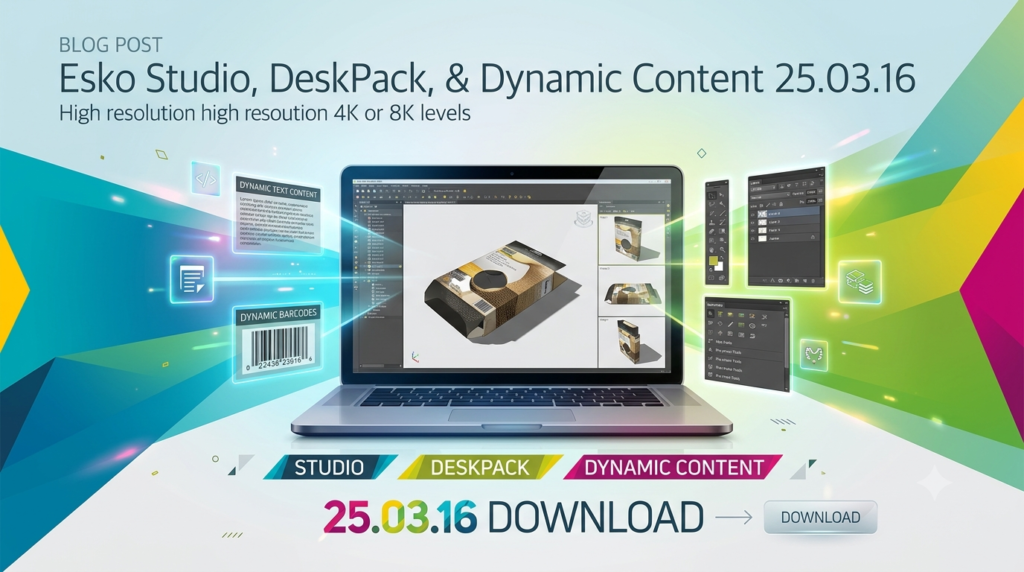


Overview of Esko Studio, DeskPack, and Dynamic Content
Table of Contents
This integrated suite comprises three powerful tools designed to streamline the packaging production process from concept to print.
Esko Studio
Esko Studio is a dedicated 3D packaging design software that functions as a plugin within Adobe Illustrator. It allows users to transform 2D artwork into hyper-realistic 3D visualizations rapidly. Studio is particularly valuable for creating virtual prototypes, testing designs in a virtual retail environment, and impressing clients with photorealistic mockups. It includes specialized toolkits for different packaging types, such as folding cartons, labels, and bags, making it easier to create accurate 3D models.
DeskPack
DeskPack is a comprehensive collection of prepress plugins for Adobe Illustrator and Photoshop. It equips these standard design applications with advanced packaging-specific functionalities. These include dynamic barcodes, text recognition, packaging preflighting, and powerful trapping tools. DeskPack is essential for prepress environments, helping to automate error detection, ensure print readiness, and handle complex tasks like step-and-repeat layouts (PowerLayout) and variable data printing (Dynamic VDP).
Dynamic Content
Dynamic Content enhances agility in packaging design by linking Illustrator text objects directly to an XML file. This separation of content and design enables quick and error-free text updates, even at the last minute. By connecting to a Content Management System (CMS) via live links, Dynamic Content ensures that artwork always reflects the most recent, approved copy, eliminating manual copy-paste processes and reducing lead times significantly.
Key Features of Esko Studio, DeskPack, and Dynamic Content
Esko Studio: 3D Visualization
-
Real-time Rendering: See your designs come to life instantly on various substrates and finishes.
-
Studio Toolkit: Specialized tools for boxes, bags, labels, and shrink sleeves to fit artwork accurately to 3D shapes.
-
Virtual Environment: Test how a product will look on a retail shelf with the Store Visualizer.
DeskPack: Prepress Efficiency
-
Dynamic Barcodes: Generate and verify print-ready barcodes.
-
PowerTrapper: Advanced trapping and white underprinting functionality to prevent misregistration issues.
-
Packaging Preflight: Automatically scan files for common errors to ensure print readiness.
Dynamic Content: Data-Driven Workflows
-
XML Linking: Connect text objects to external XML files for centralized content management.
-
Automated Updates: Instantly propagate content changes across all linked artwork.
-
Error Reduction: Minimize manual errors associated with copy/paste workflows.
What’s New in Version 25.03.16
While Esko has since announced features for version 25.07—such as improved editing for complex assemblies in Studio Toolkit—the 25.03.16 release serves as a stable and robust foundation for the latest production-grade features. This version includes all functionality preceding the 25.07 update, ensuring users have access to a proven and reliable toolset for their 3D packaging design and prepress workflows. The 25.03.16 release represents the culmination of Esko’s innovation in automated, connected packaging software.
System Requirements for Esko 25.03.16
Before installing Esko Studio, DeskPack, or Dynamic Content, ensure your system meets the minimum requirements. These requirements are critical for performance and stability.
Operating Systems
-
Windows: Windows 11 Pro, Windows 11 Enterprise, Windows 10 Pro, or Windows 10 Enterprise (64-bit).
-
Mac: macOS 12 (Monterey), macOS 11 (Big Sur), or macOS 10.15 (Catalina). Support for Apple Silicon (M1/M2) is available in specific Adobe Illustrator versions.
Hardware
-
Processor: 64-bit Intel processor for Mac.
-
Memory: 16 GB of RAM (minimum) is recommended.
Supported Software
-
Adobe Illustrator: Version 2020, 2021, or 2022 are supported for the plugins. Always verify compatibility with the exact build number.
-
Adobe Photoshop: Version 2020, 2021, or 2022 for DeskPack plugins.
Always consult the official Esko system requirements page for the most up-to-date information before installing.
Installation Guide for Esko Studio, DeskPack, and Dynamic Content
The installation process for the Esko suite is streamlined, particularly for trials. Here is a general guide:
-
Download the Installer: Obtain the correct installer for your software (e.g., Studio, DeskPack, Dynamic Content) and operating system from the official Esko website.
-
Prepare Your System: Ensure Adobe Illustrator is closed before starting the installation.
-
Run the Installer: Double-click the installer file and follow the on-screen instructions.
-
Sign In: The installation wizard includes a Trial Assistant that will prompt you for your Esko ID and password. This is the same account you used to download the software. This step is crucial for activation.
-
Complete Installation: Follow the remaining prompts. You may be prompted to restart your computer.
-
Launch Illustrator: After the installation and restart (if required), launch Adobe Illustrator. The Esko plugins should now be available in the menu.
For trial versions, this process automatically starts your 30-day evaluation period.
How to Use the Software for Optimal Results
To maximize efficiency with the Esko suite, follow these best practices:
Studio for 3D Packaging Design
-
Create Your Shape: Use the Studio Toolkit to select a packaging template that matches your structural design.
-
Apply Artwork: In Illustrator, map your 2D artwork to the 3D shape using the Studio tools.
-
Visualize: Use the rendering engine to see a realistic preview, adjusting lighting, angles, and materials.
-
Communicate: Export high-quality images, animations, or 3D PDFs to share with stakeholders.
DeskPack for Prepress
-
Preflight: Always start with the Packaging Preflight plugin to check your file for errors.
-
Generate Barcodes: Use Dynamic Barcodes to add verified, print-ready codes to your artwork.
-
Trapping: Apply PowerTrapper to ensure your separations are properly trapped to avoid white gaps during printing.
Dynamic Content for Data Management
-
Link Text: Instead of typing text directly, use the Dynamic Content tools to link a text object in Illustrator to an XML file.
-
Manage Content: Use an external editor to update the XML file with new copy.
-
Refresh: In Illustrator, a simple refresh updates all linked text, ensuring the artwork is always up-to-date.
Best Use Cases
-
Brand Owners: Maintain brand consistency and agility by managing packaging copy centrally with Dynamic Content.
-
Prepress Operators: Streamline production with DeskPack by automating trapping, preflighting, and barcode generation.
-
Packaging Designers: Create photorealistic mockups and virtual shelf displays without physical prototypes using Studio.
-
Structural Designers: Validate artwork fit and design accuracy before going into production with Studio.
Advantages and Limitations
Advantages
-
Seamless Integration: Works directly within Adobe Illustrator, a standard tool for graphic designers.
-
Efficiency & Speed: Automates repetitive tasks (DeskPack) and enables rapid updates (Dynamic Content) and 3D visualization (Studio).
-
Error Reduction: Minimizes manual errors in prepress and content management.
-
Hyper-Realistic Visualization: Creates high-quality 3D renders for client presentations.
Limitations
-
Cost: Professional software with a subscription or perpetual license model, which can be a significant investment.
-
Learning Curve: While user-friendly, mastering all features, particularly the advanced prepress tools, requires training and experience.
-
System Demands: Requires a powerful computer with sufficient RAM (16GB+) to run smoothly.
-
Dependence on Adobe: As plugins, they require a functional and compatible Adobe Illustrator installation.
Alternatives to Esko Software
While Esko Studio is a leader in the 3D packaging design space, other alternatives exist, each with different strengths.
| Software | Category | Ideal For |
|---|---|---|
| ArtiosCAD | CAD Professional | Structural designers needing precise die-lines and parametric design. |
| Adobe Illustrator | Vector Graphic | Standard graphic design, but without native 3D or specialized prepress tools. |
| Pacdora | Online 3D | Brands needing quick 3D mockups with a low learning curve. |
| Packlane | Online 3D | Quick prototyping and simple packaging designs. |
| Shots | 3D Visualization | A free alternative for creating product mockups. |
For a direct comparison with other professional tools, ArtiosCAD remains the primary competitor for structural design, while Esko Studio is often preferred for its seamless integration with Illustrator and superior visualization capabilities.
Frequently Asked Questions
Q1: What is Esko Studio used for?
Esko Studio is a 3D packaging design software that helps professionals create hyper-realistic virtual prototypes and visualizations directly in Adobe Illustrator. It is used for design review, client presentations, and testing packaging artwork on 3D shapes.
Q2: How do I get a trial version of DeskPack Dynamic VDP?
You can download a 30-day trial of DeskPack Dynamic VDP from the official Esko website. The installation process is straightforward and will guide you through activation using your Esko ID.
Q3: What are the system requirements for Esko Studio and DeskPack?
The software typically requires Windows 10/11 Pro/Enterprise or specific macOS versions (Monterey, Big Sur, Catalina), a 64-bit Intel processor, and at least 16GB of RAM. It also requires compatible versions of Adobe Illustrator (e.g., 2020-2022).
Q4: How does Dynamic Content work?
Dynamic Content links text objects in Adobe Illustrator to an external XML file. When the content in the XML file is updated, the linked text in Illustrator can be refreshed automatically, reducing manual copy-paste errors and enabling faster last-minute changes.
Q5: Is Esko Studio better than ArtiosCAD?
They serve different purposes. Esko Studio is a 3D visualization tool that works within Illustrator, perfect for graphic designers. ArtiosCAD is specialized CAD software for structural design, creating precise dielines and structural engineering. Many professionals use both in tandem.
Q6: What are the benefits of Esko’s subscription model?
Esko offers subscription models like Dynamic Subscriptions, which provide flexibility. A pool of licenses can be shared among a group of users, allowing for “follow-the-sun” workflows and efficient license management across global teams.
Q7: Can I use the Esko 25.03.16 suite on an Apple Silicon (M1/M2) Mac?
Yes, but support depends on the Adobe Illustrator version. Apple Silicon is supported in Adobe Illustrator 2021 and 2022. Ensure your specific version of the Esko software and Illustrator are compatible.
Q8: What is the difference between DeskPack Essentials and DeskPack Advanced?
DeskPack Essentials includes core prepress tools for barcodes, preflighting, and PDF import. DeskPack Advanced includes all of that plus more powerful plugins for trapping (PowerTrapper) and dynamic marks (PowerLayout).
Final Thoughts
The Esko Studio + DeskPack & Dynamic Content 25.03.16 suite is a powerhouse for the packaging industry. It combines advanced 3D visualization, robust prepress automation, and dynamic content management into a single, integrated ecosystem. By leveraging these tools, professionals can significantly reduce production times, minimize errors, and deliver higher-quality packaging designs.
Whether you are a brand manager looking to maintain control over your assets or a prepress operator seeking to streamline your workflow, the 25.03.16 release offers a proven platform to achieve your goals. For teams ready to modernize their packaging design and production process, exploring a trial version of these tools is an excellent first step.
Our Paid Service
“We do not sell or provide any software. We only offer professional support services. If any software on your system is not working properly, or you are facing installation errors, crashes, or any other technical issue — just contact us. We will help you fix the problem quickly and remotely via AnyDesk. No software will be provided from our side — only expert troubleshooting and support.”