
Overview of the Software
Table of Contents
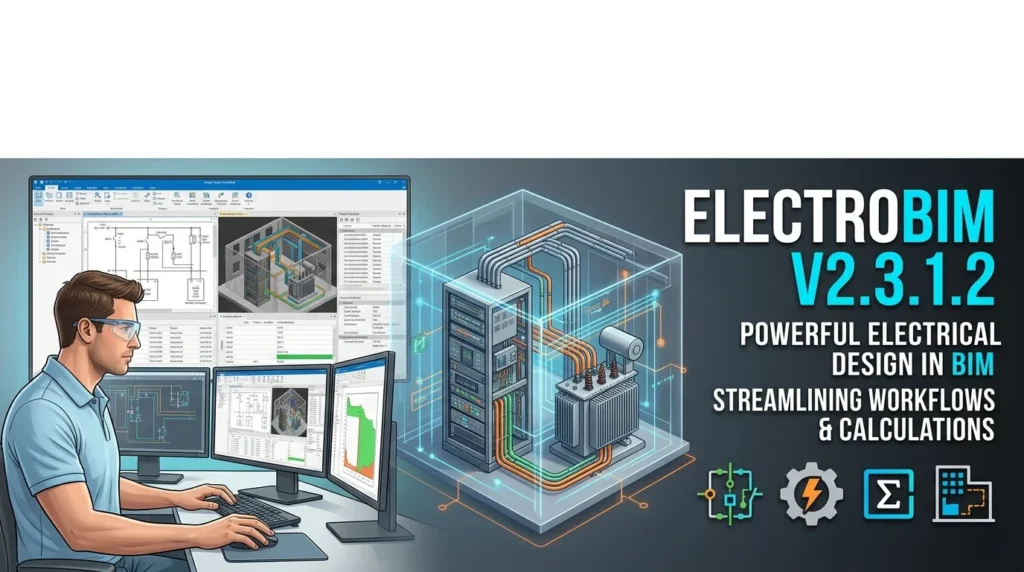
ElectroBIM is a plug-in for Autodesk Revit developed by Design Master Software, a company that has been creating electrical design solutions since 2006. The software addresses a persistent challenge in electrical engineering workflows: Revit’s native electrical tools lack the sophisticated calculation and automation features that professional engineers require for code-compliant designs.
ElectroBIM fills this gap by embedding electrical calculation engines directly into the Revit model. Instead of exporting data to separate spreadsheets or third-party programs, engineers can size feeders, calculate voltage drop, determine fault currents, and generate single-line diagrams without leaving the Revit environment. The software is family-agnostic, meaning it works with manufacturer-provided Revit families as well as custom families created by the design team.
Design Master Software has been nominated for the Consulting-Specifying Engineer Product of the Year award in the software category for ElectroBIM versions 2.1 and 2.2, reflecting the tool’s growing recognition in the AEC industry.
Key Features
ElectroBIM v2.3.1.2 offers a comprehensive suite of electrical design tools. The following features represent the core capabilities that make this plugin valuable for electrical engineers working in Revit.
Electrical Calculations
-
Feeder and branch circuit wire sizing: Automatic calculation based on connected load requirements and applicable code standards. Engineers retain full control to override any calculated value.
-
Fault calculations: Available fault current is calculated for each piece of electrical equipment, and the result can be used to set the AIC rating for the device.
-
Voltage drop calculations: Real-time analysis across the entire distribution system. Feeders exceeding the maximum 3% voltage drop threshold are easily identified and resized.
-
Arc-flash calculations: Automated trip time calculations using breaker curves, with the ability to create arc-flash schedules and printable warning labels for field devices.
-
Selective coordination: Assign time-current curves to breakers and display them on a drafting view to verify coordination across the distribution system.
Single-Line Diagrams
-
Automatic generation of single-line diagrams in a Revit drafting view, linked directly to the model.
-
Dynamic synchronization: the diagram updates automatically when circuit or equipment changes occur in the model.
-
Customizable graphics to match existing office standards and single-line diagram styles.
-
Direct integration with panel schedules and circuit data for a unified design workflow.
Circuit Management
-
Comprehensive circuit editing through tree-form panel dialog boxes that provide organized navigation of the electrical network.
-
Automated panel schedule population, reducing manual data entry and associated errors.
-
Custom parameters for flexible project configuration and office-specific standards.
-
Breaker and wire ampacity can be set separately for precise control over protection and conductor sizing.
What’s New in the Latest Version
ElectroBIM v2.3.1.2 continues the software’s evolution with calculation improvements and expanded compatibility. Based on the official release notes, this version delivers meaningful enhancements for professional electrical design workflows.
Revit 2027 Support
ElectroBIM v2.3.1.2 is fully compatible with Autodesk Revit 2027, ensuring users can leverage the latest Revit features while maintaining their electrical design capabilities. The software also supports Revit 2021 through Revit 2026.
Enhanced Calculation Features
-
Custom transformer OCP sizes: Engineers can now define default overcurrent protection sizes for transformers, streamlining repetitive configuration tasks.
-
Specific wire sizing options: Different sizing methods can be applied to individual feeders, providing greater flexibility for complex projects.
-
Double neutral wire sizing: Now accounts for current-carrying conductor adjustments per NEC 310.15(C)(1), ensuring compliance with modern code requirements.
-
Ambient temperature settings: Conductor sizing adjusts based on NEC 310.15(B)(1), allowing designs to reflect real installation conditions.
Improved User Interface
-
Calculate Part of Project button: Run calculation commands without closing dialog boxes, reducing workflow interruptions.
-
Highlight Panel and Highlight Circuit buttons: Quickly locate specific devices in the Revit model when working with complex distribution systems.
-
Pulldown menus: Quick access to Design Master commands directly from the ribbon interface.
The 2.3.1 beta release also improved support for workshare-enabled projects with multiple users actively working simultaneously.
System Requirements
Before installing ElectroBIM v2.3.1.2, verify that your system meets the following requirements.
Software Requirements
-
Operating system: Windows 7 SP1 or later
-
Autodesk Revit: Revit 2021 or later, including Revit 2027, 2026, 2025, 2024, 2023, 2022, and 2021
-
Screen resolution: 1360×768 or greater
Compatibility Notes
-
Limited compatibility: ElectroBIM is compatible with Revit MEP 2014 through Revit 2020 on an older release of the software. Software updates and technical support are not available for these Revit versions.
-
Not supported: Revit MEP 2013 or earlier, any version of Revit LT, and any 3D BIM program that is not Revit.
-
Platform: Windows-only. There is no macOS or web version available.
Hardware Requirements
A computer capable of running Autodesk Revit 2027 is required. This includes sufficient RAM, processor speed, and graphics capabilities as specified by Autodesk for Revit 2027.
Installation Guide
Installing ElectroBIM v2.3.1.2 follows a straightforward process. The installer can be downloaded from the Autodesk App Store or the Design Master Software website.
Step-by-Step Installation
-
Download the installer: Obtain the latest ElectroBIM installer from the Autodesk App Store or from the Design Master Software website.
-
Close Revit: Ensure Revit is not running before executing the installer. This is a critical step to avoid installation conflicts.
-
Run the installer: Double-click the downloaded file to start the installation process.
-
Complete the installation: After the installer finishes, open a project or family in Revit. You should see an ElectroBIM Design ribbon and an ElectroBIM Single-Line ribbon appear in the interface.
-
Graphic family cache: On first run, the installer downloads and installs a cache of single-line diagram graphic families. This cache installation is optional; if you opt out, the cache will be generated as you use ElectroBIM in your projects.
Silent Installation
The ElectroBIM installer includes command line arguments that support silent deployment for IT-managed environments. To run the installation wizard with default settings in the background while still showing a progress window, use the /silent argument.
Evaluation Mode
The first time you run a command, you will be asked to provide your email address to activate ElectroBIM in evaluation mode. In evaluation mode, banners appear in some dialog boxes, and “(ElectroBIM Trial)” is appended to certain shared parameter outputs. Evaluation mode is not time-limited and is fully featured.
Activating Your License
To fully activate ElectroBIM and remove watermarks, provide a valid license ID and password. Enter your license information by pressing the button on an evaluation mode banner or by running the Update License command.
How to Use the Software
ElectroBIM is designed to integrate into existing Revit workflows with minimal disruption. The following sections describe the core usage patterns for new and experienced users.
Starting a New Project
ElectroBIM is family-agnostic by design and does not include predefined Revit families for electrical devices. You can use existing Revit electrical families that are manufacturer-provided or that you created yourself; as long as they are configured as described in the Definitions section of the documentation, they will work with ElectroBIM.
Before starting a new project, configure your families and customization settings so they can be applied to future projects. Follow the steps in the “Set Default Customization & Use Customization in Other Projects” section of the documentation.
Drafting and Designing Your Electrical Distribution
After loading your equipment families into the project, use ElectroBIM commands to draft and design the electrical distribution system. The software provides a tree-form panel dialog box that lets you navigate the electrical network from the point of supply to the final circuits.
Inserting Distribution Equipment
Insert distribution equipment from the Revit model onto the single-line diagram. Start in the Single-Line Diagram drafting view and run the ElectroBIM Single-Line → Insert Link command. The Insert Distribution Equipment dialog box opens, where you can set the tree to UTIL and select equipment for placement on the diagram.
Managing the Electrical Network
The electrical network navigator provides a structured interface for managing circuits, panels, and loads. Use the tree-form navigation to move between different levels of the distribution hierarchy, edit circuit properties, and view summary tables of circuits and loads.
Best Use Cases
ElectroBIM v2.3.1.2 is particularly valuable across several professional scenarios.
Commercial Building Projects
For commercial office buildings, retail centers, and mixed-use developments, ElectroBIM streamlines the coordination between architectural layouts and electrical distribution. The automated single-line diagram generation ensures that riser diagrams remain synchronized with model changes, reducing the risk of coordination errors during design revisions.
Industrial and Manufacturing Facilities
Industrial projects often involve complex distribution systems with multiple transformers, switchgear, and motor control centers. ElectroBIM’s fault calculation and selective coordination features help engineers verify protection schemes and ensure that overcurrent devices are properly coordinated.
Institutional and Healthcare Facilities
Institutional buildings such as hospitals, universities, and government facilities require rigorous documentation and code compliance. ElectroBIM’s arc-flash calculations and printable warning labels support safety compliance requirements, while the voltage drop analysis helps maintain power quality throughout the distribution system.
Multi-Discipline BIM Coordination
Because ElectroBIM operates natively within Revit, electrical designs participate in the same coordination environment as architectural, structural, and mechanical models. Changes to circuit routing or equipment placement are reflected in the single-line diagram and panel schedules automatically, reducing the manual effort required for cross-discipline coordination.
Advantages and Limitations
Advantages
-
Seamless Revit integration: All calculations and diagram generation occur within the Revit environment, eliminating data export and re-import workflows.
-
Significant time savings: Customer testimonials describe design time reductions of approximately 50% compared to manual calculation methods.
-
Code-compliant calculations: Voltage drop, fault current, and arc-flash calculations follow NEC standards and can be configured to match local code requirements.
-
Automatic synchronization: Single-line diagrams and panel schedules update dynamically when the model changes, reducing manual documentation effort.
-
Family-agnostic: Works with any properly configured Revit electrical family, whether manufacturer-provided or custom-built.
Limitations
-
Windows and Revit only: ElectroBIM does not support macOS, Revit LT, or non-Revit BIM platforms.
-
Limited legacy support: Revit MEP 2014 through 2020 are supported only on an older software release without updates or technical support.
-
Learning investment required: While the interface is considered intuitive by many users, mastering all calculation features requires time and training.
-
Annual licensing: The software is priced at $1,275 per year, which may be a consideration for small firms or individual practitioners.
Alternatives to the Software
Several other tools address electrical design in BIM environments, though their capabilities and integration depth vary.
FireBIM
Developed by the same team behind ElectroBIM, FireBIM is a dedicated fire alarm design software for Revit. It addresses the specific workflow requirements of fire alarm system design, including device placement, circuiting, and riser diagram generation. FireBIM supports Revit 2022 and later.
Revit Native Electrical Tools
Autodesk Revit includes basic electrical modeling capabilities, including panel schedules and circuit creation. However, Revit’s native tools lack the advanced calculation features—such as voltage drop analysis, fault current calculation, and arc-flash assessment—that ElectroBIM provides. Revit 2026 introduced some wire sizing features, but comparative analyses suggest they do not match the depth of ElectroBIM’s calculation engine.
Electro Graphics electroBIM
Electro Graphics offers a separate product also named electroBIM, which is a plug-in for Autodesk Revit developed in Italy. This tool focuses on electrical distribution system design in a BIM environment and includes features such as classic network management according to the Ampère standard, automatic cable routing for auxiliary networks, and support for EVAC, fire detection, and TV/SAT networks. It is a distinct product from Design Master Software’s ElectroBIM, though both address similar market needs.
QIBUILDER and PRO-Elétrica
These are alternative BIM-oriented electrical design tools, primarily focused on the Brazilian and Latin American markets. They offer electrical design capabilities but may differ in their Revit integration depth and international code support compared to ElectroBIM.
Frequently Asked Questions
What is ElectroBIM v2.3.1.2 used for?
ElectroBIM v2.3.1.2 is an electrical design add-in for Autodesk Revit. It adds professional calculation capabilities—including feeder sizing, voltage drop analysis, fault calculations, and arc-flash assessment—directly into the Revit modeling environment, along with automatic single-line diagram generation.
Does ElectroBIM work with Revit 2027?
Yes. ElectroBIM v2.3.1.2 is fully compatible with Autodesk Revit 2027. It also supports Revit 2021 through Revit 2026.
Is there a free trial available for ElectroBIM?
Yes. ElectroBIM offers a free trial that is not time-limited. The evaluation mode is fully featured, though output is watermarked with “(ElectroBIM Trial)” appended to certain shared parameter values. The watermarks are removed upon license activation.
Can I use ElectroBIM on a Mac?
No. ElectroBIM is a Windows-only application. It requires Windows 7 SP1 or later and is not compatible with macOS.
What Revit families does ElectroBIM require?
ElectroBIM is family-agnostic. It does not include predefined Revit families. You can use manufacturer-provided families or custom families that you have created, as long as they are properly configured according to the software’s documentation.
How much does ElectroBIM cost?
ElectroBIM is available for purchase at $1,275 per year through the Design Master Software website.
Does ElectroBIM support international electrical codes?
ElectroBIM was designed for the North American market, primarily using NFPA 70 (National Electric Code). However, it uses voltages and load values defined directly in Revit, which offers international support for those values.
What is the difference between ElectroBIM and FireBIM?
ElectroBIM focuses on power distribution design, including feeder sizing, voltage drop, fault calculations, and arc-flash analysis. FireBIM, developed by the same company, is specialized for fire alarm system design in Revit, covering device placement, circuiting, and fire alarm riser diagrams.
Final Thoughts
ElectroBIM v2.3.1.2 represents a mature, purpose-built solution for electrical engineers who need professional-grade calculation tools within the Revit BIM environment. The combination of automatic single-line diagram generation, comprehensive electrical calculations, and seamless model integration addresses the core workflow gaps that Revit’s native electrical tools leave open.
The latest version’s Revit 2027 compatibility ensures that firms upgrading their Revit installations can continue using ElectroBIM without disruption. The enhanced calculation features—including ambient temperature conductor sizing and double neutral wire adjustments—demonstrate Design Master Software’s commitment to keeping pace with evolving code requirements.
For electrical engineering firms already invested in Revit-based workflows, ElectroBIM v2.3.1.2 offers a compelling combination of time savings, calculation accuracy, and documentation automation. The free, fully featured evaluation mode provides an accessible path for firms to assess whether the software fits their project types and design standards before committing to an annual license.
Our Paid Service
“We do not sell or provide any software. We only offer professional support services. If any software on your system is not working properly, or you are facing installation errors, crashes, or any other technical issue — just contact us. We will help you fix the problem quickly and remotely via AnyDesk. No software will be provided from our side — only expert troubleshooting and support.”