

Overview of AnyRail
Table of Contents
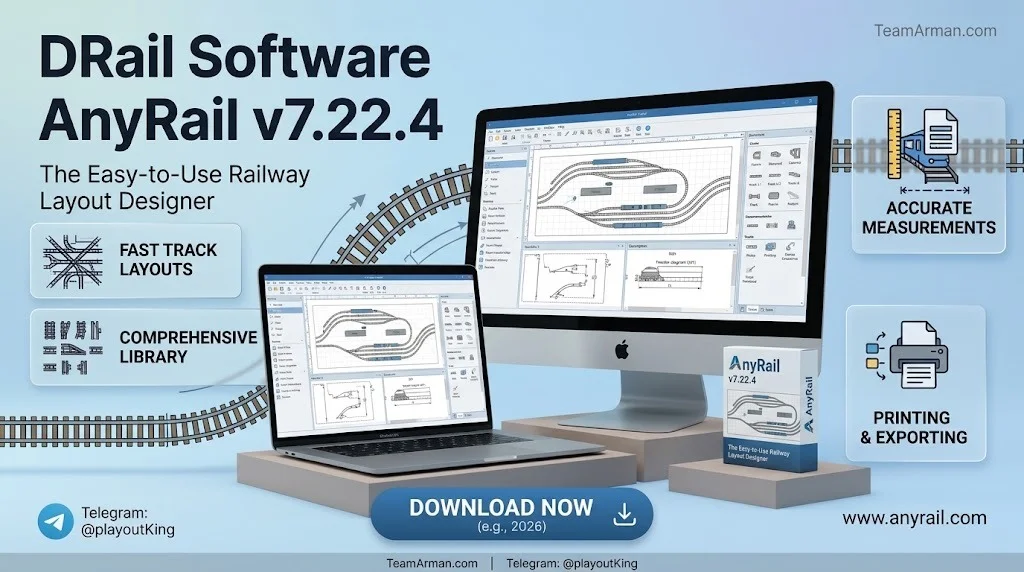
AnyRail is a dedicated track planning application developed by DRail Software, a Netherlands-based company led by founder David Hoogvorst. The software falls under the CAD (Computer-Aided Design) and model railway planning categories, serving enthusiasts who need to design track layouts before committing to physical construction.
Unlike general-purpose drafting tools, AnyRail is purpose-built for model railroads. It ships with an extensive catalogue of track libraries from major manufacturers, including Kato, Atlas, Peco, Fleischmann, Märklin, Bachmann, Hornby, and dozens more. Each library contains accurate dimensions and connection points, allowing users to assemble layouts that translate directly to physical builds.
The core appeal of AnyRail lies in its balance between simplicity and precision. Beginners can drag and snap track pieces together with minimal training, while experienced modellers can fine-tune curves, gradients, and elevations with professional-grade controls. The software supports both flex track and sectional track, and its file format (.any) is widely recognised within the model railway community.
Version 7 introduced a significant architectural shift to 64-bit computing, enabling improved memory handling for larger layouts, alongside a substantially upgraded 3D viewer. Version 7.22.4 continues this trajectory with incremental refinements focused on stability and library accuracy.
Key Features of AnyRail 7.22.4
Extensive Track Library Support
AnyRail’s track library is arguably its strongest asset. The software includes libraries for over 300 track systems covering all major scales: N, HO, OO, O, Z, TT, and narrow gauge variants. Each library models the exact geometry of real track pieces, including turnout angles, curve radii, and crossing dimensions. Updated libraries in recent releases include FxTrack, Atlas Code 100 turnouts, Kato Unitrack part numbers, and a overhauled Policar library.
Smart Connection and Snapping
The autoconnect feature in AnyRail 7 represents a meaningful workflow improvement. When you drag a track endpoint near another piece of track, a blue circle indicates that the sections will connect automatically. In version 7, this behaviour extends further: if the opposite end of the track is near another piece, it connects to both simultaneously.
3D Visualisation
AnyRail 7 includes a significantly improved 3D viewer compared to version 6. Users can rotate, pan, and zoom through their layouts in three dimensions, inspect clearances, and visualise how elevations and gradients interact. The 3D engine supports table tops and modules, a concept introduced in version 7 that lets designers partition layouts into manageable sections.
Flexible Curve and Gradient Controls
For complex layouts, AnyRail provides precise control over curve radii, transition easements, and gradient profiles. The software can indicate sharp curves across all track types, not just flex track, helping users avoid unrealistic bends that would cause derailments in practice.
DXF Export and Laser Cutting Integration
AnyRail 7 added DXF export functionality, producing 2D files that describe cut lines along the track trace. This feature enables users to laser-cut baseboards directly from their designs. The DXF output has been tested for compatibility with Autodesk Fusion and similar CAD packages.
Material Lists and Reporting
Every AnyRail layout automatically generates a material list, detailing the quantity and type of each track piece used. This list can be printed or exported, providing a shopping reference before purchasing physical track. Recent updates have improved descriptions for shortened track pieces and flex track usage.
What’s New in AnyRail 7.22.4
AnyRail 7.22.4 is a maintenance release that builds upon the version 7 platform. While the headline features of version 7 arrived with the initial 7.0 release in 2024, subsequent updates have focused on refining the user experience and expanding library support.
Version 7.0 introduced the 64-bit architecture, an overhauled 3D viewer, and the table top/module system. Later updates added DXF export for laser cutting and Fast Tracks On3 library support. Version 7.15 addressed several stability issues, including improved out-of-bounds warnings in dialogs, corrected button text in rotation dialogs, a crash fix when deleting connections, and repaired JMRI export for Micro Engineering turnout ladders.
Version 7.22.4 specifically focuses on library accuracy and minor bug fixes. Users upgrading from version 6 should note that heights and elevation contours behave differently in version 7: surfaces marked as height contours in version 6 are automatically converted to the new height contour format, which may alter how they overlay other elements.
System Requirements for AnyRail 7.22.4
AnyRail 7 is a Windows-native application. The 64-bit requirement introduced in version 7 means the software will not run on 32-bit versions of Windows. The following specifications represent the practical requirements based on developer guidance and user reports.
| Component | Requirement |
|---|---|
| Operating System | Windows 11, Windows 10 (64-bit), or Windows XP (64-bit) |
| Processor | Intel Core i3 or equivalent (11th Gen i3 or higher recommended for large layouts) |
| RAM | 4 GB minimum; 16 GB recommended for complex multi-level designs |
| Storage | Approximately 72 MB for installation |
| Display | 1280 × 720 minimum; higher resolutions improve 3D viewer usability |
| Graphics | DirectX-compatible GPU recommended for 3D rendering |
| Additional | Microsoft .NET runtime (installed automatically) |
Users on macOS and Linux have reported success running AnyRail through CrossOver, Wine64, or Boot Camp, but these are not officially supported configurations. The developer explicitly notes that AnyRail is written for Windows and does not provide native Mac or Linux builds.
Installation Guide for AnyRail 7.22.4
Installing AnyRail follows the standard Windows MSI workflow. The developer maintains a straightforward installation process, though a few practical notes help avoid common pitfalls.
-
Download the installer. Visit the official AnyRail downloads page and select the latest version. The installer file follows the naming convention
AnyRail7.22.4.msi. -
Close any running instances. If you have a previous version of AnyRail open, close it before running the installer.
-
Run the MSI file. Double-click the downloaded file and follow the on-screen prompts. The default installation location is
C:\Program Files\AnyRail7, which the developer recommends keeping. -
Complete the setup. The installer will place shortcuts on your desktop and Start menu. No additional runtime dependencies require manual installation.
-
Launch and register. Open AnyRail from the Start menu. If you have a licence key, navigate to the FILE tab and click Register. Users without a licence can still use the software in demo mode.
Important installation note: If you are upgrading from an older version installed to a non-default location (such as an external drive), Windows registry entries may become inconsistent. The recommended solution is to uninstall the previous version completely before installing 7.22.4. If the uninstaller requests the original MSI file, download the matching version from the AnyRail archives. Always store your .any plan files outside the AnyRail program folder and maintain regular backups.
How to Use AnyRail 7.22.4
AnyRail’s interface is organised around a tab-based workflow. The learning curve is gentle compared to professional CAD software, but understanding the core workflow accelerates productivity.
Setting Up Your Workspace
Begin by navigating to the Settings tab, where you can choose your measurement system (centimetres, millimetres, inches with fractions, or decimal inches), define the work area size, and configure grid and snap-to-grid options. Setting the work area slightly larger than your actual physical space prevents layout elements from being cropped.
Building a Layout
The design process centres on dragging track pieces from the library panel onto the canvas. AnyRail’s snapping system automatically aligns connection points. When a track endpoint approaches another track, a blue circle appears to indicate a valid connection. Release the mouse button to complete the join. For curved sections, use the radius and angle controls to shape the track precisely.
Working with Elevations and Gradients
AnyRail supports three-dimensional layout design through height contours and gradient tools. You can assign elevation values to track sections and visualise the resulting slopes in both 2D and 3D views. The software warns about gradients that exceed realistic limits for model railways.
Using the 3D Viewer
Switch to the 3D tab to explore your layout from any angle. The viewer supports rotation, pan, and zoom controls. Multi-deck layouts and table top modules display correctly, and the software renders scenery elements where available. The 3D viewer is particularly useful for checking clearance under bridges and through tunnels.
Exporting and Sharing
AnyRail supports several export formats. You can print plans to scale, export material lists as text or spreadsheet files, generate DXF files for laser cutting, and export to JMRI for integration with digital command control (DCC) systems.
Best Use Cases for AnyRail 7.22.4
Home layout planning. The most common application is designing a personal model railway before purchasing track. AnyRail’s accurate libraries and material lists prevent costly ordering mistakes.
Club and exhibition layouts. Model railway clubs use AnyRail to collaborate on large exhibition layouts. The table top and module system introduced in version 7 is particularly suited to modular club standards.
Baseboard and benchwork preparation. The DXF export enables woodworkers and laser-cutting services to produce baseboard components directly from a digital plan, reducing measurement errors.
Layout modifications and expansions. Existing layouts can be documented in AnyRail, creating a digital twin that simplifies future expansions or track reconfigurations.
Teaching and demonstration. The intuitive drag-and-snap interface makes AnyRail suitable for introducing newcomers to model railway design principles without requiring CAD experience.
Advantages and Limitations of AnyRail
Advantages
-
Comprehensive track libraries. Over 300 libraries covering all major scales and manufacturers ensure accurate representation of real-world track.
-
Intuitive interface. The snapping and autoconnect systems reduce the learning curve significantly compared to general CAD software.
-
Robust 3D viewer. The version 7 3D engine provides meaningful visual feedback for elevation and clearance checks.
-
One-time licence. AnyRail uses a perpetual licence model with free updates, avoiding subscription fatigue.
-
Active development. DRail Software regularly releases updates with new libraries and bug fixes.
-
DXF export. Integration with laser cutting and CAD workflows extends the software’s utility beyond planning.
Limitations
-
Windows-only. There is no native macOS or Linux version, limiting accessibility for users on other platforms.
-
3D scenery depth. While improved, the 3D visualisation is not as detailed as SCARM’s terrain and landscaping capabilities.
-
Learning curve for advanced features. Basic layouts are easy, but mastering gradients, easements, and multi-deck design requires time investment.
-
Demo limitation. The free version caps layouts at 50 track pieces, which is sufficient for evaluation but restrictive for real projects.
-
No built-in simulation. AnyRail focuses on design rather than operation simulation; users needing train running simulation must look elsewhere.
Alternatives to AnyRail
Several track planning programs compete with AnyRail in the model railway software space. Each has distinct strengths that may suit different user profiles.
SCARM
SCARM (Simple Computer Aided Railway Modeller) is AnyRail’s closest competitor. It offers detailed 3D landscaping, multi-level terrain, and an integrated train simulator. The free version also limits layouts to 50 elements, and the paid version costs approximately $49.90. SCARM is often recommended for users who prioritise 3D scenery over track library breadth.
XTrackCAD
XTrackCAD is a free, open-source alternative that runs on Windows, macOS, and Linux. It lacks the polish of commercial competitors and has a steeper learning curve reminiscent of older CAD tools, but it imposes no track piece limits and handles complex multi-level layouts well. Users on macOS or Linux frequently choose XTrackCAD because AnyRail is not natively available on those platforms.
3rd PlanIt
3rd PlanIt targets advanced users who need precise control over curves, easements, and detailed 3D rendering. Its learning curve is steeper than AnyRail’s, but the payoff is greater design precision for complex exhibition layouts.
RailModeller Pro
RailModeller Pro is the leading macOS-native track planning application. It supports over 290 track libraries and allows layout organisation through up to 99 layers. A free Express version caps users at 50 pieces, while the Pro version unlocks unlimited design.
RR-Track
RR-Track is a commercial Windows application available as bundles that include specific track system libraries. It features an operating mode that simulates train movement on the plan, useful for identifying clearance issues.
Frequently Asked Questions About AnyRail 7.22.4
Is AnyRail free to use?
AnyRail operates on a freemium model. The demo version is fully functional but limits layouts to 50 track pieces. A one-time licence purchase removes this restriction and unlocks unlimited design capability. The licence includes free updates to all version 7 releases.
Can I run AnyRail on a Mac?
Not natively. AnyRail is developed exclusively for Windows. Mac users have reported success running it through CrossOver, Wine64, or Boot Camp, but these configurations are not officially supported. For native macOS track planning, consider RailModeller Pro.
What file format does AnyRail use for saved layouts?
AnyRail saves projects with the .any file extension. This format stores all layout data, including track pieces, elevations, scenery elements, and material lists. The format is proprietary to AnyRail and is not directly readable by other track planning software.
Does AnyRail support laser cutting?
Yes. Version 7 introduced DXF export, which produces 2D cut-line files compatible with laser cutters and CAD software such as Autodesk Fusion. This feature allows users to generate baseboard components directly from their digital layouts.
How does AnyRail compare to SCARM?
AnyRail is generally considered easier for beginners and offers a broader track library selection. SCARM provides more advanced 3D landscaping and terrain modelling. Both have similar free-version limitations (50 elements) and comparable pricing. The choice often comes down to whether track library breadth (AnyRail) or 3D scenery depth (SCARM) is more important for your project.
Can I import my old version 6 layouts into AnyRail 7?
Yes. AnyRail 7 reads version 6 .any files. However, be aware that height contours and surfaces may behave differently after conversion. Version 6 height contours are automatically converted to version 7 format, which can alter how they render and overlay other elements.
Is there a mobile version of AnyRail?
No. AnyRail is a desktop application for Windows. There is no iOS, Android, or web-based version. Users requiring browser-based planning might explore online options such as Trax or TrackPlanner.app.
Does AnyRail generate shopping lists for track purchases?
Yes. Every layout automatically produces a material list detailing each track piece type and quantity. This list can be printed or exported, making it straightforward to order the correct components from retailers.
Final Thoughts
AnyRail v7.22.4 represents a mature, well-supported entry in the model railway track planning software category. Its combination of extensive track libraries, intuitive snapping, and meaningful 3D visualisation makes it a strong choice for beginners and intermediate modellers alike. The 64-bit architecture introduced in version 7 ensures the software can handle larger and more complex layouts than its predecessor.
The Windows-only limitation is the most significant drawback, particularly for macOS users who must resort to workarounds. However, for the substantial Windows user base in the model railway hobby, AnyRail delivers reliable performance at a reasonable one-time cost. The active development cycle, regular library updates, and DXF export capability for laser cutting demonstrate DRail Software’s commitment to evolving the product alongside community needs.
If you are starting a new layout project or documenting an existing one, AnyRail 7.22.4 is worth downloading in demo mode. The 50-piece limitation is generous enough to evaluate the workflow thoroughly, and the upgrade to a full licence is straightforward when you are ready to commit.
Our Paid Service