

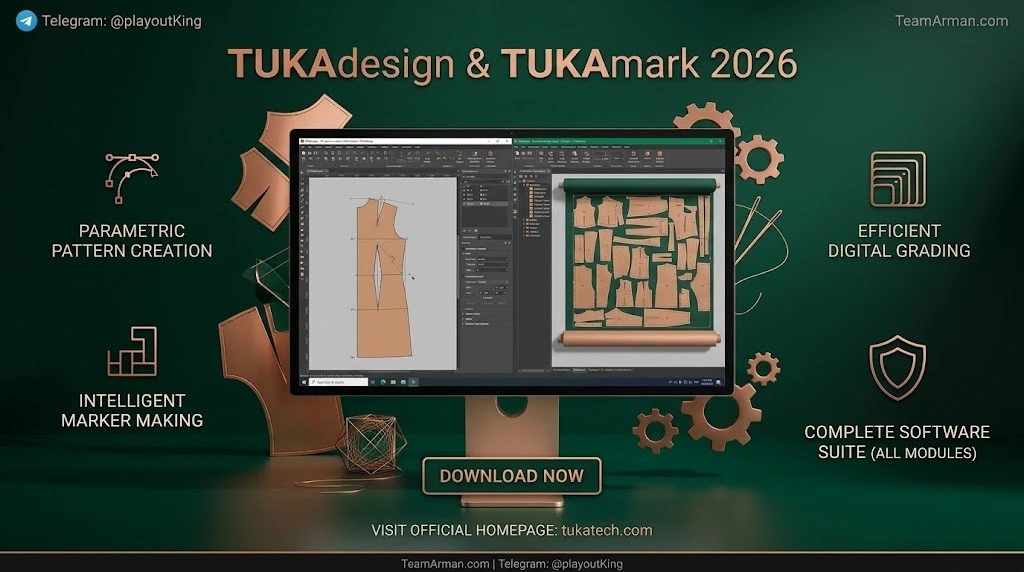
Overview of the Software
Table of Contents
TUKAdesign and TUKAmark is a specialized computer-aided design and manufacturing (CAD/CAM) platform built specifically for the apparel and sewn-products industry. Unlike general-purpose drafting tools such as AutoCAD, TUKAcad addresses the unique requirements of garment development: creating graded size ranges, arranging pattern pieces on fabric widths, and generating production-ready cut data.
The suite is organized around two primary modules:
-
TUKAdesign: The environment for pattern making and grading. Pattern makers can draft blocks from scratch, modify existing styles, and apply grade rules that automatically update across the entire size range.
-
TUKAmark: The environment for marker making and nesting. Garment makers use TUKAmark to arrange pattern pieces on a virtual fabric spread, either manually or through automated optimization, to achieve the best possible fabric utilization for production or costing.
Together, these modules create a compact product lifecycle management loop, generating automatic reports such as pattern measurement charts and fabric yield reports directly from the CAD environment.
Key Features
TUKAdesign and TUKAmark include a deep set of tools designed to mirror and improve upon manual pattern-room workflows. The following features are central to their value proposition:
Pattern Design and Grading (TUKAdesign)
-
Digital drafting tools that replicate manual pattern-making actions, including walking pieces, adding fullness, and drafting on the half.
-
Multiple-size grading with automatic half-size creation and angle grading for curved contours.
-
Block libraries with “master grading,” allowing grade rules to be applied automatically when developing new styles from existing blocks.
-
Automatic grading updates: Changes made to a base pattern are reflected across the entire size range without recalculating grade rules.
-
Shrinkage handling for before-and-after-wash adjustments, a critical requirement for production accuracy.
Marker Making and Optimization (TUKAmark)
-
Manual and automatic marker making, giving users flexibility for quick costing estimates or precise production layouts.
-
Stripe and plaid matching with image-view support, essential for working with directional and patterned fabrics.
-
Nesting and blocking tools for merging pattern pieces and markers efficiently while respecting grain lines and production constraints.
-
Cut-path creation and editing for CNC cutting machines, connecting the digital marker directly to the cutting room.
Workflow and Collaboration Features
-
Industry-standard data exchange via ASTM.DXF and AAMA.DXF formats for compatibility with other CAD systems.
-
Built-in video and audio help for every tool, functioning as an on-demand training resource.
-
Automatic backups at predetermined intervals to protect work in progress.
-
Report generation for pattern cards, cutters’ musts, measurement charts, and fabric yield reports with costing.
What’s New in the Latest Version
The 2026 release continues Tukatech’s focus on automation and fabric savings. While feature sets vary by licensed package, the broader trajectory of recent versions emphasizes:
-
Deeper automation in marker making. The SMARTmark add-on, which works alongside TUKAmark, uses advanced nesting algorithms to generate markers automatically, minimizing fabric use and reducing manual intervention. Recent updates have extended automated nested-bundle creation by size to the standard TUKAmark environment, a capability previously limited to higher-end SMARTmark configurations.
-
Queue-based processing. The Net-Q option for SMARTmark provides a shared marker-processing queue, allowing multiple users or locations to submit jobs to a centralized optimization engine.
-
Operational analytics. Tukatech guidance now emphasizes reviewing usage logs and time-per-marker settings to help teams maximize return on investment from automated marker optimization.
Because TUKAcad features are licensed by edition and module, the exact “new in 2026” list depends on the specific package. Buyers should confirm the included modules and release notes directly with Tukatech or an authorized reseller.
System Requirements
TUKAdesign and TUKAmark operate in a Windows environment, consistent with their positioning as professional apparel CAD/CAM tools. Industrial CAD systems of this class are typically licensed per seat and deployed on workstation-class hardware in pattern rooms and production offices.
Specific minimum and recommended hardware specifications—processor, RAM, graphics, storage, and display resolution—are not fixed across all editions and are updated with each release. For accurate system requirements, consult the official Tukatech documentation or your authorized reseller before deployment. In practice, a dedicated Windows workstation with a discrete graphics card and ample storage for pattern libraries and marker files is recommended for smooth performance.
Installation Guide
TUKAdesign and TUKAmark are commercial, licensed software. Installation should always be performed using the official installer and license credentials provided by Tukatech. A general, compliant workflow looks like this:
-
Verify licensing and edition. Confirm which TUKAcad edition and modules your organization is licensed for, including TUKAdesign, TUKAmark, and any add-ons such as SMARTmark or TUKA APM.
-
Prepare the Windows workstation. Ensure the machine meets the vendor’s current system requirements and that any required Windows updates and drivers are installed.
-
Obtain the official installer. Download or receive the installation package through Tukatech’s official channels. Do not use third-party sources for software installation files.
-
Run the installer and follow the on-screen prompts. Select the modules and language options appropriate to your license.
-
Activate the license using the credentials or license server details supplied by Tukatech.
-
Configure user preferences such as default units, backup intervals, and network paths for shared pattern and marker libraries.
-
Verify functionality by opening the built-in video help or tutorial project and confirming that TUKAdesign and TUKAmark launch correctly.
For networked or multi-seat deployments, coordinate with Tukatech support to configure any shared queues (such as SMARTmark Net-Q) and data storage locations correctly.
How to Use the Software
A typical digital workflow moves from pattern development in TUKAdesign to marker optimization in TUKAmark. The following outline describes the core steps.
Step 1: Draft or Import a Pattern
In TUKAdesign, create a new pattern from measurements or a block library, or import existing CAD data in ASTM.DXF or AAMA.DXF format. Use the drafting tools to add darts, notches, seams, and internal contours as needed.
Step 2: Apply Grading Rules
Define grade rules for the base size. TUKAdesign applies these rules automatically across the size range, and changes to the base pattern update the graded sizes without manual recalculation. Master grading from block libraries can further accelerate new style development.
Step 3: Generate Reports
Produce measurement charts, pattern cards, and cutter’s musts directly from the software. These reports support costing, quality control, and communication with production teams.
Step 4: Create a Marker in TUKAmark
Open TUKAmark and import the graded pieces. Choose manual marker making for full control or automatic marker making for rapid costing and pre-production estimates. Use nesting and blocking tools to merge pieces efficiently, and apply stripe/plaid matching where required.
Step 5: Optimize and Review Yield
Run automatic optimization, especially if SMARTmark is licensed, to generate tight markers that reduce material waste. Review the fabric yield report and adjust marker length or piece orientation as needed. For production markers, allow adequate processing time—Tukatech guidance suggests approximately one minute per six pieces for optimal results.
Step 6: Export Cut Data
Create and edit the cut path for CNC cutters and export the marker data for the cutting room.
Best Use Cases
TUKAdesign and TUKAmark are designed for professional and semi-professional apparel development rather than hobbyist sewing. Their strongest use cases include:
-
Small to mid-size apparel production: TUKAcad is positioned as a practical alternative to enterprise systems for businesses that need industrial-grade pattern making and marker optimization without the scale of a large factory deployment.
-
Made-to-measure and custom fit: The parametric and grading tools support efficient creation of patterns from individual or size-range measurements.
-
Production costing and fabric planning: Automatic marker making and yield reports allow merchandisers and production engineers to estimate fabric consumption accurately before bulk cutting.
-
Pattern rooms transitioning from paper to digital: The interface and toolset are designed to mirror manual methods, reducing the conceptual leap for experienced pattern makers.
-
Operations focused on fabric waste reduction: Even a 1–2% improvement in marker efficiency can create meaningful annual savings at production scale.
Advantages and Limitations
Advantages
-
Specialized apparel functionality: The tools are built around garment-specific tasks such as grading, seam-line editing, stripe matching, and cut-path generation, rather than being adapted from general drafting software.
-
Integrated workflow: TUKAdesign and TUKAmark share data seamlessly within TUKAcad, eliminating manual re-entry between pattern development and marker making.
-
Grading consistency: Automatic grade-rule propagation reduces errors and rework when base patterns change.
-
Fabric savings potential: Automated nesting through TUKAmark and SMARTmark can produce measurable reductions in material waste.
-
Built-in learning support: Video help for every tool lowers the training burden compared with documentation-only systems.
Limitations
-
Windows-only platform: The software runs in a Windows environment, which may require dedicated workstations in mixed-OS organizations.
-
Commercial licensing cost: TUKAcad is quote-based and positioned for businesses, not hobbyists, so budget approval and seat planning are required.
-
Module-dependent feature access: Capabilities such as SMARTmark, TUKA APM, and TUKA3D are add-ons or edition-specific, meaning the full “all modules” experience depends on the purchased package.
-
Learning curve for advanced automation: While the interface mimics manual pattern making, optimizing automated marker queues and time allowances requires operational discipline and training.
Alternatives to the Software
Buyers evaluating TUKAdesign and TUKAmark typically compare them against other industrial apparel CAD systems. The main alternatives include:
-
Lectra Modaris: Widely regarded as an industry standard for industrial pattern rooms, with optional 3D fit add-ons.
-
Gerber AccuMark (now under Lectra): Historically strong in production grading and marker making, also sold on a quote basis.
-
Optitex: Offers integrated 2D pattern development and 3D fit visualization in a single package.
-
CLO 3D and Browzwear VStitcher: 3D-focused platforms often used alongside 2D CAD, rather than as direct replacements for full marker-optimization workflows.
-
Free or low-cost options (Seamly2D, Valentina): Suitable for home sewists and custom-fit drafting but not designed for industrial marker optimization or production-scale grading.
TUKAcad’s differentiation lies in combining 2D pattern making, grading, and marker optimization in one suite, with a user experience designed for pattern makers rather than general CAD operators. The right choice depends on production scale, existing CAD data formats, 3D requirements, and budget structure.
Frequently Asked Questions
What is the difference between TUKAdesign and TUKAmark?
TUKAdesign is the module for pattern making and grading—creating and resizing garment patterns. TUKAmark is the module for marker making—arranging those graded pieces on fabric to optimize yield and prepare cut data.
Is TUKAdesign the same as TUKAcad?
No. TUKAcad is the overall apparel CAD/CAM suite. TUKAdesign and TUKAmark are the two core modules within TUKAcad.
What file formats does TUKAdesign support for data exchange?
TUKAdesign imports and exports industry-standard formats including ASTM.DXF and AAMA.DXF, allowing interoperability with other CAD systems.
Can TUKAmark automatically optimize fabric usage?
Yes. TUKAmark supports automatic marker making, and the optional SMARTmark add-on provides advanced automated nesting to reduce material waste and generate efficient markers.
What are the system requirements for TUKAdesign and TUKAmark?
The software operates in a Windows environment. Specific hardware requirements vary by edition and release; consult official Tukatech documentation for the current specifications.
Does TUKAdesign handle shrinkage allowances?
Yes. The software supports before-and-after-wash shrinkage adjustments, which are essential for production-accurate patterns.
How does TUKAcad compare to Lectra Modaris or Gerber AccuMark?
All three are professional-grade apparel CAD systems. Lectra Modaris and Gerber AccuMark are often positioned as enterprise standards, while TUKAcad is frequently evaluated as a strong alternative for small to mid-size production and made-to-measure workflows.
Is TUKAdesign suitable for beginners?
The toolset is designed for professional pattern makers, but the interface mimics manual methods and includes built-in video help for every tool, which reduces the initial learning curve for users with pattern-making experience.
Final Thoughts
TUKAdesign and TUKAmark 2026 represent a mature, specialized solution for apparel pattern development and marker optimization. Their core strength is the tight integration between grading and nesting inside a single Windows-based CAD/CAM environment, supported by reporting, data-exchange, and automation features that address real production constraints. For pattern rooms and manufacturers focused on fabric savings, costing accuracy, and a digital workflow that respects traditional pattern-making logic, these modules merit serious evaluation. As with any industrial software, the final decision should account for licensed module scope, total cost of ownership, training requirements, and fit with existing CAD data and cutting-room equipment.
Our Paid Service