
Overview of Laragon v8.6.1
Table of Contents
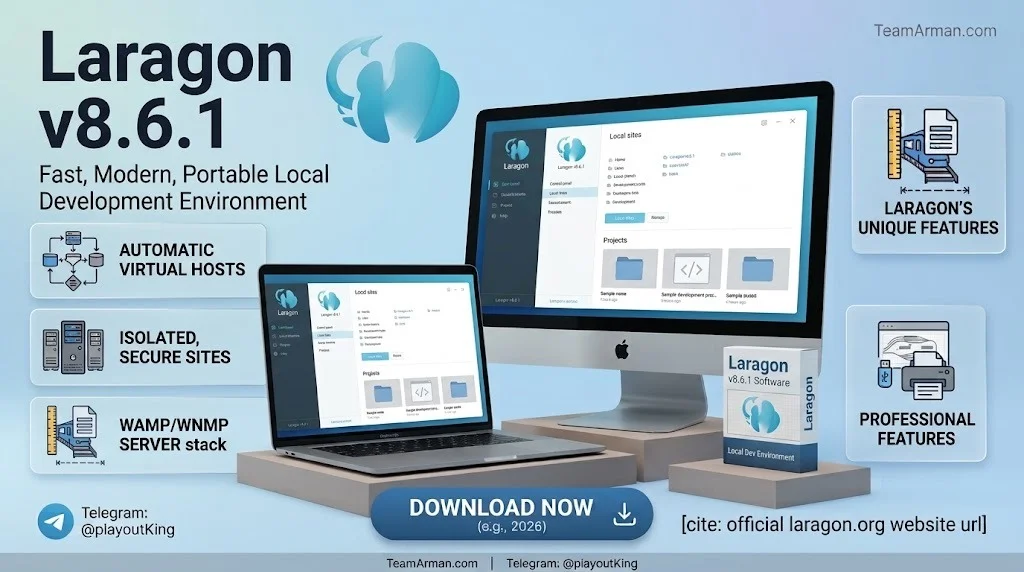
Laragon is a universal development environment built for Windows 10 and 11. Unlike traditional local server stacks that modify system files or rely on Windows services, Laragon runs entirely in isolation. The core executable is under 6 MB and consumes roughly 4–10 MB of RAM during operation.
The software is developed by Le Ngoc Khoa and distributed through the official Laragon website. Version 8.6.1 represents a maintenance-focused release within the Laragon 8.x series, refining stability and updating bundled components. Laragon follows a portable architecture: you can move the entire Laragon folder to another drive or even a USB stick, and every project, configuration, and database remains intact.
Laragon v8.6.1 is particularly relevant for developers working with PHP, Laravel, WordPress, Symfony, Node.js, and Python. It eliminates the friction of manually configuring hosts files, SSL certificates, and service dependencies. The software auto-generates pretty URLs such as myapp.test and supports one-click HTTPS for local domains.
Key Features of Laragon v8.6.1
Laragon v8.6.1 includes a broad set of features designed to accelerate local development workflows.
Portable and Isolated Environment
-
The entire stack lives inside the Laragon folder.
-
No registry changes, no Windows services, and no system pollution.
-
Move the folder between machines without reinstalling anything.
Multi-Version Service Management
-
Switch between multiple versions of PHP, MySQL, Apache, Nginx, Node.js, Python, and PostgreSQL.
-
Each project can run its own stack profile.
-
Laragon supports both Apache and Nginx as fully managed web servers.
Automatic Virtual Hosts and SSL
-
Laragon automatically maps project folders to friendly URLs like
projectname.test. -
One-click SSL certificate generation enables HTTPS for local testing.
Integrated Developer Tools
-
Bundled tools include Composer, npm, Git, Cmder, and Notepad++.
-
Laragon v8.6.1 updates Notepad++ to version 8.9.2.
-
Redis, Memcached, and PostgreSQL are available through the full distribution.
Quick App and Quick Add
-
Create WordPress, Laravel, Symfony, or custom stacks with a single click.
-
Add new tools like MongoDB or MeiliSearch through the Quick Add menu.
Procfile Support and One-Click Sharing
-
Define background services using a simple Procfile.
-
Share local projects publicly with Ngrok integration for demos and client previews.
What’s New in Laragon v8.6.1
Laragon v8.6.1 (released March 2, 2026) is a targeted update focused on stability and component freshness.
-
Apache updated to 2.4.66: Built with Visual Studio C++ 2026 (VS18), delivering improved performance and more efficient memory management.
-
Log bug fix: Resolved a logging-related issue tracked in the Laragon GitHub repository.
-
Notepad++ updated to 8.9.2: Strengthens the built-in text editor update process.
-
Dual phpMyAdmin support: Laragon v8.6.1 supports both phpMyAdmin 5 and phpMyAdmin 6 through the MySQL menu.
-
PHP 8.4+ compatibility: This version works with PHP 8.4 and newer.
For developers upgrading from Laragon 7.x or earlier 8.x releases, Laragon provides a dedicated upgrade guide and the LaragonUpdater.exe utility for smooth transitions.
System Requirements for Laragon v8.6.1
Laragon is designed to run on modest hardware. The requirements are minimal compared to Docker-based environments.
| Component | Minimum Requirement |
|---|---|
| Operating System | Windows 7, 8, 8.1, 10, or 11 (64-bit recommended) |
| Disk Space | Core binary ~6 MB; additional space for bundled services |
| Memory | ~4–10 MB RAM for the Laragon core |
| Dependencies | Visual C++ Redistributable (for PHP and Apache) |
Laragon does not support macOS or Linux natively. Windows users who prefer WSL can use Laragon alongside WSL2 for a hybrid workflow, but the native Windows experience is the primary target.
Installation Guide for Laragon v8.6.1
Installing Laragon is straightforward. The full distribution includes everything needed to start development immediately.
Step 1 — Download Laragon Full
Visit the official Laragon website and download the Laragon Full package. The full version includes Apache, Nginx, MySQL, PHP, Node.js, Python, Redis, Memcached, and PostgreSQL.
Step 2 — Run the Installer
Double-click the downloaded .exe file and follow the on-screen instructions. Laragon installs into a self-contained folder. You can choose the installation directory, but avoid paths with spaces for best compatibility.
Step 3 — Launch Laragon
Open Laragon from the Start menu or desktop shortcut. The system tray icon appears, giving you access to all controls.
Step 4 — Start Services
Click the Start All button in the Laragon interface. Apache or Nginx, MySQL, and PHP start automatically. Green indicators confirm that services are running.
Step 5 — Add Laragon to PATH (Optional)
To use Laragon’s bundled PHP, Node.js, and Python from any terminal or IDE, navigate to Tools > PATH > Add Laragon to PATH. This makes Laragon’s toolchain available system-wide without global installations.
Step 6 — Place Projects in the www Folder
Create a subfolder inside laragon/www/ for each project. Laragon automatically creates a virtual host like projectname.test for every subfolder.
How to Use Laragon v8.6.1
Laragon’s workflow is built around the system tray context menu and the main window.
Starting and Stopping Services
Right-click the Laragon tray icon to start or stop individual services. The Start All and Stop All options control the entire stack at once.
Creating a New Project
-
Place your project files inside
laragon/www/. -
Laragon detects the folder and creates a virtual host automatically.
-
Visit
http://projectname.testin your browser.
Switching PHP Versions
Open the Laragon menu, go to PHP, and select the desired version from the list. Laragon supports multiple PHP versions out of the box, and you can add more through Quick Add.
Enabling HTTPS
Right-click a project in the Laragon window and select SSL > Enable. Laragon generates a self-signed certificate and configures the virtual host for HTTPS access.
Using the Terminal
Laragon includes Cmder and Windows Terminal integration. Open the terminal from the tray menu to run Composer, npm, Artisan, or Python commands within the Laragon environment.
Database Management
Access phpMyAdmin or phpMyAdmin 6 from the MySQL menu. Laragon also supports automatic MySQL backups on a schedule.
Best Use Cases for Laragon v8.6.1
Laragon excels in several development scenarios.
PHP and Laravel Development
Laravel developers benefit from Laragon’s automatic virtual hosts, Composer integration, and Artisan command availability. The Quick App feature creates a fresh Laravel installation in seconds.
WordPress and CMS Development
Laragon’s one-click WordPress setup and automatic SSL make it ideal for theme and plugin development. The portable nature means you can carry a complete WordPress environment on a USB drive.
Node.js and Python Projects
Laragon bundles Node.js and Python, with npm and pip available in the terminal. Developers working on mixed PHP–JavaScript stacks can manage both runtimes from a single interface.
Client Demos and Team Collaboration
The One-Click Share feature generates a public URL for any local project. Teams can also share the entire Laragon folder via GitHub, giving new developers a fully pre-configured environment.
Legacy and Multi-Version Testing
Projects requiring older PHP or MySQL versions can run alongside modern stacks. Laragon’s Profile system lets you switch entire development environments with a few clicks.
Advantages and Limitations of Laragon v8.6.1
Advantages
-
Ultra-lightweight: The core runs under 10 MB of RAM.
-
Portable: Move the entire environment between machines.
-
Isolated: No system-level changes or registry pollution.
-
Fast startup: Services launch in seconds.
-
Multi-version support: Switch PHP, MySQL, Node.js, and other runtimes effortlessly.
-
Automatic configuration: Virtual hosts, SSL, and databases are handled without manual setup.
Limitations
-
Windows only: No native macOS or Linux support.
-
License changes: Laragon is no longer free for commercial use; a license popup appears in the unlicensed version.
-
Not production-like: Laragon is optimized for local development, not for replicating production server configurations.
-
Limited containerization: Unlike Docker, Laragon does not provide OS-level isolation or container orchestration.
Alternatives to Laragon v8.6.1
Several tools compete with Laragon in the local development environment space.
XAMPP
XAMPP is a cross-platform stack that includes Apache, MySQL, PHP, and Perl. It is free and widely used, but it is heavier than Laragon and does not offer automatic virtual hosts or multi-version switching.
WampServer
WampServer is a Windows-only stack similar to XAMPP. It supports multiple PHP versions but lacks Laragon’s portability and one-click SSL features.
Laravel Herd
Laravel Herd is a modern alternative focused on Laravel and PHP development. It offers a polished interface and native performance. The free version does not include MySQL, which must be installed separately.
EnvKit
EnvKit is a newer desktop application for Windows and macOS that bundles PHP development tools. It can import existing Laragon projects without changes and positions itself as a direct alternative.
Docker
Docker provides containerized development environments with strong isolation and production parity. However, it has a steeper learning curve, higher resource consumption, and slower startup times compared to Laragon.
WSL2 with Manual Setup
Windows Subsystem for Linux combined with manual Nginx, PHP-FPM, and MySQL configuration offers a production-like environment. This approach requires more technical setup but provides greater control.
Frequently Asked Questions
Is Laragon v8.6.1 free to use?
Laragon offers a free tier for non-commercial use, but a license popup appears when starting the application. Commercial use requires a paid license. Pricing details are available on the official Laragon website.
Does Laragon work on Windows 11?
Yes. Laragon v8.6.1 is fully compatible with Windows 10 and Windows 11. It integrates with the operating system without modifying global settings.
Can I use Laragon for Laravel development?
Laragon is widely used for Laravel development. It includes Composer, automatic virtual hosts, and Quick App support for creating new Laravel projects in one click.
How do I update Laragon to the latest version?
Laragon provides a LaragonUpdater.exe utility. Download and run the updater to smoothly transition to the latest release. A migration guide is available for users upgrading from older Laragon versions.
Does Laragon support PostgreSQL and MongoDB?
Yes. The full Laragon distribution includes PostgreSQL. MongoDB and other services can be added through the Quick Add menu.
Can I run multiple PHP versions in Laragon?
Laragon supports multiple PHP versions. You can install additional versions and switch between them from the PHP menu. Each project can use a different PHP version.
Is Laragon portable enough to run from a USB drive?
Yes. Laragon is fully portable. Move the Laragon folder to a USB drive, and all projects, databases, and configurations travel with it.
What is the difference between Laragon and XAMPP?
Laragon is lighter, faster, and more modern than XAMPP. It offers automatic virtual hosts, one-click SSL, multi-version service management, and a portable architecture. XAMPP is cross-platform but requires more manual configuration.
Final Thoughts
Laragon v8.6.1 remains a compelling choice for Windows developers who need a fast, portable, and low-overhead local development environment. Its ability to bundle PHP, Node.js, Python, MySQL, PostgreSQL, and essential web servers into a single self-contained folder makes it uniquely convenient for multi-stack projects. The version 8.6.1 release tightens stability with Apache 2.4.66, Notepad++ 8.9.2, and PHP 8.4+ compatibility.
While the shift to a commercial license model may prompt some users to explore alternatives like Laravel Herd or EnvKit, Laragon’s portability, automatic virtual hosts, and one-click SSL continue to differentiate it from heavier options like XAMPP and Docker. For developers who value speed, simplicity, and the freedom to move their entire environment between machines, Laragon v8.6.1 delivers a polished and reliable solution.
Our Paid Service