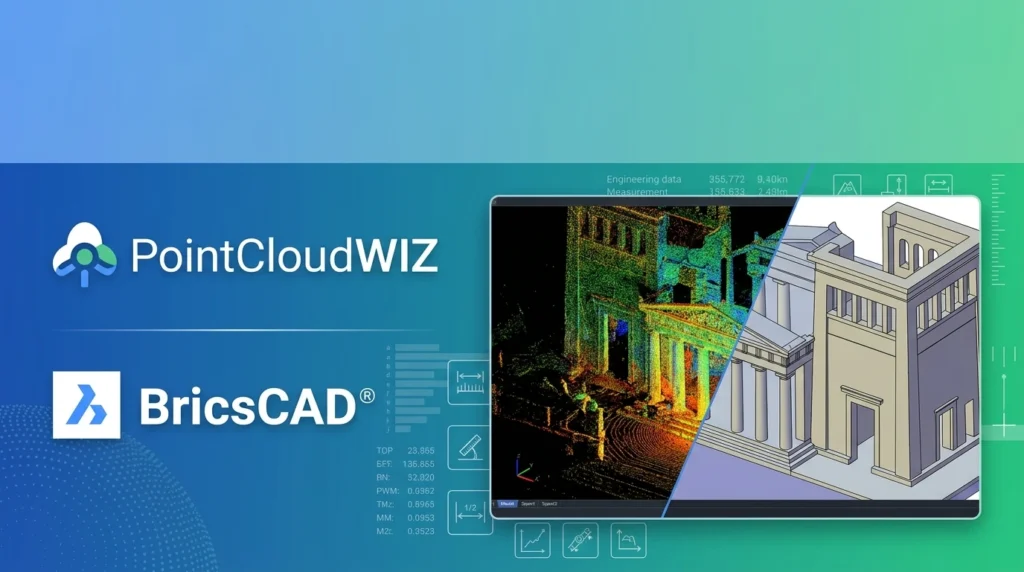

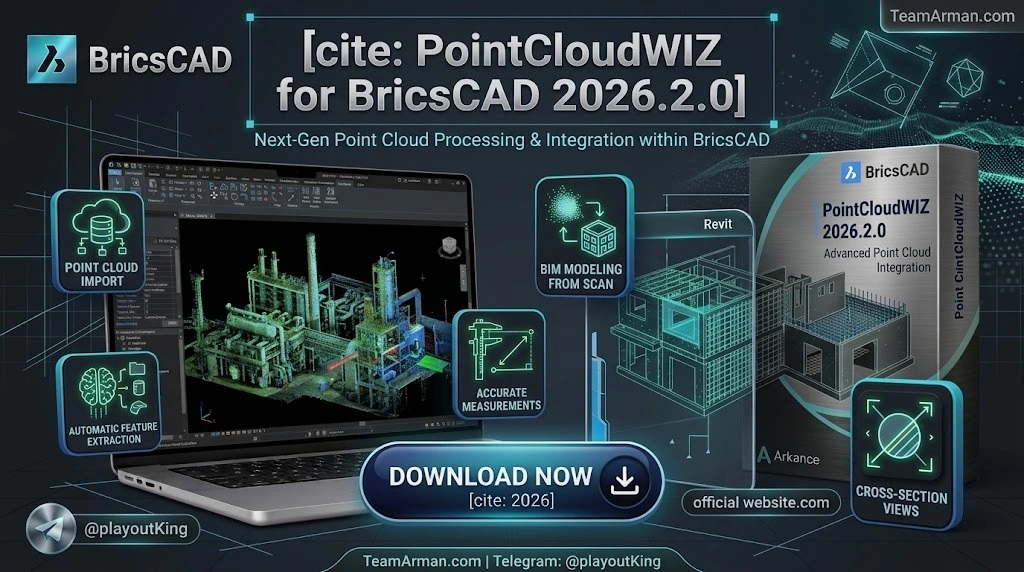
Overview of PointCloudWIZ for BricsCAD
Table of Contents
PointCloudWIZ for BricsCAD is a plugin developed by Pilgrim Technology that enhances BricsCAD’s native point cloud capabilities with specialized tools for extraction and drafting. While BricsCAD already supports point cloud visualization and basic editing, PointCloudWIZ adds intelligent automation for line detection, section generation, classification, and pattern-making workflows.
The plugin operates as an extension to BricsCAD’s existing point cloud infrastructure, leveraging the host application’s rendering engine and file format support. This means users can attach industry-standard point cloud files—including E57, LAS, LAZ, PTS, PTX, RCP, RCS, and HSPC—and then apply PointCloudWIZ’s specialized commands for automated feature extraction.
The 2026.2.0 version aligns with BricsCAD V26.2, which introduced several point cloud enhancements including linear feature detection and improved point cloud management. The plugin builds on these native capabilities to provide a more complete scan-to-CAD solution.
Key Features of PointCloudWIZ for BricsCAD
Direct Point Cloud Import and Preprocessing
PointCloudWIZ supports direct import of LAS and LAZ files, the standard binary formats for LiDAR data exchange. The plugin also handles E57 files, the ASTM standard for 3D point cloud data common with Faro and Leica scanners. When a point cloud is attached to a DWG file, BricsCAD’s preprocessing engine runs in the background, utilizing multi-core CPU parallelization to optimize the data for display and manipulation.
The preprocessing step converts source files into an optimized internal representation that uses approximately half the disk space of the original point cloud data, enabling smoother navigation of large datasets.
Intelligent Visualization and Color Mapping
PointCloudWIZ enables color mapping by elevation, intensity, or classification. This allows users to visually distinguish ground surfaces, vegetation, building elements, and noise points before beginning extraction work. BricsCAD includes predefined color maps such as spectral (based on intensity or elevation), earth, and hydrological schemes, which can be applied through the point cloud properties panel.
Clipping and Sectioning Tools
The plugin provides dynamic 2D sections and 3D clipping boxes to isolate specific areas of interest within large point clouds. Circular and rectangular clipping can be applied along the view direction, limiting the displayed dataset to a specific volume without affecting CAD entities in the drawing. This is particularly useful for floor plan extraction, where a horizontal slice through a building scan reveals wall lines and openings.
Snapping to Point Cloud Geometry
When BricsCAD’s ESNAP “nearest point on point cloud” mode is enabled, users can snap to any point within the cloud to create new geometry. This ensures that drafted lines, polylines, and surfaces align precisely with the real-world data captured by the scanner.
Automated Line and Polyline Detection
PointCloudWIZ includes tools for automatic detection of linear features within point cloud slices. Users can click near a wall in a level section, and the plugin will detect and draw the best-fit line or polyline, dramatically reducing manual tracing time. BricsCAD V26.2 introduced native linear feature detection that can output lines, polylines, civil strings, or surfaces from detected geometry.
Point Cloud Classification and Cleanup
Classification tools allow users to reclassify points—for example, changing “noise” points to “ground”—to clean up data before modeling. This is essential for producing accurate terrain models and floor plans from raw scan data.
Floor and Level Detection
The POINTCLOUDDETECTFLOORS command automatically detects stories within a building’s point cloud. BricsCAD creates a volume section for each detected floor, providing an organized starting point for multi-story building documentation.
Planar Patch and Solid Creation
When a user selects a point in a point cloud, BricsCAD can return a planar patch containing all coplanar points detected in the current plane. The user can then choose between rectangular or polygonal boundaries for the extracted patch, which can be expanded into planar solids by automatically detecting nearby coplanar point subsets.
What’s New in PointCloudWIZ for BricsCAD 2026.2.0
Enhanced Rendering Engine
The 2026.2.0 release includes performance improvements for handling large datasets. The updated engine reduces memory usage when loading clouds exceeding 500 million points, making it feasible to work with extensive terrestrial laser scanning datasets on workstation-class hardware.
BricsCAD V26.2 Alignment
This version is fully optimized for the API changes introduced in BricsCAD V26.2. The release coincides with BricsCAD V26.2’s introduction of 30 new and updated features, including BricsCAD Assist (an AI-based help panel), property-based selection filtering, and grip-based context editing.
Improved E57 Support
Native support for the ASTM E57 standard has been enhanced, allowing direct import of E57 files from third-party scanners without intermediate conversion steps.
Real-Time Point Selection
A new selection set management tool allows users to save and recall specific point groups, streamlining repetitive extraction workflows across multiple sections or levels.
Linear Feature Detection Integration
The plugin now integrates with BricsCAD V26.2’s native linear feature detection, which can create lines, polylines, civil strings, or surfaces directly from scan data instead of manual tracing.
System Requirements for PointCloudWIZ for BricsCAD 2026.2.0
Running PointCloudWIZ effectively requires a workstation that can handle large point cloud datasets. The following specifications are recommended:
Operating System
-
Windows 11 (64-bit) — recommended
-
Windows 10 (64-bit) — supported
Hardware
-
CPU: Intel Core i7 or AMD Ryzen 7 (3.0 GHz or higher recommended for large datasets)
-
RAM: 16 GB minimum; 32 GB or more required for clouds exceeding 100 million points
-
GPU: Dedicated graphics card with 4GB VRAM (NVIDIA Quadro or GeForce RTX series recommended)
-
Storage: SSD with 20 GB free space for point cloud caching
Software Prerequisites
-
BricsCAD V26.2 (Pro, BIM, or Ultimate editions)
-
PointCloudWIZ plugin installed and licensed
Supported Point Cloud Formats
BricsCAD natively supports the following formats for preprocessing: *.e57, *.hspc, *.las, *.laz, *.lgsx, *.pack, *.pts, *.ptx, *.rcp, *.rcs, *.rdbx, *.rsp, *.zfs.
Installation Guide for PointCloudWIZ for BricsCAD
Installing the plugin requires the host application to be present. Follow these steps:
-
Download the installer — Obtain the official PointCloudWIZ setup file for BricsCAD 2026.2.0.
-
Close BricsCAD — Ensure BricsCAD is not running to avoid file conflicts during installation.
-
Run as Administrator — Right-click the installer and select “Run as administrator” to ensure registry keys are written correctly.
-
Select the installation path — The installer usually auto-detects BricsCAD. Verify the path points to your BricsCAD V26.2 installation folder.
-
Load the plugin — Launch BricsCAD. The PointCloudWIZ tab should appear on the ribbon. If it does not appear, type
NETLOADin the command line and manually select the plugin’s .dll file.
How to Use PointCloudWIZ for BricsCAD
Step 1: Prepare and Attach Point Cloud Data
Before working with point clouds in BricsCAD, the data must be preprocessed. Use the POINTCLOUDPREPROCESS command to select your input point cloud file and initiate background processing. Once preprocessing is complete, attach the optimized .bpt file to your current DWG using POINTCLOUDATTACH.
Step 2: Visualize and Navigate
Use bubble views to navigate to specific scan positions. When point cloud data includes extended resolution information (via E57, PTX, or certain RCP formats), BricsCAD’s preprocessor creates view bubbles represented as translucent spheres. Double-clicking a bubble from the original scan position generates a detailed spherical image.
Step 3: Create Sections and Clip Data
Use the sectioning tools to create horizontal or vertical slices through the point cloud. Apply circular or rectangular clipping to limit the displayed dataset to the area of interest. The POINTCLOUDCROP command affects only the displayed point cloud, not CAD entities.
Step 4: Extract Geometry
Activate the line detection tool and click near a wall or linear feature within the section. The plugin will detect and draw the best-fit line or polyline. Continue this process to build a complete 2D floor plan or elevation from the scan data.
Step 5: Classify and Clean Data
Use classification tools to reclassify points as needed. Remove noise points, identify ground surfaces, and separate building elements from vegetation before finalizing your model.
Step 6: Build BIM Elements
For scan-to-BIM workflows, use planar patch detection to create wall surfaces, floors, and other building elements. The automatic detection of coplanar point subsets allows rapid conversion of scan data into BIM geometry.
Best Use Cases for PointCloudWIZ for BricsCAD
As-Built Documentation
Convert laser scans of existing buildings into accurate 2D floor plans and 3D models. The automated line detection and sectioning tools reduce the manual effort typically required for as-built documentation.
Infrastructure Inspection and Modeling
Extract linear features such as curbs, rail lines, and pipeline routes from infrastructure scans. BricsCAD V26.2’s linear feature detection outputs lines, polylines, civil strings, or surfaces depending on the use case.
Topographic Surveying
Generate terrain models from LiDAR data and integrate them with civil design workflows. The classification tools allow separation of ground points from vegetation and structures.
Renovation and Retrofit Projects
Capture existing conditions with laser scanning and use PointCloudWIZ to create accurate base models for renovation design. The ability to snap to point cloud geometry ensures new design elements align with real-world conditions.
BIM Model Creation from Scan Data
Use the planar patch and solid creation tools to build BIM elements directly from point cloud data. The floor detection command automates the creation of volume sections for each story in a building.
Advantages and Limitations of PointCloudWIZ for BricsCAD
Advantages
-
Native BricsCAD integration — Works within the familiar CAD environment without requiring external point cloud viewers.
-
Broad format support — Handles E57, LAS, LAZ, PTS, PTX, RCP, RCS, HSPC, and other industry-standard formats.
-
Automated extraction — Line detection, floor detection, and planar patch creation significantly reduce manual drafting time.
-
Performance optimization — Background preprocessing and optimized data representation enable near real-time navigation of large datasets.
-
Scan-to-BIM workflow — Direct tools for converting point cloud data into BIM geometry.
Limitations
-
Hardware requirements — Large datasets require substantial RAM and a dedicated GPU, which may exclude entry-level workstations.
-
Learning curve — Users unfamiliar with point cloud data or BricsCAD’s point cloud commands may require training to use the tools effectively.
-
Dependency on BricsCAD — The plugin requires a BricsCAD V26.2 license, which is an additional cost beyond the plugin itself.
-
Manual cleanup still required — While automation reduces effort, extracted geometry often requires manual refinement, particularly at corners and complex intersections.
Alternatives to PointCloudWIZ for BricsCAD
Several competing solutions offer point cloud processing for CAD and BIM environments. The following comparison highlights key differences:
Leica CloudWorx
Leica CloudWorx is a family of plugins that provide a direct link between Leica Cyclone’s point cloud data and popular CAD/BIM systems, including BricsCAD. It offers a more stable and performant experience with large Leica datasets compared to native CAD importers or other third-party plugins. CloudWorx includes auto-fit polyline tools and is optimized for Leica scanner workflows.
FARO VirtuSurv
VirtuSurv for BricsCAD is a FARO product that provides intuitive photo-like scan views, coordinate and distance measurement, and export capabilities to E57, LAS, PTC, PTS, and XYZ formats. It supports sending coordinates, distances, and command macros directly to BricsCAD.
Autodesk ReCap Pro
ReCap Pro is Autodesk’s point cloud processing tool, purpose-built for the Revit/AutoCAD ecosystem. It converts raw scan data into RCP/RCS format for seamless import into Revit. While primarily designed for Autodesk products, it is a common alternative for firms already invested in the Autodesk ecosystem.
PointCab
PointCab is a specialized point cloud processing platform designed for surveying, BIM, architecture, and documentation. It supports vectorization based on 2D orthographic projections and slices, and is compatible with all CAD and BIM systems. PointCab also offers a cloud solution (Nebula) for collaborative workflows.
CloudCompare
CloudCompare is a free, open-source point cloud editing and processing application. It handles billions of points, supports all major formats, and offers powerful analysis tools including registration, segmentation, and distance computation. It is not integrated with CAD software but serves as a standalone processing environment.
Undet Point Cloud
Undet is a point cloud plugin for Autodesk Revit, GstarCAD, and other platforms. It enhances the scan-to-BIM process with tools that reduce manual work needed to transform point cloud data into BIM models. Some features are available free, while advanced capabilities require a paid license.
Frequently Asked Questions
What is PointCloudWIZ for BricsCAD?
PointCloudWIZ for BricsCAD is a plugin that adds specialized point cloud processing and extraction tools to the BricsCAD CAD environment. It enables users to import, visualize, section, and extract geometry from laser scan data directly within BricsCAD.
Which point cloud file formats does PointCloudWIZ support?
PointCloudWIZ supports direct LAS and LAZ import, along with E57 files. Through BricsCAD’s native preprocessing, it also handles HSPC, LGSx, PTS, PTX, RCP, RCS, RDBX, RSP, and ZFS formats.
What are the system requirements for running PointCloudWIZ?
Minimum requirements include Windows 10 or 11 (64-bit), an Intel Core i7 or AMD Ryzen 7 processor, 16 GB RAM, a dedicated GPU with 4GB VRAM, and an SSD with 20 GB free space. For clouds exceeding 100 million points, 32 GB RAM or more is recommended.
How does PointCloudWIZ compare to Leica CloudWorx?
Leica CloudWorx is optimized for Leica scanner datasets and offers tighter integration with Leica Cyclone. PointCloudWIZ provides broader format support and is designed as a more general-purpose point cloud plugin for BricsCAD, without requiring Leica-specific hardware or software.
Can PointCloudWIZ automatically extract floor plans from point clouds?
Yes. The automated line detection tool can extract lines and polylines from level sections. BricsCAD’s POINTCLOUDDETECTFLOORS command also automatically detects stories within a building’s point cloud and creates volume sections for each floor.
Is PointCloudWIZ compatible with BricsCAD V26.2?
Yes. PointCloudWIZ 2026.2.0 is specifically optimized for BricsCAD V26.2 and takes advantage of the point cloud enhancements introduced in that release, including linear feature detection and improved point cloud management.
Does PointCloudWIZ require a separate license?
Yes. PointCloudWIZ is a commercial plugin that requires its own license in addition to a valid BricsCAD V26.2 license. A free trial is typically available for evaluation purposes.
What is the best workflow for scan-to-BIM with PointCloudWIZ?
The recommended workflow begins with preprocessing and attaching the point cloud, followed by visualization and navigation to the area of interest. Create horizontal sections for each floor, extract wall lines and boundaries, then use planar patch detection to create wall surfaces and other BIM elements. Classification and cleanup should be performed before finalizing the model.
Final Thoughts
PointCloudWIZ for BricsCAD 2026.2.0 fills a valuable niche in the reality capture ecosystem by bringing specialized point cloud extraction tools directly into the BricsCAD drafting environment. Its automated line detection, sectioning capabilities, and scan-to-BIM tools can significantly reduce the time required to convert raw scan data into usable CAD geometry.
The plugin is best suited for professionals who already work within BricsCAD and need to incorporate point cloud data into their design workflows. Its broad format support and native integration make it a practical choice for surveyors, architects, and civil engineers. However, organizations heavily invested in Leica or FARO hardware ecosystems may find that vendor-specific solutions like CloudWorx or VirtuSurv offer tighter integration with their existing scanner workflows.
For teams seeking a cost-effective, BricsCAD-native point cloud solution with strong automation features, PointCloudWIZ 2026.2.0 is a compelling option that continues to mature with each release.
Our Paid Service
“We do not sell or provide any software. We only offer professional support services. If any software on your system is not working properly, or you are facing installation errors, crashes, or any other technical issue — just contact us. We will help you fix the problem quickly and remotely via AnyDesk. No software will be provided from our side — only expert troubleshooting and support.”