
Overview of EasySIGN
Table of Contents
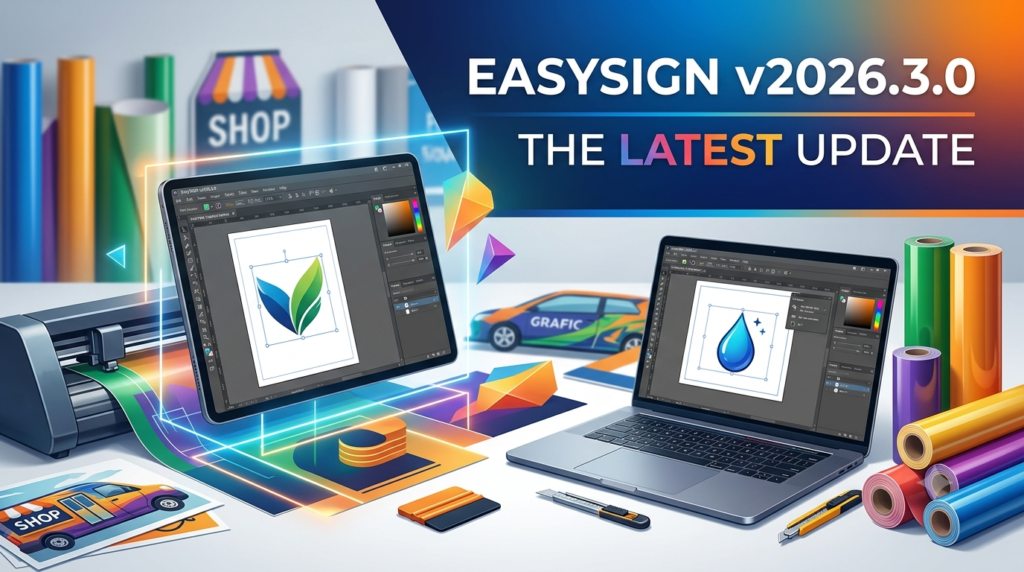
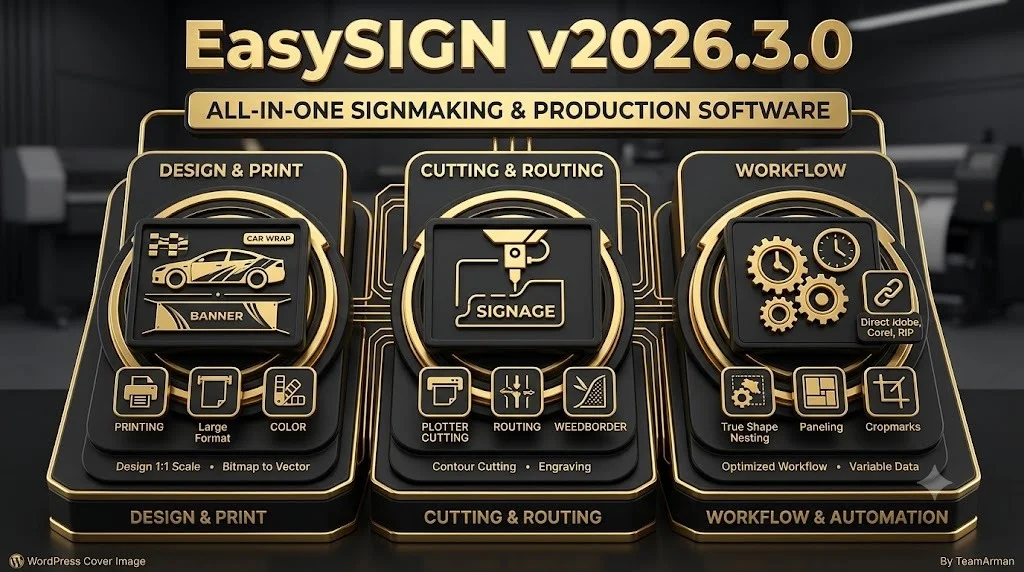
EasySIGN is a professional-grade sign-making software that simplifies the production of high-quality signs, graphics, decals, stickers, and labels. Its user-friendly interface and extensive template library allow both beginners and experienced professionals to create stunning designs efficiently. The software eliminates the need for multiple specialized tools by combining design, printing, cutting, engraving, and routing capabilities into a single, integrated platform .
The software’s primary strength lies in its ability to reduce production stress and minimize errors. Users can easily import existing designs from popular applications like Adobe Illustrator and CorelDRAW, or leverage a wide variety of built-in templates to get started quickly. This focus on user-friendliness makes EasySIGN particularly valuable for small businesses and individuals who need professional results but may lack advanced design skills .
Key Features of EasySIGN v2026.3.0
All-in-One Production Solution
EasySIGN combines design, printing, cutting, engraving, and routing tools in one software package. This integration means users don’t need to switch between different applications, saving time and reducing the risk of compatibility issues .
Precision Cutting and Printing
The software supports precise vinyl cutting and vibrant printing, seamlessly integrating with over 500 devices, including cutting plotters, UV printers, and flatbed tables. It ensures accurate, high-quality results and includes tools for creating printer settings that deliver flawless output to print providers .
Engraving and Routing Capabilities
EasySIGN includes powerful 2.5D engraving and routing modules, allowing users to create detailed name tags, plaques, and custom 3D objects. The software features a toolpath wizard that guides users through complex toolpath creation, making advanced manufacturing techniques accessible .
Advanced Design Tools
Users can access a suite of design aids, including automatic vectorization of raster images, true-shape nesting for material optimization, and support for variable data for personalized designs. The software also offers comprehensive color management and transparency effects .
Broad Compatibility
EasySIGN is compatible with major industry-standard design software and supports importing and exporting files with layers. It works seamlessly with Roland VersaWorks and other RIP software, ensuring smooth integration into existing production environments .
User-Friendly Interface
The software is intentionally designed to be easy to learn and use. Extensive online help, tutorials, and excellent technical support ensure users can quickly overcome challenges and maximize the software’s potential .
What’s New in EasySIGN v2026.3.0
While specific new features for version 2026.3.0 are not detailed in the available sources, EasySIGN is continuously improved. The development team regularly releases updates to enhance performance, add new functionalities, and ensure compatibility with the latest hardware and operating systems. Users can check the “Help > What’s New?” menu within the software for a complete list of features added in the latest version .
System Requirements
Before installing EasySIGN v2026.3.0, ensure your system meets the following minimum requirements :
-
Operating System: 64-bit system running a Microsoft-supported version of Windows 10 or Windows 11. Older versions like Windows 7 are not recommended as they are no longer supported by Microsoft .
-
RAM: 2 GB minimum; 6 GB or more is recommended for optimal performance .
-
Hard Disk Space: Approximately 2 GB for installation; an additional 10–15 GB of free space is recommended for temporary files and related system activities .
-
Graphics Card: No specific requirements unless using Adobe Photoshop 2022 or higher; then, follow Adobe’s specifications .
-
Additional Requirements: Depending on the manufacturing machines you plan to connect, your PC may require specific ports (e.g., parallel, USB). It is important to verify the connection requirements for your specific devices .
Supported Platforms
EasySIGN is a Windows-native software. However, it can be run on a Mac by using a virtual environment such as Boot Camp or Parallels Desktop .
Installation Guide
Standard Installation
-
Download the Installer: Obtain the EasySIGN setup file (e.g.,
easysign_XXXX.exe) from the official Easy Software website or your account . -
Run the Installer: Execute the downloaded file. If you want to customize the installation, you may need to extract the executable contents .
-
Follow the Setup Wizard: The installation wizard will guide you through the process. Accept the license agreement, choose the installation directory, and select the components you wish to install.
-
Complete Installation: Once the installation is complete, you can launch EasySIGN from the Start menu or desktop shortcut.
Silent Installation (For IT Administrators)
Advanced users can perform a silent installation using the command line for automated deployment in environments like Microsoft Intune .
-
Access the NoWizard Folder: Rename the downloaded
.exefile to.zipand extract its contents. Inside, you will find a folder namedNoWizard. -
Review Documentation: The
NoWizardfolder contains a document with detailed explanations and settings for silent installation . -
Run Silent Install: Use a command like
Setup_NoWizard.exe /SILENTto perform an unattended installation. If issues arise, the standard installation method is recommended .
How to Use EasySIGN: A Step-by-Step Workflow
1. Starting the Software
After installation, launch EasySIGN. You will be prompted to log in with the email and password associated with your software license. This allows you to use your license on any PC .
2. Creating or Importing a Design
Start a new design by selecting a template from the extensive library, or import a client’s existing design file. EasySIGN supports various file formats and integrates with Adobe Illustrator and CorelDRAW .
3. Designing and Editing
Use the software’s design tools to modify your project. You can add text using the International Text Editor, which supports right-to-left scripts for languages like Arabic . Edit vector objects, apply color management, and add effects like contours and bleeds .
4. Preparing for Production
Set up your production parameters. This includes:
-
Printing: Configure printer settings and color profiles .
-
Cutting: Apply production styles to define how vector objects should be cut. This includes settings for fill style, depth, and speed .
-
Engraving/Routing: For 2.5D work, use the toolpath wizard to define the toolpath strategy, select tools from the tool library, and set depth and speed parameters .
5. Applying a Production Style
For cutting and engraving, you must assign a “Production Style” to your vector object. This can be done manually through the production style dialog or using an assistant. The production style contains all necessary information for the output device, such as the type of operation (e.g., outline cut, inside cut, fill), the tool to be used, and the depth and speed .
6. Output
Once the design and production styles are set, send the job to your connected device, such as a vinyl cutter, UV printer, or CNC router. The software handles the translation of your design into machine code, ensuring accurate reproduction of your work .
Best Use Cases for EasySIGN
-
Sign Shops: Design and produce all types of signage, from simple vinyl decals to complex illuminated signs .
-
Print Service Providers: Create banners, posters, stickers, and promotional materials with integrated print-and-cut workflows .
-
Engraving and Awards: Produce custom name tags, plaques, trophies, and personalized gifts using the engraving module .
-
Automotive and Fleet Graphics: Design and cut custom vinyl decals and vehicle wraps .
-
Textile and Apparel: Create patterns and decals for custom apparel and promotional merchandise using heat transfer vinyl .
Advantages and Limitations of EasySIGN
Advantages
-
User-Friendly: Intuitive interface and extensive templates allow non-designers to produce professional work .
-
All-in-One Solution: Combines design, printing, cutting, engraving, and routing tools, streamlining the production process .
-
Broad Compatibility: Works with over 500 devices and integrates with Adobe Illustrator and CorelDRAW .
-
Excellent Support: Highly responsive and effective technical support is frequently cited by users as a key benefit .
-
Time and Cost Savings: Reduces production errors and material waste through features like true-shape nesting and efficient workflows .
Limitations
-
Windows-Only: Native only to Windows; Mac users require a virtual environment .
-
Learning Curve: While designed to be user-friendly, some advanced features like toolpath creation for routing may require a learning period .
-
Template Dependency: Some users may find the customization options limited when relying heavily on pre-existing templates .
Alternatives to EasySIGN Software
For users seeking different features or pricing models, several alternatives to EasySIGN are available on the market :
| Software | Key Focus | Primary Target Audience |
|---|---|---|
| SignLab | Vector and bitmap design, supports most printers, cutters, and hybrid print/cut devices | Sign shops of all sizes |
| EasyCut Pro | Vinyl cutting software, compatible with a wide range of cutting plotters | Users primarily focused on vinyl cutting |
| Adobe Illustrator | Industry-standard vector graphics editor (requires separate RIP/cutting software) | Professional designers requiring extensive design capabilities |
| CorelDRAW Graphics Suite | Comprehensive design suite (often used with plug-ins like XFCut for cutting) | Professional designers and sign-makers |
| XFCut | Plug-in for Adobe Illustrator and CorelDRAW, enables cutting from those platforms | Users who prefer to design in Illustrator or CorelDRAW |
Frequently Asked Questions
Can I use EasySIGN on a Mac?
Yes, you can run EasySIGN on a Mac using a virtual Windows environment such as Boot Camp or Parallels Desktop .
What are the system requirements for EasySIGN v2026.3.0?
You need a 64-bit system with Windows 10 or 11, at least 2 GB of RAM (6 GB recommended), and approximately 2 GB of free disk space plus an additional 10–15 GB for temporary files .
Can I open old EasySIGN files in the new version?
Yes, you can open and work on files from previous EasySIGN versions, including V5. However, you cannot open files created in the newer version on older versions of the software .
Does EasySIGN include engraving and routing tools?
Yes, EasySIGN includes dedicated 2.5D engraving and routing modules with a toolpath wizard for creating and managing complex production paths .
Is EasySIGN compatible with my vinyl cutter or printer?
EasySIGN is compatible with over 500 devices, including most major brands like Roland, Graphtec, Summa, and Mimaki. It is recommended to check the official website or contact support to confirm compatibility with your specific device .
What support options are available for EasySIGN?
EasySIGN provides excellent technical support, often highlighted in user reviews. Support is available via online help, direct contact, and a user forum .
Final Thoughts on EasySIGN
EasySIGN v2026.3.0 offers a compelling, all-in-one solution for sign-making professionals. Its strength lies in blending powerful production capabilities—encompassing design, printing, cutting, and engraving—with an intuitive user interface that significantly reduces the learning curve. The software’s vast device compatibility and commitment to reliable performance make it a dependable backbone for any sign shop or production environment.
Over 30 years of development have resulted in a mature and stable platform, supported by a responsive team that actively listens to its user base . While the necessity of a Windows environment may be a consideration for some, the software’s rich feature set and ease of use make it a formidable choice for businesses seeking to enhance their productivity and output quality. For sign-makers looking to streamline their workflow from concept to final product, EasySIGN remains a trusted and effective partner.
Our Paid Service
“We do not sell or provide any software. We only offer professional support services. If any software on your system is not working properly, or you are facing installation errors, crashes, or any other technical issue — just contact us. We will help you fix the problem quickly and remotely via AnyDesk. No software will be provided from our side — only expert troubleshooting and support.”