
Overview of the Software
Table of Contents
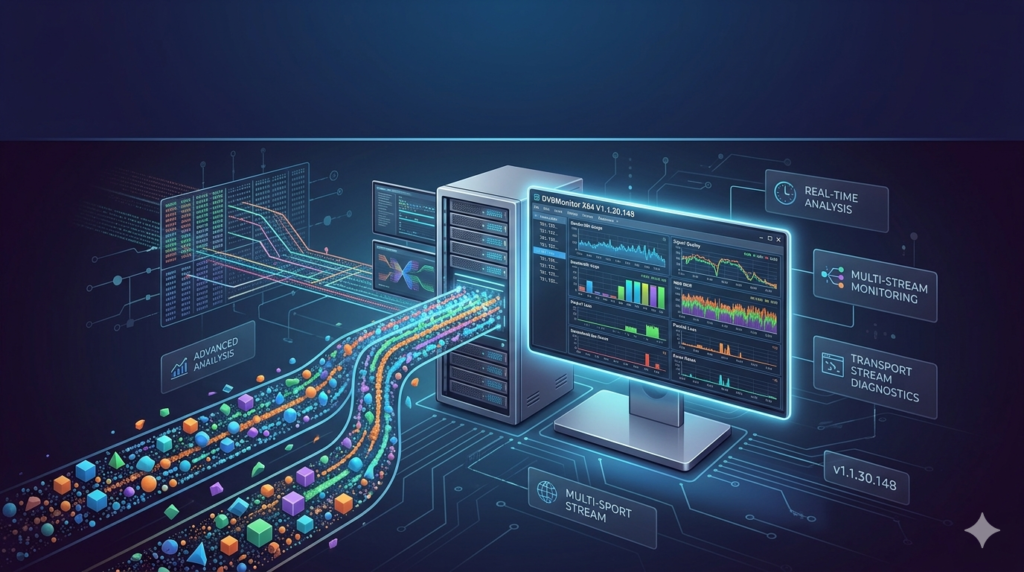
DVBMonitor X64 V1.1.30.148 is a professional-grade analysis tool designed for engineers, broadcast technicians, and advanced hobbyists who need real-time monitoring of multiple transport streams (TS). Unlike basic signal viewers, this application provides deep packet inspection for DVB (Digital Video Broadcasting) infrastructures.
This 64-bit optimized software excels at handling high-bitrate streams without data loss. It allows users to analyze MPEG-2, H.264, and H.265 (HEVC) transport streams simultaneously. Whether you are troubleshooting a satellite link or maintaining an IPTV headend, this tool delivers the granular data required to maintain broadcast quality.
Key Features
The utility combines legacy reliability with modern decoding standards. Below is a breakdown of its core functionalities:
-
Multi-Stream Real-Time Monitoring: View up to 16 active transport streams concurrently on a single X64 interface.
-
Advanced PID Analysis: Track Program Map Tables (PMT) and Conditional Access Tables (CAT) to identify packet errors instantly.
-
Comprehensive Protocol Support: Decodes DVB-S/S2, DVB-T/T2, DVB-C, and ASI interfaces.
-
Low-Latency Logging: Export TS packet logs in
.txtor.csvformat for offline forensic analysis. -
Signal Health Metrics: Monitor real-time BER (Bit Error Rate), SNR (Signal-to-Noise Ratio), and packet loss counters.
Technical Note: The X64 architecture allows the software to address more than 4GB of RAM, which is critical for maintaining buffer stability during long-term monitoring sessions.
What’s New in Version V1.1.30.148
The latest release focuses on stability and modern codec compatibility. Key updates include:
-
Improved HEVC Handling: Fixed a previous buffer overflow issue when parsing 4K H.265 streams.
-
Dark Mode UI: Reduces eye strain during 24/7 monitoring operations in NOCs (Network Operations Centers).
-
Faster PID Filtering: Optimized the search algorithm, reducing filter response time by 40%.
-
IPv6 Compliance: The network stream input now fully supports IPv6 addresses for modern IPTV backbones.
System Requirements
To ensure stable transport stream analysis, your workstation must meet the following hardware specifications:
| Component | Minimum Requirement | Recommended Specification |
|---|---|---|
| OS | Windows 10 (64-bit) / Windows 11 | Windows 11 Pro (64-bit) |
| Processor | Intel Core i3 or AMD Ryzen 3 | Intel Core i7 / AMD Ryzen 7 (AVX2 support) |
| RAM | 4 GB | 16 GB+ (Crucial for 4K multi-streams) |
| Storage | 200 MB (Installation) | 1 GB (For log export storage) |
| Capture Card | Generic BDA-compatible tuner | Professional ASI input card (e.g., DekTec) |
Installation Guide
Follow these steps to install DVBMonitor X64 without configuration conflicts.
Step 1: Download the Executable
Obtain the official DVBMonitor_V1.1.30.148_X64.exe installer from the developer’s portal. Do not use third-party repositories to ensure file integrity.
Step 2: Run as Administrator
Right-click the installer and select “Run as administrator.” This ensures the required kernel drivers for stream monitoring register correctly.
Step 3: Accept the License Agreement
Read the End-User License Agreement (EULA). Note that this software is for legal diagnostic use only on streams you own or have permission to analyze.
Step 4: Select Components
Choose the “Full Installation” to include all codec packs and network drivers. Deselect “Demo Streams” if you intend to connect your own hardware immediately.
Step 5: Reboot
Restart your machine to finalize the driver signing for the 64-bit kernel.
How to Use the Software
Once installed, you can begin monitoring transport streams within minutes.
Connecting to a Source
-
Launch the application.
-
Navigate to
File > New Monitor > Source Type. -
Select your input:
-
Tuner: If using a DVB-S2 card.
-
IP: Enter the multicast UDP address (e.g.,
udp://@239.1.1.1:1234).
-
-
Click “Start Analysis.”
Reading the Dashboard
-
The Matrix View: Displays PID numbers and their respective bitrates. Look for “Null PIDs” to identify wasted bandwidth.
-
The Log Panel: Shows real-time errors (Continuity Counter errors indicate packet loss).
-
The Histogram: Visualizes signal strength over 60 seconds to detect intermittent drift.
Best Use Cases
This tool is not for casual TV watching; it is a professional diagnostic utility.
-
Broadcast Headend Maintenance: Engineers use it to verify that multiplexers are not dropping packets during peak hours.
-
Satellite Dish Alignment: Technicians monitor the SNR value in real-time while adjusting the LNB (Low Noise Block downconverter) for optimal focus.
-
IPTV Troubleshooting: ISPs analyze multicast streams to prove that packet loss is occurring inside the customer’s home network versus the provider backbone.
-
Educational Labs: University broadcasting courses use the software to teach students how to dissect PSI/SI tables.
Advantages and Limitations
Advantages
-
Zero Latency: The X64 kernel driver processes packets faster than standard 32-bit alternatives.
-
Customizable Alerts: Set audio alarms to trigger when the BER exceeds 2×10^-4.
-
Record Function: Save raw transport streams to disk for later playback in VLC or FFmpeg.
Limitations
-
No Decryption: The software legally cannot bypass encryption. It will show “Scrambled” for encrypted channels but will not decode them without a valid CAM module.
-
Steep Learning Curve: Absolute beginners often find the PID table interface intimidating.
-
Legacy UI: Despite the dark mode, the window layout remains dated compared to modern SaaS alternatives.
Alternatives to the Software
If DVBMonitor does not suit your workflow, consider these professional alternatives:
| Software | Best For | Platform | Key Difference |
|---|---|---|---|
| EBSPro | Hobbyist SAT>IP setups | Windows | Better for blind scanning but less stable for 4K. |
| TSReader | Commercial compliance | Windows/Mac | Higher price point ($1,000+) but includes detailed PSIP generation. |
| DekTec StreamXpress | Hardware integration | Windows | Requires DekTec hardware; superior for ASI interfaces. |
| FFmpeg (CLI) | Scripted automation | Cross-platform | Free, but no GUI; requires command-line knowledge. |
Frequently Asked Questions
1. Can DVBMonitor X64 monitor IPTV streams without a TV tuner card?
Yes. Version V1.1.30.148 fully supports UDP and RTP inputs. Simply enter the multicast IP address in the Network Source tab to monitor IPTV transport streams.
2. Why is my stream showing “Continuity Errors”?
Continuity errors indicate packet loss. This usually results from a weak signal (satellite/terrestrial) or network congestion (IPTV). Check your physical cabling or switch buffer settings.
3. Is this software compatible with 32-bit Windows?
No. This specific version (X64) is compiled exclusively for 64-bit architectures. You require a 64-bit version of Windows 10 or 11 to run it.
4. How do I record a stream for later analysis?
Click the “Record” button (red circle) in the transport stream viewer. The software saves the raw .ts file. You can play this file back in DVBMonitor later using File > Playback.
5. Does the software decrypt BISS or CAS encrypted channels?
No. The software only analyzes the transport stream structure. It does not contain decryption keys or modules. You must use a professional CAM (Conditional Access Module) for descrambling.
6. What is the difference between Bitrate and Scrambled PIDs?
Bitrate shows the data load of a PID. Scrambled indicates the payload is encrypted. A PID can have a high bitrate but be entirely scrambled (unwatchable) without authorization.
Final Thoughts
DVBMonitor X64 V1.1.30.148 remains a reliable workhorse for real-time monitoring of advanced multiple transport streams. While the interface requires technical patience, the accuracy of its PID analysis and the stability of its 64-bit engine justify its place in any broadcast engineer’s toolkit.
For legal diagnostic use, it offers an unmatched price-to-performance ratio. However, users seeking a modern UI or built-in decryption should look toward proprietary hardware solutions. Always ensure you have the legal right to monitor the transport streams you analyze.
Our Paid Service
“We do not sell or provide any software. We only offer professional support services. If any software on your system is not working properly, or you are facing installation errors, crashes, or any other technical issue — just contact us. We will help you fix the problem quickly and remotely via AnyDesk. No software will be provided from our side — only expert troubleshooting and support.”