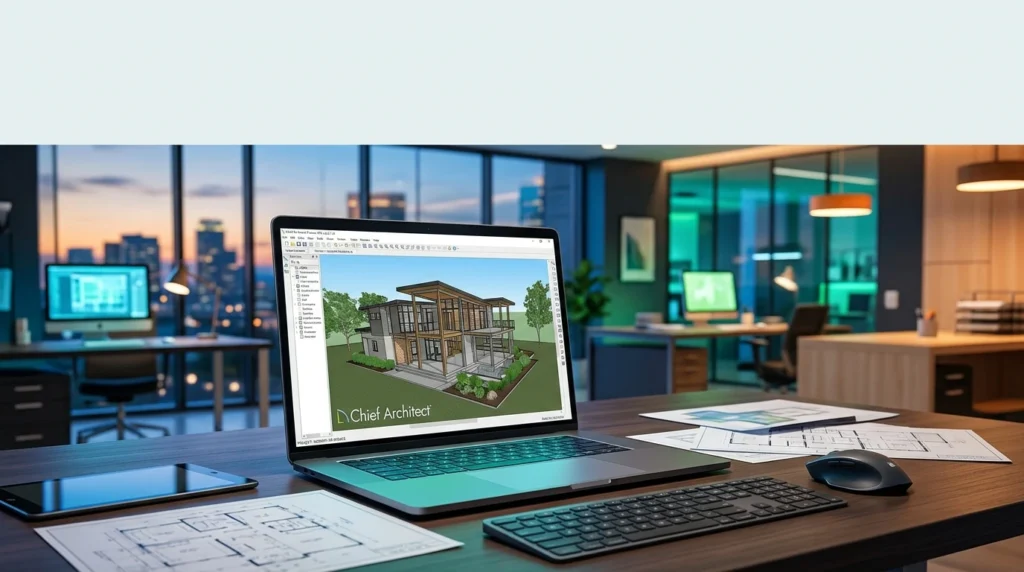

Overview of Chief Architect Premier X18
Table of Contents
Chief Architect Premier X18 (version 28.2.1.14) is a comprehensive architectural design software developed by Chief Architect, Inc. This professional-grade home design solution enables architects, builders, remodelers, and interior designers to create detailed 3D models, construction documents, and photorealistic renderings. The software combines powerful CAD capabilities with intelligent building tools, making it one of the most trusted platforms in residential and light commercial design.
The latest release continues Chief Architect’s commitment to precision and efficiency, offering enhanced visualization tools, improved building code compliance features, and streamlined workflows for design professionals. Whether you’re designing custom homes, planning renovations, or creating detailed construction drawings, Chief Architect Premier X18 delivers the tools needed for accurate, code-compliant architectural projects.
Key Features of Chief Architect Premier X18
Intelligent Building Tools
Chief Architect Premier X18 includes smart building components that automatically adjust to design changes. Walls, floors, ceilings, and roofs maintain structural relationships, reducing manual corrections and ensuring design consistency throughout the project.
3D Visualization and Rendering
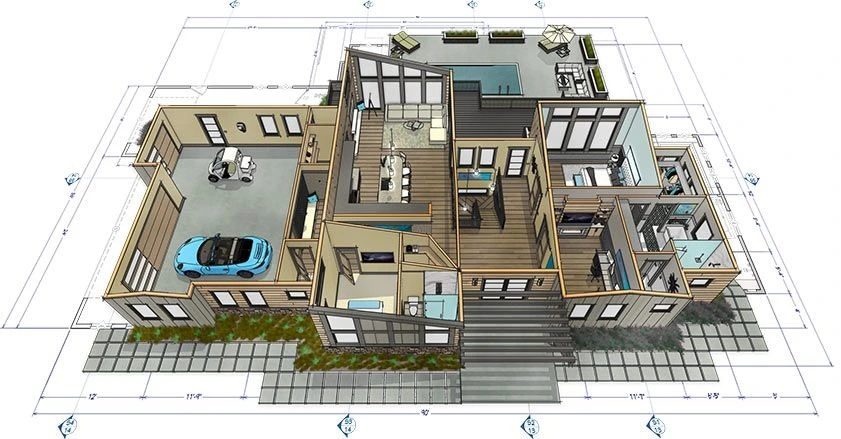
The software offers advanced ray tracing and physically based rendering (PBR) capabilities. Designers can generate photorealistic images, 360-degree panoramas, and virtual walkthroughs to communicate design intent clearly to clients and stakeholders.
Construction Documentation
Automated construction drawings include floor plans, elevations, sections, and framing plans. The software generates dimensioned drawings that meet industry standards, streamlining the transition from design to construction.
Building Code Compliance
Chief Architect Premier X18 includes tools for checking building code requirements, including stair and ramp specifications, egress compliance, and accessibility standards. These features help ensure designs meet local regulations.
Material and Texture Libraries
An extensive library of materials, textures, and manufacturer catalogs allows designers to specify accurate products. Users can customize finishes, fixtures, and furnishings to match project requirements.
CAD and BIM Integration
The software supports DWG, DXF, and other CAD formats for interoperability with engineering and architectural workflows. Building Information Modeling (BIM) capabilities enable data-rich models for collaboration.
What’s New in Version 28.2.1.14
The latest update to Chief Architect Premier X18 introduces several refinements:
-
Enhanced Rendering Performance: Improved ray tracing speed and quality for faster photorealistic outputs
-
Updated Material Libraries: New manufacturer catalogs and expanded texture options
-
Refined User Interface: Streamlined toolbars and improved workspace customization
-
Bug Fixes and Stability Improvements: Performance optimizations for large project files
-
Improved Import/Export: Enhanced compatibility with third-party CAD and BIM applications
These updates reflect Chief Architect’s ongoing commitment to professional-grade design tools and user experience improvements.
System Requirements
Minimum Requirements
-
Operating System: Windows 10 (64-bit) or later
-
Processor: Intel Core i5 or AMD equivalent
-
RAM: 8 GB
-
Graphics: DirectX 11 compatible graphics card with 2 GB VRAM
-
Storage: 10 GB available disk space
-
Display: 1920 x 1080 resolution
Recommended Requirements
-
Operating System: Windows 11 (64-bit)
-
Processor: Intel Core i7 or AMD Ryzen 7
-
RAM: 16 GB or higher
-
Graphics: Dedicated graphics card with 4 GB+ VRAM (NVIDIA or AMD)
-
Storage: SSD with 20 GB available space
-
Display: 2560 x 1440 or higher resolution
Mac Compatibility
Chief Architect Premier X18 is designed for Windows. Mac users can run the software using virtualization solutions such as Parallels Desktop or Boot Camp.
Installation Guide
Step 1: Obtain the Installer
Download the official installer from the Chief Architect website or authorized reseller. Ensure you have a valid license key before proceeding.
Step 2: Run the Installation Wizard
-
Locate the downloaded installer file
-
Double-click to launch the installation wizard
-
Accept the license agreement
-
Choose the installation directory
-
Select additional components (libraries, templates)
-
Click “Install” and wait for completion
Step 3: Activate the Software
-
Launch Chief Architect Premier X18
-
Enter your license key when prompted
-
Complete the registration process
-
Download any additional content libraries
Step 4: Configure Preferences
Customize workspace settings, unit preferences, and default templates according to your workflow requirements.
How to Use Chief Architect Premier X18
Creating a New Project
-
Open the software and select “New Plan”
-
Choose a template or start from scratch
-
Set project units and scale
-
Begin drawing exterior walls using the wall tool
Designing Floor Plans
-
Use the wall, door, and window tools to create room layouts
-
Apply dimensions and annotations for clarity
-
Utilize the room specification dialog to define room types and properties
Adding 3D Details
-
Switch to 3D view to visualize the design
-
Apply materials from the library
-
Add furniture, fixtures, and landscaping elements
Generating Construction Documents
-
Create floor plans, elevations, and sections
-
Add dimensions, labels, and notes
-
Export to PDF or DWG for sharing with contractors
Rendering and Presentation
-
Configure lighting and camera settings
-
Generate ray-traced images for client presentations
-
Create walkthrough videos for immersive demonstrations
Best Use Cases
Residential Architecture
Chief Architect Premier X18 excels in custom home design, from concept through construction documentation. Architects can create detailed plans that meet client expectations and building codes.
Remodeling and Renovation
Contractors and remodelers use the software to plan additions, kitchen remodels, and whole-house renovations. Existing conditions can be modeled accurately, and proposed changes visualized clearly.
Interior Design
Interior designers leverage the software’s material libraries and 3D visualization to specify finishes, furnishings, and fixtures. Clients can see realistic representations of proposed designs.
Light Commercial Design
The software supports small commercial projects such as offices, retail spaces, and restaurants. Building code tools assist with compliance for public spaces.
Real Estate Marketing
Real estate professionals use Chief Architect to create floor plans and 3D renderings for property listings, helping buyers visualize potential.
Advantages and Limitations
Advantages
-
Comprehensive Toolset: Combines CAD, BIM, and visualization in one platform
-
Intelligent Building Technology: Automatic updates reduce manual corrections
-
Professional Documentation: Construction-ready drawings meet industry standards
-
Extensive Libraries: Manufacturer catalogs and materials for accurate specifications
-
Strong Community: Active user forums and official training resources
Limitations
-
Learning Curve: Professional-grade software requires time to master
-
Windows Only: Mac users require virtualization solutions
-
Hardware Demands: High-quality rendering benefits from powerful hardware
-
Price Point: Professional licensing represents a significant investment
-
Limited Commercial Focus: Optimized for residential and light commercial projects
Alternatives to Chief Architect Premier X18
SketchUp Pro
A versatile 3D modeling tool popular for architectural visualization. Offers flexibility but requires plugins for construction documentation.
AutoCAD Architecture
Autodesk’s professional CAD solution for architectural design. Strong documentation capabilities but steeper learning curve for residential-specific tools.
Revit
Autodesk’s BIM platform for comprehensive building design. Ideal for larger projects but more complex and expensive for residential work.
Home Designer Pro
Chief Architect’s consumer-level product offering simplified tools for homeowners and DIY enthusiasts at a lower price point.
SoftPlan
A residential design software with strong construction documentation features and a dedicated user community.
Frequently Asked Questions
What is Chief Architect Premier X18 used for?
Chief Architect Premier X18 is professional home design software used for architectural planning, 3D visualization, construction documentation, and building code compliance. It’s ideal for architects, builders, remodelers, and interior designers.
Is Chief Architect Premier X18 compatible with Mac?
The software is designed for Windows. Mac users can run it using virtualization software like Parallels Desktop or by installing Windows via Boot Camp.
How much does Chief Architect Premier X18 cost?
Pricing varies by license type and subscription options. Visit the official Chief Architect website for current pricing and upgrade paths from previous versions.
Can I import files from other CAD software?
Yes, Chief Architect Premier X18 supports DWG, DXF, and other standard CAD formats for import and export, facilitating collaboration with other design professionals.
Does the software include building code checking?
Yes, the software includes tools for checking stair specifications, egress requirements, and accessibility standards to help ensure code compliance.
What rendering options are available?
Chief Architect Premier X18 offers ray tracing, physically based rendering (PBR), and virtual walkthrough capabilities for photorealistic visualization.
Is training available for new users?
Chief Architect provides official training resources, including tutorials, webinars, and certification programs. An active user community also offers support and tips.
Can I try before purchasing?
Chief Architect typically offers a trial version. Check the official website for current trial availability and terms.
Final Thoughts
Chief Architect Premier X18 v28.2.1.14 represents a mature, professional-grade solution for residential and light commercial design. Its intelligent building tools, comprehensive documentation capabilities, and advanced visualization features make it a strong choice for design professionals seeking an integrated platform.
The software’s focus on residential architecture and remodeling aligns well with the needs of architects, builders, and designers in those sectors. While the learning curve and hardware requirements are considerations, the productivity gains and output quality justify the investment for professionals who design homes regularly.
For those considering Chief Architect Premier X18, obtaining a legitimate license through official channels ensures access to updates, support, and the full feature set. The software’s continued development and active community demonstrate Chief Architect’s commitment to professional design workflows.
Whether you’re creating custom home plans, planning renovations, or visualizing interior designs, Chief Architect Premier X18 provides the tools to bring architectural visions to life with precision and clarity.
Our Paid Service