
Overview of ELEK Cable High Voltage
Table of Contents
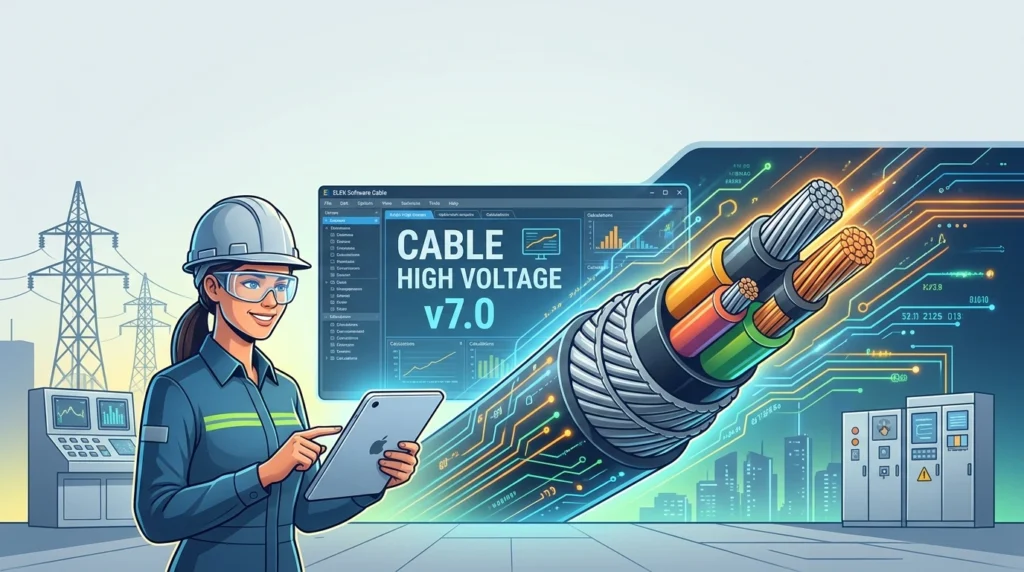
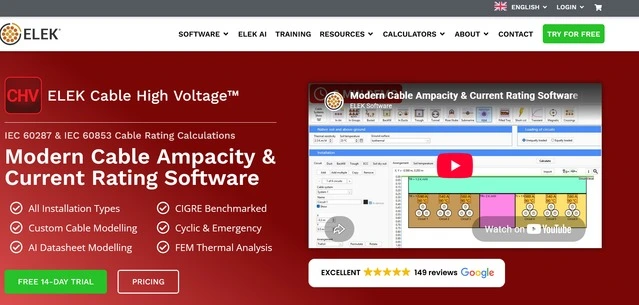
ELEK Cable High Voltage v7.0 is a sophisticated simulation tool developed by ELEK Software, a trusted name in electrical engineering solutions. The software is built to address the critical challenges of cable sizing and thermal management in power systems. Unlike generic calculators, this application utilizes advanced numerical methods, including Finite Element Analysis (FEA), to model heat transfer in complex environments.
It allows users to analyze cables installed in diverse conditions—such as directly buried in soil, duct banks, or air—while accounting for variables like soil thermal resistivity, ambient temperature, and the presence of neighboring heat sources. Whether you are working on renewable energy projects, utility grid upgrades, or industrial power distribution, ELEK Cable High Voltage provides the data necessary to prevent cable overheating and ensure system reliability.
Key Features
ELEK Cable High Voltage v7.0 comes packed with features tailored for professional electrical engineers:
-
Advanced Ampacity Calculations: Calculates current-carrying capacity based on IEC 60287, IEC 60853, and other international standards.
-
Finite Element Analysis (FEA): Utilizes a powerful FEA engine to model complex thermal geometries, including non-uniform soil conditions and backfill materials.
-
Comprehensive Cable Library: Includes a vast database of cable types, insulation materials, and conductor configurations, with the option to define custom cables.
-
Dynamic Thermal Modeling: Simulates transient thermal conditions, such as emergency overloads and cyclic loading, to determine how cables behave under fluctuating loads.
-
Bonding and Earthing Analysis: Tools for calculating sheath voltages, circulating currents, and induced voltages in cable sheaths for both single-core and three-core cables.
-
Multi-Cable Simulations: Supports the analysis of multiple cables in ducts or buried directly, accounting for mutual heating effects between adjacent circuits.
-
Detailed Reporting: Generates professional reports with detailed graphs, charts, and tables for documentation and compliance.
What’s New in the Latest Version
Version 7.0 represents a significant leap forward in usability and technical capability. Key updates include:
-
Modernized User Interface: A refreshed, intuitive interface that streamlines workflow and reduces the learning curve for new users.
-
Enhanced Calculation Engine: Improved algorithms for faster processing speeds and more accurate results in complex thermal scenarios.
-
Expanded Database: Updated library of cables and materials to reflect the latest industry standards and market offerings.
-
Advanced Reporting Tools: New export options, including enhanced integration with Microsoft Word and Excel for seamless report generation.
-
Improved Bonding Calculations: Enhanced accuracy in modeling cross-bonding and transposition schemes in high-voltage cable systems.
-
Bug Fixes and Stability: Numerous fixes to ensure a stable and reliable user experience.
System Requirements
To ensure optimal performance of ELEK Cable High Voltage v7.0, your system should meet the following specifications:
-
Operating System: Windows 10 (64-bit) or Windows 11.
-
Processor: Intel Core i5 or AMD Ryzen 5 (or higher) recommended.
-
Memory (RAM): 8 GB minimum (16 GB recommended for large FEA models).
-
Hard Disk Space: 2 GB of free space for installation.
-
Display: 1920×1080 resolution or higher.
-
Internet Connection: Required for license activation and software updates.
-
Other: Microsoft .NET Framework 4.8 or later.
Installation Guide
Installing ELEK Cable High Voltage v7.0 is a straightforward process. Follow these steps:
-
Download the Installer: Obtain the official setup file from the ELEK Software website or your licensed distributor.
-
Close Conflicting Applications: Ensure that any other engineering software is closed before starting the installation.
-
Run the Installer: Double-click the
.exefile to launch the setup wizard. -
Accept the License Agreement: Read and accept the End User License Agreement (EULA).
-
Choose Installation Directory: Select the destination folder for the software.
-
Complete the Installation: Follow the on-screen prompts. Once finished, restart your computer if prompted.
-
Activate the License: Launch the software and enter your license key or connect to your network license server. Ensure you have a valid license to access all features.
How to Use the Software
While ELEK Cable High Voltage is a deep technical tool, the workflow generally follows these steps:
-
Create a New Project: Start by naming your project and defining the calculation standards (e.g., IEC, NEC).
-
Define Cable Properties: Select a cable from the library or input custom data (conductor size, insulation type, sheath material).
-
Set Installation Conditions: Specify the environment—is the cable buried in soil, in a duct, or in air? Enter soil thermal resistivity, ambient temperature, and burial depth.
-
Configure Bonding and Earthing: For high-voltage systems, set up the sheath bonding scheme (solid, single-point, or cross-bonding).
-
Run the Calculation: Use the software’s solver to calculate ampacity, temperatures, and losses.
-
Analyze Results: Review the generated graphs and data. Check for compliance with safety margins.
-
Generate Reports: Export your results for use in engineering documentation.
Best Use Cases
-
Utility Power Transmission: Designing high-voltage underground transmission lines where thermal limitations are critical.
-
Renewable Energy Farms: Sizing cables for offshore wind farms or large solar installations where reliability is paramount.
-
Industrial Plants: Ensuring cable systems in heavy industries (mining, steel) can handle high loads without failure.
-
Urban Infrastructure: Managing densely packed cable networks in cities where space is limited and mutual heating is a concern.
-
Data Centers: Designing robust power feeds for high-density computing environments.
Advantages and Limitations
Advantages:
-
Accuracy: High-fidelity FEA modeling provides results that are more accurate than simplified hand calculations.
-
Compliance: Helps engineers meet strict international standards (IEC, IEEE, CIGRE).
-
Efficiency: Automates complex calculations, saving significant engineering time.
-
Visualization: Detailed graphs help visualize thermal profiles and electrical gradients.
Limitations:
-
Learning Curve: The depth of features requires training or experience to master.
-
Cost: As a professional engineering tool, the license cost may be prohibitive for hobbyists or small startups.
-
Platform: It is exclusively available for Windows.
Alternatives to the Software
While ELEK Cable High Voltage is a top-tier choice, users may consider these alternatives depending on their needs:
-
ETAP: A comprehensive electrical power system analysis tool that includes cable sizing but is broader in scope.
-
CYMCAP (CYME): A dedicated cable ampacity and thermal analysis tool, widely used in the utility sector.
-
PSCAD/EMTDC: Primarily for electromagnetic transient analysis, but includes thermal modeling capabilities.
-
Manual Calculations: For very simple, low-voltage applications, hand calculations using IEC tables may suffice.
Frequently Asked Questions
Q1: What is the primary function of ELEK Cable High Voltage v7.0?
A: It is used to calculate the ampacity (current-carrying capacity) and thermal performance of electrical cables, ensuring they operate safely without overheating.
Q2: Does this software support IEC standards?
A: Yes, it fully supports IEC 60287 for steady-state ampacity and IEC 60853 for cyclic and emergency ratings, among other standards.
Q3: Can I use this software for medium-voltage (MV) cables?
A: Absolutely. While optimized for high voltage, it is fully capable of designing and analyzing MV cable systems.
Q4: Is ELEK Cable High Voltage compatible with Windows 11?
A: Yes, version 7.0 is compatible with both Windows 10 and Windows 11 (64-bit versions).
Q5: How does this software differ from ELEK Cable LV?
A: The HV version is designed for more complex, high-voltage systems involving sheath bonding, cross-bonding, and detailed FEA thermal modeling, whereas the LV version focuses on low-voltage applications.
Q6: Does it handle transient thermal analysis?
A: Yes, the software includes dynamic thermal modeling features to simulate short-term overloads and cyclic loading scenarios.
Q7: Can I import custom cable data?
A: Yes, the software allows users to input custom conductor, insulation, and sheath properties to analyze non-standard cables.
Final Thoughts
ELEK Cable High Voltage v7.0 stands as a robust, reliable, and highly technical solution for electrical engineers tasked with power cable design. By combining rigorous compliance with international standards and advanced Finite Element Analysis, it provides the accuracy needed for critical infrastructure projects. While it requires a professional investment in terms of cost and learning time, the return in safety, efficiency, and design confidence makes it an invaluable tool for the modern power engineering toolkit.
Our Paid Service
“We do not sell or provide any software. We only offer professional support services. If any software on your system is not working properly, or you are facing installation errors, crashes, or any other technical issue — just contact us. We will help you fix the problem quickly and remotely via AnyDesk. No software will be provided from our side — only expert troubleshooting and support.”