
Overview of Easy Net Controller
Table of Contents
Easy Net Controller v1.1.8.9 is a professional-grade broadcast automation and media management solution designed for radio stations, retail spaces, corporate campuses, and digital signage networks. This software allows administrators to control multiple playback devices, manage audio libraries, and schedule automated broadcasts from a centralized interface.
Unlike standard media players, Easy Net Controller functions as a network-based audio control system, enabling remote playlist management, real-time monitoring, and cross-device synchronization. Version 1.1.8.9 focuses on improving network stability and expanding file format compatibility for modern broadcasting workflows.
Key Features
The software delivers a comprehensive set of tools for automated broadcast scheduling and remote media management.
-
Centralized Playlist Management – Create, edit, and deploy playlists across multiple networked players simultaneously.
-
Remote Device Control – Start, stop, pause, and adjust volume levels on any connected receiver from a single dashboard.
-
Automated Scheduling Engine – Set specific times for commercial breaks, PSAs, or music blocks without manual intervention.
-
Live Assist Mode – Insert live announcements or emergency broadcasts while automated playlists continue in the background.
-
Audio Library Management – Organize thousands of audio files (MP3, WAV, AAC) with metadata tagging and search functionality.
-
Event-Driven Triggers – Automate responses to external signals (GPIO, network commands, time-of-day).
-
Logging & Reporting – Generate detailed playback logs for royalty reporting or compliance audits.
What’s New in Version 1.1.8.9
The latest release introduces several stability and workflow improvements:
-
Enhanced network reconnection logic for unstable LAN environments.
-
Expanded support for FLAC and OGG audio formats.
-
Improved CPU efficiency when managing more than 16 networked devices.
-
Updated user interface for faster drag-and-drop playlist editing.
-
Fixed a memory leak issue during extended 24/7 broadcast operations.
These updates make Easy Net Controller v1.1.8.9 a more reliable choice for mission-critical broadcast environments.
System Requirements
Before installing, ensure your hardware meets these specifications.
| Component | Minimum Requirement | Recommended |
|---|---|---|
| OS | Windows 10 Pro (64-bit) | Windows 11 or Server 2022 |
| Processor | Intel Core i3 2.0 GHz | Intel Core i5 / AMD Ryzen 5 |
| RAM | 4 GB | 8 GB or higher |
| Storage | 500 MB for software + 50 GB for audio | 256 GB SSD + 1 TB HDD for media |
| Network | 100 Mbps Ethernet | 1 Gbps Ethernet |
| Audio Hardware | DirectX-compatible sound card | Professional ASIO interface |
Note: For multi-device installations, a dedicated network switch is highly recommended to reduce latency.
Installation Guide
Follow this step-by-step process to install Easy Net Controller v1.1.8.9 legally and safely.
Step 1: Obtain a Licensed Copy
Purchase a license directly from the official developer or authorized reseller. The software requires a valid product key for activation.
Step 2: Run the Installer
-
Close all other applications.
-
Right-click the installer file and select Run as Administrator.
-
Accept the End-User License Agreement (EULA).
Step 3: Choose Installation Type
-
Full Installation (Controller + Receiver components)
-
Receiver Only (for remote playback units)
Step 4: Network Configuration
-
Assign a static IP address to the controller machine.
-
Note the default port (typically 5000) for firewall exceptions.
Step 5: Activation
Enter your licensed product key when prompted. The software will verify the key online. Once activated, you can begin configuring your broadcast network.
How to Use the Software
Setting Up Your First Broadcast
-
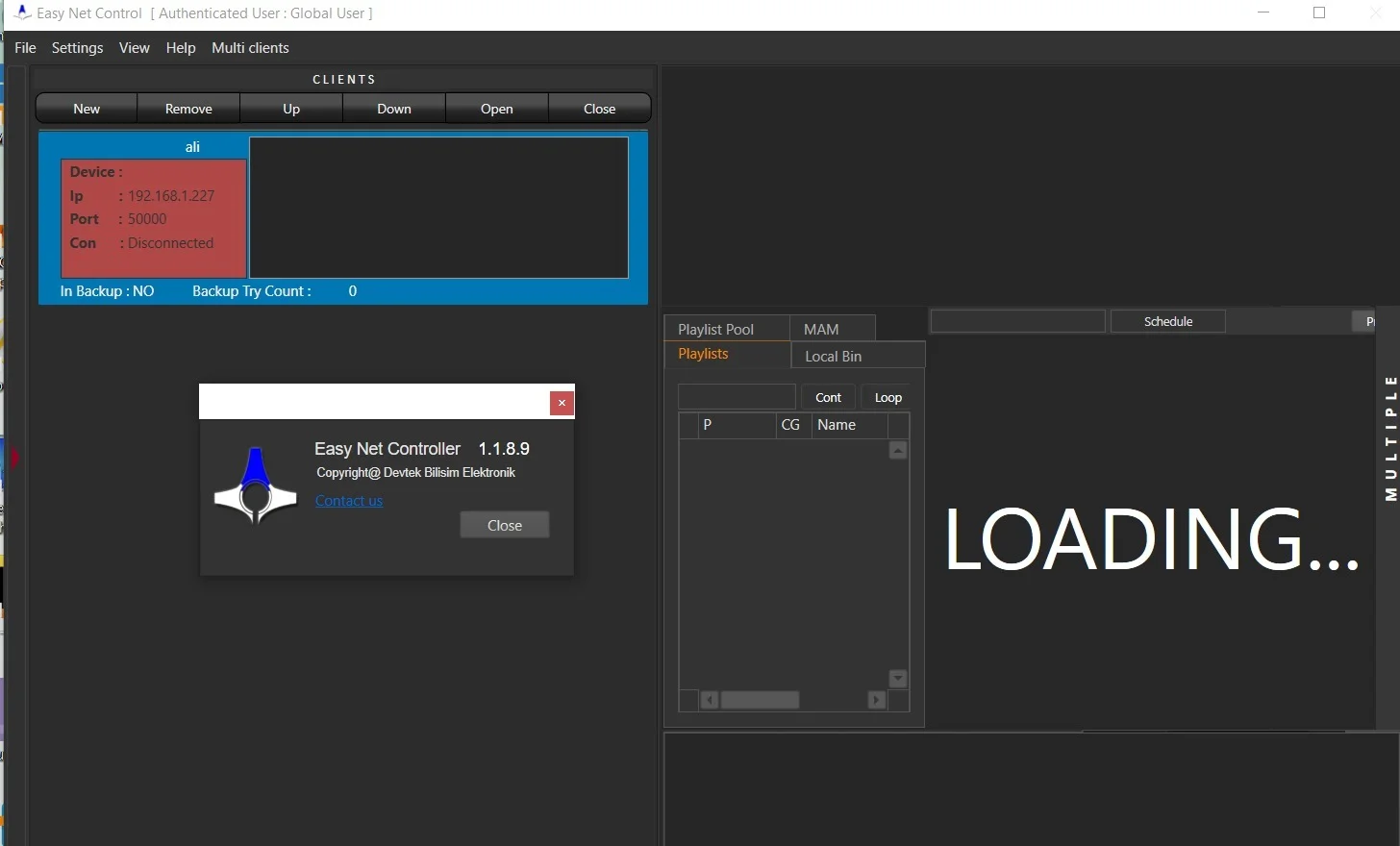
Launch the Controller Dashboard – The main interface shows all detected receivers on your network.
-
Add Audio Assets – Import your media library by dragging folders into the Media Manager.
-
Build a Playlist – Drag songs, jingles, or commercials into the playlist window. Use the “Schedule” column to assign specific air times.
-
Deploy to Devices – Select one or more receivers, then click Send Playlist.
-
Monitor Playback – The dashboard shows real-time metadata (current track, elapsed time, remaining) for every connected device.
Advanced Functionality
-
Creating Automated Rules – Navigate to “Events” > “New Rule.” You can set conditions like “At 09:00 AM, play file ‘Morning_Show_Intro.mp3’ on Receiver 3.”
-
Emergency Override – Use the red “Live Takeover” button to interrupt automation instantly. This is essential for weather alerts or breaking news.
-
Log Export – Go to “Reports” > “Playback History” to generate a CSV file for royalty agencies (BMI, ASCAP, etc.).
Best Use Cases
Easy Net Controller v1.1.8.9 serves different industries effectively.
| Industry | Application |
|---|---|
| Terrestrial & Internet Radio | 24/7 music automation, live show integration, remote transmitter site control |
| Retail & Hospitality | Background music scheduling for stores, hotels, and restaurants |
| Corporate Campuses | Internal messaging, emergency announcements, and cafeteria playlists |
| Educational Institutions | Bell schedules, inter-school radio stations, classroom audio distribution |
| Digital Signage Audio | Synchronized background tracks for video walls and displays |
Advantages and Limitations
Advantages
-
Low latency across standard Ethernet networks.
-
No recurring cloud subscription fees (perpetual license option).
-
Works offline after activation (no constant internet required).
-
Supports both scheduled automation and human-led live assist.
Limitations
-
Windows-only deployment (no native macOS or Linux versions).
-
Initial network setup requires basic IT knowledge (static IPs, port forwarding).
-
The user interface feels dated compared to modern web-based dashboards.
-
No native REST API for third-party integrations (though GPIO is supported).
Alternatives to Easy Net Controller
If you are evaluating broadcast automation software, consider these alternatives.
| Software | Best For | Platform | Key Difference |
|---|---|---|---|
| StationPlaylist Studio | Radio automation with voice tracking | Windows | Stronger live assist features |
| PlayIt Live | Free, simple playlist automation | Windows | No native network device control |
| Airtime Pro | Cloud-based remote broadcast | Web/Anywhere | Subscription model, easier multi-user access |
| RadioBOSS | Advanced scheduling rules | Windows | More affordable for single stations |
Verdict: Choose Easy Net Controller if you need to manage multiple physical playback devices across a local network. Choose cloud alternatives if your team requires off-site access.
Frequently Asked Questions
1. Is Easy Net Controller v1.1.8.9 compatible with Windows 11?
Yes. The software runs on Windows 10, Windows 11, and Windows Server editions. Ensure you install the latest Windows updates for optimal network performance.
2. Can I control players in different buildings using this software?
Yes, but only if all buildings share the same local area network (LAN) or a secure VPN. The software does not natively support WAN-based control without VPN tunneling.
3. How many remote receivers can one controller handle?
In real-world testing, version 1.1.8.9 reliably manages up to 32 concurrent devices on a gigabit network. Higher counts may increase dashboard refresh latency.
4. Does the software generate logs for music royalty reporting?
Yes. The system creates detailed CSV logs including track title, artist, start time, end time, and which receiver played the file. These logs support compliance with performance rights organizations.
5. What audio file formats are supported?
The software supports MP3, WAV, AAC, FLAC, and OGG. It does not natively support Apple Lossless (ALAC) or high-resolution DSD files.
6. Can I use Easy Net Controller for live radio shows?
Absolutely. The Live Assist mode allows a DJ to speak over or between automated tracks. You can also pause automation entirely for live broadcasts.
7. Where can I purchase a legitimate license?
Purchase directly from the official website or authorized distributors like Broadcast Bionics or BSW USA. Avoid third-party key sellers, as they often sell invalid or stolen licenses.
Final Thoughts
Easy Net Controller v1.1.8.9 remains a practical, network-focused solution for broadcasters who prioritize local device control over cloud convenience. Its strengths lie in low-latency playback, offline reliability, and the ability to orchestrate dozens of players from one screen. While the interface lacks modern visual polish, the underlying automation engine proves stable for 24/7 operations.
For radio stations, retail chains, or corporate campuses needing centralized broadcast automation without ongoing subscription fees, this version represents a solid, legally compliant investment. Always obtain a valid license from an official source to ensure full feature access and technical support.
Our Paid Service
“We do not sell or provide any software. We only offer professional support services. If any software on your system is not working properly, or you are facing installation errors, crashes, or any other technical issue — just contact us. We will help you fix the problem quickly and remotely via AnyDesk. No software will be provided from our side — only expert troubleshooting and support.”