
Introduction
Table of Contents
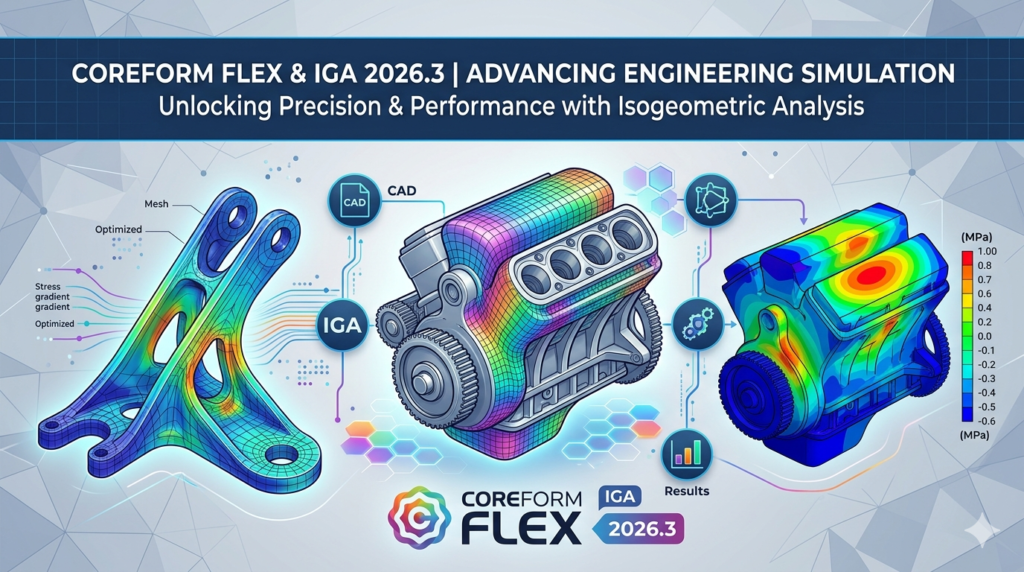
Coreform IGA 2026.3 (formerly Coreform Flex) is a next-generation simulation platform built on Isogeometric Analysis (IGA). Unlike legacy solvers, Coreform IGA allows engineers to run nonlinear simulations directly on full-fidelity CAD geometry without defeaturing or manual meshing . This guide provides a technical deep dive into its features, installation, and how it stacks up against traditional FEA workflows.
What Is Coreform IGA?
Coreform IGA is a CAD-based finite element analysis platform that utilizes smooth spline basis functions (the same mathematics used to create CAD surfaces) to perform simulation . Traditional FEA relies on polynomial approximations within tetrahedral or hexahedral elements, often leading to geometry “aliasing” or requiring excessive degrees of freedom (DOF) for accuracy.
The Core Shift to IGA:
Instead of approximating the geometry with low-order elements, Coreform IGA uses the exact CAD splines as the basis for analysis. This eliminates the need for geometry defeaturing (removing small holes or fillets) and provides a direct link between design and validation.
Key Features of Coreform IGA 2026.3
Coreform IGA distinguishes itself from legacy tools like Abaqus or Ansys through specific technical advantages:
Direct CAD-to-Solver Workflow
-
No Meshing Required: Users can simulate directly on fully featured CAD parts, including complex castings and 3D-printed lattices .
-
Trimmed Geometry Support: The software extends CAD trimming technology into 3D, automatically creating analysis-ready models from complex surfaces .
Nonlinear Simulation Capabilities
While many solvers handle linear statics, Coreform IGA is optimized for highly nonlinear physics. The solver supports:
-
Static and dynamic analysis
-
Large deformation and finite strain
-
Incompressible elasticity and plasticity
-
Advanced contact mechanics
Accuracy Per Degree of Freedom
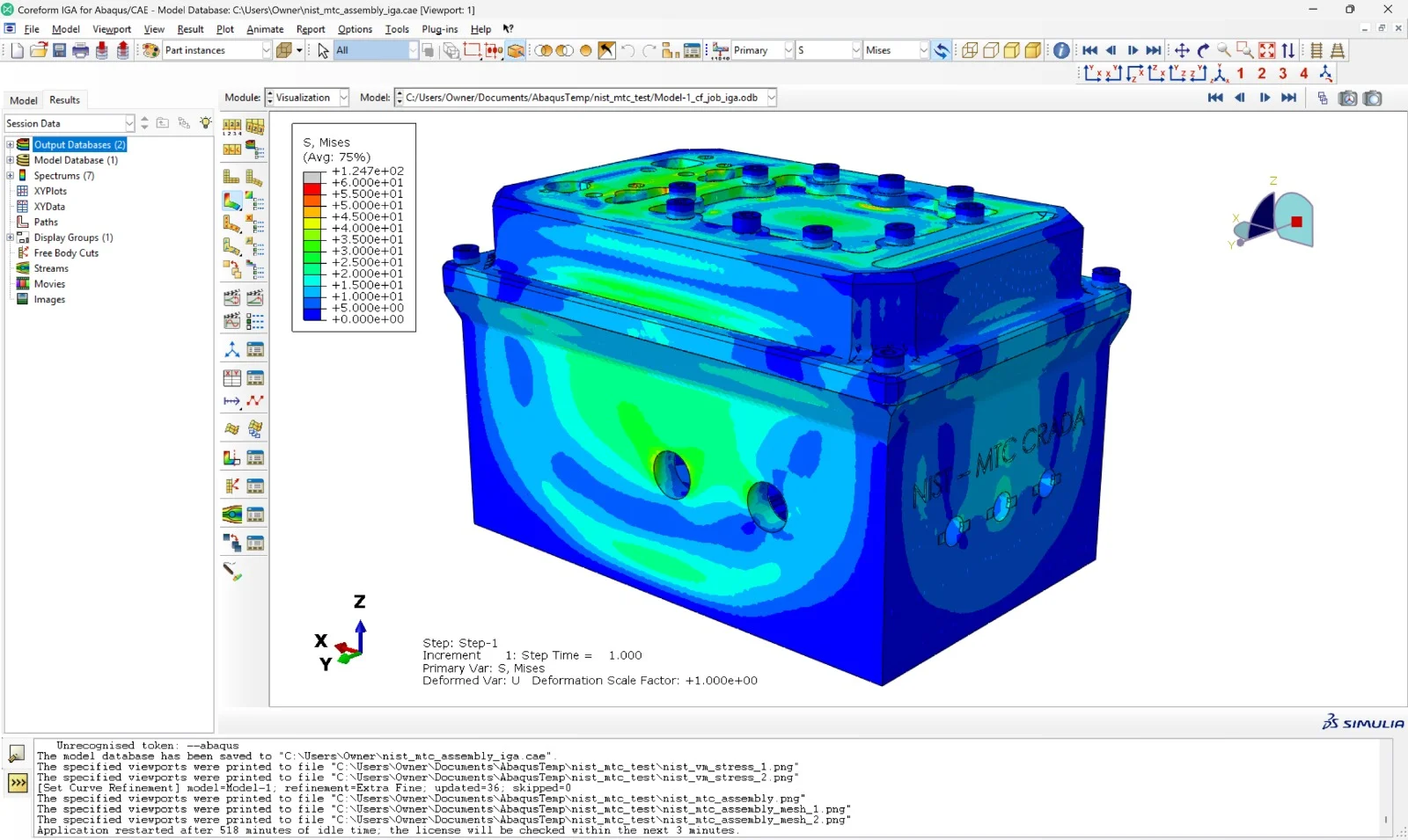
Mathematically, IGA is proven to be more accurate and robust per degree of freedom than traditional FEA. Because the spline basis functions are smooth (higher-order continuity), the solver produces smoother stress fields without the “jagged” gradients typical of linear tetrahedral elements .
Integration (Coreform IGA for Abaqus)
For teams with legacy investments, Coreform offers an interface that works within existing Abaqus workflows, allowing users to keep their solver ecosystems while leveraging IGA for model preparation .
What’s New in Version 2026.3
While the core technology remains the same, the 2026.3 release (transitioning from “Flex”) focuses on platform stability and broader solver capabilities. Key updates include:
-
Rebranding to Coreform IGA: The software is now unified under the “IGA” brand to reflect its focus on isogeometric analysis rather than general flexibility .
-
Extended Nonlinear Solver Methods: Improved explicit and implicit solution methods for contact and large deformation problems.
-
Enhanced Assembly Management: Better handling of small assemblies (multiple parts) allowing for more complex real-world simulations.
System Requirements
To run Coreform IGA 2026.3 efficiently, your workstation should prioritize CPU clock speed and RAM, as IGA solvers can be memory-intensive for high-resolution splines.
| Component | Recommended Specification |
|---|---|
| Operating System | Windows 10/11 Pro (64-bit), Linux (RHEL/Ubuntu LTS) |
| Processor (CPU) | Intel Xeon or AMD Ryzen (High clock speed >3.5GHz) |
| Memory (RAM) | 32 GB (Minimum) / 64 GB+ for complex assemblies |
| Graphics (GPU) | Dedicated OpenGL 4.5+ (NVIDIA Quadro/GeForce RTX) |
| Storage | NVMe SSD with 10 GB free space |
Installation Guide
Follow these steps to install Coreform IGA 2026.3 legally and securely:
-
Obtain a License: Visit the official Coreform website to request a commercial trial or purchase a subscription. Warning: Do not use third-party “cracks” or keygens. Such modified binaries often contain malware and violate software licensing laws.
-
Download the Installer: Log into the Coreform Client Portal and download the 2026.3 build for your OS.
-
Run the Installer:
-
Windows: Execute the
.exeand follow the wizard. Allow the software through the firewall if prompted. -
Linux: Extract the
.tar.gzand run the setup script.
-
-
License Activation: Open Coreform IGA and input the license key provided via email. The software will validate the key online.
-
Verification: Launch the included demo models to ensure the solver runs correctly.
How to Use the Software (Workflow)
Transitioning from traditional FEA to Coreform IGA changes the preprocessing workflow:
Step 1: Import Native CAD
Import your model directly (STEP, IGES, or native Parasolid). Do not defeature the geometry; leave small fillets and details intact.
Step 2: Assign Spline Basis
Select the simulation region. The software automatically converts the CAD surfaces into analysis-suitable spline elements.
Step 3: Define Physics
Apply boundary conditions, loads, and contact definitions. The interface uses standard FEA terminology (fixed support, force, pressure) to ease the transition.
Step 4: Adaptive Refinement (k-refinement)
Unlike h-refinement (making elements smaller) in traditional FEA, Coreform IGA uses k-refinement (raising the polynomial order of splines). Increase the spline order for higher accuracy without changing the geometry.
Step 5: Solve and Post-Process
Run the solver and view results. Because the solution is smooth, you can derive precise stress gradients without interpolation errors.
Best Use Cases
Coreform IGA excels in specific engineering domains where traditional FEA struggles:
-
Automotive Gigacasting: Simulating large, thin-walled castings requires massive mesh counts in FEA. IGA handles thin-walled structures with fewer DOFs .
-
Tire Tread Simulation: Contact mechanics of rubber compounds (large deformation + contact) is computationally difficult for legacy hex meshing but native to IGA .
-
As-Designed vs. As-Built Analysis: Because IGA works directly on CAD, it can compare nominal geometry (CAD) to scanned mesh data for 3D printed parts .
-
AI Training Data Generation: The smooth outputs of IGA provide high-quality “ground truth” data for training machine learning surrogate models .
Advantages and Limitations
Advantages
-
Time Savings: Eliminates days of manual hex meshing.
-
Accuracy: Mathematically superior for stress concentrations and contact mechanics .
-
CAD Fidelity: No data loss from geometry simplification.
Limitations
-
Learning Curve: Engineers trained on traditional element types (C3D8R, Tet10) must learn spline basis functions.
-
Maturity: While the solver is proven, the software ecosystem (pre/post-processing macros) is less mature than legacy giants like Ansys (as noted in their development roadmap) .
Alternatives to Coreform IGA
Depending on your budget and technical requirements, consider these alternatives:
| Software | Method | Best For |
|---|---|---|
| Abaqus (Dassault Systèmes) | Traditional FEA (Gold Standard) | Complex contact and nonlinear materials (legacy workflows). |
| Ansys Mechanical | Traditional FEA | Multiphysics (thermal, structural, fluids). |
| COMSOL Multiphysics | FEA | Coupled physics phenomena (Electro-thermal-structural). |
| LS-DYNA | Explicit FEA | Crashworthiness and high-speed impact. |
Why choose Coreform? If your bottleneck is hexahedral meshing time or geometry defeaturing, Coreform IGA is superior. If you need electro-magnetic or CFD (computational fluid dynamics), stick with a multiphysics suite.
Frequently Asked Questions (FAQ)
Q1: Is Coreform Flex the same as Coreform IGA?
A: Yes. Coreform Flex has been rebranded to Coreform IGA to better reflect the underlying isogeometric analysis technology .
Q2: Does Coreform IGA replace traditional FEA entirely?
A: Not yet for all applications. It is ideal for solid mechanics (static/dynamic) and contact. For thermal analysis or fluid flow, traditional FEA or CFD is currently required.
Q3: Can I import a mesh from another solver?
A: The software is designed to work without meshing. You import CAD, not meshes. However, it can export analysis results to common post-processors.
Q4: Is it safe to use a Coreform IGA crack from a forum?
A: No. Using cracked software exposes your engineering workstation to ransomware and keyloggers. Additionally, legal liability for simulation errors cannot be traced with unauthorized software. Always use an official trial license.
Q5: What is “k-refinement”?
A: It is a unique refinement strategy in IGA where you increase the polynomial order of the spline equations (e.g., from quadratic to cubic) across the whole model, resulting in exponential convergence for smooth problems.
Q6: How much does Coreform IGA cost?
A: Coreform uses a subscription model (typically annual). Exact pricing is available upon request from their sales team for commercial or academic licenses.
Final Thoughts
Coreform IGA 2026.3 represents a significant shift away from the meshing-centric workflows of the 1990s toward a true CAD-FEA integration.
For organizations dealing with complex casting, additive manufacturing, or large deformation mechanics, the transition to IGA offers a measurable return on investment through reduced preprocessing time and higher solution accuracy. While it may not replace Abaqus for every job in 2026, it is a future-proof tool for engineers looking to eliminate the “mesh bottleneck.”
Our Paid Service
“We do not sell or provide any software. We only offer professional support services. If any software on your system is not working properly, or you are facing installation errors, crashes, or any other technical issue — just contact us. We will help you fix the problem quickly and remotely via AnyDesk. No software will be provided from our side — only expert troubleshooting and support.”