

Overview of the Software
Table of Contents
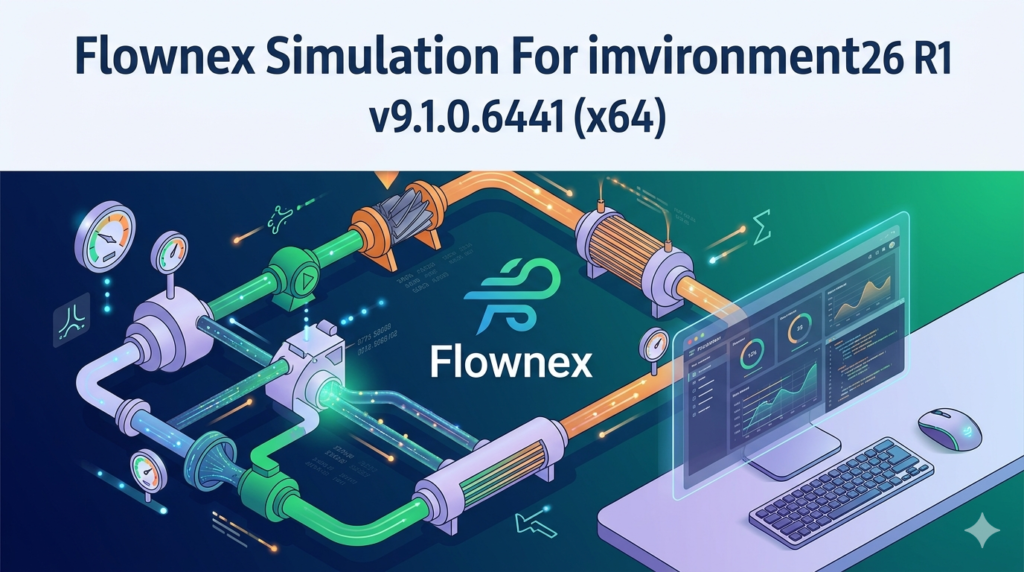
Flownex Simulation Environment 2026 R1 (Version 9.1.0.6441) is a premier thermal-fluid system simulation tool designed for engineers working with complex piping networks, heat transfer systems, and gas dynamics. Developed for 64-bit Windows environments (x64) , this version focuses on high-fidelity transient analysis and system-level optimization.
This release enables users to model, simulate, and validate thermal-fluid systems with exceptional accuracy. Common applications include power generation, oil and gas infrastructure, aerospace propulsion, and HVAC systems. Unlike general-purpose CFD tools, Flownex uses a 1D and 0D approach, allowing faster simulation times while maintaining engineering-grade precision.
Key Features
Flownex Simulation Environment v9.1.0.6441 includes several core capabilities that support modern engineering workflows:
-
Thermal-fluid network solver: Solves coupled momentum, energy, and continuity equations across complex pipe and component networks.
-
Transient and steady-state analysis: Evaluate system behavior under both constant and time-varying conditions.
-
Component libraries: Extensive libraries including pumps, valves, compressors, turbines, heat exchangers, and pipes with realistic friction models.
-
Gas dynamics modeling: Support for compressible flow with choking, shock waves, and real gas properties.
-
Thermal network integration: Coupled heat transfer through conduction, convection, and radiation across solid-fluid boundaries.
-
Control system design: Built-in PID controllers, logic elements, and feedback loops for automated system regulation.
-
Real-time simulation capability: Hardware-in-the-loop (HIL) and operator training simulator (OTS) support.
-
Post-processing and visualization: Pressure, temperature, flow rate, and enthalpy profiles along any flow path.
What’s New in Flownex 2026 R1 v9.1.0.6441
This latest version introduces several performance and usability improvements:
-
Enhanced solver stability for transient simulations involving rapid valve closures or pump trips.
-
Updated fluid property database with additional refrigerants and high-temperature gases.
-
Improved CAD import workflows for piping route definition (STEP and IGES support).
-
Faster parallel computation on multi-core x64 processors, reducing solution times for large networks.
-
User-defined components API (C# scripting) for custom equipment models.
-
Expanded heat exchanger models including printed circuit and micro-channel types.
System Requirements
To install and run Flownex Simulation Environment 2026 R1 v9.1.0.6441 (x64) efficiently, your workstation should meet the following specifications:
| Component | Minimum Requirement | Recommended |
|---|---|---|
| OS | Windows 10 Pro (64-bit) | Windows 11 Pro or Enterprise |
| Processor | Intel Core i5 (4 cores) | Intel Xeon / AMD Ryzen 7 (8+ cores) |
| RAM | 8 GB | 16 GB or 32 GB |
| GPU | DirectX 11 compatible | Dedicated GPU with 2 GB VRAM |
| Storage | 10 GB free (SSD) | 20 GB NVMe SSD |
| Resolution | 1366×768 | 1920×1080 or higher |
Installation Guide
Follow these steps for a standard, licensed installation of Flownex 2026 R1. Ensure you have a valid license file or network license server address from your organization.
Step 1: Prepare your system
-
Disable antivirus temporarily (only during installation, then re-enable).
-
Run Windows Update to ensure all dependencies (e.g., .NET Framework 4.8) are installed.
Step 2: Run the installer
-
Right-click
Setup_Flownex_2026_R1_v9.1.0.6441_x64.exeand select Run as Administrator. -
Accept the license agreement.
Step 3: Choose installation type
-
Typical (recommended for most users)
-
Custom (for advanced component selection)
Step 4: License configuration
-
Enter your license server hostname or upload your license file (
.lic). -
For standalone licenses: browse to the license file location.
Step 5: Complete installation
-
Wait for file extraction and registry configuration.
-
Restart your computer.
How to Use the Software
Once installed, a basic simulation workflow consists of the following steps:
Building a New Simulation
-
Open Flownex from the Start menu.
-
Click File > New Project.
-
Drag components from the library panel onto the canvas (pipes, pumps, valves, tanks, heat exchangers).
Connecting Components
-
Click on a component’s connector port and drag to another component.
-
Flownex automatically creates a flow path with default properties.
Defining Boundary Conditions
-
Set inlet pressure, temperature, and mass flow rate.
-
Define outlet pressure or flow resistance.
Running a Simulation
-
Click Solve on the top toolbar.
-
Choose Steady State (for equilibrium) or Transient (time-dependent).
-
For transient runs, specify time step (e.g., 0.01 seconds) and total duration.
Reviewing Results
-
Use the Results Explorer to view node pressures, temperatures, and component-specific outputs.
-
Generate line plots for variables over time.
-
Export data as CSV for external analysis.
Best Use Cases
Flownex excels in industries where thermal-fluid behavior determines system performance and safety.
| Industry | Application |
|---|---|
| Power generation | Steam cycle optimization, condenser performance, cooling tower modeling |
| Oil & gas | Pipeline surge analysis, compressor station design, flare system sizing |
| Aerospace | Fuel system thermal management, environmental control systems (ECS), engine bleed air |
| HVAC | Chilled water networks, district heating, data center cooling |
| Process engineering | Chemical reactor cooling jackets, heat exchanger networks |
Example use case: A consulting engineer uses Flownex to simulate a 5 km steam distribution network. By modeling pressure drops and condensate accumulation, they identify optimal insulation thickness and steam trap placement, reducing heat loss by 18%.
Advantages and Limitations
Advantages
-
Faster than 3D CFD – Solves large systems in seconds or minutes, not hours.
-
System-level focus – Ideal for interconnected piping, not single-component detail.
-
Transient fidelity – Accurately captures pump trips, valve stroking, and thermal inertia.
-
Open architecture – Import custom component equations via C#.
Limitations
-
Not a CAD modeller – Geometry must come from external tools or manual input.
-
Steep learning curve – Requires understanding of thermodynamics and fluid mechanics.
-
1D flow assumption – Cannot resolve local 3D effects (e.g., recirculation behind an orifice).
-
Licensing cost – Full commercial licenses are expensive; free alternatives exist (e.g., OpenModelica for basic systems).
Alternatives to the Software
If Flownex does not fit your budget or specific needs, consider these legitimate alternatives:
| Software | Primary Strength | Best For |
|---|---|---|
| Ansys Twin Builder | Model reduction & digital twins | Real-time embedded systems |
| Dymola | Multi-domain physical modeling | Automotive and aerospace |
| OpenModelica | Free, open-source | Academic and basic thermal-fluid |
| Simulink (Simscape Fluids) | MATLAB integration | Control engineers |
| Aft Fathom | Incompressible pipe flow | Water and oil distribution |
Frequently Asked Questions
1. Is Flownex Simulation Environment 2026 R1 compatible with Windows 11?
Yes, version 9.1.0.6441 (x64) is fully compatible with Windows 11 Pro and Enterprise editions.
2. Can I import CAD pipe routes into Flownex?
Yes. Flownex supports STEP and IGES file formats for geometry-based pipe routing. This feature was improved in the 2026 R1 release.
3. Does Flownex include two-phase flow modeling?
Yes, Flownex includes homogeneous equilibrium model (HEM) for two-phase mixtures, suitable for steam-water and refrigerant systems.
4. What is the difference between Flownex and standard CFD tools?
Flownex uses 1D and 0D methods for system simulation, solving network equations quickly. CFD (e.g., Ansys Fluent) solves 3D Navier-Stokes equations at a much higher computational cost.
5. How do I obtain a legitimate license for Flownex 2026 R1?
Contact an authorized distributor or M-Tech Industrial (developer) directly. Educational and trial licenses are available for qualifying institutions.
6. Can Flownex be used for real-time operator training?
Yes. Flownex supports hardware-in-the-loop (HIL) and operator training simulator (OTS) configurations when deployed on real-time targets.
7. Does version 9.1.0.6441 support scripting or automation?
Yes. Flownex includes an API for C# and Python scripting, allowing batch simulations and integration with external optimization tools.
Final Thoughts
Flownex Simulation Environment 2026 R1 v9.1.0.6441 (x64) offers a robust, industry-proven solution for engineers designing and optimizing thermal-fluid systems. While the software demands a solid understanding of thermodynamics, its speed, accuracy, and extensive component libraries make it a valuable asset for power, oil & gas, and aerospace applications.
For teams evaluating simulation tools, start with the official trial version to verify compatibility with your workflows. Always obtain licenses through authorized channels to ensure full technical support and compliance with software regulations.
Our Paid Service
“We do not sell or provide any software. We only offer professional support services. If any software on your system is not working properly, or you are facing installation errors, crashes, or any other technical issue — just contact us. We will help you fix the problem quickly and remotely via AnyDesk. No software will be provided from our side — only expert troubleshooting and support.”