
Overview of the Software
Table of Contents
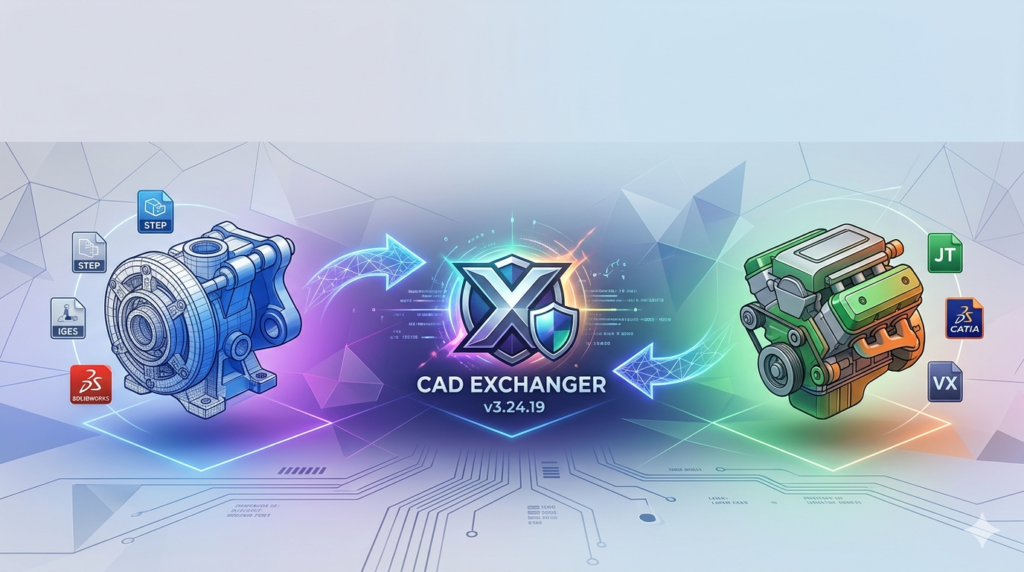
C3D Labs CADEX CAD Exchanger v3.24.19 is a professional software development kit (SDK) and standalone utility designed for high-precision translation of 3D models between major CAD formats. Unlike basic converters, this solution preserves topological integrity, assembly structures, and boundary representation (B-Rep) data.
Developed by C3D Labs (a subsidiary of the ASCON Group), CADEX serves engineering teams, ISV developers, and manufacturing firms who need to migrate legacy designs or enable multi-CAD interoperability. Version 3.24.19 introduces enhanced support for modern metadata schemas and improved tessellation for complex assemblies.
Key Features
CADEX provides both direct (in-memory) conversion and file-based translation. Below are the core functionalities of version 3.24.19:
-
Multi-Format Support: Read/write capabilities for over 25 formats, including STEP (AP242), IGES, ACIS SAT, Parasolid XT, SolidWorks (SLDPRT/SLDASM), Inventor (IPT/IAM), and NX (PRT).
-
B-Rep Integrity: Maintains precise geometry, NURBS surfaces, and assembly hierarchies without stitching or healing artifacts.
-
Metadata Preservation: Extracts custom properties, product manufacturing information (PMI), and colors per face/body.
-
Tessellation Engine: Generates lightweight visualization meshes for web viewers or gaming engines.
-
API Access (SDK): C++/.NET libraries for embedding CAD translation into proprietary applications.
-
Batch Processing Console: Command-line interface for automated server-side conversions.
What’s New in Version 3.24.19
The latest release optimizes handling of contemporary CAD schemas:
-
Improved JT 10.x Reader: Enhanced parsing of XT B-Rep fragments and LOD (Level of Detail) structures.
-
3D PDF Export: New writer module for interactive PDF documents with rotatable models (requires Adobe Acrobat/Reader).
-
Faster Assembly Flattening: 35% performance increase when processing large Creo and CATIA V5 assemblies.
-
Parasolid V36.0 Support: Compatibility with the latest Siemens kernel features.
-
Enhanced STEP AP242 Validation: Automatic conformance checking against CAx Implementor Forum standards.
System Requirements
To run the standalone CAD Exchanger utility or develop with the SDK, ensure your environment meets these specifications:
| Component | Minimum Requirement | Recommended |
|---|---|---|
| OS | Windows 10 (64-bit) or Windows 11 | Windows 11 Pro / Server 2022 |
| CPU | x86-64, 2.5 GHz dual-core | Intel Xeon or AMD Ryzen 8+ cores |
| RAM | 8 GB | 32 GB (for large assemblies >10k parts) |
| GPU | DirectX 11 compatible | NVIDIA Quadro / AMD Radeon Pro |
| Disk | 500 MB installation | SSD with 20 GB free for temp files |
| Dependencies | Visual C++ Redistributable 2019+ | — |
*For Linux (Ubuntu 20.04+) or macOS (Intel/Apple Silicon) deployment, contact C3D Labs for specific build packages.*
Installation Guide
Follow these steps to install C3D Labs CADEX CAD Exchanger v3.24.19:
Step 1: Obtain the Installer
Download the official package from the C3D Labs customer portal. Verify the SHA-256 checksum to ensure file integrity.
Step 2: Run Setup
Right-click CADExchangerSetup_v3.24.19.exe and select “Run as Administrator”.
Step 3: Accept License Terms
Read the end-user license agreement (EULA). Note: This software requires a valid commercial or evaluation license key – there are no “crack” or “bypass” mechanisms.
Step 4: Choose Installation Type
-
Complete: Installs GUI, command-line tools, and SDK components.
-
Custom: Select only the SDK or only the end-user translator.
Step 5: License Activation
Launch the License Manager tool. Enter your provided activation code (node-locked or floating). An internet connection is required for online validation.
Step 6: Verify Installation
Open a sample STEP file. A successful conversion without topology errors confirms correct setup.
How to Use the Software
This guide covers the standalone CAD Exchanger GUI (similar workflows apply to the SDK).
Converting a Single File
-
Launch CAD Exchanger.
-
Click Open or drag a source file (e.g.,
assembly.sldasm) into the viewport. -
Review the assembly tree for any missing components.
-
Click Export and select the target format (e.g.,
output.stp). -
Adjust export options: choose schema version (AP214 vs AP242), enable PMI embedding.
-
Click Convert.
Batch Processing via CLI
Use the console application for server-based jobs:
CADExchangerConsole.exe --input "C:\cad_files\" --output "C:\converted\" --format STEP --recursive
Using the SDK in C++
Include the CADEX headers and link the library:
#include <cadef.h>
Model* model = LoadModel("input.stp");
SaveAsSTEP(model, "output.stp");
ReleaseModel(model);
Best Use Cases
| Industry | Application | Benefit of v3.24.19 |
|---|---|---|
| Automotive | Migrate CATIA V5 designs to Siemens NX | Preserves GD&T and feature trees |
| AEC (Construction) | Convert IFC to ACIS SAT for structural analysis | Maintains exact solid geometry |
| Manufacturing | Repair third-party IGES files | Automatic healing of gaps/slivers |
| Software ISV | Embed CAD translation into PLM system | Royalty-free redistribution of SDK |
| 3D Printing | Simplify high-res STL from STEP | Decimation controls for mesh size |
Advantages and Limitations
Advantages
-
Lossless translation: B-Rep and metadata integrity exceed typical Open Cascade-based converters.
-
Developer-friendly: Clean API with extensive sample code (C#, C++, Python wrappers).
-
No cloud dependency: Fully offline operation – ideal for ITAR or classified projects.
-
Responsive support: Direct access to C3D kernel engineers.
Limitations
-
UI is utilitarian: Not designed for mesh editing or rendering – purely a translator.
-
No native AutoCAD DWG: Requires export to ACIS (.sat) from AutoCAD first.
-
Price point: Higher than end-user tools like FreeCAD’s converter; optimized for businesses.
-
Learning curve: Advanced SDK features require 3D math knowledge.
Alternatives to the Software
If CADEX does not fit your budget or workflow, consider these legal alternatives:
| Software | Primary Strengths | Format Support | Target User |
|---|---|---|---|
| Datakit CrossManager | 60+ formats, browser-based | NX, Creo, Catia, Solid Edge | Enterprise |
| Spatial InterOp | ACIS/Parasolid native | Same as CADEX + DXF | OEM developers |
| FreeCAD | Open-source, Python scriptable | STEP, IGES, STL, OBJ | Hobbyists, small shops |
| Glovius | Visualization + analytics | SolidWorks, Inventor, STEP | Engineers |
Note: All listed alternatives require valid commercial or open-source licenses. None support illegal activation.
Frequently Asked Questions (FAQ)
Q1: Can C3D Labs CADEX CAD Exchanger v3.24.19 convert SolidWorks files without SolidWorks installed?
Yes. CADEX reads the native SLDPRT binary structure directly using licensed reverse-engineered libraries – no SolidWorks license required.
Q2: Does this version support multithreading for large assemblies?
Yes. The B-Rep healing and tessellation stages automatically scale across all available CPU cores.
Q3: Is the SDK royalty-free for redistribution?
Absolutely. C3D Labs offers a “no royalty” model – you pay only for developer seats, not per deployed application.
Q4: What is the difference between CADEX and the C3D Toolkit?
CADEX is a focused translation application/SDK. The C3D Toolkit is a complete geometric kernel (modeler, constraints, visualizer) – CADEX uses the C3D kernel internally.
Q5: How accurate is the 3D PDF export in v3.24.19?
It produces PRC (Product Representation Compact) streams with up to 1e-6 mm resolution, but interactive features require Adobe Acrobat Pro.
Q6: Can I run CADEX on a headless Linux server for CI/CD pipelines?
Yes. The command-line version works perfectly in Docker containers without a display server.
Q7: Does CADEX support point clouds or meshes only?
While it can read STL/OBJ, its primary focus is B-Rep solids. For advanced mesh repair, consider a dedicated mesh tool.
Q8: How do I get a trial license?
Request a 30-day evaluation key directly from the C3D Labs website. No credit card or illegal tools required.
Final Thoughts
The C3D Labs CADEX CAD Exchanger v3.24.19 stands as a professional-grade solution for engineering teams facing multi-CAD interoperability challenges. Its balance of format coverage, topological fidelity, and developer flexibility makes it superior to generic converters. While the user interface is minimal, the underlying kernel delivers results that satisfy aerospace and automotive standards.
For organizations migrating from legacy systems (e.g., AutoCAD 2000 to STEP AP242) or building custom PLM tools, CADEX provides a legally sound, maintenance-free translation layer. Version 3.24.19’s new 3D PDF and JT improvements directly address common supply chain requirements. Evaluate the 30-day SDK trial to validate performance on your specific dataset.
Our Paid Service
“We do not sell or provide any software. We only offer professional support services. If any software on your system is not working properly, or you are facing installation errors, crashes, or any other technical issue — just contact us. We will help you fix the problem quickly and remotely via AnyDesk. No software will be provided from our side — only expert troubleshooting and support.”