
Overview of the Software
Table of Contents
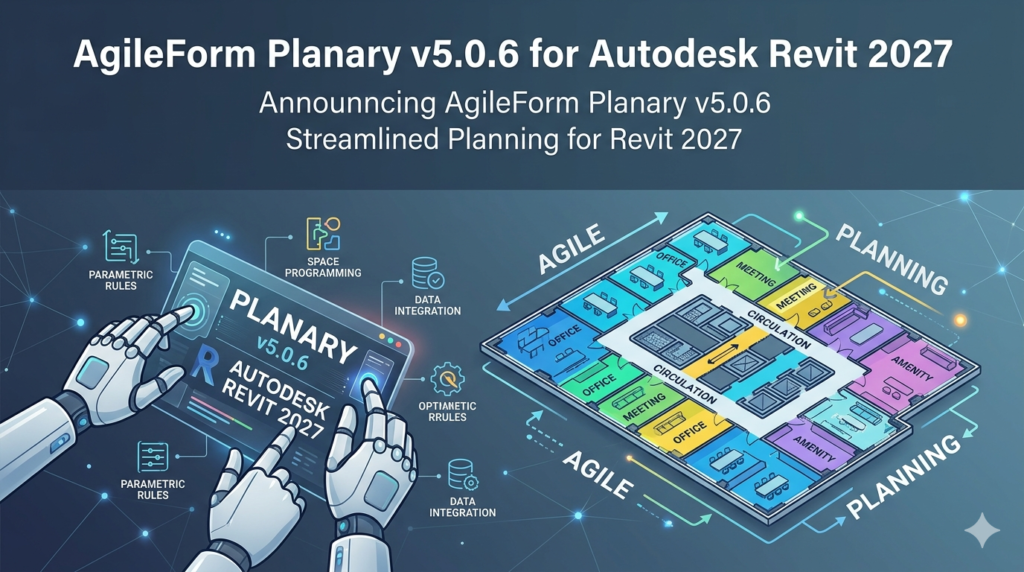
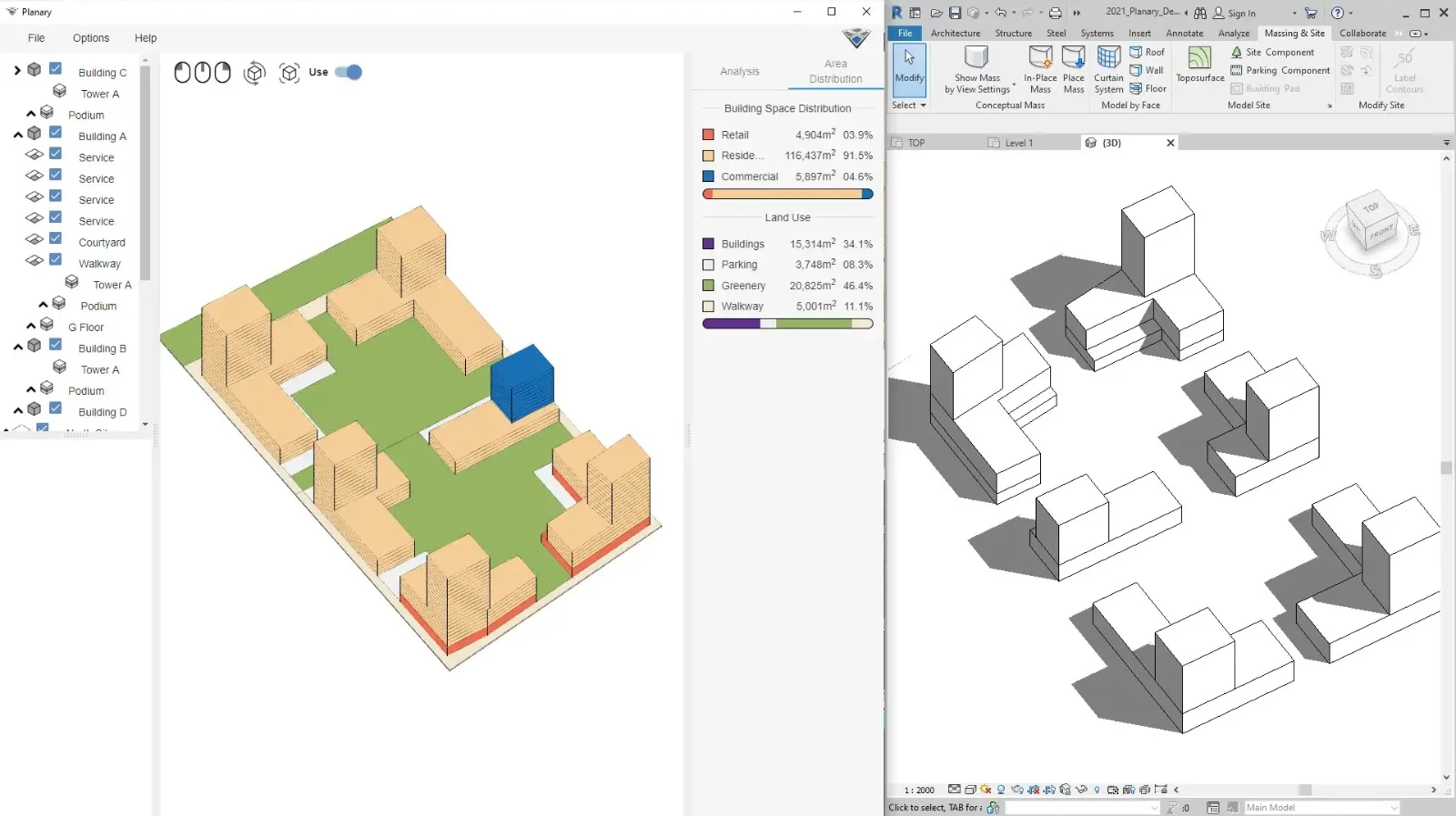
AgileForm Planary v5.0.6 is a specialized BIM (Building Information Modeling) add-in developed exclusively for Autodesk Revit 2027. This tool bridges the gap between early-stage architectural programming and detailed Revit modeling. Unlike generic modeling enhancements, Planary focuses on space programming, area planning, and real-time design validation.
The software functions as a parametric planning engine, allowing architects, interior designers, and facility planners to generate intelligent room layouts directly from spreadsheet data or program requirements. For Revit 2027 users, this version introduces native support for Revit’s updated Parametric Massing Environment and enhanced Cloud Worksharing protocols.
By automating the conversion of room data—such as required square footage, adjacency priorities, and lighting needs—into editable Revit elements, AgileForm Planary eliminates hundreds of hours of manual room scheduling and iterative layout adjustments.
Key Features
AgileForm Planary v5.0.6 delivers a comprehensive suite of planning and automation tools:
-
Program-to-Model Generator
Import CSV or Excel files containing room names, target areas, and design constraints. The engine then generates floor-by-floor Revit room objects with proper boundaries, tags, and parameters. -
Constraint-Based Layout Engine
Define spatial rules (e.g., “conference rooms must face north” or “offices require access to natural light”). Planary enforces these rules during automatic layout generation. -
Real-Time Area Validation
Continuous comparison of modeled areas against the original program. Any deviation beyond a user-defined tolerance triggers a visual warning and a detailed report. -
Adjacency Matrix Visualizer
Create color-coded adjacency diagrams within Revit. Link rooms based on functional relationships (e.g., “exam room next to waiting area”) before generating geometry. -
Bulk Parameter Mapping
Map spreadsheet columns directly to Revit project parameters, including custom shared parameters. Supports text, integer, area, and URL data types. -
Version Diff Tool
Compare two program iterations (e.g., schematic vs. developed design). Highlight added, removed, or resized rooms directly inside the Revit viewport. -
Automated Room Tagging
Generate intelligent room tags that combine program number, name, target area, and actual modeled area—all dynamically updating with changes.
What’s New in Version 5.0.6
Version 5.0.6 is a targeted update for Autodesk Revit 2027 compatibility. Key changes include:
-
Revit 2027 API Integration – Full support for the new DirectShape 3.0 API, improving generation speed for complex room clusters by up to 40%.
-
Cloud Worksharing Sync – Model data refreshes without reloading the entire central model. Works with Revit Cloud Worksharing and BIM 360.
-
Updated Category Filters – Respects Revit 2027’s revised visibility/graphics overrides, preventing unintended object hiding.
-
Metric/Imperial Auto-Detection – Reads the project units setting on load and applies consistent area conversion across all inputs.
-
Performance Optimization – Reduced memory footprint when processing programs exceeding 2,000 rooms.
System Requirements
Before installing AgileForm Planary v5.0.6, ensure your system meets these specifications:
| Component | Minimum Requirement | Recommended |
|---|---|---|
| Operating System | Windows 11 (64-bit) | Windows 11 Pro |
| Revit Version | Autodesk Revit 2027.0+ | Autodesk Revit 2027.1 |
| CPU | Intel Core i5-11600K / AMD Ryzen 5 5600X | Intel Core i7-12700K / AMD Ryzen 7 5800X |
| RAM | 16 GB | 32 GB or higher |
| GPU | DirectX 11 compatible, 4 GB VRAM | NVIDIA RTX A2000 or better (8 GB VRAM) |
| Disk Space | 500 MB for installer + 2 GB working temp | SSD with 5 GB free |
| .NET Framework | .NET 8.0 Desktop Runtime | Same as minimum |
| Excel Support | Microsoft Excel 2016 or later (for import) | Office 365 |
Note: This version does not support Revit LT or Revit 2026 and earlier. It requires a full desktop version of Revit 2027.
Installation Guide
Follow these steps to install AgileForm Planary v5.0.6 for Revit 2027:
Step 1: Prerequisites
-
Close all running instances of Autodesk Revit 2027.
-
Ensure .NET 8.0 Desktop Runtime is installed (download from Microsoft).
-
Verify you have local administrator rights on your machine.
Step 2: Download the Installer
-
Download
AgileForm_Planary_v5.0.6_Revit2027.msifrom the official AgileForm customer portal.
Step 3: Run the Installation
-
Right-click the
.msifile and select Run as administrator. -
Accept the license agreement.
-
Choose the installation path (default:
C:\Program Files\AgileForm\Planary 5.0). -
Click Install.
Step 4: Revit Add-in Registration
-
The installer automatically registers the add-in for Revit 2027.
-
To verify, open Revit 2027, go to Add-Ins tab → External Tools → AgileForm Planary.
Step 5: License Activation
-
Upon first launch, enter your product key (emailed upon purchase) or start a 30-day fully functional trial.
-
Internet connection is required for online activation.
Troubleshooting
-
Missing Revit API error: Re-run the installer as administrator.
-
Excel import fails: Install 64-bit Access Database Engine or Office.
-
Toolbar not visible: Reset Revit UI using
Reset User Interfaceunder File → Options.
How to Use the Software
This guide covers the core workflow from spreadsheet to modeled floor plan.
Importing a Room Program
-
In Revit, open a floor plan view.
-
Navigate to AgileForm ribbon → Planary panel → Import Program.
-
Select your CSV or XLSX file. The file must contain at least these columns:
RoomName,TargetArea,Level. -
Use the Column Mapper dialog to match file columns to Revit fields.
-
Click Import Preview to validate data.
Generating Rooms
-
After import, click Generate Rooms.
-
Define bounding area (either pick existing walls or draw a boundary sketch).
-
Set layout rules: grid spacing, corridor width, minimum room dimension.
-
Click Run Layout. Rooms appear as Revit native Rooms objects.
Running an Area Validation Report
-
Select any number of rooms.
-
Click Validate Areas from the Planary panel.
-
Choose tolerance (e.g., ±5% of target area).
-
The tool outputs a color-coded schedule and a warning bubble for outliers.
Using the Adjacency Matrix
-
Click Adjacency Matrix.
-
Upload a simple CSV with
FromRoom/ToRoom/Weight(0 = no link, 3 = direct door). -
Planary displays a colored matrix inside Revit.
-
Optionally, click Optimize Layout to reposition rooms based on high adjacency weights.
Best Use Cases
AgileForm Planary v5.0.6 excels in several professional scenarios:
-
Healthcare facility planning – Generate hundreds of exam rooms, nurses’ stations, and patient rooms from a program spreadsheet. Enforce infection-control adjacency rules automatically.
-
Educational campus design – Create classroom layouts with standardized dimensions. Bulk-update parameters like “room capacity” or “AV equipment tier” across an entire school floor.
-
Corporate office rollouts – For tenant improvement projects, convert stack plans directly into Revit rooms. Use adjacency rules to place collaborative spaces near stairwells.
-
Hospitality (hotels) – Model guest rooms in bulk with variations by floor. Validate that total room area matches the developer’s program within 2%.
-
Competition entries and schematic design – Rapidly generate multiple layout options from the same program. Compare area usage efficiency across schemes.
Advantages and Limitations
Advantages
-
Time efficiency – Reduces programming-to-modeling time by an average of 85% based on user testing.
-
Reduced manual errors – Avoids mismatches between written program and modeled areas.
-
Seamless Revit integration – Output is pure Revit rooms, not generic imports. All standard Revit scheduling and tagging tools work immediately.
-
Iterative design support – The Version Diff Tool encourages experimentation without losing baseline data.
Limitations
-
Revit 2027 only – Does not support older Revit versions or Revit LT.
-
No freeform organic layouts – Best for grid-based or orthogonal floor plans. Curved or highly irregular room shapes require manual adjustment.
-
Large file sensitivity – Projects with >5,000 rooms may experience slower generation times (2–3 minutes per layout).
-
No macOS version – Windows-only due to Revit platform constraints.
Alternatives to the Software
If AgileForm Planary does not meet your needs, consider these alternatives for Revit programming and space planning:
| Software | Primary Focus | Revit Compatibility | Pricing Model | Best For |
|---|---|---|---|---|
| dRofus | Data management & room scheduling | Revit 2021–2027 | Subscription | Large hospitals, airports, complex projects |
| Spacewell (formerly Serraview) | Workplace management | Bi-directional Revit plugin | Enterprise quote | Corporate real estate & occupancy planning |
| Ideate Sticky | BIM data import/export | Revit 2020–2027 | One-time license | Excel-to-Revit room schedules |
| Trelligence Affinity (now part of dRofus) | Healthcare programming | Revit (via dRofus) | Discontinued (absorbed) | Legacy healthcare projects |
| Manual Revit Schedules | Built-in room area tools | Native Revit | Included with Revit | Small projects under 50 rooms |
Why choose AgileForm Planary?
Unlike dRofus (which targets enterprise workflows) or native Revit schedules (manual only), Planary combines automatic layout generation with real-time validation—a mid-market solution for architects, not just facility managers.
Frequently Asked Questions
1. Does AgileForm Planary v5.0.6 work with Revit 2026 or 2028?
No. Version 5.0.6 is strictly for Autodesk Revit 2027. For Revit 2026, use Planary v4.3.x. Future Revit versions will require a separate update.
2. Can I export my Planary layout to another BIM tool like Archicad?
Not directly. However, you can export via standard IFC (Industry Foundation Classes) from Revit, then import to Archicad. Area validation data is lost in translation.
3. Is a trial version available?
Yes. The installer includes a 30-day fully functional trial with no watermarks or limitations. After 30 days, a license key is required.
4. Does this tool require an internet connection after activation?
No. Only the initial activation requires internet. Subsequent use is offline.
5. Can I customize the room naming convention?
Yes. The Column Mapper allows custom prefixes (e.g., “FIRST_” for first floor rooms) and numbering sequences (starting number, padding).
6. How does the Optimize Layout feature handle existing furniture or fixed elements?
The engine treats any existing Revit elements marked as “Fixed” (using the built-in Is Fixed parameter) as obstacles. Generated rooms avoid fixed columns, elevators, and restrooms.
7. What languages does the interface support?
English, German, Simplified Chinese, and Spanish. Program data (room names, etc.) can be in any Unicode language.
8. Is technical support included with the license?
Yes. All paid licenses include email support (24-hour response) and access to the AgileForm knowledge base. Premium annual licenses include remote screen-sharing sessions.
Final Thoughts
AgileForm Planary v5.0.6 for Autodesk Revit 2027 stands out as a purpose-built solution for architects and BIM managers who regularly translate spatial programs into modeled environments. Its strength lies in automation without abstraction—output remains native Revit rooms, schedules, and tags.
For project types ranging from outpatient clinics to university buildings, the combination of spreadsheet-driven generation, adjacency logic, and version diffing provides a measurable ROI through avoided rework. While the limitation to Revit 2027 and orthogonal layouts may rule out some users, for teams standardized on the latest Revit release, Planary transforms programming from a static document into an actionable design driver.
If your workflow currently involves manual room-by-room placement from Excel printouts, trialing this software for 30 days will likely reveal immediate efficiency gains—and a clear path from area program to permit set.
Our Paid Service
“We do not sell or provide any software. We only offer professional support services. If any software on your system is not working properly, or you are facing installation errors, crashes, or any other technical issue — just contact us. We will help you fix the problem quickly and remotely via AnyDesk. No software will be provided from our side — only expert troubleshooting and support.”