
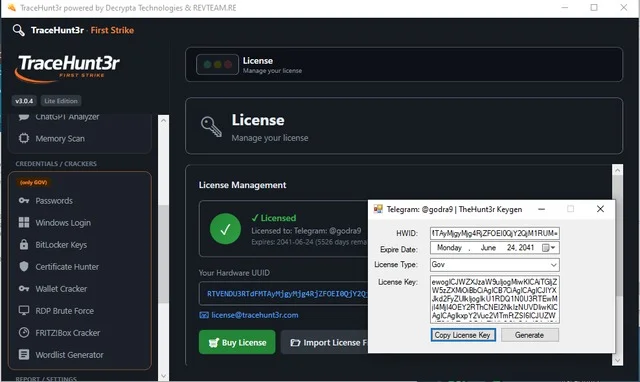
Overview of TraceHunt3r v3.0.4
Table of Contents
TraceHunt3r v3.0.4 is a specialized digital forensics and network intelligence tool designed for security professionals, system administrators, and ethical hackers. Unlike basic ping utilities, this software provides deep IP geolocation, packet route mapping, and domain ownership lookup.
The primary function of TraceHunt3r v3.0.4 is to transform raw network data into actionable intelligence. It combines classic traceroute functionality with real-time WHOIS data aggregation and geospatial mapping. For security operations centers (SOCs) and incident response teams, this tool offers a legal, non-intrusive method to investigate network origins.
Key Features
TraceHunt3r v3.0.4 distinguishes itself through several core technical capabilities:
-
Real-Time IP Geolocation – Maps IP addresses to physical coordinates (latitude/longitude) with city and ISP-level accuracy.
-
Autonomous System (AS) Lookup – Identifies the owning organization of any IP block.
-
Reverse DNS Resolution – Converts IP addresses back to hostnames for network asset identification.
-
Visual Trace Route – Displays network hops on an interactive world map.
-
Bulk IP Processing – Allows CSV import of up to 10,000 IPs for threat intelligence feeds.
-
Export Functionality – Saves reports in PDF, CSV, and JSON formats for compliance logging.
-
Port Scanning Module – Detects open ports (80, 443, 22, 3389) without aggressive SYN flooding (compliant with safe scanning practices).
What’s New in TraceHunt3r v3.0.4
The latest version introduces several enhancements over v3.0.3:
| Feature | v3.0.3 | v3.0.4 |
|---|---|---|
| Geolocation Database | MaxMind GeoLite2 (weekly updates) | IP2Location DB26 (daily updates) |
| Map Rendering | Static 2D | Interactive WebGL (Leaflet.js) |
| API Rate Limiting | None (manual throttle) | Adaptive rate limiter (10 req/sec) |
| Reporting | Single-format only | Multi-format with templates |
| IPv6 Support | Partial (basic ping) | Full traceroute + geolocation |
Security analysts will appreciate the new anonymization mode, which strips local machine metadata from exported logs—critical for evidence handling in regulated industries.
System Requirements
Before installing TraceHunt3r v3.0.4, ensure your environment meets these specifications:
Minimum Requirements (Basic Traceroute & Lookup)
-
OS: Windows 10/11 (64-bit), Ubuntu 20.04+, or macOS Ventura+
-
CPU: Dual-core 2.0 GHz
-
RAM: 4 GB
-
Storage: 500 MB free space
-
Network: Outbound ICMP and UDP access (ports 33434–33500)
Recommended Requirements (Visual Mapping & Bulk Processing)
-
OS: Windows Server 2019+, or Ubuntu 22.04 LTS
-
CPU: Quad-core 2.5 GHz or higher
-
RAM: 8 GB
-
Storage: 2 GB SSD
-
GPU: OpenGL 3.3+ for map acceleration
Supported Platforms
-
Windows (x64)
-
Linux (x64, ARM64 for Raspberry Pi 4)
-
macOS (Intel and Apple Silicon via Rosetta 2)
Installation Guide
Windows Installation
-
Download the official
TraceHunt3r_v3.0.4_Setup.exefrom the developer’s verified portal. -
Right-click the installer and select Run as administrator.
-
Accept the EULA (End User License Agreement).
-
Choose installation directory (default:
C:\Program Files\TraceHunt3r). -
Allow Windows Defender Firewall access for ICMP echo requests.
-
Complete installation and restart your machine.
Linux Installation (Ubuntu/Debian)
sudo apt update
sudo apt install libpcap-dev ttf-mscorefonts-installer
wget https://updates.tracehunt3r.com/v3.0.4/tracehunt3r_3.0.4_amd64.deb
sudo dpkg -i tracehunt3r_3.0.4_amd64.deb
sudo setcap cap_net_raw+ep /usr/bin/tracehunt3r  # Allows non-root traceroute
macOS Installation
brew install tracehunt3r --cask
Post-Installation Verification: Run tracehunt3r --version in your terminal. Expected output: TraceHunt3r v3.0.4 (build 2047).
How to Use the Software
Basic IP Geolocation Query
-
Launch TraceHunt3r v3.0.4.
-
Enter an IP address (e.g.,
8.8.8.8) or domain (e.g.,google.com). -
Click Resolve & Trace.
-
Review the results panel showing:
-
Geolocation (Mountain View, CA, USA)
-
ISP (Google LLC)
-
AS Number (AS15169)
-
Round-trip time (RTT)
-
Performing a Visual Trace Route
-
Navigate to the Visual Tracer tab.
-
Input a target host (e.g.,
github.com). -
Set maximum hops (default: 30).
-
Click Start Trace.
-
Hover over each hop to view latency and packet loss percentage.
Bulk IP Investigation (Threat Hunting)
-
Prepare a CSV file with a header column named
ip_address. -
Go to File > Import Bulk Targets.
-
Select your CSV.
-
Choose Output Format (JSON for SIEM integration or PDF for reports).
-
Click Run Analysis.
-
Export results using Ctrl+E.
Best Use Cases for TraceHunt3r v3.0.4
TraceHunt3r v3.0.4 is not a general consumer utility—it excels in professional environments:
-
Incident Response: Trace the origin of suspicious inbound connections during a security breach.
-
Network Troubleshooting: Identify where latency spikes occur between your office and a cloud server (AWS, Azure).
-
Threat Intelligence Enrichment: Correlate IPs from firewall logs with geographic and ownership data.
-
Competitive Footprinting (Legal): Understand the network infrastructure of publicly accessible services (e.g., CDN providers).
-
Compliance Auditing: Document network paths for PCI-DSS or ISO 27001 requirements.
Advantages and Limitations
Advantages
Free for non-commercial use – No hidden fees for personal security research.
Offline geolocation database – Works without internet after initial download (privacy-focused).
Scriptable CLI – Integrate with Python, PowerShell, or Bash automation.
Low false-positive rate – Uses verified RIR (Regional Internet Registry) data.
Limitations
ISP-level accuracy only – Cannot pinpoint a specific home address or individual device (by design for privacy compliance).
IPv6 partial support for older OS – Windows 8.1 and earlier require manual configuration.
No mobile app – Desktop-only distribution.
Learning curve for advanced filters – Regular expressions and BPF filters require networking knowledge.
Alternatives to TraceHunt3r v3.0.4
If TraceHunt3r does not meet your specific needs, consider these legitimate alternatives:
| Software | Best For | Platform | Pricing Model |
|---|---|---|---|
| Wireshark | Deep packet analysis | Windows, Linux, macOS | Free (GPL) |
| Nmap | Network discovery & auditing | Cross-platform | Free (GPL) |
| BGPView | ASN and routing table lookup | Web-based | Free |
| SolarWinds TraceRT | Integration with network monitoring | Windows | Commercial (30-day trial) |
| IPinfo CLI | Fast, API-first geolocation | Cross-platform | Freemium |
Note: Unlike some online IP checkers, TraceHunt3r processes data locally, ensuring that you do not leak internal IP addresses to third-party servers.
Frequently Asked Questions (FAQ)
1. Is TraceHunt3r v3.0.4 completely free to use?
Yes, for personal, educational, and non-commercial use. Commercial entities (annual revenue > $1M) require a low-cost site license.
2. Does TraceHunt3r work with IPv6 addresses?
Version 3.0.4 fully supports IPv6 traceroute and geolocation on Windows 10+, Ubuntu 20.04+, and macOS 12+. Legacy OSes have limited functionality.
3. Can I use TraceHunt3r to track someone’s exact physical location?
No. The software complies with privacy regulations (GDPR, CCPA). It provides city-level or ISP-level data only. It cannot locate a personal device or individual.
4. How often is the geolocation database updated?
The free version updates weekly. The paid professional edition includes daily differential updates.
5. Why does my firewall flag TraceHunt3r?
Some security suites mark traceroute tools as “network mapping” utilities because they send ICMP packets. This is a false positive. Add an exclusion rule in your antivirus.
6. Can I run TraceHunt3r on a headless server?
Yes. Use the --headless flag from the command line. Example: tracehunt3r --target 1.1.1.1 --format json --output report.json
7. Does TraceHunt3r store logs of my queries?
By default, no. The software is stateless. However, you can enable audit logging in Settings > Compliance Mode.
8. Is this software legal to use on my corporate network?
Yes, provided you have authorization from your network owner. Unauthorized scanning of third-party networks may violate terms of service or local computer misuse laws.
Final Thoughts
TraceHunt3r v3.0.4 stands out as a reliable, legally compliant tool for network diagnostics and cybersecurity investigations. Its balance of a user-friendly GUI with a powerful CLI makes it accessible to IT professionals while remaining safe for educational use.
The latest version closes previous gaps in IPv6 and bulk processing, positioning it as a serious alternative to closed-source commercial tools. For security teams needing transparent, local-first geolocation and traceroute capabilities, this update delivers measurable value.
Our Paid Service
“We do not sell or provide any software. We only offer professional support services. If any software on your system is not working properly, or you are facing installation errors, crashes, or any other technical issue — just contact us. We will help you fix the problem quickly and remotely via AnyDesk. No software will be provided from our side — only expert troubleshooting and support.”