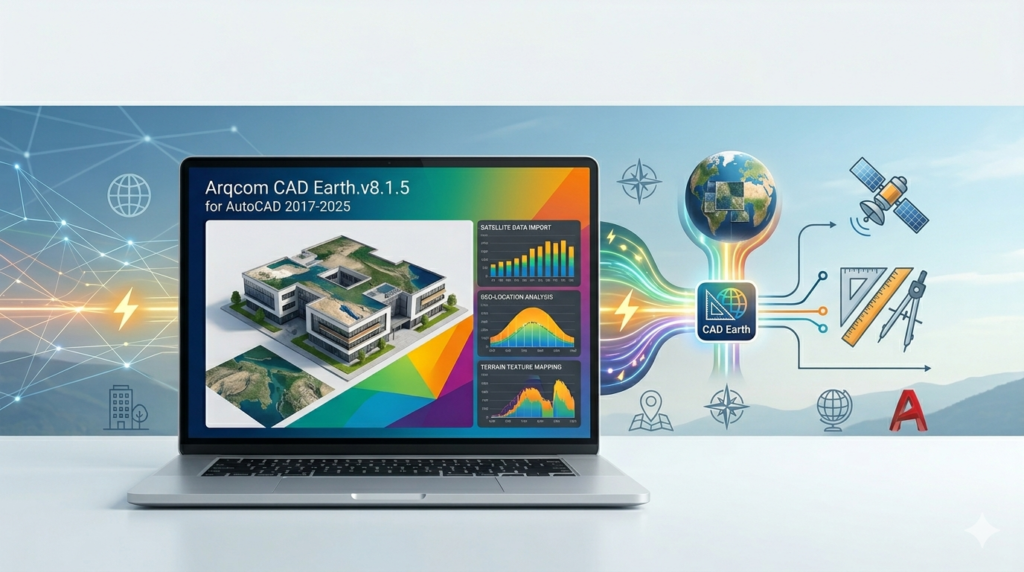


Overview of the Software
Table of Contents
Arqcom CAD Earth functions as a dedicated AutoCAD plugin that bridges the gap between traditional CAD drafting and geographic information systems (GIS). Instead of manually georeferencing static images, users can import live map layers—including road maps, hybrid satellite views, and digital elevation models—directly into model space. The v8.1.5 release focuses on stability improvements for AutoCAD 2025 and optimized rendering for high-resolution terrain data. Unlike basic map import scripts, this tool maintains spatial accuracy by auto-assigning coordinate systems (UTM, State Plane, Latitude/Longitude) to every inserted object.
Key Features
-
Live map streaming – Direct access to services like Google Maps, Bing Maps, OpenStreetMap, and ArcGIS without leaving AutoCAD.
-
Terrain mesh generation – Convert elevation data into 3D surfaces or solid meshes for cut-and-fill analysis.
-
Coordinate system assignment – Automatically georeference drawings using over 4,000 predefined global coordinate systems.
-
High-resolution image export – Capture map areas up to 15,000 x 15,000 pixels for offline work.
-
Batch import – Process multiple coordinate areas simultaneously.
-
Layer management – Separate map imagery, road labels, and terrain data into distinct AutoCAD layers.
What’s New in Version 8.1.5
The latest update focuses on compatibility and performance rather than new features. Key improvements include:
-
Full support for AutoCAD 2025 including the new 64-bit only architecture.
-
Faster tile caching – Reduces repetitive downloading of the same map regions.
-
Improved terrain smoothing – Fixes triangulation errors on steep slopes.
-
Bug fix for proxy graphics – Previously, saved drawings could lose map images when opened on another machine without the plugin.
System Requirements
Before installing, verify your workstation meets these specifications:
| Component | Requirement |
|---|---|
| AutoCAD version | 2017, 2018, 2019, 2020, 2021, 2022, 2023, 2024, or 2025 (including LT versions with appropriate permissions) |
| Operating system | Windows 10 or 11 (64-bit) |
| Processor | Intel Core i5 or AMD Ryzen 5 (i7/Ryzen 7 recommended for terrain meshes) |
| RAM | 8 GB minimum (16 GB+ for large terrain imports) |
| Graphics | Dedicated GPU with DirectX 11 support |
| Disk space | 500 MB for installation + variable cache (up to 10 GB) |
| Internet | Required for live map streaming and coordinate system updates |
Installation Guide
Follow these steps to install Arqcom CAD Earth v8.1.5. Only use legally obtained licenses from authorized resellers.
-
Close all running AutoCAD instances to avoid file conflicts.
-
Run the installer
Arqcom_CAD_Earth_v8.1.5.exeas administrator. -
Select your AutoCAD version(s) from the list. You can install for multiple versions on the same machine.
-
Accept the license agreement – This is a commercial license. No cracked, patched, or keygen versions are permitted.
-
Choose installation directory (default:
C:\Program Files\Arqcom\CAD Earth\). -
Complete installation and restart your computer.
-
Open AutoCAD – A new ribbon tab labeled “CAD Earth” should appear.
-
Enter your license key (purchased separately) under the “Activate” button. Without activation, the software runs in a limited 14-day trial mode.
How to Use the Software
1. Insert a Live Map
-
On the CAD Earth ribbon, click “Add Map”.
-
Choose a source (Google Maps Hybrid is most common).
-
Draw a rectangle or polygon to define the area.
-
The map appears within seconds as a georeferenced image.
2. Import Terrain Data
-
Click “Terrain” → “From Online Source”.
-
Select a resolution (30m, 10m, or 1m where available).
-
Define the same area as your map.
-
CAD Earth generates a 3D mesh with elevation data.
3. Export for Offline Use
-
Right-click any map layer → “Export High-Res”.
-
Set resolution (e.g., 5000 × 5000 pixels).
-
Save as JPG, PNG, or GeoTIFF with an accompanying world file.
4. Synchronize with Survey Data
-
Import points from a CSV file.
-
Use “Assign Coordinate System” to match your survey.
-
Overlay terrain and map on top of your surveyed points.
Best Use Cases
Civil Engineering & Road Design
Engineers overlay proposed alignments onto real terrain to calculate earthwork volumes directly within AutoCAD. No need to switch between GIS and CAD.
Environmental Site Assessment
Consultants import historical imagery layers to track land use changes. The 1m resolution terrain helps identify drainage patterns.
Urban Planning & Zoning
Planners combine parcel boundaries (from GIS) with live street maps and zoning shapefiles to produce public hearing exhibits.
Disaster Response Pre-planning
Emergency managers extract building footprints and elevation models to simulate flood zones or evacuation routes.
Mining & Quarry Operations
Surveyors import monthly drone orthophotos alongside CAD Earth’s base maps for volume reconciliation.
Advantages and Limitations
Advantages
-
Eliminates manual georeferencing – Saves hours per project.
-
Native AutoCAD integration – No file conversion or export/import cycles.
-
Consistent coordinate systems – Reduces alignment errors.
-
Low learning curve – Familiar ribbon interface.
Limitations
-
Requires constant internet for live maps (offline export available but limited).
-
Large terrain imports (>2 sq km at 1m resolution) can freeze older computers.
-
Map service limits – Google and Bing APIs have daily query caps (commercial licenses raise limits).
-
No mobile support – Works only on Windows/AutoCAD.
Alternatives to Arqcom CAD Earth
| Software | Best for | Integration | Pricing model |
|---|---|---|---|
| ArcGIS for AutoCAD | Full GIS analysis within AutoCAD | Free plugin from Esri | Free (requires ArcGIS Online account) |
| Plex.Earth | High-quality satellite imagery | Subscription | $299–$999/year |
| AutoCAD Map 3D | Native Autodesk solution | Built into Map 3D version | Part of AEC Collection |
| QGIS + Export to DXF | Open-source GIS workflow | Manual export only | Free |
| Global Mapper | Advanced terrain processing | Separate software | $599/license |
Recommendation: For casual map inserts, the free ArcGIS for AutoCAD works. For heavy terrain modeling and daily use, Arqcom CAD Earth offers a better balance of price and speed.
Frequently Asked Questions
1. Does Arqcom CAD Earth v8.1.5 work with AutoCAD LT?
Yes, but only if your LT version supports third-party ARX plugins. Standard AutoCAD LT does not. Check your LT license type.
2. Can I use this software offline?
Yes and no. You can export map areas while online and reopen them offline. Live streaming and online terrain queries require an active internet connection.
3. What map sources are included?
Google Maps (Road, Satellite, Hybrid), Bing Maps (Aerial, Road), OpenStreetMap, Mapbox, and Esri World Imagery.
4. Is there a free trial?
Yes. The official trial runs for 14 days with full features. No credit card required when downloaded from Arqcom.com.
5. How accurate is the terrain data?
Resolution depends on the source:
-
1-meter resolution (USA, Europe, Japan – major cities)
-
10-meter resolution (global coverage from ALOS DEM)
-
30-meter resolution (older SRTM data for remote areas)
6. Can I export terrain as a solid for 3D printing?
Yes. Use the “Mesh to Solid” command after generating terrain. Note that large terrains may produce extremely heavy solid models.
7. Does my whole team need a license?
One license per machine. Network floating licenses are available for firms with 5+ users.
8. Is Arqcom CAD Earth safe to download?
Yes, only from the official website. Be cautious of third-party sites offering “free” or “cracked” versions – they violate copyright laws and often contain malware.
Final Thoughts
Arqcom CAD Earth v8.1.5 earns its place as a reliable geospatial bridge for AutoCAD users who frequently work with real-world coordinates. While the subscription cost may deter casual users, professionals conducting daily terrain analysis, site planning, or infrastructure design will recover the investment through time savings alone. Version 8.1.5’s focus on AutoCAD 2025 compatibility and cache performance makes it a sensible upgrade for existing users. For legal license holders, it remains one of the most stable map integration tools available today.
Our Paid Service
“We do not sell or provide any software. We only offer professional support services. If any software on your system is not working properly, or you are facing installation errors, crashes, or any other technical issue — just contact us. We will help you fix the problem quickly and remotely via AnyDesk. No software will be provided from our side — only expert troubleshooting and support.”