

Overview of the Software
Table of Contents
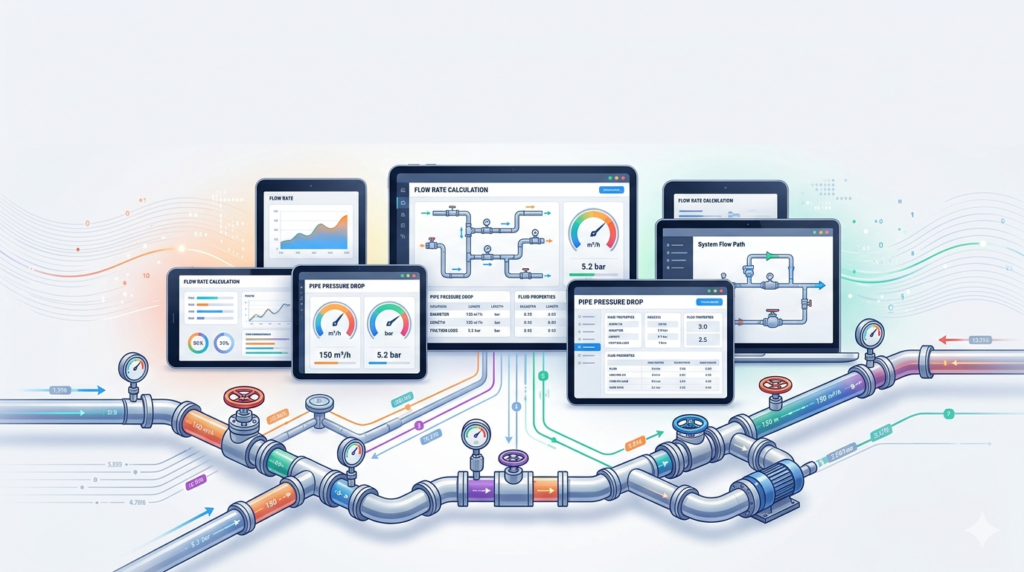
Pipe flow software refers to a category of engineering simulation tools designed to calculate fluid dynamics within closed conduits. These applications solve complex equations such as the Darcy-Weisbach, Hazen-Williams, and Colebrook-White formulas to predict friction losses, minor losses from fittings, and overall system behavior.
Most solutions offer both incompressible (liquid) and compressible (gas) flow models, supporting isothermal, adiabatic, or non-isothermal conditions. Leading packages include standalone pressure drop calculators, network analysis systems (e.g., EPANET, AFT Fathom), and integrated CAD plugins. The software is typically used by mechanical, civil, and chemical engineers during feasibility studies, retrofit analysis, or new pipeline design.
Key Features
Quality pipe flow software includes the following essential features:
-
Fluid property database: Water, steam, refrigerants, oils, and custom fluids with density and viscosity tables.
-
Friction factor solver: Automatic selection between laminar, transitional, and turbulent regimes using Moody diagram approximations.
-
Fittings and valves library: Predefined K-values and equivalent lengths for elbows, tees, reducers, gate valves, and control valves.
-
Pump modeling: Centrifugal, positive displacement, or axial pump curves with affinity law scaling.
-
Network analysis: Pressure distribution, flow splitting, and loop closure for branched or ring main systems.
-
Report generator: Exportable PDF/Excel summaries showing input parameters, intermediate calculations, and final pressure/velocity outcomes.
-
Unit flexibility: SI (mm, m, kPa, bar) and Imperial (inch, ft, psi) interchangeable without manual conversion.
-
What-If scenario tools: Compare different pipe materials (steel, PVC, HDPE, copper) or diameter changes instantly.
Advanced tools also include two-phase flow prediction (gas-liquid mixtures) and water hammer surge analysis for transient pressure wave estimation.
What’s New in the Latest Version
Recent updates to leading pipe flow software (e.g., Pipe Flow Expert 8.0, AFT Fathom 13) focus on cloud collaboration and automation. Noteworthy additions include:
-
Real-time drag-and-drop schematic building with snap-to-grid piping layouts.
-
Integration with BIM software (Revit, Navisworks) for model-based pressure drop extraction.
-
NLP-driven natural language queries: “What happens to flow rate if I replace 100m of 4-inch steel pipe with 6-inch HDPE?”
-
Automated pump selection from manufacturer databases (Grundfos, Wilo, Xylem) based on required head and flow.
-
Energy cost calculator – estimates annual pumping electricity costs based on pressure drop and runtime.
-
Export to CSV/JSON for custom post-processing in Python or MATLAB.
Version updates typically maintain backward compatibility with legacy .dat or .pip project files.
System Requirements
Below are typical system requirements for professional-grade pipe flow software (check your specific vendor documentation):
| Component | Minimum | Recommended |
|---|---|---|
| OS | Windows 10 / 11 (64-bit) or macOS 12+ (with emulation) | Windows 11 Pro / Server 2022 |
| CPU | Intel i5 2.5 GHz | Intel i7 / AMD Ryzen 7 (3.0 GHz+) |
| RAM | 8 GB | 16 GB or more |
| Storage | 500 MB free + project files | 2 GB SSD |
| Display | 1366×768 | 1920×1080 or higher |
| .NET Framework | 4.8 | 4.8 or newer |
| GPU | Integrated | Dedicated OpenGL 3.3 capable (for 3D network views) |
Linux versions are less common; many users run pipe flow software via Wine or virtual machines.
Installation Guide
Follow these steps to install pipe flow software safely and legally. Only use official vendor sources; do not use unauthorized third-party downloads.
-
Purchase or request a trial license from the official developer (e.g., PipeFlow.co.uk, AFT.com, or Bentley Systems).
-
Download the installer – typically an .exe (Windows) or .dmg (macOS) file. Verify the digital signature.
-
Run the installer as administrator (Windows). Accept the UAC prompt if it appears.
-
Select installation directory – default
C:\Program Files\PipeFlowor a custom location. -
Choose components – fluid databases, example projects, or documentation. Deselect unnecessary language packs.
-
Complete installation – restart if prompted.
-
Activate license – enter the product key, or use the hardware-locked or cloud-based floating license method provided by your company.
-
Run first test – open the included example project (e.g., “Simple loop network”) to verify all calculations function.
How to Use the Software
Using pipe flow software typically follows a standard workflow. Below is a generic guide applicable to most tools.
Step 1 – Define the fluid
Select water, air, natural gas, steam, or create a custom fluid by entering density (kg/m³) and absolute viscosity (cP).
Step 2 – Draw the pipe network
Drag pipes, nodes, pumps, valves, and tanks onto the schematic canvas. Connect components automatically (most software offers snap connection).
Step 3 – Assign pipe properties
For each pipe segment, specify:
-
Length (m or ft)
-
Inner diameter (mm or in)
-
Roughness/epsilon (mm) – preloaded values for commercial steel, PVC, cast iron, etc.
-
Fittings count (elbows, tees, etc.)
Step 4 – Set boundary conditions
Define the inlet pressure or flow rate, and outlet pressure (often atmospheric or a target pressure).
Step 5 – Run calculation
Click “Calculate” or “Solve Network.” The software will solve for nodal pressures, volumetric flow rate, and velocity in each pipe.
Step 6 – Analyze results
Review pressure drop per meter (Pa/m), total head loss (m or ft), and Reynolds number. Check warnings for cavitation, excessive velocity, or negative pressures.
Step 7 – Iterate design
Change pipe diameter or material, add a booster pump, or adjust valve settings. Recalculate and compare before/after tables.
Most tools allow batch simulation – e.g., “sweep” pipe diameter from 50mm to 200mm in 10mm steps to find optimal size.
Best Use Cases
Pipe flow software solves real-world engineering challenges across multiple industries.
| Industry | Use case |
|---|---|
| Water utilities | Distribution network design – balancing demand nodes, fire flow analysis |
| Oil & gas | Multiphase crude oil pipeline sizing, pressure drop at pumping stations |
| HVAC | Chilled water loop balancing, pressure loss through coils and air-handling units |
| Fire protection | Sprinkler system hydraulic calculations (NFPA 13 compliance) |
| Chemical processing | Slurry transport, chemical injection lines with temperature-dependent viscosity |
| Marine engineering | Ballast and bilge pipe systems on ships |
| Food & beverage | Sanitary piping for milk, beer, or juice with clean-in-place (CIP) return line pressure |
Advantages and Limitations
Advantages
-
Speed – complex network solutions in seconds versus hours of manual calculation.
-
Accuracy – eliminates arithmetic errors in friction factor iteration.
-
Visualization – color-coded pressure maps and flow vectors identify bottlenecks instantly.
-
Standardization – built-in international standards (ASME B31, ISO 5167, EN 13480).
-
What-if analysis – test multiple diameters, materials, or pump configurations without construction cost.
Limitations
-
Steep learning curve – beginners may misinterpret cavitation warnings or incorrect boundary conditions.
-
Cost – commercial licenses range from $1,500 to $15,000 per user, though academic versions may be cheaper.
-
Over-reliance risk – GIGO (garbage in, garbage out) applies; wrong roughness value leads to useless results.
-
Limited two-phase accuracy – some codes struggle with condensation or flashing flow.
-
No structural analysis – pressure drop software does not calculate pipe stress or support spacing.
Alternatives to the Software
If you do not require full network modeling, several legitimate alternatives exist:
-
Excel spreadsheets with add-ins – (e.g., EngineeringExcel or personal macros). Free but error-prone.
-
EPANET – free and open-source for water distribution systems (U.S. EPA). No steam or gas.
-
OpenFOAM with CFD – high-fidelity computational fluid dynamics, but high expertise needed.
-
Online pressure drop calculators – (e.g., PressureDrop.ws or LMNO Eng) – quick single-pipe checks only.
-
Pipe Flow Wizard (standalone) – lower cost than full flagship suites.
-
AFT Impulse – specialized for water hammer / transient analysis.
-
FluidFlow from Flite Software – industrial-grade with slurry rheology models.
For academic users, many vendors offer free student versions limited to 20-30 pipes per model.
Frequently Asked Questions
What is the best pipe flow software for beginners?
Pipe Flow Expert and Pipe Flow Wizard offer the most intuitive drag-and-drop interfaces and built-in tutorials. Online pressure drop calculators are simpler but limited to single pipes.
Can pipe flow software handle both liquids and gases?
Yes. Most professional tools include both compressible (gas/steam) and incompressible (liquid) solvers. However, ensure your chosen software explicitly states “gas flow” or “compressible flow” support. Some budget tools only solve for water.
How accurate are pressure drop calculators compared to real-world measurements?
With correct fluid properties, roughness values, and fitting K-factors, commercial pipe flow software typically achieves ±3–5% accuracy relative to physical test data. Errors larger than 10% often come from unknown pipe aging, undetermined minor losses, or two-phase effects.
Is there free pipe flow software without feature limits?
EPANET is free and unlimited for water networks but does not support steam, gases, or oil. Python with Fluids library (open-source) offers pressure drop functions but requires coding. There is no free unlimited tool that handles both compressible flow and complex networks.
Can I use pipe flow software for slurry or non-Newtonian fluids?
Some advanced packages (e.g., AFT Fathom, FluidFlow) include Bingham plastic, power law, and Herschel-Bulkley models. Basic software assumes Newtonian fluids (constant viscosity). Always check technical specifications.
Do I need a license to share calculation reports with clients?
Yes – most licenses allow report distribution, but only named users or floating license holders may run the calculations. Sharing the installer or DLLs is prohibited.
Does pipe flow software violate any standard?
No – it supports ASME, ANSI, ISO, and NFPA codes. Using the software to design a system that later fails due to incorrect input is a user error, not a compliance violation. Always verify critical designs with hand calculations or a second method.
How often are pipe roughness tables updated?
Reputable vendors update roughness tables every 1–2 years to reflect new pipe materials (e.g., corrosion-resistant alloys, lined pipes). Check release notes.
Final Thoughts
Quality pipe flow software transforms tedious fluid mechanics calculations into actionable engineering insights. By automating pressure drop and flow rate determination, these tools allow you to focus on design optimization, cost reduction, and safety compliance rather than manual equation solving.
Whether you are a consulting engineer, plant operator, or student, always choose legitimate software from official distributors. Avoid any “crack,” “keygen,” or “license bypass” for pipe flow software – these are unethical, illegal, and may compromise your computer or professional reputation. Start with a free trial or academic version to evaluate features that match your specific fluid and network complexity.
For most water, air, and oil applications, a mid-range tool like Pipe Flow Expert or AFT Fathom offers the best balance of usability and accuracy. For municipal networks, EPANET remains the top zero-cost choice. Regardless of your selection, always validate results with real-world pressure gauge readings or a second independent method.
Our Paid Service
“We do not sell or provide any software. We only offer professional support services. If any software on your system is not working properly, or you are facing installation errors, crashes, or any other technical issue — just contact us. We will help you fix the problem quickly and remotely via AnyDesk. No software will be provided from our side — only expert troubleshooting and support.”