
Overview of the Software
Table of Contents
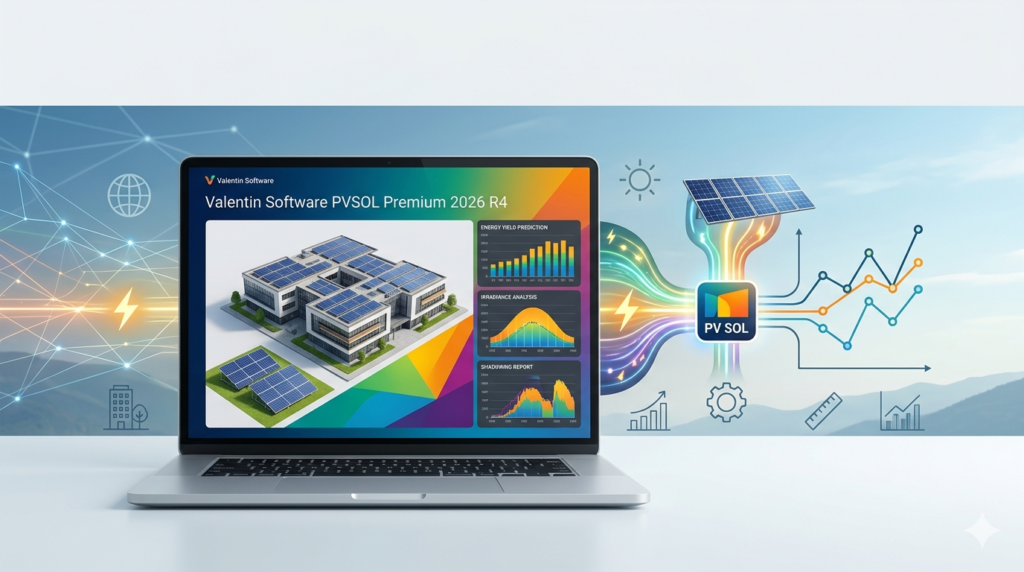
Valentin Software PVSOL Premium 2026 R4 (v2026.4.6210) is a professional-grade photovoltaic (PV) design and simulation software for engineers, architects, and solar energy consultants. This 64-bit multilingual release enables users to model complex solar installations—from small residential rooftops to large-scale commercial systems—with high accuracy.
As one of the most trusted tools in the renewable energy sector, PVSOL Premium uses dynamic 3D visualization and high-resolution shading analysis to predict energy yield, financial returns, and system performance. The 2026 R4 version (build 2026.4.6210) introduces enhanced database updates and faster simulation algorithms.
Key Features
-
3D Visualization & Shading Analysis: Import CAD models, LiDAR data, or use Google Maps integration to create accurate 3D scenes.
-
High-Resolution Shading: Hour-by-hour shading calculations using realistic horizon lines and nearby object modeling.
-
Component Database: Includes over 7,000 PV modules, inverters, and batteries from leading manufacturers (updated for 2026).
-
Electrical & Thermal Simulation: Supports bifacial modules, string sizing, and detailed thermal behavior.
-
Financial Calculation: ROI, payback period, net present value (NPV), and CO₂ savings reports.
-
Battery Storage Modeling: Dynamic simulation of AC- and DC-coupled storage systems.
-
Multi-Language Interface: Full multilingual support (English, German, French, Spanish, Italian, etc.).
-
Export Options: PDF reports, CSV data, DXF/DWG CAD exports, and weather data.
What’s New in the Latest Version (2026 R4 v2026.4.6210)
-
Updated Component Database: Adds 300+ new module and inverter models available as of Q1 2026.
-
Improved Multicore Processing: Reduces simulation time for large projects by up to 35%.
-
Enhanced Battery Aging Model: More realistic capacity fade simulation over 20 years.
-
New Weather Data Sources: Integration with Meteonorm 8.4 and SolarGIS (2026 edition).
-
User Interface Refinements: Dark mode support and streamlined project wizards for faster setup.
System Requirements
| Component | Minimum | Recommended |
|---|---|---|
| OS | Windows 10 64-bit (22H2) | Windows 11 64-bit |
| CPU | Intel Core i5 (8th gen) / AMD Ryzen 5 | Intel Core i7 / AMD Ryzen 7 (8+ cores) |
| RAM | 8 GB | 16 GB or more |
| GPU | 1 GB VRAM, DirectX 11 | 4 GB VRAM, OpenGL 4.5 |
| Storage | 10 GB SSD | 20 GB NVMe SSD |
| Display | 1920 x 1080 | 2560 x 1440 or higher |
| Other | Internet for license validation & weather data | Dedicated GPU recommended for complex 3D scenes |
Installation Guide
Follow these steps for a clean installation of PVSOL Premium 2026 R4:
-
Download the installer from your Valentin Software customer account (official source only).
-
Disable antivirus temporarily (optional – only if needed, then re-enable).
-
Run
Setup_PVSOL_Premium_2026_R4_x64.exeas Administrator. -
Select your language during the setup wizard.
-
Accept the license agreement – read it carefully.
-
Choose installation path (default:
C:\Program Files\Valentin Software\PVSOL Premium 2026). -
Select components (recommended: Full installation).
-
Wait for file extraction – this may take 5–10 minutes.
-
Enter your license key when prompted (provided upon purchase).
-
Complete the installation and restart your computer.
How to Use the Software
Basic Workflow
-
Create a New Project → Define location (via map or coordinates).
-
Import or Draw 3D Scene → Use Google Maps overlay or CAD import.
-
Add PV Modules → Select manufacturer, model, and orientation.
-
Configure Inverter & Battery → Auto-sizing or manual configuration.
-
Run Simulation → Choose hourly or minute-by-minute analysis.
-
Review Reports → Energy yield, shading loss, financial metrics.
Pro Tip for Beginners
Start with the “Wizard Mode” – it guides you through a residential rooftop system in under 10 minutes.
Best Use Cases
| User Type | Primary Application |
|---|---|
| Solar EPC Companies | Bidding and engineering for commercial rooftop and ground-mount systems |
| Architects | Integrating PV into building designs (BIPV) with accurate 3D visualization |
| Energy Consultants | Financial feasibility studies for clients |
| Utility Planners | Large-scale (1–100 MW) PV plant simulation |
| Educational Institutions | Teaching PV system design with real-world datasets |
Advantages and Limitations
Advantages
-
Industry-standard accuracy (±5% of real output)
-
Excellent shading analysis (unique to PVSOL compared to PVsyst)
-
Multilingual interface supports global teams
-
Regular database updates (every quarter)
Limitations
-
Higher learning curve for casual users (not for homeowners)
-
No native macOS or Linux version (Windows only)
-
Requires paid subscription or perpetual license (€1,950+)
-
3D performance depends heavily on GPU
Alternatives to the Software
| Software | Best For | Pricing Model | Key Difference |
|---|---|---|---|
| PVsyst | Detailed research & utility-scale | Perpetual (~€800) | More technical, less 3D |
| Helioscope | Rapid commercial design | Annual subscription | Web-based, faster for large arrays |
| SketchUp + Sefaira | Architectural integration | Annual plan | Best for BIM workflows |
| OpenSolar | Free for installers | Freemium | Limited financial modeling |
| PVGIS | Basic estimates | Free | No 3D shading or battery model |
Our take: PVSOL Premium remains superior for shading-heavy projects and multilingual teams needing detailed battery simulation.
Frequently Asked Questions
1. Is PVSOL Premium 2026 R4 available for free?
No. Valentin Software does not offer a free version. A 30-day trial may be available on request from authorized resellers. Any “free download” outside official channels is likely unauthorized and risky.
2. Can I import my own weather data?
Yes. PVSOL supports custom weather files in EPW, TMY2, TMY3, and Meteonorm formats.
3. Does this version support bifacial modules?
Absolutely. The 2026 R4 release includes detailed bifacial gain modeling (rear-side irradiance).
4. What is the difference between PVSOL Premium and PVSOL Pro?
-
Premium: Full 3D scene design, battery storage, and complex shading.
-
Pro: 2D design only, limited battery modeling, fewer export options.
5. Can I collaborate with team members in different countries?
Yes. Project files are cross-compatible across languages, and reports can be generated in multiple languages from the same file.
6. How often is the component database updated?
Valentin releases quarterly updates. The 2026 R4 version includes data up to March 31, 2026.
7. Is an internet connection required?
Only for license validation (every 30 days) and weather data downloads. Offline simulations are fully supported.
8. Does it support electric vehicle (EV) charging integration?
Yes – you can model EV charging profiles with time-of-use tariffs and battery buffering.
Final Thoughts
Valentin Software PVSOL Premium 2026 R4 (v2026.4.6210) sets the standard for professional solar design tools in 2026. Its combination of high-resolution shading analysis, multilingual interface, and accurate financial modeling makes it indispensable for serious PV professionals.
While the learning curve is steep and the price is high, the return on investment (for businesses) comes from reduced errors, more persuasive client proposals, and higher system reliability.
Our Paid Service
“We do not sell or provide any software. We only offer professional support services. If any software on your system is not working properly, or you are facing installation errors, crashes, or any other technical issue — just contact us. We will help you fix the problem quickly and remotely via AnyDesk. No software will be provided from our side — only expert troubleshooting and support.”