
Overview of the Software
Table of Contents
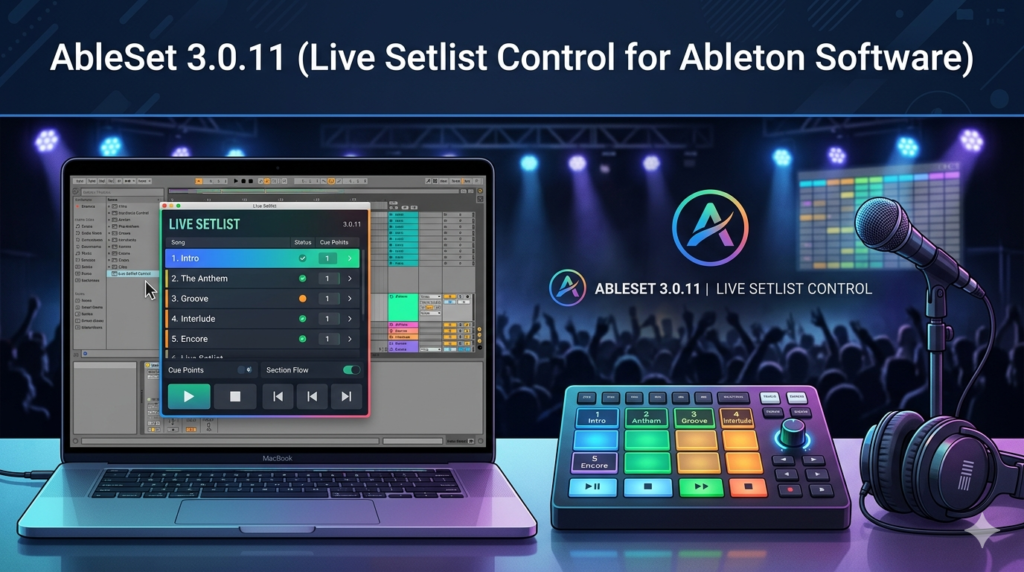
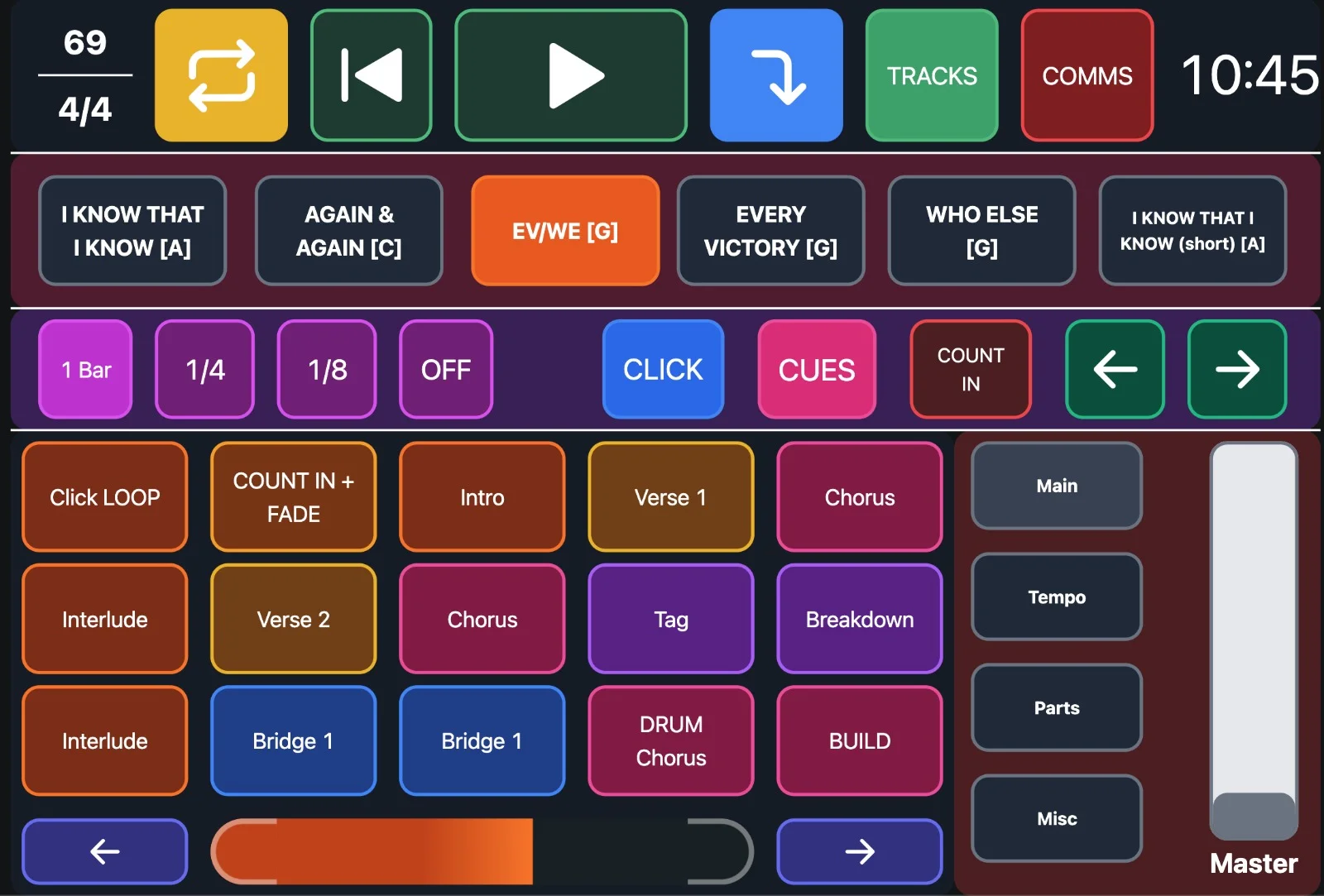
AbleSet operates as a bridge between your Ableton Live project and a simplified, web-based controller interface. Unlike the native Session View, which requires mouse interaction and screen focus, AbleSet generates a clean, responsive dashboard accessible from any device on the same network—such as a tablet, smartphone, or second laptop.
This tool is not a digital audio workstation (DAW) replacement. Instead, it acts as an external control surface that sends MIDI and OSC commands back to Ableton Live. Version 3.0.11 refines the connection protocols, reduces latency, and improves how the software reads setlist metadata directly from your Ableton track names and locators. Users can see upcoming songs, trigger clips, adjust monitor mixes, and take setlist notes without ever touching the primary performance computer.
Key Features
AbleSet 3.0.11 provides a robust feature set centered on live reliability and ease of use.
-
Automatic Setlist Generation: Reads locators and scene names from Ableton Live to create a song list instantly. No manual reordering or tagging is required.
-
Cross-Device Compatibility: The interface works on any modern web browser (Chrome, Safari, Firefox) across iOS, Android, Windows, and macOS devices.
-
Remote Clip & Scene Launching: Wirelessly trigger individual clips, entire rows (scenes), or stop all clips with visual confirmation.
-
Real-Time Visual Feedback: Highlights currently playing clips, shows remaining time (if the clip has a set length), and indicates next programmed scene.
-
Setlist Notes: Add per-song notes (e.g., “Key: Am,” “Guitar solo 2nd chorus,” “Cue next track”) that display only when the song loads.
-
MIDI and OSC Support: Send control signals to external lighting or backing track software for fully synchronized shows.
-
Offline Mode: Once loaded, the interface caches the setlist, allowing stable performance even if venue Wi-Fi becomes unstable.
What’s New in AbleSet 3.0.11
This incremental update focuses heavily on performance optimization and user-requested quality-of-life improvements.
-
Reduced CPU overhead: Background polling to Ableton Live has been optimized, lowering CPU usage by approximately 15% compared to version 3.0.9.
-
Improved locator reading logic: Handles nested locator structures and correctly interprets tempo changes embedded in scene names (e.g., “Song Title | 128 BPM”).
-
Smart reconnect feature: If the connection to Ableton Live drops (e.g., cable disconnect), AbleSet automatically attempts to reconnect every 5 seconds without stopping playback.
-
Custom CSS support: Advanced users can now inject custom stylesheets to brand the interface or increase font sizes for stage readability.
-
Dark mode toggle: A dedicated button switches between light and dark themes to suit different stage lighting conditions.
System Requirements
Before installing AbleSet 3.0.11, ensure your system meets the necessary specifications.
| Component | Minimum Requirement |
|---|---|
| Operating System | Windows 10 (64-bit) or macOS 10.15 (Catalina) |
| DAW | Ableton Live 10.1.5 or later (Standard or Suite) |
| RAM | 4 GB (8 GB recommended for large setlists) |
| CPU | Intel Core i5 or Apple M1 (and newer) |
| Network | Wi-Fi or Ethernet (for remote device connection) |
| Browser | Modern HTML5-compliant browser (Chrome recommended) |
Note: AbleSet does not support Ableton Live Lite or Intro versions due to MIDI scripting limitations.
Installation Guide
Installing AbleSet 3.0.11 is straightforward and does not modify your Ableton Live core files.
Step 1: Download the installer
Visit the official AbleSet website and download the version compatible with your operating system.
Step 2: Run the installation wizard
On Windows, execute the .exe file. On macOS, drag the AbleSet.app into the Applications folder.
Step 3: Launch AbleSet
Open the application. A small control icon will appear in your system tray (Windows) or menu bar (macOS).
Step 4: Configure Ableton Live
Enable MIDI Remote Scripts in Ableton Live’s Preferences → Link/MIDI. Select “AbleSet” as a Control Surface. Set the Input and Output to “AbleSet.”
Step 5: Open your project
Load an Ableton Live set that contains locators or scene names. AbleSet automatically detects the structure.
Step 6: Access the web interface
AbleSet provides a local URL (e.g., http://192.168.1.5:5000). Type this into any device’s browser on the same network to control your setlist.
How to Use the Software
Using AbleSet effectively requires a different mindset than traditional DAW navigation. You organize your performance in advance, then rely on the touch interface for execution.
Setting Up Your Ableton Live Project
-
Use locators as song markers: Place a locator at the beginning of each song. Name the locator with the song title.
-
Structure scenes as song sections: Create scenes named “Verse,” “Chorus,” “Bridge” under each locator.
-
Add tempo automation: Include
| BPMin your scene or locator name (e.g., “Drop | 128 BPM”) so AbleSet updates Ableton Live’s master tempo automatically.
Running a Live Performance
-
Open the AbleSet interface on your tablet.
-
Tap a song title to jump to that locator.
-
Use the large play/stop buttons to trigger the current scene or individual clips.
-
Swipe horizontally to view upcoming songs and their notes.
-
Adjust monitor volume or effects sends if configured in your Ableton Live template.
Best Use Cases
AbleSet 3.0.11 excels in several real-world scenarios.
-
Solo electronic musicians: Control backing tracks, synth patches, and lighting changes simultaneously from a single tablet.
-
Church worship teams: Guitarists or keyboardists can launch backing tracks and click tracks without a dedicated sound engineer.
-
Podcast and live stream producers: Trigger sound effects, jingles, and intro music while speaking on a different device.
-
DJs performing hybrid sets: Combine turntables with Ableton Live for drum loops and vocal stems, using AbleSet for hands-free cueing.
-
Theatre sound design: Quickly jump between musical numbers while maintaining timecode synchronization.
Advantages and Limitations
Advantages
-
No subscription fees: One-time payment per major version.
-
Low latency: Local network control avoids cloud delays.
-
Intuitive UI: Non-technical band members can learn it in minutes.
-
Legal and safe: Fully compliant software with no reverse-engineered code or license bypasses.
Limitations
-
Ableton-dependent: Cannot be used with other DAWs like Logic Pro or FL Studio.
-
Network required: Relies on a stable local Wi-Fi or ethernet connection.
-
No audio routing: This is not a virtual audio cable tool; it only sends control messages.
-
Advanced features require templates: Complex MIDI mapping for external hardware requires manual setup in Ableton Live.
Alternatives to the Software
Several legitimate alternatives exist for controlling Ableton Live remotely.
| Software | Platform | Key Difference |
|---|---|---|
| Touchable Pro | iPad only | Offers a full Ableton Live interface recreation |
| L-K | Desktop | Focuses on keyboard shortcuts and macro creation |
| ClyphX Pro | Mac/PC | Adds scripting and macro control inside Live |
| MIDI Designer | iOS | Build fully custom MIDI control surfaces |
For users who only need setlist management without a full Ableton Live grid emulation, AbleSet remains the most focused and affordable option.
Frequently Asked Questions
1. Does AbleSet 3.0.11 work with Ableton Live 12?
Yes, version 3.0.11 has been tested on Ableton Live 12 Beta and Live 11.3. Full compatibility with the final Live 12 release is confirmed by the developer.
2. Can I use AbleSet without an internet connection?
Absolutely. The software creates a local server on your laptop. No external internet access is required, only a local network or even a direct peer-to-peer Wi-Fi connection between devices.
3. Will using AbleSet affect audio quality or introduce latency?
No. AbleSet sends only MIDI control data. It does not process audio. Therefore, it adds zero audio latency or degradation.
4. How many devices can connect to AbleSet simultaneously?
The software supports up to 10 concurrent browser connections. This allows a full band plus a front-of-house engineer to monitor the setlist.
5. Is there a free trial of AbleSet 3.0.11?
Yes, the developer offers a fully functional 30-day trial without watermarks or restrictions. After the trial, a single-user license is required.
6. What happens if the Wi-Fi router fails during a show?
You can continue controlling Ableton Live normally with your mouse and keyboard because AbleSet does not intercept native controls. The remote interface will simply disconnect until the network is restored.
7. Does AbleSet store any of my song data in the cloud?
No. All setlist data remains locally on your computer. AbleSet has no cloud synchronization, telemetry, or data-harvesting features.
Final Thoughts
AbleSet 3.0.11 solves a genuine problem for live performers: how to move beyond the laptop screen and engage with an audience. By converting complex Ableton Live arrangements into a reliable, touch-friendly setlist, musicians reduce cognitive load and technical anxiety during shows. The software’s strict compliance with Ableton’s remote script framework ensures legal stability, while the new optimizations in version 3.0.11 make it noticeably snappier on older hardware.
For professional performers, worship teams, and live electronic acts, AbleSet provides exceptional value. Its limitations—specifically the dependence on Ableton Live and a local network—are minor compared to the freedom it offers. If your live set relies on Ableton Live, adding AbleSet could be the single best workflow upgrade you make this year.
Our Paid Service
“We do not sell or provide any software. We only offer professional support services. If any software on your system is not working properly, or you are facing installation errors, crashes, or any other technical issue — just contact us. We will help you fix the problem quickly and remotely via AnyDesk. No software will be provided from our side — only expert troubleshooting and support.”