
Overview of the Software
Table of Contents
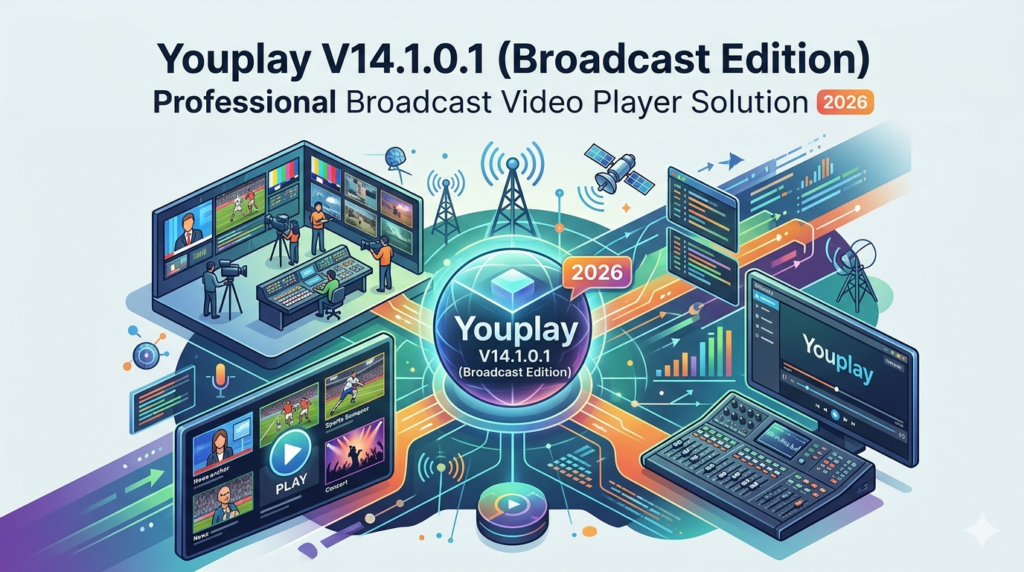
YouPlay Broadcast Edition is a specialized software application built for cue-based video playback in live environments. While consumer tools prioritize interface simplicity, YouPlay focuses on reliability and low-latency performance.
The V14.1.0.1 update refines the software’s core engine for Windows-based production systems. It supports high-resolution formats up to 8K and offers native integration with Blackmagic Design and AJA I/O devices. Professionals use this tool for sports replay, newsroom playback, concert visual support, and corporate live streaming.
This solution bridges the gap between simple media players and expensive server-based broadcast systems. It provides a cost-effective entry point for small studios and a reliable backup for large-scale productions.
Key Features
The software includes several features that distinguish it from standard video players:
-
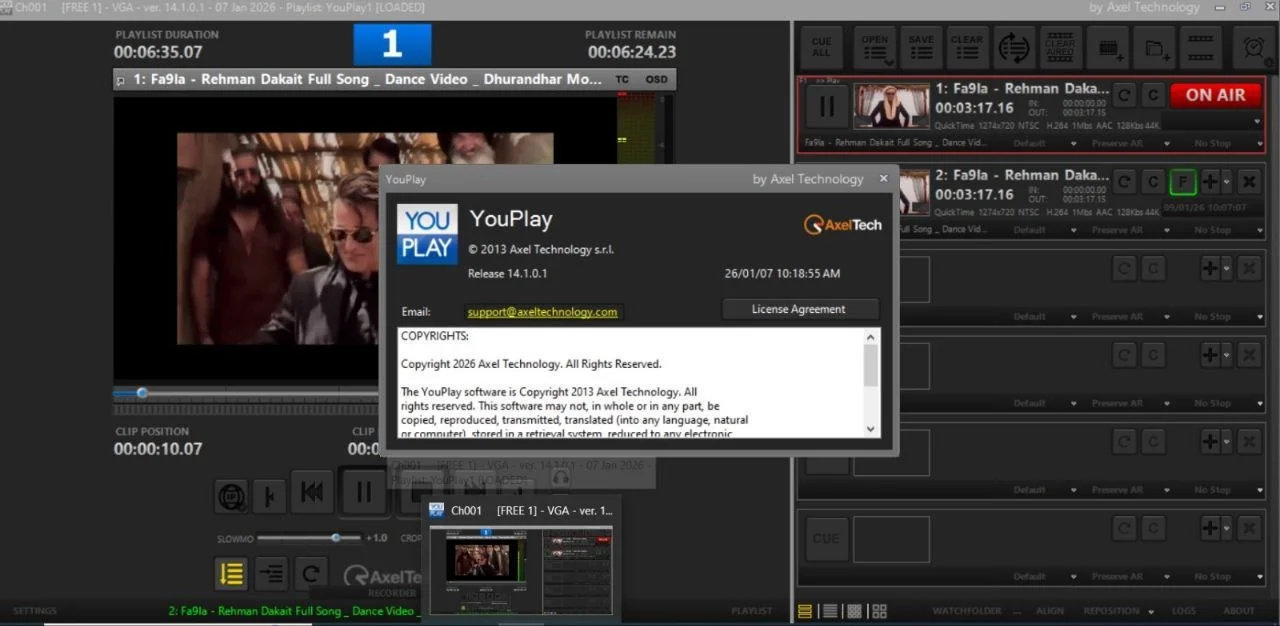
Frame-Accurate Scrubbing: Precise timeline navigation frame by frame. Ideal for replay operations.
-
Dual-Output Mode: Separate Program and Preview outputs for professional switching.
-
Playlist Automation: Create complex playlists with transitions, fade-to-black, and cue points.
-
Multiple File Support: Play MP4, MOV, MXF, AVI, ProRes, DNxHD, and H.264/H.265 codecs without conversion.
-
Hardware Acceleration: Uses GPU processing for smooth playback of high-bitrate 4K and 8K files.
-
Remote Control Protocol: Supports MIDI, RS-422, and TCP/IP commands for integration with broadcast control surfaces.
-
Instant Replay Loop: Set in/out points for seamless looped playback during live events.
Broadcast-Specific Tools
-
Closed Caption Support: Displays embedded 608/708 captions.
-
Audio Metering: Professional loudness monitoring (LKFS/LUFS).
-
Output Scaling: Resize output for LED walls and projection mapping.
What’s New in the Latest Version (V14.1.0.1)
The 2026 Broadcast Edition focuses on stability and modern codec support. Specific improvements include:
-
Improved H.265 Decoding: Reduced CPU load for 10-bit 4:2:2 footage.
-
Automated Backup Playback: If the primary video file fails, the software instantly switches to a backup version.
-
Updated AJA Driver Support: Compatibility with the latest Kona and Io series hardware.
-
Playlist Embedding: Save a playlist as a single project file with relative file paths for easy transfer between production computers.
-
Dark UI Theme: Reduced eye strain for control room operators during long sessions.
System Requirements
To run YouPlay V14.1.0.1 (Broadcast Edition) effectively, your system must meet these specifications:
Minimum Requirements (1080p Playback)
-
OS: Windows 11 or Windows 10 (64-bit, version 22H2 or newer)
-
CPU: Intel Core i5 (12th gen) or AMD Ryzen 5
-
RAM: 16 GB
-
GPU: NVIDIA GTX 1660 or equivalent (4GB VRAM)
-
Storage: 500GB SSD (for software and cache)
Recommended Requirements (4K/8K & Live Switching)
-
OS: Windows 11 Pro for Workstations
-
CPU: Intel Core i9 (13th/14th gen) or AMD Ryzen 9
-
RAM: 32 GB (64 GB for 8K projects)
-
GPU: NVIDIA RTX 4070 or higher (8GB+ VRAM)
-
Storage: 1TB NVMe SSD for media and 2TB HDD for archives
-
Capture Hardware: Blackmagic DeckLink or AJA Kona card
Installation Guide
Follow these steps to install YouPlay legally and safely:
-
Download from Official Source: Visit the official developer’s website. Avoid third-party file hosts to prevent malicious software.
-
Verify System Compatibility: Ensure your Windows installation is up to date and meets the GPU requirements.
-
Run as Administrator: Right-click the installer and select “Run as administrator” to allow proper driver installation for I/O hardware.
-
Follow Setup Wizard:
-
Accept the license agreement.
-
Choose installation directory (default is recommended).
-
Select components: Core engine, AJA drivers, Blackmagic drivers.
-
-
Activate License: Enter your purchased license key. This software does not support freeware or trial bypass methods.
-
Restart System: Required for broadcast drivers to load correctly.
-
Configure Hardware Mapping: Open the software’s “Output Settings” to map video outputs to your specific SDI or HDMI ports.
How to Use the Software
Building a Playlist for a Live Show
-
Launch YouPlay and create a new project.
-
Drag video files into the Media Bin. The software analyzes codecs and frame rates.
-
Drag clips to the Playlist Panel in your desired order.
-
Double-click a clip to set Cue In and Cue Out points.
-
Add Transitions (crossfade, cut, wipe) between clips via the transition library.
-
Save the playlist. The software remembers relative file paths for portability.
Live Playback Operations
-
Use the Spacebar to play/pause the Program output.
-
Use Numeric keys to jump to predefined cue points.
-
Enable Preview Mode to build the next segment without going live.
-
Use MIDI mapping to assign playback triggers to external controllers (e.g., Stream Deck, Akai APC).
Best Use Cases
YouPlay V14.1.0.1 is not a general-purpose media player like VLC. It excels in specific professional scenarios:
| Use Case | Why YouPlay Works |
|---|---|
| Live Sports Replay | Instant loop creation and frame-accurate jog shuttle. |
| News Production | Reliable playlist triggering with backup file failover. |
| Conference Streaming | Dual-output mode for presenter notes vs. audience screens. |
| Theatre Projection | Timecode synchronization with lighting and audio consoles. |
| Museum Installations | Loop specific clips 24/7 without UI overlays. |
| House of Worship (HoW) | User-friendly playlist for volunteer operators. |
Advantages and Limitations
Advantages (Strengths)
-
Stability: Significantly less prone to crashes than desktop NLEs (e.g., Premiere Pro) used for playback.
-
Hardware Integration: Native support for professional capture cards.
-
Low Latency: Sub-frame latency when using SDI outputs.
-
File Compatibility: Handles broadcast containers (MXF, MOV) without rewrapping.
Limitations (Weaknesses)
-
No Editing Tools: This is a playback solution, not a video editor. You cannot perform complex cuts or color grading.
-
Windows Only: No native macOS or Linux versions currently available.
-
Learning Curve: Professionals find it intuitive, but beginners may need several hours to understand cue mapping.
-
Cost: It requires a paid license. There is no permanent free version.
Alternatives to the Software
If YouPlay does not fit your workflow or budget, consider these legal alternatives:
| Software | Best For | Platform | Key Difference |
|---|---|---|---|
| vMix | Live production + streaming | Windows | Includes internal switching and virtual sets. |
| OBS Studio | Free, open-source streaming | Windows/macOS/Linux | Free but lacks native SDI hardware support. |
| Millumin | Interactive theatre & mapping | macOS | Strong projection mapping tools. |
| Playback Pro Plus | Classic event playback | macOS | Industry standard for Mac-based events. |
| QLab | Cue-based audio/video control | macOS | Excellent for theatre cue stacks. |
Frequently Asked Questions
Q1: Is YouPlay V14.1.0.1 (Broadcast Edition) free to use?
No. It is a paid professional software. You can usually download a fully functional trial version from the official website (limited to 30 days or with a watermark). You must purchase a license for permanent use.
Q2: Can I play YouTube or Netflix streams inside YouPlay?
No. This is a file-based playback solution. It plays local video files. It does not function as a web browser or streaming client.
Q3: Does it support touchscreen operation for live events?
Yes. The interface buttons are large enough for touch control, but physical MIDI controllers offer better tactile feedback for live triggering.
Q4: What is the difference between YouPlay and VLC Media Player?
VLC is a free, open-source utility for general file playback. YouPlay is a professional broadcast tool that outputs video via SDI cards, supports genlock, and handles playlist automation without UI interference.
Q5: Will the software work with an external USB capture card (like Elgato)?
It is optimized for Blackmagic and AJA internal cards. While some USB devices may work, the developer recommends professional-grade hardware for guaranteed low latency and signal stability.
Q6: Can I use this software for 24/7 digital signage?
Yes. You can place a playlist on permanent loop. However, for dedicated digital signage, specialized tools like Xibo or ScreenCloud offer better remote management features.
Final Thoughts
YouPlay V14.1.0.1 (Broadcast Edition) addresses a specific market need: reliable, low-latency video playback in live broadcast environments. For 2026, the update focuses on stability and high-efficiency codec support.
If you currently use a consumer media player for live events, you risk dropped frames and poor audio sync. Upgrading to a broadcast solution like YouPlay improves both the operator’s confidence and the audience’s experience.
Before purchasing, test the official trial version with your specific hardware and file types. For professional studios requiring frame accuracy and SDI output, YouPlay remains a competitive choice alongside vMix and Playback Pro. Always download software directly from the official developer to ensure security and full feature access.
Our Paid Service
“We do not sell or provide any software. We only offer professional support services. If any software on your system is not working properly, or you are facing installation errors, crashes, or any other technical issue — just contact us. We will help you fix the problem quickly and remotely via AnyDesk. No software will be provided from our side — only expert troubleshooting and support.”