
Overview of PLAXIS Monopile Designer
Table of Contents
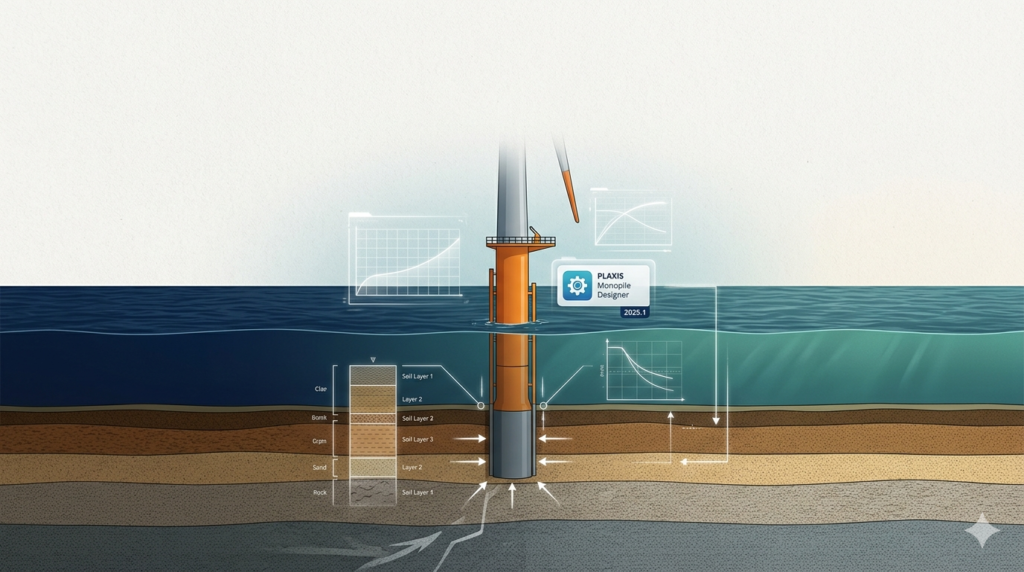
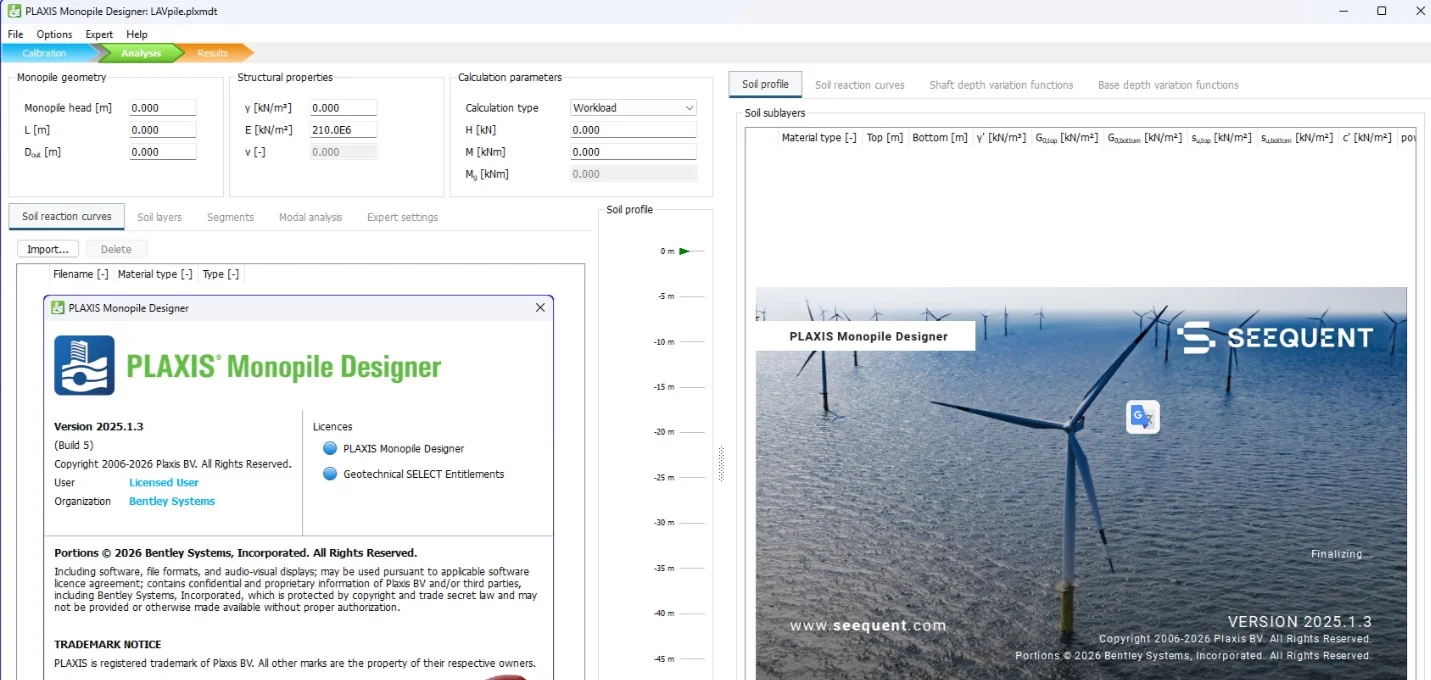
Bentley Seequent PLAXIS Monopile Designer 2025.1.3.5 is a specialized finite element analysis (FEA) software for designing large-diameter monopiles used in offshore wind turbine foundations. Unlike general-purpose geotechnical tools, this application focuses on laterally loaded piles under cyclic loading conditions, such as wind and wave forces.
This software bridges the gap between standard p-y curve methods (API, DNV) and advanced 3D modeling. It provides engineers with a dedicated environment for assessing monopile behavior, soil-structure interaction, and long-term deformation. The 2025.1.3.5 release improves calculation stability and output reporting for offshore wind projects.
As a product of Bentley Systems within the Seequent division, PLAXIS Monopile Designer integrates with the broader PLAXIS ecosystem while offering a streamlined, project-focused interface for monopile design.
Key Features
The tool delivers specialized capabilities that differentiate it from conventional pile design software.
-
Dedicated monopile workflow: Step-by-step guidance from soil stratification to structural verification.
-
Advanced cyclic loading models: Includes PISA (offshore wind research) and MIT-S1 soil constitutive models.
-
Automated mesh generation: Adaptive meshing focused on the pile-soil interface zone.
-
DNV-ST-0126 compliance: Supports design checks according to offshore standards.
-
Parametric sweeps: Analyze pile diameter, wall thickness, and embedment length variations in batch.
-
Visualization dashboard: Real-time plots of deflection, rotation, bending moment, and soil resistance.
What’s New in PLAXIS Monopile Designer 2025.1.3.5
This maintenance release focuses on reliability and interoperability. Key updates include:
-
Improved solver convergence for stiff clay and multi-layer sand profiles.
-
Expanded soil database with parameters for North Sea and Baltic Sea site data.
-
Enhanced DNV-compliant reports now include fatigue limit state (FLS) summaries.
-
Direct export to PLAXIS 2D/3D for advanced detailed modeling.
-
Bug fix: Resolved unit conversion error in the API p-y curve generator.
System Requirements
To run version 2025.1.3.5 efficiently, your workstation should meet these specifications:
| Component | Minimum | Recommended |
|---|---|---|
| OS | Windows 10 Pro (64-bit) | Windows 11 Pro |
| CPU | 2.5 GHz quad-core | 3.5 GHz+ octa-core (high single-core speed) |
| RAM | 8 GB | 32 GB or more |
| GPU | 1 GB VRAM, DirectX 11 | 4 GB VRAM, OpenGL 4.5 compliant |
| Storage | 5 GB SSD | 10 GB NVMe SSD |
| Display | 1920 x 1080 | 2560 x 1440 or higher |
Supported platforms: Native Windows only. Not supported on macOS or Linux without virtual machines.
Installation Guide
Follow these steps for a successful deployment. Always use your official license provided by Bentley.
-
Download the installer from the Bentley Community Portal or your organizational account.
-
Close all CAD/FEA software (including any open PLAXIS processes).
-
Run the EXE file as Administrator to ensure registry permissions are granted.
-
Accept the license agreement (read the EULA carefully for commercial use terms).
-
Select installation type:
-
Complete (all features, ~4.2 GB)
-
Custom (omit example projects to save space)
-
-
Enter license configuration (Network license server address or local license file).
-
Complete the installation and restart your computer.
How to Use PLAXIS Monopile Designer
The workflow is optimized for geotechnical engineers familiar with offshore standards.
Step 1: Define Site Conditions
-
Import borehole logs (CSV, AGS format).
-
Assign soil layers with shear strength, stiffness, and unit weight.
-
Select a constitutive model (e.g., Hardening Soil with small-strain stiffness).
Step 2: Specify Monopile Geometry
-
Input outer diameter (typically 4–10 meters).
-
Define wall thickness transitions and a grouted connection (if applicable).
-
Set embedment length (L/D ratio from 4 to 8).
Step 3: Apply Environmental Loads
-
Enter static loads (turbine weight, rotor thrust).
-
Define cyclic loads using load blocks (wind, wave, 1P and 3P frequencies).
Step 4: Run Analysis
-
Choose analysis type: static, cyclic, or combined.
-
The solver computes p-y curves, moment-rotation response, and accumulated rotation.
Step 5: Review Results
-
Check serviceability limit state (SLS) deflections (typically < 0.25° permanent tilt).
-
Validate ultimate limit state (ULS) capacity.
-
Export a DNV-compliant PDF report.
Best Use Cases for PLAXIS Monopile Designer
This software serves specific project types where large-diameter, slender piles dominate.
-
Offshore wind farms: Primary tool for fixed-bottom foundation design in water depths up to 60 meters.
-
Coastal structures: Berthing dolphins, mooring piles, and navigation aid supports.
-
Bridge piers in marine environments: Especially for deep-water crossings.
-
Research and code development: Universities validating new cyclic soil models.
Not recommended for: Onshore building piles, driven timber piles, or rock-socketed shafts (other PLAXIS modules handle those better).
Advantages and Limitations
Advantages
-
Task-specific efficiency: Completes monopile analysis in 70% less time than general FEA software.
-
Regulatory alignment: Built-in checks against DNV, API, and ISO standards.
-
Low learning curve for engineers already familiar with p-y curves.
-
Seamless PLAXIS integration for model handover.
Limitations
-
No dynamic analysis (e.g., seismic or impact loads). Requires export to PLAXIS 3D.
-
Single pile only – no pile groups or hybrid foundations (suction buckets, jackets).
-
License cost may be prohibitive for occasional users (typical annual subscription > $5,000 USD).
-
Windows-only deployment in an increasingly cross-platform engineering world.
Alternatives to PLAXIS Monopile Designer
Depending on your budget and project complexity, consider these substitutes:
| Software | Best For | Key Difference |
|---|---|---|
| OpenFAST + MoorDyn | Academic research | Free, open-source but requires coding |
| ANSYS Mechanical | High-fidelity FEA | More general, steeper learning curve |
| LPILE | Simpler piles | Lower cost but no cyclic advanced models |
| ABAQUS | Complex soil-structure | Superior for large deformations but slower setup |
| PLAXIS 3D | Complete 3D models | More powerful but less automated for monopiles |
Note: No alternative offers the same PISA-based cyclic model integration in a dedicated monopile UI.
Frequently Asked Questions (FAQ)
1. Is PLAXIS Monopile Designer included in a standard PLAXIS license?
No. It requires a separate “Monopile Designer” module license or a Bentley offshore bundle subscription.
2. Can I import CPT (Cone Penetration Test) data directly?
Yes. Version 2025.1.3.5 supports direct CPT import using .cpt or .xml formats. The software interprets tip resistance and sleeve friction into soil parameters.
3. Does the software support fatigue analysis for 20-year design life?
Yes. The FLS module calculates cumulative fatigue damage using Miner’s rule and S-N curves defined in DNV-RP-C203.
4. How do I get a trial version without purchasing a license?
Request a 14-day trial license directly from Bentley’s official website. No crack, torrent, or unauthorized activation exists. Using unlicensed copies violates copyright law and provides incorrect results.
5. What file formats can I export for documentation?
-
Reports: PDF, DOCX (with editable tables)
-
Curves: CSV, TXT (for p-y and moment-rotation)
-
Graphics: PNG, SVG, or export to DXF for CAD import.
6. Will this version run on Windows Server for remote desktop use?
Yes. Bentley supports virtualized environments such as Citrix and Windows Server 2019/2022, provided a network license is used.
7. Does PLAXIS Monopile Designer account for soil liquefaction?
No. For liquefaction analysis, combine results with PLAXIS 2D using the UBCSAND model.
8. How often does Bentley release updates for Monopile Designer?
Typically three releases per year: one major (Q1) and two maintenance (Q2, Q4). Version 2025.1.3.5 is a Q2 maintenance build.
Final Thoughts
Bentley Seequent PLAXIS Monopile Designer 2025.1.3.5 represents a focused engineering tool for a growing offshore wind market. Its strength lies in automating complex cyclic analyses while maintaining compliance with DNV standards. The software does not attempt to replace full 3D FEA packages but instead streamlines 80% of routine monopile design work.
For engineers regularly designing large-diameter monopiles, this tool reduces manual spreadsheet work and modeling errors. However, for one-off projects or researchers on a tight budget, open-source alternatives like OpenFAAS may suffice.
Our Paid Service
“We do not sell or provide any software. We only offer professional support services. If any software on your system is not working properly, or you are facing installation errors, crashes, or any other technical issue — just contact us. We will help you fix the problem quickly and remotely via AnyDesk. No software will be provided from our side — only expert troubleshooting and support.”