
Overview of the Software
Table of Contents
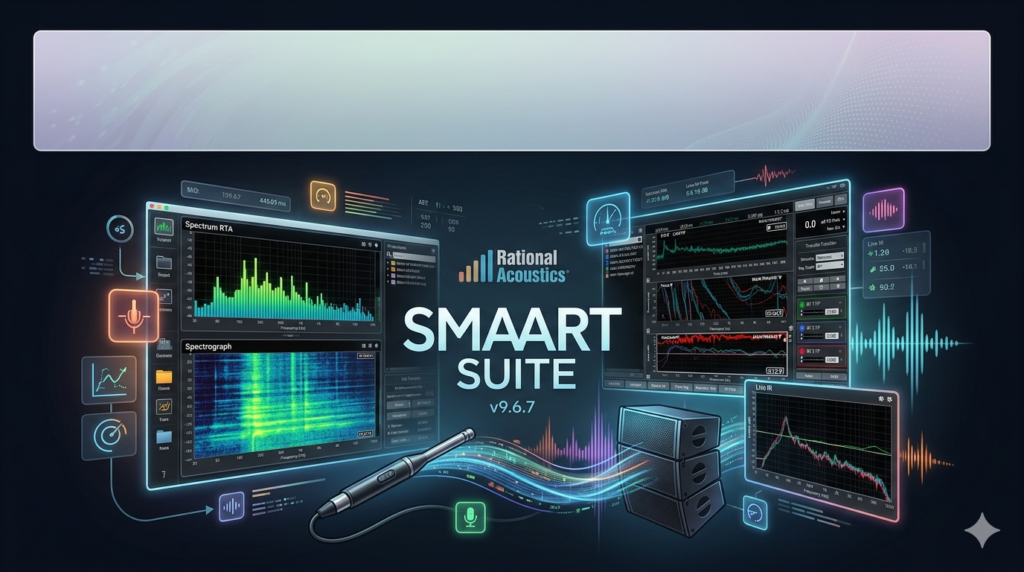
Rational Acoustics Smaart Suite 9.6.7 is the industry-leading software platform for professional real-time audio analysis, sound system alignment, and acoustic measurement. Unlike basic spectrum analyzers, Smaart Suite operates as a dual-channel FFT (Fast Fourier Transform) engine, allowing engineers to view both spectral content and impulse response simultaneously.
This version, 9.6.7, represents a mature iteration of the v9 architecture, focusing on workflow stability, measurement precision, and enhanced user interface responsiveness. It is the primary tool for live sound engineers, system integrators, and acousticians who require transfer function coherence and delay finding accuracy down to sample-level resolution.
The software suite includes all features of the classic Smaart v8 and DI v2, combining them into a unified package with modern GPU-accelerated graphics and improved data management.
Key Features
-
Real-Time Dual-Channel FFT Analysis – Capture and compare a reference signal and a measurement signal simultaneously to calculate magnitude, phase, and coherence.
-
Spectrograph & RTA Modes – High-resolution Real-Time Analyzer with adjustable decay rates and a spectrograph view for identifying feedback frequencies and room modes.
-
Impulse Response Measurement – Capture acoustic impulse responses using swept sine or MLS signals to derive ETC, T60, and clarity metrics (C50, C80).
-
Live Delay Finder – Automatically calculates signal arrival time differences between reference and measurement channels, essential for aligning loudspeaker zones.
-
Smaart Data Manager – Organize multiple measurements, store reference traces, and overlay historical data for system optimization reports.
-
Configurable User Workspace – Fully customizable screen layouts, meter bridges, and color palettes to match different workflows (tuning, troubleshooting, or FOH mixing).
-
Session & Project Workflow – Save complete workspaces including measurement data, reference curves, and screen arrangements for repeatable client deliverables.
What’s New in Smaart Suite 9.6.7
Version 9.6.7 focuses on refinement and reliability rather than feature expansion.
-
Improved Graphics Engine – Faster spectrograph rendering on multi-display setups, reducing CPU overhead on large-scale measurement sessions.
-
Enhanced Coherence Weighting – More accurate phase trace smoothing in low-coherence regions, minimizing misleading data in reverberant environments.
-
Expanded File Export Options – Native export of measurement traces as TXT or CSV for external post-processing in MATLAB or Excel.
-
Stability Fixes – Resolved rare session corruption when hot-swapping ASIO drivers on Windows 11 and macOS Sonoma.
-
Updated ASIO and Core Audio Support – Improved latency management for popular USB measurement interfaces (Focusrite, RME, MOTU).
System Requirements
Windows
-
OS: Windows 10 (64-bit) or Windows 11
-
Processor: Intel Core i5 or AMD Ryzen 5 (i7 recommended for complex multi-channel measurements)
-
RAM: 8 GB minimum (16 GB recommended)
-
Storage: 500 MB for installation; SSD recommended for session recording
-
Audio Interface: ASIO-compatible or Windows WASAPI loopback capable
macOS
-
OS: macOS 11 (Big Sur) through macOS 14 (Sonoma)
-
Processor: Apple M1, M2, M3, or Intel i5+
-
RAM: 8 GB minimum (16 GB recommended)
-
Storage: 500 MB free
-
Audio Interface: Core Audio compliant
Both Platforms
-
Display: 1920 x 1080 minimum
-
Required Ports: At least one USB or Thunderbolt port for measurement interface
Installation Guide
Step 1: Download the Installer
Download Smaart Suite 9.6.7 directly from the Rational Acoustics customer portal. Ensure you have your valid software license key and iLok credentials ready.
Step 2: Run Installation
-
Windows: Run the
.exefile as administrator. Follow the setup wizard; all default paths are recommended. -
macOS: Mount the
.dmgfile and drag Smaart Suite to the Applications folder.
Step 3: Install Required Drivers
Install your measurement interface’s ASIO or Core Audio driver before launching Smaart. Restart your computer after driver installation.
Step 4: Activate License
Launch Smaart Suite. Sign in to your iLok account. Authorize the license to either:
-
A physical iLok USB key (recommended for rental or shared workstations)
-
Your computer’s internal hard drive (machine-based license)
Step 5: Initial Audio Device Setup
Navigate to Options > Audio Device. Select your input and output device. Run the “Calibrate” wizard to align Smaart’s measurement delay with your interface’s inherent latency.
How to Use the Software (Core Workflow)
Measurement Preparation
-
Connect your audio interface’s output to the system under test (e.g., a loudspeaker processor input).
-
Connect a measurement microphone to input A (reference input for the console’s LR output if using loopback).
-
Configure Smaart’s reference input to capture the electrical signal (digital loopback from console or DAW).
-
Configure the measurement input to capture the microphone signal.
Performing a Transfer Function
-
Generate a stimulus – Use Smaart’s internal pink noise generator routed to the device output.
-
Find delay – Click the “Find Delay” button. Smaart analyzes the impulse response and automatically inserts the correct time offset.
-
Observe magnitude and phase – After delay is applied, the phase trace becomes coherent below 1 kHz. Review the magnitude trace for EQ decisions.
-
Set coherence masking – Enable coherence masking (default 0.5-0.9) to hide data where environmental noise corrupts the measurement.
Capturing and Saving Data
-
Use Freeze to hold a single trace on screen while you adjust EQ.
-
Use Capture to store multiple traces for comparison.
-
Use Export Session to save all data as a
.smssnfile for client reports.
Best Use Cases
Live Sound System Tuning
Align delay towers to main PA, measure subwoofer to main phase alignment, and EQ for consistent coverage across multiple zones. Smaart’s real-time transfer function allows adjustments during sound check without interrupting the performance.
Room Acoustics Analysis
Use the impulse response mode to measure RT60 (reverberation time), early-to-late energy ratios (C50 for speech, C80 for music), and identify discrete reflections causing comb filtering.
Product R&D and QA
Manufacturers use Smaart Suite to validate loudspeaker prototypes, measure frequency response consistency across production units, and document performance under different environmental conditions.
AV Integration Verification
AV consultants specify Smaart measurements as part of system sign-off, providing objective data that a sound system meets the design criteria for gain-before-feedback and coverage uniformity.
Advantages and Limitations
Advantages
-
Industry standard – Recognized globally; measurement data is trusted in legal disputes and performance bonds.
-
Dual-mode workflow – Switch between RTA and TF without closing sessions.
-
Superb delay finder – Faster and more accurate than most competitors, even in noisy environments.
-
Active user community – Rational Acoustics offers official training (Smaart School) and a private forum.
Limitations
-
Steep learning curve – Requires understanding of FFT principles, coherence, and time-frequency tradeoffs.
-
No native iOS or Android app – Mobile Smaart is a separate product (Smaart v2 iOS) with reduced features.
-
Hardware dependent – Measurement quality is limited by your microphone and interface’s preamp noise and phase linearity.
-
Not a loudspeaker prediction tool – Cannot model coverage; it measures real-world output only.
Alternatives to the Software
| Software | Primary Use Case | Key Difference from Smaart Suite |
|---|---|---|
| Open Sound Meter (OSM) | Free, open-source dual-channel FFT | Lower coherence accuracy; no spectrograph; community support only |
| SysTune by AFMG | Live sound and installed systems | Higher emphasis on psychoacoustic metrics (NCA, STIPA) |
| REW (Room EQ Wizard) | Home studio and hi-fi room correction | No dual-channel real-time transfer function; designed for swept sine only |
| SoundCheck by Listen, Inc. | R&D and production line testing | Much higher cost; includes automation and limit testing |
| Smaart v8 (Legacy) | Users with older iLok licenses | No longer updated; missing 9.x data manager and spectrograph improvements |
Frequently Asked Questions
What is the difference between Smaart Suite and Smaart v8?
Smaart Suite includes the combined features of v8 (dual-channel FFT) and DI (spectrograph-only). Smaart v8 is no longer sold; Suite is the current product. Version 9.6.7 added GPU acceleration and project-based data management.
Can I use Smaart Suite without an external microphone?
For electrical-only measurements (e.g., checking a processor’s EQ curve), you can use a loopback cable from output to input. For acoustic measurements, a calibrated measurement microphone (e.g., iSEMcon, Earthworks M30) is required.
Does Smaart Suite run on Linux?
No. Rational Acoustics only supports Windows and macOS. Some users report success with Wine or virtual machines, but latency and driver stability are not guaranteed.
How do I update from Smaart Suite 9.6.6 to 9.6.7?
Log into your Rational Acoustics account. Download the 9.6.7 installer. Run it over your existing installation. Your preferences, sessions, and iLok license remain unchanged.
Is training available for beginners?
Yes. Rational Acoustics offers Smaart School (paid, instructor-led) and free Smaart Office Hours (live Q&A on YouTube). The user manual (PDF included) also contains step-by-step tutorials for delay finding and EQ measurement.
What audio interfaces are officially recommended?
Rational Acoustics tests with RME (Fireface series), Focusrite (Scarlett 3rd/4th Gen), MOTU (UltraLite-mk5), and Sound Devices (USBPre). Avoid generic USB sound cards; their sample clock jitter corrupts phase data.
Final Thoughts
Rational Acoustics Smaart Suite 9.6.7 remains the gold standard for professionals who require trustable, real-time acoustic data. While its learning curve is significant, the investment in understanding transfer function measurement transforms chaotic sound checks into predictable system optimizations.
For live engineers, this software pays for itself in reduced feedback incidents, faster delay tower alignments, and more consistent front-of-house tonality across different venues. For system integrators, it provides defensible, documentable evidence of proper system performance.
Our Paid Service
“We do not sell or provide any software. We only offer professional support services. If any software on your system is not working properly, or you are facing installation errors, crashes, or any other technical issue — just contact us. We will help you fix the problem quickly and remotely via AnyDesk. No software will be provided from our side — only expert troubleshooting and support.”