
Overview of the Software
Table of Contents
Autodesk Maya is a professional 3D computer graphics application used to create interactive 3D applications, video games, animated films, TV series, and visual effects. Originally developed by Alias Systems Corporation and now owned by Autodesk, Inc., Maya provides a robust toolset for character rigging, particle simulations, UV mapping, and rendering.
The software operates on a subscription-based licensing model through Autodesk’s official platform. Users can access Maya via named user licenses, network licenses, or educational licenses for qualified students and educators. The software receives regular official patches — updates that fix bugs, close security vulnerabilities, and improve stability without changing core functionality.
Key Features
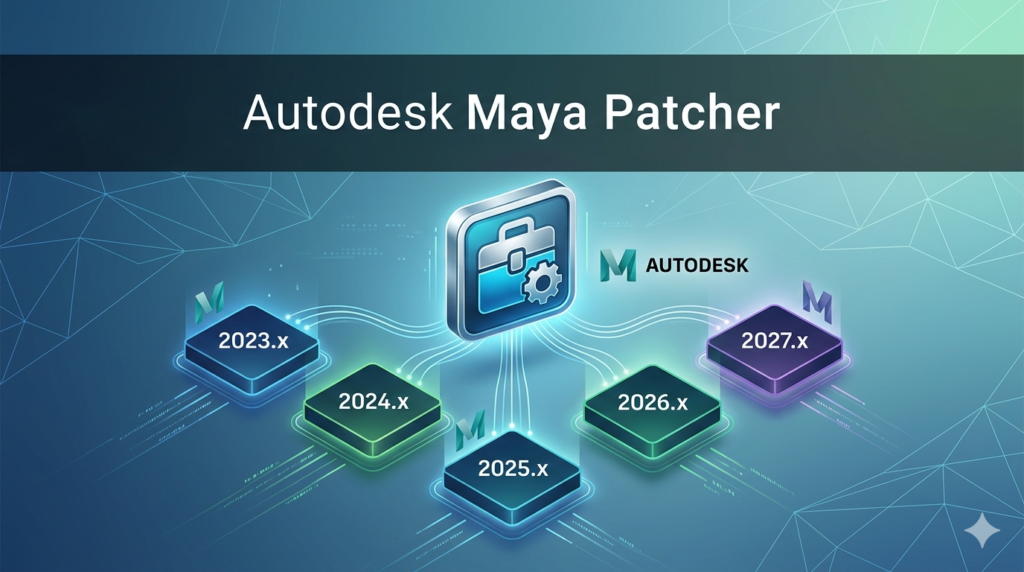
Maya’s feature set supports the entire 3D production pipeline. Below are the core capabilities available across versions 2023.x to 2027.x:
-
Polygon and NURBS modeling – Create hard-surface and organic models with extrusions, bevels, booleans, and sculpting tools.
-
Character rigging and skinning – Advanced skeleton setups, inverse kinematics (IK), and blend shape deformation.
-
Bifrost for procedural effects – Generate realistic explosions, liquids, and destruction simulations.
-
Arnold renderer integration – Production-quality ray tracing directly within the viewport.
-
MASH motion graphics – Procedural animation toolset for scatter, curve, and physics-based effects.
-
Python and MEL scripting – Automate repetitive tasks and extend Maya’s functionality.
-
USD (Universal Scene Description) support – Collaborate across teams using Pixar’s USD format (enhanced in 2025+).
What’s New in the Latest Version (2023–2027)
Each annual release brings targeted improvements. Below is a breakdown of major updates:
Maya 2023.x
-
Introduction of the LookdevX material editor for USD workflows.
-
Ghosting improvements for animation playback.
-
Faster cache playback for Bifrost simulations.
Maya 2024.x
-
Boolean performance boost – Up to 3x faster mesh boolean operations.
-
Smart Extrude – Automatically corrects normals and bridges edges.
-
Color management using OpenColorIO (OCIO) v2.
Maya 2025.x
-
Native Apple Silicon support – M1/M2/M3 chips run Maya natively, no Rosetta required.
-
Updated Hydra viewport – Better USD rendering interoperability.
-
Sweep Mesh – Generate geometry along a curve path.
Maya 2026.x
-
AI denoising in viewport 2.0 – Real-time noise reduction for Arnold previews.
-
GPU-accelerated cloth simulation using NVIDIA Flex.
-
Improved USD round-tripping with Adobe Substance 3D Painter.
Maya 2027 (Latest)
-
Live motion capture streaming – Direct input from OptiTrack and Vicon systems.
-
Generative fill for UV textures – AI-assisted texture extension (optional cloud service).
-
Patch management dashboard – Built-in tool to check and apply official Autodesk updates.
System Requirements
Before installing any version (2023–2027), verify your system meets these specifications:
| Component | Minimum | Recommended |
|---|---|---|
| OS | Windows 11 Pro (22H2+), macOS Ventura 13+, or Rocky Linux 8.6+ | Windows 11 Pro, macOS Sonoma 14+, Rocky Linux 9 |
| CPU | 64-bit multi-core (Intel i5 or AMD Ryzen 5) | Intel i7 / AMD Ryzen 7 or Apple M2/M3 |
| RAM | 8 GB | 32 GB or more |
| GPU | 4 GB VRAM, DirectX 12 / Metal / Vulkan compatible | NVIDIA RTX 3060+ (8 GB VRAM) or AMD Radeon Pro |
| Storage | 7 GB for installation (SSD) | 1+ TB NVMe SSD for cache and assets |
| Display | 1920 x 1080 | 2560 x 1440 with 10-bit color |
Note: For Maya 2025 and later on macOS, only Apple Silicon Macs are officially supported. Intel-based Macs are supported through Maya 2024.x only.
Installation Guide
Follow these steps to install any official version of Autodesk Maya legally and securely:
Step 1 – Obtain a License
-
Purchase a subscription from the Autodesk official website or use a free educational license (if eligible).
-
Download the Autodesk Access desktop application.
Step 2 – Download the Installer
-
Log into your Autodesk account → Products & Services → Maya.
-
Select your version (2023, 2024, 2025, 2026, or 2027).
-
Choose Download Now for the full installer or Browser Download for the executable.
Step 3 – Run the Installation
-
Close all other applications.
-
Run the installer as administrator (Windows) or with sudo (Linux).
-
Select Install (not “Extract”).
-
Sign in with your Autodesk ID when prompted.
Step 4 – Apply Official Patches
-
Open Autodesk Access → My Tools → Maya.
-
Click Check for Updates.
-
Install any available security patches, hotfixes, or service packs.
How to Use the Software
Once Maya is installed and licensed, follow this workflow to start your first project:
-
Launch Maya – From Start Menu (Windows), Applications folder (macOS), or terminal (Linux).
-
Set a project – File → Project Window → New. Define a folder for scenes, images, and cache.
-
Create a primitive – Go to Create → Polygon Primitives → Sphere.
-
Model – Use the Move (W), Rotate (E), and Scale (R) tools.
-
Apply materials – Open Hypershade → Arnold → aiStandardSurface.
-
Animate – Set keyframes with S on the timeline.
-
Render – Arnold → Render View → Start Raytracing.
-
Save your scene – File → Save Scene As (.ma or .mb format).
Best Use Cases
Maya excels in professional creative pipelines. Typical applications include:
-
VFX for film and television – Explosions, water, fire, and creature effects (e.g., Avatar, Game of Thrones).
-
AAA game development – Character and environment modeling for Unreal Engine or Unity.
-
Architectural visualization – High-fidelity renderings of buildings and interiors.
-
Motion graphics – Title sequences and broadcast design using MASH.
-
Virtual production – Real-time LED wall content using USD and Unreal Live Link.
Advantages and Limitations
Advantages
-
Industry-standard toolset recognized by studios worldwide.
-
Extensive third-party plugin support (e.g., Yeti, Substance, RenderMan).
-
Strong scripting API (Python, PySide, C++ API).
-
Regular official patches improve stability without feature bloat.
Limitations
-
Steep learning curve for beginners.
-
Subscription cost is high for freelancers (starting at 235/monthor1,875/year as of 2026).
-
Heavy resource consumption – requires a workstation-class PC.
-
No native real-time rendering engine (Arnold is offline).
Alternatives to the Software
If Maya’s subscription cost or complexity is prohibitive, consider these legally available alternatives:
| Software | Best for | License type | Primary format |
|---|---|---|---|
| Blender | Complete 3D pipeline (modeling, sculpt, VFX) | Free / GPL | .blend |
| Cinema 4D | Motion graphics and broadcast design | Subscription | .c4d |
| Houdini | Procedural FX and simulations | Subscription / Free for non-commercial (Apprentice) | .hip |
| Unreal Engine | Real-time rendering and virtual production | Free (royalty-based) | .uproject |
Comparison note: Blender is the closest free alternative to Maya’s polygon modeling and rigging toolset. However, Maya remains superior for large-scale character animation and studio pipeline integration.
Frequently Asked Questions
1. Can I use Maya 2027 on Windows 10?
No. Maya 2027 requires Windows 11 version 22H2 or later. Windows 10 is supported only up to Maya 2024.
2. What is an official Autodesk Maya patch?
An official patch is a small update (usually 50–500 MB) that fixes bugs, security vulnerabilities, or performance issues. It does not add new features. Patches are downloaded only from Autodesk Access or your Autodesk account.
3. How do I switch between Maya versions 2023 and 2025 on the same computer?
Install each version to a separate directory (e.g., C:\Program Files\Autodesk\Maya2023\ and Maya2025\). Both will appear in your Start Menu. You cannot run both simultaneously but can launch them separately.
4. Is there a free version of Maya for students?
Yes. Autodesk offers a free 3-year educational license for students and faculty at accredited institutions. The educational version is fully featured but watermarks renders for non-commercial use.
5. Does Maya 2026 support third-party renderers like Redshift or Octane?
Yes. Maya 2023–2027 supports all major third-party renderers via plug-ins, including Redshift, Octane, V-Ray, and RenderMan. Ensure you download the renderer’s Maya version (not standalone).
6. Can I script in Maya without knowing Python?
Yes. Maya includes the MEL (Maya Embedded Language) scripting environment. MEL is simpler than Python but less powerful for external data processing. Autodesk recommends Python for new projects.
7. What file formats can Maya export?
Maya exports .obj, .fbx, .abc (Alembic), .usd, .dxf, .dae (Collada), and native .ma (ASCII) / .mb (binary). For game engines, use .fbx.
8. Why does Maya crash when loading a scene from a newer version?
Maya is not backward compatible. A scene saved in Maya 2026 cannot be opened in Maya 2023. Always use File → Save Scene As → Maya 2023 format if sharing with older versions.
Final Thoughts
Autodesk Maya remains the most powerful and widely adopted 3D animation software for professional studios. Versions 2023 through 2027 have progressively improved simulation speed, USD integration, and native Apple Silicon performance. Managing official patches through Autodesk Access ensures your software remains secure, stable, and compliant.
Our Paid Service
“We do not sell or provide any software. We only offer professional support services. If any software on your system is not working properly, or you are facing installation errors, crashes, or any other technical issue — just contact us. We will help you fix the problem quickly and remotely via AnyDesk. No software will be provided from our side — only expert troubleshooting and support.”