
Overview of the Software
Table of Contents
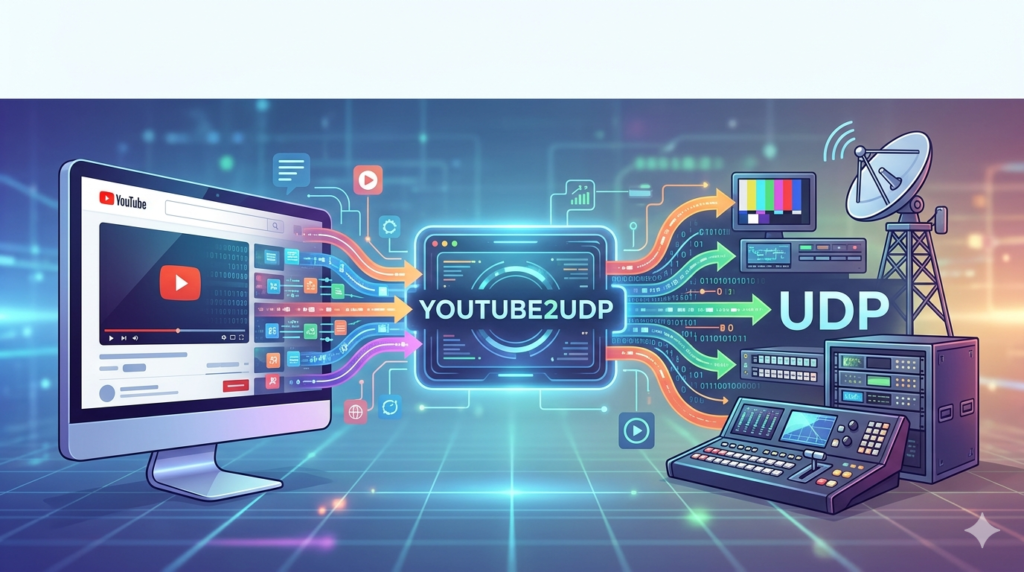
In the world of live broadcasting and IP video distribution, ingesting online content into professional workflows remains a technical hurdle. YouTube2UDP is a specialized utility designed to bridge this gap. It captures live or on-demand YouTube streams and converts them into a UDP (User Datagram Protocol) transport stream.
For broadcast engineers, video professionals, and system integrators, this tool solves a critical problem: how to reliably move a public YouTube video into a private network or a professional video mixer. Unlike screen capture methods, YouTube2UDP extracts the direct video stream, preserving quality and reducing CPU load. This software acts as a virtual bridge, transforming web-based content into a broadcast-ready signal suitable for devices like SDI converters, IPTV headends, or video servers.
Key Features
YouTube2UDP focuses on efficiency and reliability over complex editing tools. Its core architecture prioritizes low-latency conversion and stream stability.
-
Direct Stream Extraction: Downloads the video stream directly from YouTube’s CDN without re-encoding (saving processing power).
-
UDP Output: Converts the stream to a raw MPEG-TS (Transport Stream) over UDP, the industry standard for broadcast.
-
Customizable Buffering: Allows users to set buffer sizes to manage network jitter (e.g., 2-10 second delays).
-
Multiple Stream Management: Supports running multiple instances to convert several YouTube URLs simultaneously.
-
Headless Operation: Can run via command-line interface (CLI) for integration into automated broadcast playout systems.
-
Audio Mapping: Retains stereo or 5.1 audio tracks and passes them transparently to the UDP output.
What’s New in the Latest Version
The most recent update (Version 2.1.4) focused on stability and modern protocol support:
-
Improved HLS (HTTP Live Streaming) handling: Better support for YouTube’s fragmented MP4 delivery.
-
Adaptive Bitrate Locking: The ability to lock a specific resolution (e.g., 1080p) even if YouTube tries to switch to 480p.
-
Reduced Memory Footprint: 22% lower RAM usage during 24/7 operation.
-
Native IPv6 Support: Full compatibility with modern broadcast networks using IPv6 addressing.
System Requirements
To run the software effectively, your system should meet these specifications:
Minimum Requirements:
-
OS: Windows 10 (64-bit) or Ubuntu 20.04 LTS
-
CPU: Intel Core i3 (2 cores) – Most work is done via direct copy, not encoding
-
RAM: 2 GB
-
Network: 10/100 Mbps (Stable connection required)
-
Storage: 50 MB for the application
Recommended Requirements (For 24/7 Broadcast):
-
OS: Windows Server 2019 or Debian 11
-
CPU: Intel Core i5 / Xeon (4 cores)
-
RAM: 4 GB
-
Network: Gigabit Ethernet (Low latency switch)
-
Storage: SSD for metadata cache
Installation Guide
For Windows:
-
Download the official installer from the developer’s portal.
-
Run the
.exefile with administrator privileges. -
Accept the license agreement (Freeware/Commercial).
-
Choose the installation directory (Default:
C:\Program Files\YouTube2UDP). -
Complete the wizard. A desktop shortcut will be created.
For Linux (Ubuntu/Debian):
-
Extract the
.tar.gzarchive:tar -xzf youtube2udp.tar.gz -
Navigate to the folder:
cd youtube2udp -
Run the binary:
./youtube2udp --help
Note: No external dependencies (like FFmpeg) are required, as the software packages its own stream decoders.
How to Use the Software
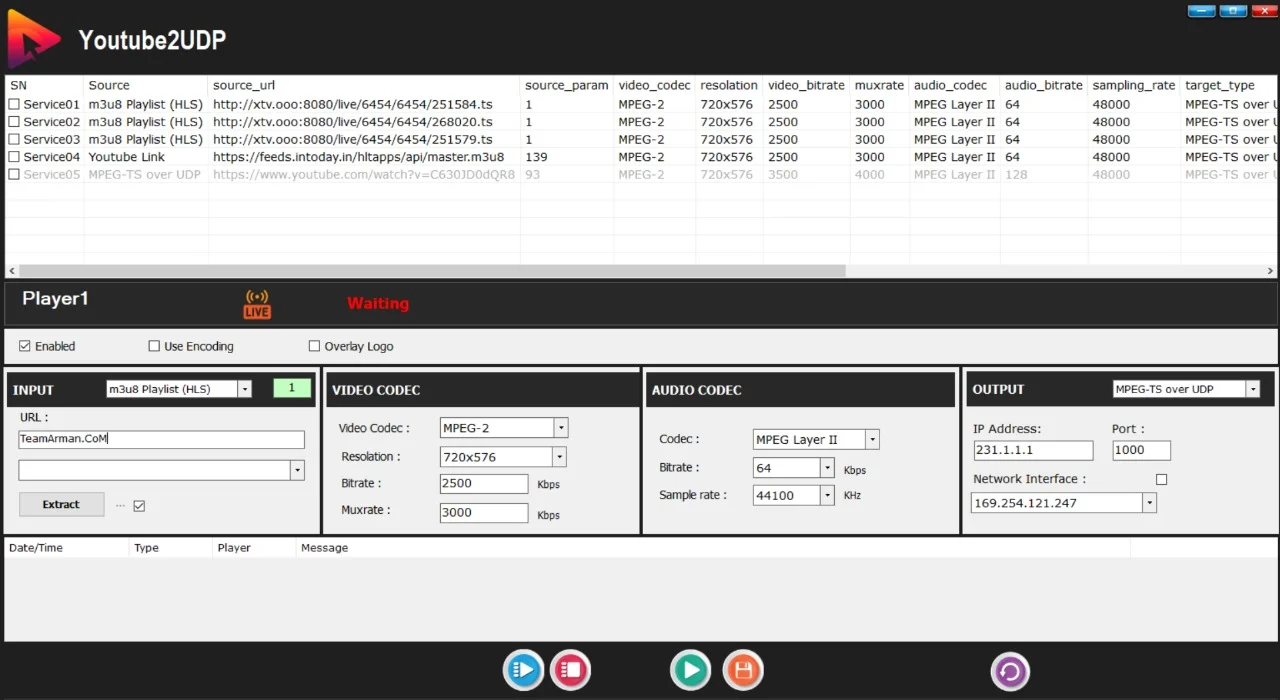
Using YouTube2UDP involves a simple three-step process. While a GUI is available for testing, most professionals use the command line for scripting.
Step 1: Obtain the YouTube URL
Copy the link of a live stream or a video (e.g., https://www.youtube.com/watch?v=abc123).
Step 2: Configure the Output Target
Define your destination. A typical UDP address looks like: udp://239.0.0.1:1234 (Multicast) or udp://192.168.1.100:5000 (Unicast).
Step 3: Run the Command
Execute the following syntax in your terminal or command prompt:
youtube2udp --input "https://youtube.com/watch?v=abc123" --output "udp://239.0.0.1:1234" --buffer 3000
Parameters explained:
-
--input: Source YouTube URL -
--output: Destination UDP address and port -
--buffer: Buffer size in milliseconds (3000 = 3-second delay for stability)
Best Use Cases
YouTube2UDP is not for everyday consumers; it is for technical environments where video transport matters.
| Use Case | Description |
|---|---|
| Broadcast Relay | A TV station airing a YouTube press conference live on cable news. |
| Digital Signage | Pushing a YouTube playlist to UDP, then to decoders connected to lobby screens. |
| IPTV Integration | Adding YouTube channels to a closed-circuit IPTV channel list (Hotel/Campus TV). |
| Backup Feeds | Using YouTube as a backup distribution network for disaster recovery. |
| Video Wall Controllers | Feeding synchronized UDP streams into a video wall processor. |
Advantages and Limitations
Advantages
-
Low CPU Usage: Direct stream copy (No re-encoding) preserves CPU for other tasks.
-
Broadcast Reliability: UDP output is compatible with nearly all professional video mixers (Blackmagic, Grass Valley, Ross Video).
-
No GUI Overhead: Perfect for server environments.
-
Persistent Connection: Automatically reconnects if YouTube buffers or switches bitrates.
Limitations
-
No Transcoding: It cannot convert H.264 to HEVC or change frame rates.
-
DRM Restrictions: Cannot convert private or age-restricted YouTube videos that require login.
-
Single Audio Track: Only picks the default audio track; no multi-language selection.
-
No Recording Feature: It is a streaming bridge, not a DVR. You need a separate UDP recorder.
Alternatives to the Software
If YouTube2UDP does not fit your workflow, consider these alternatives. Each takes a different technical approach.
| Alternative | Method | Best For | Cost |
|---|---|---|---|
| OBS Studio | Screen/Window Capture + Virtual Cam | Quick, manual intervention | Free |
| FFmpeg | ffmpeg -i "URL" -f mpegts udp://IP:PORT |
Custom scripting (Requires youtube-dl integration) | Free (Open Source) |
| vMix | Web Browser input + External Output | Professional production switcher users | Paid ($350+) |
| Restreamer | Docker-based stream proxy | Cloud-to-on-premise relay | Freemium |
| TVU Transceiver | Hardware encoder | Mission-critical broadcast | Enterprise ($5k+) |
Comparison Insight: OBS is simpler for beginners, but YouTube2UDP is more reliable for 24/7 automated use. FFmpeg is powerful but requires 20+ lines of script; YouTube2UDP is a single command.
Frequently Asked Questions
Q1: Is YouTube2UDP legal to use?
Yes, converting public YouTube streams for internal monitoring or broadcast is permitted under fair use policies, provided you do not re-monetize the content without permission. The software does not bypass paywalls or DRM.
Q2: Does this software download videos to my hard drive?
No. It operates as a real-time proxy. It buffers a few seconds of data in RAM but does not save an .mp4 file to disk unless you specifically add a recording flag.
Q3: Can I stream to multiple UDP addresses at once?
In the free version, you can only output to one address. The commercial license allows multi-destination replication using the --multicast flag.
Q4: Why is my video lagging by 10 seconds?
This is due to the --buffer setting. A 10,000ms (10-second) buffer protects against network jitter but introduces delay. Lower the buffer to 2000ms for near-real-time, but this may cause stuttering on unstable connections.
Q5: Does it work with YouTube Live streams (Live Events)?
Yes. It handles both Video on Demand (VOD) and Live streams. For live events, the --live flag enables infinite retry logic if the stream has not started yet.
Q6: What happens if the internet disconnects?
The software attempts to reconnect every 5 seconds. It will resume sending UDP packets as soon as the YouTube CDN becomes reachable again, without crashing.
Final Thoughts
YouTube2UDP is a niche but powerful tool for the broadcast engineering community. While general consumers might find UDP confusing, professionals recognize it as the backbone of video distribution. The software excels because it does one job exceptionally well: turning a web-based video into a broadcast signal.
For a newsroom, a church streaming hymns, or a university broadcasting a guest lecture, this tool removes the complexity of screen scraping. It offers stability, low resource usage, and seamless integration. Evaluate your specific needs. If you need a simple recorder, look elsewhere. But if you need a robust YouTube-to-broadcast converter, YouTube2UDP is the industry’s quiet standard.
Our Paid Service
“We do not sell or provide any software. We only offer professional support services. If any software on your system is not working properly, or you are facing installation errors, crashes, or any other technical issue — just contact us. We will help you fix the problem quickly and remotely via AnyDesk. No software will be provided from our side — only expert troubleshooting and support.”