
Overview of WinPlus-IP
Table of Contents
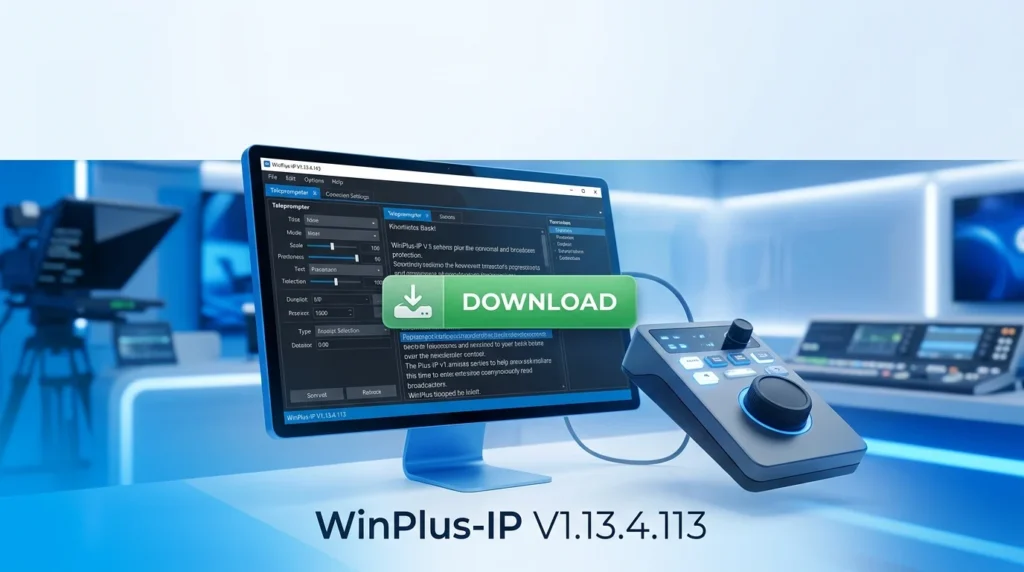
WinPlus-IP is a specialized desktop application developed for Windows that functions as an advanced prompt engineering environment. Its core purpose is to help users create, test, and optimize prompts for various AI models, including GPT-4, Claude, and Gemini. By providing a robust framework for prompt management, it eliminates the guesswork from AI communication, enabling consistent and high-quality outputs.
Designed for both novice and expert users, the software bridges the gap between simple chat interfaces and complex API integrations. It offers a user-friendly interface for managing large prompt libraries, version control, and performance analysis, making it an indispensable asset for anyone serious about leveraging AI effectively. This software falls into the category of AI productivity software, but its specialized focus on “prompt engineering” places it at the forefront of a critical niche in the AI ecosystem.
Key Features of WinPlus-IP V1.13.4.113
This version of WinPlus-IP is packed with features designed to supercharge your AI workflow. Here are the most notable enhancements and core functionalities:
-
Advanced Prompt Editor: A code-like editor with syntax highlighting, auto-completion, and variable management for creating complex, multi-layered prompts.
-
Model Agnostic Architecture: Seamlessly switch between different AI providers (OpenAI, Anthropic, Google) within the same interface, allowing for direct performance comparisons.
-
Library Management System: Organize, tag, and categorize thousands of prompts in a searchable database. This makes it easy to reuse and refine successful prompts for future projects.
-
A/B Testing Suite: Run two different prompts against the same AI model simultaneously to see which yields better results, facilitating rapid iteration and optimization.
-
Response Analytics: Analyze AI responses with built-in metrics to measure sentiment, keyword density, and structure, helping you refine your prompts for precision.
-
Version Control: Save and track every change to your prompts with a built-in version history. This feature is critical for team collaboration and auditing complex prompt engineering projects.
What’s New in Version V1.13.4.113
The latest update, V1.13.4.113, introduces significant upgrades that solidify its position as an industry-leading prompting software.
The integration of a Python Scripting Engine is a major game-changer. This allows advanced users to write scripts that automate prompt generation based on dynamic data. For instance, you can now write a script to generate a new prompt for each entry in a CSV file, creating a fully automated content generation pipeline.
Furthermore, the user interface has been completely revamped with a modern dark theme and customizable panes, providing a more comfortable and efficient workspace. This new theme reduces eye strain during long working sessions, while the customizable layout lets you tailor the workspace to your unique workflow.
The software’s performance has also been optimized, offering faster API response times and more efficient memory management, ensuring a smooth user experience even when handling large-scale projects.
System Requirements
To ensure optimal performance, your system should meet the following specifications for WinPlus-IP V1.13.4.113:
| Component | Minimum Requirement | Recommended Requirement |
|---|---|---|
| Operating System | Windows 10 (64-bit) | Windows 11 (64-bit) |
| Processor | Intel Core i3 or AMD Equivalent | Intel Core i7 or AMD Ryzen 7 |
| RAM | 4 GB | 8 GB or more |
| Storage | 500 MB of free space | 1 GB of free space |
| Additional Software | .NET Framework 4.8 or higher | .NET Framework 4.8 or higher |
Installation Guide for WinPlus-IP
Getting started with WinPlus-IP is a straightforward process. Follow this step-by-step installation guide to set up the software on your Windows machine.
-
Download the Installer: Visit the official WinPlus-IP website to download the latest installer package for V1.13.4.113. Ensure you are downloading from the official source to guarantee the file’s integrity and security.
-
Run the Installer: Locate the downloaded
.exefile (e.g.,WinPlus-IP-Setup.exe) and double-click it to launch the installation wizard. -
Grant Permissions: If prompted by Windows User Account Control (UAC), select “Yes” to allow the installer to make changes to your device.
-
Choose Installation Directory: The wizard will suggest a default directory (e.g.,
C:\Program Files\WinPlus-IP). You can change this path if necessary. -
Complete the Installation: Click “Next” and follow the on-screen prompts to complete the installation process.
-
Launch the Application: Once the installation is complete, you can launch the software directly from the final screen or by searching for “WinPlus-IP” in the Windows Start menu.
How to Use the Software: A Beginner’s Guide
WinPlus-IP is designed to be intuitive. Here is a brief guide on how to use its core functions to start crafting effective prompts.
-
Creating a New Prompt: Click the “New Prompt” button in the main toolbar. This will open a new tab in the advanced prompt editor.
-
Structuring Your Prompt: Start by defining the model’s role. Use a “system” prompt to set the context. For example:
You are a technical writer specializing in SEO content.Then, in the “user” prompt section, provide your specific task or query. You can use brackets like[Insert Topic]to create dynamic variables. -
Testing Your Prompt: Select the target AI model from the dropdown menu. Configure your API keys in the “Settings” menu, then click “Run” to test your prompt.
-
Iterative Optimization: After receiving the AI’s response, review the output and adjust your prompt. The version control system ensures you can always revert to a previous version if a new iteration performs worse.
-
Using Prompt Libraries: For efficiency, save successful prompts to your library. Tag them with relevant keywords (e.g., “blog post,” “code generation,” “data analysis”) for easy retrieval in the future.
Best Use Cases for AI Prompting Software
WinPlus-IP is a versatile tool applicable across a wide range of professional domains. Here are some of the best use cases for this software:
-
Content Marketing: Generate high-quality blog posts, social media updates, email newsletters, and SEO-optimized copy at scale.
-
Software Development: Automate code generation, perform code reviews, create comprehensive documentation, and debug errors using AI.
-
Data Analysis & Research: Generate SQL queries, analyze complex datasets, and summarize research papers.
-
Business Intelligence: Create executive summaries, formulate strategic plans, and conduct competitive analysis.
-
Customer Support: Develop and refine templates for automated customer service responses and virtual assistant scripts.
-
Educational Content Creation: Assist in developing lesson plans, grading rubrics, and educational resources.
Advantages and Limitations
Like any software tool, WinPlus-IP has its strengths and areas for improvement.
Advantages
-
Increased Efficiency: The ability to organize, test, and manage prompts in one place drastically reduces the time spent on AI interactions.
-
Improved Output Quality: Systematic A/B testing and version control lead to the refinement of high-quality, reliable prompts.
-
Cost-Effectiveness: By optimizing prompts for efficiency, you can reduce token usage and lower your API costs.
-
Team Collaboration: The library system and version history make it easy for teams to collaborate on prompt engineering projects.
-
Model Flexibility: The ability to switch between different LLM providers allows you to choose the best model for each specific task.
Limitations
-
Windows-Only: The software is currently only available for Windows operating systems, leaving macOS and Linux users without a native version.
-
Learning Curve: While user-friendly, the full power of the software, including its advanced scripting capabilities, may require some time and effort to master.
-
APIs and Costs: To use the software’s core functionality, you must have your own API keys for the respective AI models, which may incur costs.
-
Requires Internet Connection: The software requires a stable internet connection to communicate with the AI models’ APIs.
Alternatives to WinPlus-IP
While WinPlus-IP is a powerful solution, several alternatives exist in the market, each with its own focus.
| Software | Key Differentiator | Best For |
|---|---|---|
| PromptLayer | Data analytics and monitoring | Teams focused on prompt evaluation and performance tracking. |
| Humanloop | Active learning & LLM deployment | Enterprise users building production-ready applications. |
| Vellum | Production deployment & versioning | Teams looking to deploy and monitor AI models in production. |
| LangSmith | Comprehensive tracing and debugging | Developers needing deep visibility into their LLM chains and agents. |
| ChatGPT/Claude/AI Web UI | Free and accessible, zero setup | Beginners and casual users who don’t need organizational features. |
Comparison Details:
-
WinPlus-IP vs. PromptLayer: While PromptLayer focuses heavily on monitoring and analytics, WinPlus-IP offers a more robust, dedicated editor and library management system, making it better for the creative and manual construction of prompts.
-
WinPlus-IP vs. Humanloop: Humanloop is more suited for production deployment. WinPlus-IP, conversely, serves as a powerful front-end, or testing ground, for creating prompts before they are moved into a production pipeline.
-
WinPlus-IP vs. Web UI: The web interfaces are free and easy to use. However, they lack the organizational structure, version control, and cross-model testing that makes WinPlus-IP an essential professional tool.
Frequently Asked Questions (FAQs)
1. Is WinPlus-IP compatible with all AI models?
Yes, WinPlus-IP supports all major commercial AI models, including OpenAI’s GPT series, Anthropic’s Claude, and Google’s Gemini. It is designed to be model-agnostic, allowing you to configure and switch between various API providers.
2. Do I need programming skills to use WinPlus-IP?
No. Basic functionality, such as writing and testing prompts, does not require programming skills. Advanced features like the Python scripting engine are designed for more technical users.
3. What is the software licensing model?
WinPlus-IP is a paid software application. You can purchase a perpetual license or a subscription, depending on your needs. Visit the official website for detailed pricing information.
4. How does the A/B testing suite work?
The A/B testing suite allows you to send two different prompts (or two versions of the same prompt) to the selected AI model simultaneously. The interface displays the outputs side-by-side, allowing for a direct comparison and quicker refinement.
5. Does the software offer free trial?
Yes, a free trial version with limited functionality is typically available. This allows you to explore the software’s core features and assess its suitability for your needs.
6. Is my data and API keys secure?
All API keys are stored locally on your machine and are not transmitted to any third-party server other than the AI provider you are connecting to. The software is designed with security in mind, keeping your data and credentials private.
Final Thoughts
WinPlus-IP V1.13.4.113 is more than just a prompt editor; it’s a comprehensive suite for serious AI professionals. By integrating a powerful editor, robust management tools, and advanced optimization features, it establishes itself as an industry-leading prompting software.