
Overview of WinCoSSMic V1.3.0.0
Table of Contents
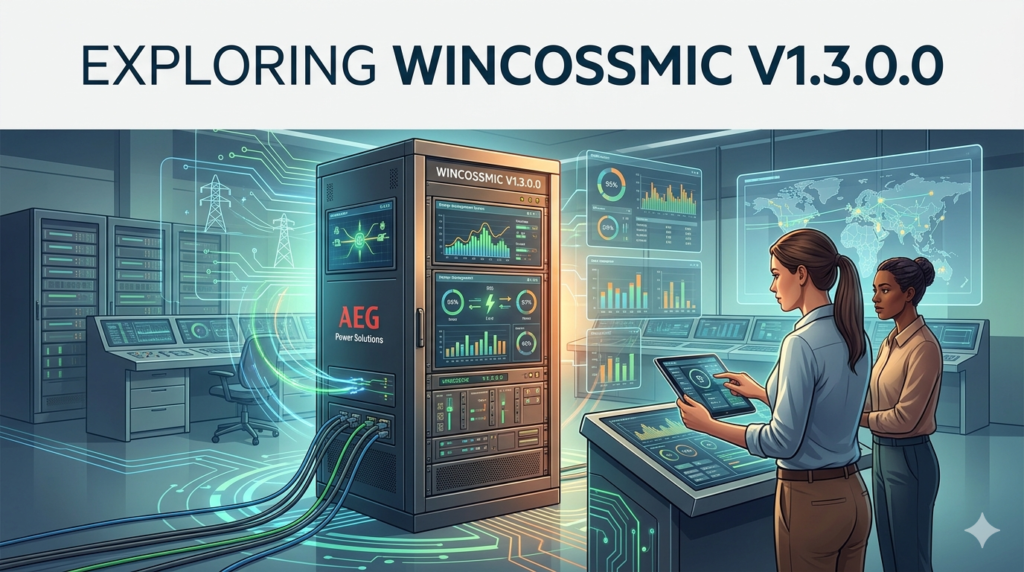
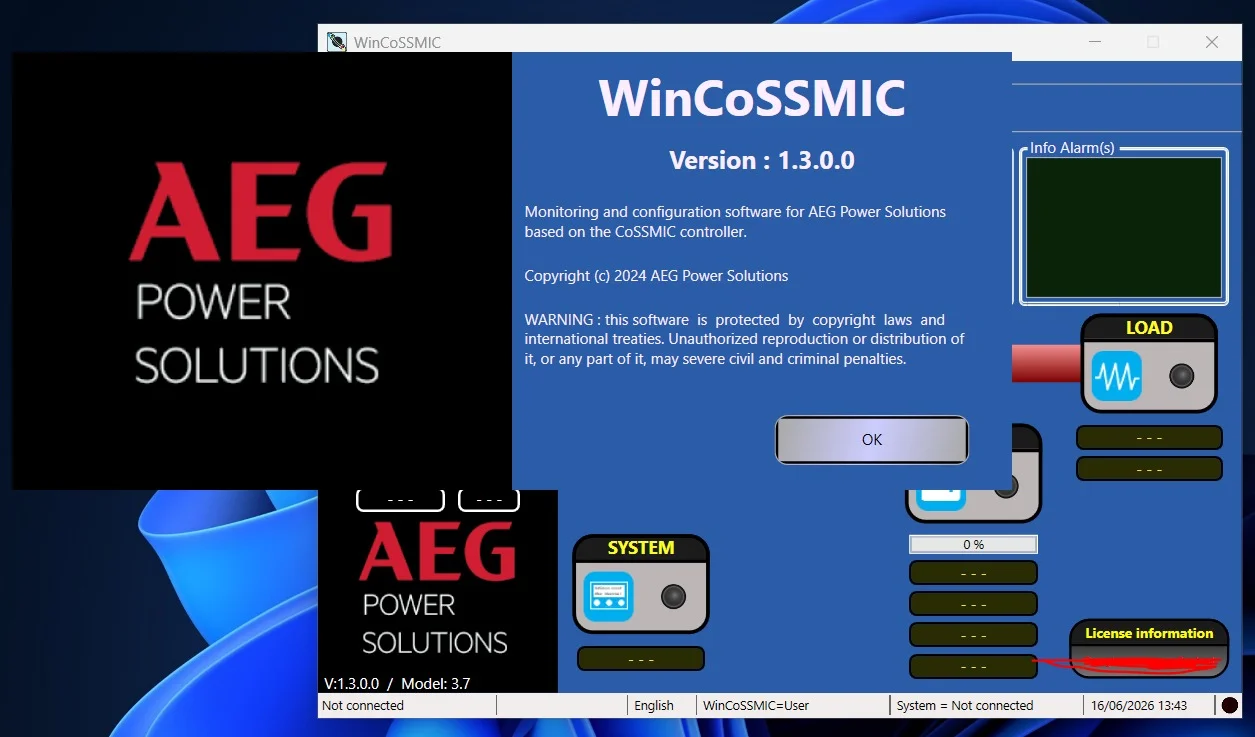
In the demanding world of industrial and critical power infrastructure, precise control and monitoring are non-negotiable. WinCoSSMic V1.3.0.0 is a dedicated software suite developed by AEG Power Solutions to serve as the central command interface for their power supply systems.
This software transcends basic monitoring, offering a robust platform for system configuration, data acquisition, and real-time diagnostics. The WinCoSSMic software is designed to ensure maximum uptime and operational efficiency, making it a vital tool for facility managers, system integrators, and maintenance engineers.
The latest V1.3.0.0 version introduces significant enhancements that improve user experience, system stability, and communication protocols. Whether you are managing a single rectifier system or an entire industrial power network, this AEG Power Solutions software provides the transparency and control required to optimize your power infrastructure.
Key Features
The WinCoSSMic software is engineered to provide deep insights and granular control. Below are the core features that define its capabilities.
Advanced System Monitoring and Control
-
Real-Time Visualization: The software provides a comprehensive dashboard that visualizes the state of all connected power components. You can view voltage, current, and temperature data in real-time.
-
Remote Configuration: Administrators can adjust system parameters, set alarms, and change operational modes directly from the interface without needing physical access to the units.
-
Centralized Management: For large-scale operations, WinCoSSMic V1.3.0.0 allows for the centralized management of multiple devices, simplifying complex power networks.
Comprehensive Data Acquisition and Logging
-
Data Trending: The software captures historical performance data, allowing users to generate detailed trend reports for capacity planning and predictive maintenance.
-
Event Logging: Every critical event, alarm, and state change is logged, providing a complete audit trail for troubleshooting and compliance.
-
Export Functionality: Data can be exported into common file formats such as .CSV for analysis in third-party software like Microsoft Excel.
Robust Security and User Management
-
Granular Access Control: The system supports a comprehensive user management feature. Administrators can define specific roles and permissions to ensure that only authorized personnel can perform critical operations.
-
Audit Logging: Detailed logs track user activity, ensuring accountability and security.
Seamless Integration and Communication
-
Multiple Protocols: The software supports various industrial protocols, including Modbus RTU and Modbus TCP, ensuring compatibility with legacy and new equipment.
-
Scalable Architecture: The platform scales effortlessly from a single, small rectifier system to a massive, multi-site industrial power plant.
What’s New in WinCoSSMic V1.3.0.0
The V1.3.0.0 update represents a significant leap forward for the WinCoSSMic software. The developers have focused on enhancing performance, user interface, and device compatibility.
-
Enhanced User Interface: The graphical interface has been refined to be more intuitive, reducing the learning curve for new operators and improving efficiency for experienced users.
-
Improved Communication Stability: Updates to the Modbus driver suite have resulted in faster communication times and more stable connections, reducing data packet loss.
-
Wider Device Compatibility: This latest version supports a broader range of AEG Power Solutions devices and power supply units, including newer models and inverter variants.
-
Optimized Performance: The software has undergone performance tuning to provide faster data processing and quicker load times, particularly useful for installations managing high data volumes.
System Requirements
To ensure optimal performance of the WinCoSSMic V1.3.0.0 software, your hardware must meet the following minimum specifications.
| Component | Minimum Requirement |
|---|---|
| Operating System | Windows 10 Pro or Windows Server 2019 (or newer versions) |
| Processor (CPU) | Intel Core i5 (or equivalent AMD processor), 2.5 GHz+ |
| Memory (RAM) | 8 GB (16 GB recommended for larger installations) |
| Storage | 500 MB for installation (plus additional space for database storage) |
| Display Resolution | 1920 x 1080 (Full HD) |
| Network | Ethernet connection for network communication |
| Communication | Serial port or USB-to-Serial adapter for direct connection |
Installation Guide
Installing the WinCoSSMic software is a straightforward process, but it must be performed with care to avoid conflicts with other industrial software. Follow this step-by-step guide for a successful installation.
Pre-Installation Checklist
-
System Check: Ensure your system meets the minimum hardware and OS requirements.
-
Backup: If you are upgrading from a previous version, back up all configuration files and databases.
-
Administrator Rights: You must have local administrator rights on the Windows PC to install the software.
-
Disable Antivirus: Temporarily disable real-time antivirus scanning to prevent it from interfering with the installer.
Installation Steps
-
Download the Package: Obtain the WinCoSSMic V1.3.0.0 installer package from the official AEG Power Solutions portal.
-
Run the Installer: Right-click the
.exefile and select “Run as administrator.” -
Accept the Agreement: Read and accept the End-User License Agreement (EULA).
-
Choose Installation Path: The installer will default to the Program Files folder. Select the destination or leave it as the default.
-
Select Features: Choose the components you wish to install, such as the main application and database tools.
-
Connect to the Device: Once installation is complete, configure the Modbus TCP or Modbus RTU settings to establish the first connection to your power supply system.
-
Restart: Restart your computer to finalize the driver installations.
How to Use the Software
While WinCoSSMic offers many advanced functions, the following steps cover the core workflow to get you started.
Step 1: Initial Configuration
Launch the software and navigate to the “Device Manager” panel. Here, you will add your power supply units by specifying their IP addresses (for Modbus TCP) or COM ports (for Modbus RTU). Assign a unique Device ID that matches the one configured on the physical unit.
Step 2: Monitor Real-Time Data
After the connection is established, you can view the live dashboard. This interface displays key operational metrics like output voltage, current load, and battery status. The data is updated in real-time, allowing for immediate situational awareness.
Step 3: Configuring Alarms and Events
Setting up alarms is crucial for preventative maintenance. Navigate to the settings menu to define thresholds for critical parameters (e.g., high voltage, low temperature). You can configure the software to send email notifications or activate a visual alarm on the dashboard when these thresholds are exceeded.
Step 4: Generating Reports
Navigate to the “Data Logger” module to generate reports. You can select specific time intervals and parameters to analyze historical performance. The software provides a pre-built report format for general performance, which can be exported for compliance or analysis.
Step 5: Performing Firmware Updates
The WinCoSSMic software can often be used to manage firmware updates on connected devices. Always verify the compatibility of the firmware version with WinCoSSMic V1.3.0.0 before proceeding with an update.
Best Use Cases
The versatility of WinCoSSMic V1.3.0.0 makes it an ideal solution across a spectrum of industries.
-
Critical Infrastructure & Data Centers: Data centers rely heavily on uninterruptible power. This software provides the necessary oversight to manage battery systems and rectifiers to prevent downtime and data loss.
-
Telecommunications: Telecom operators use it to monitor and manage the power supply for remote base stations and central offices, ensuring network reliability.
-
Industrial Manufacturing: In factories, the software manages power for automated production lines, electric drives, and heavy machinery, optimizing energy consumption and reducing operational costs.
-
Renewable Energy: Integrating with solar inverters and energy storage systems, the software helps manage the flow of renewable power to the grid or facility.
Advantages and Limitations
Advantages
-
Deep Integration: Specifically designed for AEG Power Solutions equipment, ensuring flawless compatibility and stability.
-
Enhanced Diagnostics: The software’s advanced logging capabilities allow for proactive maintenance and quick troubleshooting.
-
Scalability: Handles systems ranging from a single device to complex, multi-site operations.
-
Security: Robust user authentication and role-based access protect critical infrastructure.
Limitations
-
Platform Dependency: The software is exclusive to the Windows operating system, limiting use in Linux or macOS environments.
-
Proprietary Focus: While it uses Modbus, some advanced features are tailored specifically to AEG Power Solutions hardware, which may limit its use as a universal SCADA system.
-
Resource Intensity: The application requires a relatively modern PC to run smoothly, especially when handling large amounts of real-time data.
Alternatives to the Software
Depending on your system, you might consider these alternatives.
| Software | Key Feature | Best For |
|---|---|---|
| Siemens WinCC | A powerful SCADA system with broad industrial compatibility. | Managing mixed-vendor environments in large factories. |
| Schneider Electric EcoStruxure | Cloud-enabled IoT platform for energy management. | Smart building management and cloud analytics. |
| Rockwell Automation FactoryTalk | Real-time monitoring and diagnosis for automation. | Manufacturing and process control systems. |
| Ignition by Inductive Automation | A web-based SCADA solution with high customization. | Users requiring a flexible, cross-platform SCADA solution. |
Frequently Asked Questions
Q1: What operating systems are compatible with WinCoSSMic V1.3.0.0?
A: The WinCoSSMic V1.3.0.0 software is compatible with Windows 10 Pro and Windows Server 2019 or newer versions. It is not natively supported on Linux or macOS.
Q2: Can the software be used for remote monitoring via a web interface?
A: The base installation is a desktop application. However, with appropriate network configuration and third-party remote desktop tools, remote access is possible.
Q3: What communication protocols does WinCoSSMic support?
A: The software primarily supports Modbus protocols, including both Modbus TCP and Modbus RTU (over serial connections).
Q4: Is there a mobile app available for WinCoSSMic?
A: Currently, there is no standalone mobile application. Monitoring is conducted through the dedicated Windows PC interface.
Q5: How do I upgrade from an older version of the software?
A: You should back up your database and configuration files, then run the V1.3.0.0 installer on the same machine. It will detect the previous version and guide you through the upgrade process.
Q6: Where can I find official documentation and support for WinCoSSMic?
A: You can find technical documentation and user manuals on the official AEG Power Solutions support portal or by contacting their customer service team directly.
Final Thoughts
WinCoSSMic V1.3.0.0 represents a robust and essential tool for managing critical power infrastructure. Its strength lies in its deep integration with AEG Power Solutions hardware and its ability to provide comprehensive control, monitoring, and diagnostic capabilities.
For engineers and facility managers seeking a reliable, secure, and powerful solution to ensure uptime, the WinCoSSMic software is an excellent investment. While it has limitations regarding platform support and vendor lock-in, its performance in its intended environment is exceptional.
Upgrading to the latest version is highly recommended to benefit from improved stability and new features. This software empowers you to take full control of your power systems, enhancing operational efficiency and reliability.
Our Paid Service
“We do not sell or provide any software. We only offer professional support services. If any software on your system is not working properly, or you are facing installation errors, crashes, or any other technical issue — just contact us. We will help you fix the problem quickly and remotely via AnyDesk. No software will be provided from our side — only expert troubleshooting and support.”