

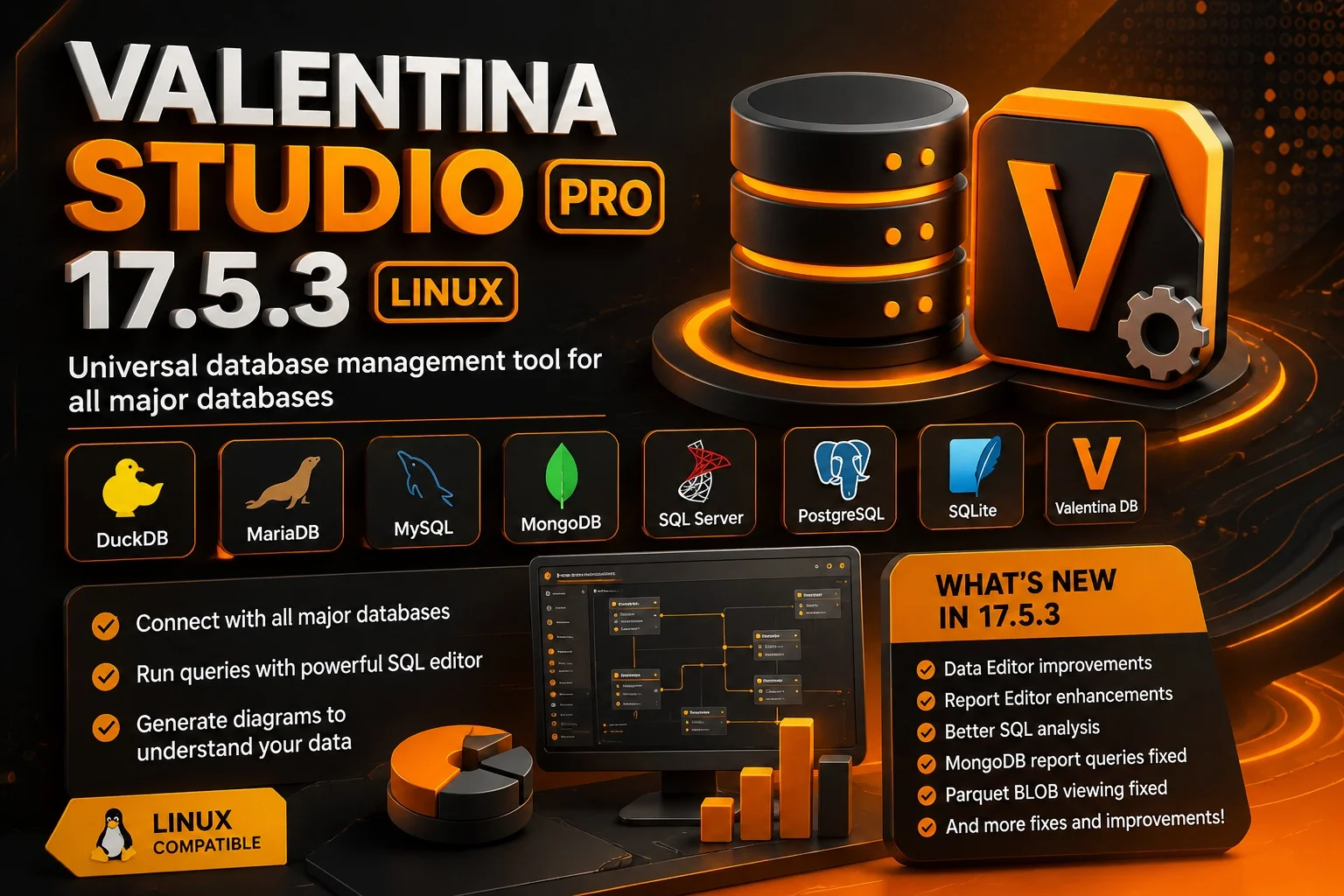
Overview of Valentina Studio Pro
Table of Contents
Valentina Studio Pro is a feature-rich database management application available natively on Linux, macOS, and Windows . The software provides a unified workspace for connecting to and managing various database systems, eliminating the need to switch between different tools.
The application is available in several licensing tiers :
-
Valentina Studio (Free): A licensed but free version offering essential database management tools including a visual SQL editor, data editor, and schema browsing capabilities .
-
Valentina Studio Single: Supports most PRO features but is limited to a single database type (like PostgreSQL or MySQL) and excludes features utilizing Valentina Projects .
-
Valentina Studio PRO: Unlocks advanced capabilities including data modeling tools, report design, forms design, and diagramming tools for all supported databases .
-
Valentina Studio Universal: A single license that works across all supported operating systems (macOS, Windows, and Linux) .
Valentina Studio PRO is priced at $199 per operating system license, which includes 12 months of free updates, with options to extend the license up to three years .
Key Features of Valentina Studio Pro
Valentina Studio Pro offers a comprehensive suite of features that cater to the needs of database professionals:
1. Multi-Database Support
The software supports an extensive range of database systems, allowing users to manage multiple environments from a single interface :
-
MySQL and MariaDB: Full support including server administration, user management, and schema editing.
-
PostgreSQL: Comprehensive features including support for materialized views and indexes .
-
SQLite: Support for SQLCipher-based encryption and database diagnosis and compaction tools .
-
ValentinaDB: Paradigma’s advanced object-relational database with vectorization support on ARM and x86 CPUs .
-
MongoDB: Schema editor, command editor with templates, and diagramming capabilities .
-
DuckDB: Full database support with local and server editions .
-
MS SQL Server and Azure: Complete administration capabilities .
-
ODBC: Support for connecting to various data sources including Excel and Access .
2. Advanced SQL Editor
The SQL Editor provides a productive environment for query development with features including :
-
Visual EXPLAIN (PRO feature): Visual query execution plan analysis for performance tuning, available for databases that support EXPLAIN statements .
-
AI Chat Integration (Version 16.5+): Multi-provider AI assistance (supporting Google Gemini and OpenAI) to explain queries, suggest improvements, and generate SQL .
-
Syntax highlighting and autocomplete functionality.
-
Query history and bookmarking capabilities.
-
Snippets management with cloud synchronization support .
3. Schema and Data Modeling
The Schema Editor serves as a premier reverse and forward engineering tool :
-
Visual ER diagram generation and editing.
-
Import diagrams from MySQL Workbench .
-
Schema comparison and synchronization (PRO feature).
-
Support for database continuous integration with schema snapshot and source control integration .
4. Data Management and Reporting
-
Data Editor: Powerful data browsing and modification tools with field location capabilities and the ability to edit query result records .
-
Report Designer (PRO feature): Visual report creation with chart, table, and script support, with export to PDF, HTML, and ODS (OpenDocument Spreadsheet) formats .
-
Data Transfer and Import/Export: Move data between different server types and export to various formats including CSV and JSON .
-
SQLDIFF: Compare and synchronize database schemas .
5. Server Management and Administration
-
User and privilege management for various database systems .
-
Server state monitoring and log viewing.
-
SSH and SSL secure connection support .
-
SSH tunneling for secure remote access .
What’s New in Valentina Studio 17.5
Version 17.5 introduces several significant improvements and new features :
-
Visual EXPLAIN for SQL Editor (PRO feature): This new capability allows users to visually analyze SQL query execution plans, helping to identify performance bottlenecks. The feature works with all databases supporting the EXPLAIN statement (excluding MongoDB and SQLite). Free edition users can try this feature up to three times per launch .
-
Enhanced Data Editor Productivity: A new button helps users locate fields quickly when working with tables that have many columns .
-
Improved Schema Editor Workflow: Link objects of all types now include a contextual menu item “Open Data Editor.” Double-clicking a link automatically opens it in the Data Editor, similar to table objects .
-
ODS Export for Reports: Valentina Reports can now be exported to ODS (OpenDocument Spreadsheet) format, complementing the existing ODT export support .
-
Auto-creation of Database Directories: Valentina Server now automatically creates
databases_duckdbanddatabases_sqlitedirectories on startup, simplifying database hosting . -
Advanced Windows ARM64 Support: Valentina Studio now includes a native Windows ARM64 version, expanding compatibility .
-
Parquet File Support: Added support for opening Parquet files and folders, displaying and modifying Parquet metadata .
System Requirements for Linux
Valentina Studio runs on 64-bit Linux distributions. The software supports both x86 (64-bit) and ARM64 architectures .
Minimum System Requirements:
-
64-bit Linux distribution (x86 or ARM64)
-
Processor: x86_64 or ARM64
-
Memory: 4 GB RAM recommended for optimal performance
-
Storage: Approximately 73.3 MB for the installation package plus additional space for databases
-
Network: Internet connection for cloud synchronization and AI features (optional)
The 32-bit x86 support was dropped starting from version 9.5 .
Installation Guide for Linux
Valentina Studio can be installed on Linux using either DEB or RPM package formats, depending on your distribution .
Installing Using DEB Package
For Debian-based distributions such as Ubuntu:
-
Download the DEB package (typically named
vstudio_x64_8_lin.debor similar format) from the Paradigma Software website . -
Install the package using the terminal:
sudo dpkg -i vstudio_x64_8_lin.deb
-
Alternatively, use your distribution’s graphical package installer (e.g., Ubuntu Software Center).
The application will be installed to the /opt/VStudio folder .
Installing Using RPM Package
For Red Hat-based distributions:
-
Download the RPM package.
-
Install using the terminal:
sudo rpm -ivh vstudio_x64_8_lin.rpm
The application will be installed to the /opt/VStudio folder .
Uninstalling
To uninstall the application, use the appropriate command:
-
For DEB packages:
sudo dpkg -r vstudio
-
For RPM packages:
sudo rpm -e vstudio
Registration and Licensing
All versions of Valentina Studio require registration with a serial number. Users can obtain a serial number by :
-
Placing an order in the Paradigma Software store.
-
Downloading, installing, and starting Valentina Studio, which will display a Registration Dialog.
After registration, a serial number will be sent via email for activation.
How to Use Valentina Studio Pro
1. Connecting to Databases
Valentina Studio supports multiple connection methods for database access :
-
Direct TCP/IP connections: Standard connection method for local and network databases.
-
SSH tunneling: Secure connections through SSH for remote access.
-
SSL connections: Encrypted connections for enhanced security.
-
Bonjour discovery: Automatic discovery of local network services (for macOS) .
2. Working with the SQL Editor
The SQL Editor is the primary interface for query development and data manipulation. Key features include :
-
AI Integration (PRO, version 16.5+): Use the AI Chat feature to get assistance with SQL queries. You can attach your database schema or the current query to get context-aware help .
-
Visual EXPLAIN (PRO, version 17.5+): Analyze query execution plans visually to optimize performance .
-
Query Execution: Execute individual statements or the entire script. The editor intelligently handles cursor position to determine which statement to execute .
-
Result Editing: Edit query results directly within the editor interface .
3. Database Design with Schema Editor
The Schema Editor provides visual tools for database design and modeling :
-
Visual Diagramming: Create and edit ER diagrams by dragging and dropping elements.
-
Reverse Engineering: Generate diagrams automatically from existing database schemas.
-
Forward Engineering: Create and modify database structures visually, with the ability to generate SQL scripts.
-
Link Management: Double-click links to open them in the Data Editor for quick data access .
4. Creating Reports (PRO Feature)
The Report Designer allows users to create and customize printable reports :
-
Data Sources: Connect to various database sources including Parquet files.
-
Report Elements: Add tables, charts, and script-based elements.
-
Export Options: Export to PDF, HTML, ODT, and ODS formats.
-
Parameter Inheritance: Reports can use inheritable parameters for flexible data filtering .
5. Managing Data
The Data Editor provides efficient tools for data management :
-
Record Editing: Browse and modify table data.
-
Field Location: Quickly locate specific fields in tables with many columns.
-
Data Transfer: Move data between different database systems .
-
ODBC Import: Import data from various ODBC sources .
Best Use Cases for Valentina Studio Pro
1. Cross-Platform Development Teams
Valentina Studio Pro is ideal for development teams working across multiple platforms. The Universal license allows team members to use the software on any operating system, maintaining a consistent workflow regardless of the Linux, macOS, or Windows environment .
2. Database Administration in Mixed Environments
Database administrators managing diverse database systems (MySQL, PostgreSQL, SQLite, MongoDB, etc.) can benefit from a single unified tool, reducing the need to learn and switch between different management interfaces .
3. Multi-Database Migrations
The data transfer and schema comparison features make the PRO version particularly useful for database migration projects. The ability to transfer data between different database types and compare schemas streamlines migration workflows .
4. Performance Optimization
The Visual EXPLAIN feature in version 17.5 PRO helps identify query performance issues by showing execution plans visually. This is valuable for database performance tuning and optimization .
5. Advanced Report Generation
Organizations requiring sophisticated reporting can leverage the Report Designer to create professional, data-driven reports with export to various formats .
Advantages and Limitations
Advantages
Comprehensive Database Support: Valentina Studio supports a wide range of database systems, including MySQL, PostgreSQL, SQLite, MongoDB, DuckDB, and ValentinaDB, making it a versatile tool for diverse environments .
Cross-Platform Availability: Native support for Linux, macOS, and Windows provides a consistent user experience across different operating systems .
Strong Feature Set: The PRO version offers comprehensive features including visual diagramming, report design, schema comparison, and now AI-assisted development .
Free Version Availability: The free version offers substantial functionality suitable for most day-to-day database management tasks .
Regular Updates: Paradigma Software maintains a regular release schedule with significant new features added in each major version .
Native Linux Support: Full support for Linux with both x86_64 and ARM64 architectures provides excellent compatibility for Linux users .
Limitations
Cost of PRO Features: The PRO version ($199 per OS license) may be a significant expense for individual developers or small teams .
Performance Considerations: Users have reported potential performance issues with very large datasets or complex queries .
Niche Market: Compared to more widely adopted tools like DBeaver or pgAdmin, Valentina Studio may have a smaller user community and fewer third-party resources .
Learning Curve: Users migrating from simpler tools may need time to adapt to the full range of features and the user interface .
Limitations in Free Version: The free version lacks some advanced features like full report design, schema diff, and advanced diagramming .
Alternatives to Valentina Studio Pro
1. DBeaver
DBeaver is a popular open-source and commercial database management tool that supports a wide range of databases. It offers a feature set similar to Valentina Studio, including an SQL editor, data visualization, and ER diagrams. The free Community Edition provides extensive functionality, while the Enterprise edition adds commercial database support and advanced features.
2. DataGrip
Developed by JetBrains, DataGrip is a commercial database management tool with strong integration with JetBrains IDEs. It provides intelligent SQL coding assistance, schema navigation, and data editing capabilities. DataGrip focuses primarily on productivity and developer experience.
3. pgAdmin (for PostgreSQL)
pgAdmin is a dedicated open-source administration and development platform for PostgreSQL. It offers comprehensive PostgreSQL-specific features but lacks support for other database systems.
4. MySQL Workbench (for MySQL)
MySQL Workbench is a dedicated visual database design tool for MySQL. It provides data modeling, SQL development, and comprehensive administration tools specifically for MySQL environments.
5. Adminer
Adminer is a lightweight web-based database management tool that supports multiple databases. It offers a simplified interface suitable for basic administration tasks but lacks the advanced features of Valentina Studio Pro.
6. Beekeeper Studio
Beekeeper Studio is an open-source database management tool with support for multiple databases. It offers a clean, modern interface with features like SQL autocomplete, data editing, and a visual query builder.
Comparison Summary
Valentina Studio Pro differentiates itself through its combination of cross-platform support, extensive database compatibility, and integrated reporting and forms design capabilities. While alternatives may excel in specific areas (e.g., DBeaver’s breadth of features or DataGrip’s IDE integration), Valentina Studio provides a comprehensive solution within a single application.
Frequently Asked Questions
Q: What is the difference between the Free version and Valentina Studio PRO?
A: The free version includes essential database management tools such as the visual SQL Editor, Data Editor, Schema Editor, and basic diagramming. PRO unlocks advanced features including report design, forms design, advanced diagramming, SQLDIFF (schema comparison), visual EXPLAIN, AI integration, and extended data transfer capabilities. The PRO version also includes support for all database types, while the free version provides comprehensive support for most common databases .
Q: Does Valentina Studio run on Linux?
A: Yes, Valentina Studio natively supports Linux with both x86_64 and ARM64 versions. The software is available as both DEB and RPM packages for easy installation on various Linux distributions, including Ubuntu and Red Hat-based systems .
Q: How do I install Valentina Studio on Linux?
A: Installation involves downloading the appropriate package (DEB for Debian-based or RPM for Red Hat-based systems) and using the standard package manager command, such as dpkg -i for DEB or rpm -ivh for RPM. The application installs to /opt/VStudio .
Q: What databases does Valentina Studio support?
A: Valentina Studio supports a wide range of databases including MySQL, MariaDB, PostgreSQL, SQLite, MongoDB, DuckDB, MS SQL Server, Azure SQL, and ValentinaDB. It also supports ODBC connections to various data sources like Excel and Access .
Q: Does Valentina Studio PRO include AI features?
A: Starting with version 16.5, Valentina Studio PRO includes AI Chat integration in the SQL Editor, supporting multiple providers including Google Gemini and OpenAI. The AI features help explain queries, suggest improvements, and generate SQL code .
Q: What is Visual EXPLAIN in version 17.5?
A: Visual EXPLAIN is a new feature in the PRO version that visually displays SQL query execution plans. It helps users identify performance bottlenecks by showing how the database executes a query, which is essential for query optimization and performance tuning .
Q: Can I use the free version for commercial purposes?
A: Yes, the free version of Valentina Studio is licensed and can be used for commercial purposes. It provides substantial functionality suitable for most database management tasks without requiring a paid license .
Q: What are the system requirements for the Linux version?
A: The Linux version requires a 64-bit operating system (x86_64 or ARM64 architecture) and a Linux distribution that supports DEB or RPM packages. The installation size is approximately 73.3 MB .
Q: Is there a Universal license for Valentina Studio?
A: Yes, Valentina Studio Universal is a single license that works on all three supported operating systems: macOS, Windows, and Linux. This is ideal for users who work across multiple platforms .
Q: What export formats are supported for reports?
A: Valentina Reports can be exported to PDF, HTML, ODT (OpenDocument Text), and ODS (OpenDocument Spreadsheet) formats, providing flexibility for different reporting needs .
Final Thoughts
Valentina Studio Pro 17.5.3 represents a significant advancement in database management tools for Linux users. The software’s comprehensive feature set, including multi-database support, advanced SQL editing capabilities, and PRO features like report design and AI integration, makes it a valuable asset for database professionals.
The native Linux support with both x86_64 and ARM64 versions demonstrates the software’s commitment to Linux users, providing a consistent and powerful alternative to more database-specific tools. The free version offers substantial functionality for most daily tasks, while the PRO version provides the advanced tools needed for professional database management and reporting.
With the latest 17.5 release introducing Visual EXPLAIN for query optimization and enhanced productivity features, Valentina Studio continues to evolve to meet the needs of modern database professionals. Whether you’re a database administrator managing multiple systems, a developer working on cross-platform applications, or an analyst requiring sophisticated reporting capabilities, Valentina Studio Pro deserves serious consideration for your Linux database toolset.
Our Paid Service
“We do not sell or provide any software. We only offer professional support services. If any software on your system is not working properly, or you are facing installation errors, crashes, or any other technical issue — just contact us. We will help you fix the problem quickly and remotely via AnyDesk. No software will be provided from our side — only expert troubleshooting and support.”