
Overview of Toyota Techstream
Table of Contents
Toyota Techstream 18.00.008 is the industry-leading diagnostic and vehicle management software developed by Toyota Motor Corporation. This professional-grade automotive diagnostic tool provides comprehensive vehicle scanning, system analysis, and advanced diagnostic capabilities for Toyota, Lexus, and Scion vehicles.
The software serves as the primary dealer-level diagnostic interface, offering technicians and automotive professionals access to all vehicle systems. With version 18.00.008, users gain enhanced diagnostic functionality, improved vehicle coverage, and streamlined repair workflows. This latest iteration builds upon Toyota’s reputation for reliable diagnostic solutions, delivering precise fault detection and system analysis for modern vehicles equipped with advanced electronic control units.
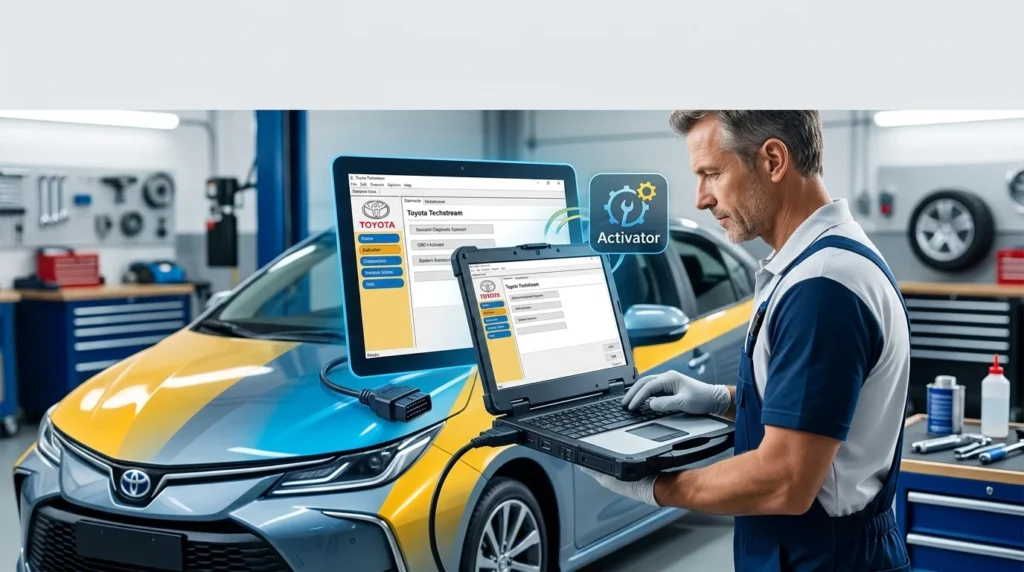
Automotive professionals rely on Techstream for its ability to communicate with all vehicle modules, retrieve diagnostic trouble codes, perform active tests, and execute complex programming functions. The software operates through a compatible vehicle interface module (VIM) that bridges the connection between your computer and the vehicle’s OBD-II port.
Key Features of Toyota Techstream 18.00.008
Comprehensive System Diagnostics
Toyota Techstream provides in-depth diagnostics across all vehicle systems including engine, transmission, ABS, SRS airbag, body control modules, and advanced driver assistance systems. The software displays real-time data streams, enabling technicians to monitor sensor values and system performance during vehicle operation.
Advanced Coding and Programming
The software supports ECU reprogramming, key coding, immobilizer programming, and module configuration. These advanced functions allow professionals to perform complex programming tasks such as replacing electronic control units and configuring new components to match vehicle specifications.
Bi-Directional Controls
Techstream enables active testing through bi-directional communication with vehicle systems. Technicians can command actuators, test component functionality, and verify repairs without requiring physical component manipulation.
Comprehensive Vehicle Coverage
The diagnostic software supports all Toyota, Lexus, and Scion models from 1996 to current year productions. This extensive coverage ensures compatibility with the vast majority of vehicles manufactured by the Toyota group.
Health Check Reports
Version 18.00.008 generates detailed health check reports that document vehicle system status, fault codes, and recommended service actions. These reports provide valuable documentation for customer communication and repair verification.
Freeze Frame Data
When faults occur, the software captures freeze frame data containing system parameters at the moment of failure. This diagnostic feature proves invaluable for intermittent fault diagnosis and root cause analysis.
What’s New in Toyota Techstream 18.00.008
Enhanced Calibration Files
Version 18.00.008 introduces updated calibration files for newer Toyota models, including the latest hybrid vehicles and electric drivetrains. These updated files ensure compatibility with advanced vehicle systems and emerging automotive technologies.
Improved User Interface
The software features enhanced navigation menus, streamlined work flows, and clearer diagnostic data presentation. These interface improvements reduce diagnostic time and simplify the technician’s workflow.
Updated Diagnostic Database
The latest version incorporates thousands of updated diagnostic trouble codes and repair procedures, reflecting Toyota’s continuous vehicle development and system refinements.
Windows 11 Compatibility
Toyota Techstream 18.00.008 delivers native support for Windows 11 operating systems, providing improved stability and performance on modern computing hardware.
Connectivity Improvements
The software includes enhanced USB communication protocols, reducing connection issues and improving data transfer reliability during extended diagnostic sessions.
System Requirements for Toyota Techstream 18.00.008
Minimum Hardware Requirements
-
Processor: Intel Core i3 or equivalent (minimum 2.0 GHz)
-
RAM: 4 GB minimum, 8 GB recommended
-
Storage: 20 GB available hard drive space
-
Display: 1366 x 768 resolution minimum
-
USB Port: USB 2.0 or higher for Vehicle Interface Module connection
-
Operating System: Windows 10 Professional or Windows 11
Recommended Hardware Configuration
-
Processor: Intel Core i5 or higher (2.5 GHz or faster)
-
RAM: 8 GB or more
-
Storage: 50 GB available space with SSD for faster performance
-
Display: 1920 x 1080 resolution
-
USB Port: USB 3.0 for optimal data transfer
-
Operating System: Windows 11 Professional
Vehicle Interface Module Requirements
-
J2534 Pass-Thru device compatible with Toyota vehicles
-
Toyota-specific Vehicle Interface Module (MVCI) or compatible J2534 interface
-
OBD-II connector compatible with target vehicles
Installation Guide for Toyota Techstream 18.00.008
Pre-Installation Preparation
Before beginning installation, ensure your computer meets the minimum system requirements. Uninstall any previous versions of Techstream software to prevent conflicts. Back up any existing vehicle data or diagnostic logs stored on your system.
Installation Steps
-
Download the software package from an authorized Toyota distributor or licensed reseller
-
Extract installation files to a known location on your computer
-
Temporarily disable security software to prevent installation conflicts
-
Run the installation file with administrator privileges
-
Follow on-screen prompts to complete the installation process
-
Restart your computer when prompted
-
Connect the VIM to your computer’s USB port and install required drivers
Initial Software Configuration
After installation, configure the software with your preferred settings, including workshop information, printer connections, and diagnostic preferences. Register the software using your valid license key obtained through authorized channels.
Setting Up Vehicle Communication
-
Connect the Vehicle Interface Module to your computer
-
Install any necessary VIM drivers
-
Launch Techstream and verify device connection
-
Connect the VIM to the vehicle OBD-II port
-
Select the appropriate vehicle model and confirm communication
How to Use Toyota Techstream 18.00.008
Basic Vehicle Connection
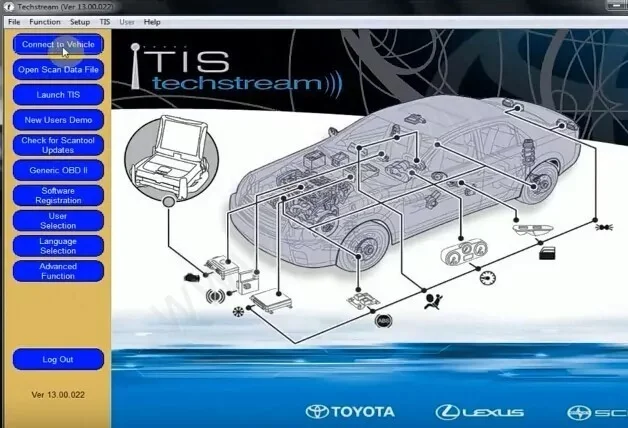
Begin by launching Techstream, connecting your VIM to the computer, and attaching the interface to the vehicle’s OBD-II port. With the ignition on, select “Connect to Vehicle” from the main menu. The software automatically identifies vehicle parameters and establishes communication.
Performing Diagnostic Scans
Navigate to the diagnostic section and select “Read All Codes” to retrieve comprehensive fault data. This initial scan identifies all stored diagnostic trouble codes across vehicle systems. Review the code descriptions and associated freeze frame data for detailed failure information.
Data Stream Monitoring
Use the data list function to view live sensor data and system parameters. Select channels relevant to your diagnostic concern and monitor values under various operating conditions. This real-time data aids in component verification and system analysis.
Conducting Active Tests
Access the active test menu to command system actuators and verify component operation. The software guides you through available tests specific to each vehicle system, providing clear instructions for test execution.
Performing Programming Functions
For ECU programming, key coding, or module replacement, access the related functions through the utility menu. Follow software prompts carefully, ensuring stable power supply and uninterrupted communication throughout programming procedures.
Generating Diagnostic Reports
Compile comprehensive diagnostic reports through the report generation function. These reports document vehicle information, fault codes, repair recommendations, and technician notes for service records and customer communication.
Best Use Cases for Toyota Techstream 18.00.008
Professional Automotive Repair Shops
Independent repair shops benefit significantly from Techstream’s dealer-level capabilities. The software enables comprehensive diagnostics, accurate repair guidance, and advanced programming functions typically reserved for dealerships.
Fleet Maintenance Operations
Fleet managers use Techstream to maintain consistent vehicle performance across multiple Toyota vehicles. The software facilitates preventative maintenance scheduling, fleet-wide system checks, and consistent repair procedures.
Mobile Diagnostic Technicians
Professionals who work on vehicles at different locations appreciate Techstream’s portability when paired with a laptop and VIM. The software provides full diagnostic capabilities without requiring workshop facilities.
Automotive Training Centers
Educational institutions employ Techstream for teaching vehicle diagnostics, system operation, and repair procedures. Students gain hands-on experience with professional diagnostic equipment.
Enthusiast and Advanced DIY Users
Knowledgeable enthusiasts with appropriate diagnostic equipment use Techstream for personal vehicle maintenance, modification work, and comprehensive system monitoring.
Advantages and Limitations of Toyota Techstream
Key Advantages
Dealer-Level Diagnostics: Techstream provides identical diagnostic capabilities to those used in Toyota dealerships, enabling independent shops to perform comprehensive repairs.
Comprehensive Vehicle Coverage: The software supports the complete range of Toyota, Lexus, and Scion vehicles.
Advanced Programming Functions: Users access ECU programming, key coding, and immobilizer services typically restricted to dealer tools.
Regular Software Updates: Toyota provides continuous software improvements and updated vehicle coverage.
Professional Reporting: Detailed diagnostic reports enhance customer communication and service documentation.
Limitations to Consider
Licensing Requirements: The software requires paid licensing for extended use and updates.
Hardware Dependency: Functionality requires compatible VIM hardware and vehicle interface.
Learning Curve: Comprehensive features and advanced programming functions require adequate training and experience.
System Requirements: The software demands relatively modern computer hardware for optimal performance.
Limited Non-Toyota Support: The software is specifically designed for Toyota group vehicles and lacks comprehensive support for other manufacturers.
Alternatives to Toyota Techstream
Professional Diagnostic Solutions
Autel MaxiSys MS906: This premium diagnostic tool supports multi-brand vehicle coverage with extensive Toyota system support. Features include coding, programming, and advanced diagnostic functions.
Launch X431 V+ Pro: A comprehensive diagnostic scanner offering bi-directional controls, programming capabilities, and wide vehicle coverage. The tool includes specific Toyota enhancements and regular updates.
Snap-on Zeus: Professional diagnostic system supporting multiple vehicle manufacturers with extensive Toyota coverage. Advanced features include guided component testing and diagnostic workflows.
J2534 Pass-Thru Solutions
Bosch J2534 Interface: Compatible with Toyota Techstream and other manufacturer diagnostic software. This solution provides OEM-level programming and diagnostic capabilities.
DrewTech Mongoose PRO: A J2534 pass-thru device supporting Toyota Techstream and other automotive diagnostic software. Features include multiple protocol support and reliable vehicle communication.
Entry-Level Options
OBDLink MX+: A budget-friendly diagnostic solution suitable for basic diagnostics and data monitoring. While lacking programming functions, it provides code reading and live data access.
BlueDriver Pro: Bluetooth-based diagnostic adapter supporting comprehensive code reading and data monitoring for Toyota vehicles. Suitable for diagnostic and maintenance applications.
Frequently Asked Questions
What vehicles does Toyota Techstream 18.00.008 support?
Toyota Techstream supports the full range of Toyota, Lexus, and Scion vehicles manufactured from 1996 through the current model year. This includes hybrid vehicles, electric vehicles, and all passenger car and commercial vehicle models produced by Toyota Motor Corporation.
Is Toyota Techstream 18.00.008 compatible with Windows 11?
Yes, version 18.00.008 provides native Windows 11 compatibility and includes specific optimizations for improved performance on Windows 11 operating systems.
What hardware is required to use Toyota Techstream?
You need a compatible Vehicle Interface Module (MVCI or J2534 Pass-Thru device), a USB connection cable, and a computer meeting the minimum system requirements. The VIM connects your computer to the vehicle OBD-II port for diagnostic communication.
Can I use Toyota Techstream for key programming?
Yes, Techstream supports key coding, transponder programming, and immobilizer system configuration. These functions allow for replacement key programming, immobilizer reset procedures, and security system maintenance.
Does Toyota Techstream require internet access?
Internet access is recommended for software updates, calibration file downloads, and accessing repair information. However, core diagnostic functions can operate offline once the software is installed.
What is the difference between Toyota Techstream and a generic OBD-II scanner?
Techstream provides comprehensive dealer-level diagnostics, including bi-directional controls, ECU programming, module coding, and access to manufacturer-specific systems. Generic OBD-II scanners typically offer limited code reading and basic live data without advanced programming functions.
How often is Toyota Techstream updated?
Toyota releases periodic updates to Techstream that include new vehicle support, diagnostic enhancements, and improved calibration files. Update frequency varies but typically occurs several times annually.
Can I perform ECU programming with Toyota Techstream?
Yes, Techstream enables ECU programming, module replacement, component coding, and firmware updates. These advanced functions require appropriate training and a stable electrical power supply during programming procedures.
Is technical support available for Techstream users?
Toyota provides technical support through authorized distributors and training programs. Professional users can access dealer-level support channels, documentation, and training resources through Toyota’s service network.
Final Thoughts
Toyota Techstream 18.00.008 represents the gold standard for Toyota, Lexus, and Scion vehicle diagnostics. The software delivers comprehensive diagnostic capabilities, advanced programming functions, and professional vehicle management tools essential for modern automotive repair facilities.
For professional technicians and automotive workshops, Techstream provides the manufacturer-level diagnostic capability necessary to perform accurate repairs, maintain customer satisfaction, and ensure vehicle reliability. The software’s continuous development ensures compatibility with advancing automotive technologies, including electric vehicles and advanced driver assistance systems.
Independent repair shops that invest in Techstream gain dealer-level diagnostic capabilities without the overhead of dealership affiliation. Combined with appropriate training and experience, the software enables complete diagnostic coverage for vehicles from the world’s largest automotive manufacturer.
Regular software updates, comprehensive vehicle coverage, and advanced diagnostic functions make Toyota Techstream a valuable investment for automotive professionals serving the Toyota vehicle community.