
Download the TOWeb v14 Review 2026 (Build Responsive Websites & Online Stores Without Coding) from this link…

Overview of TOWeb v14
Table of Contents
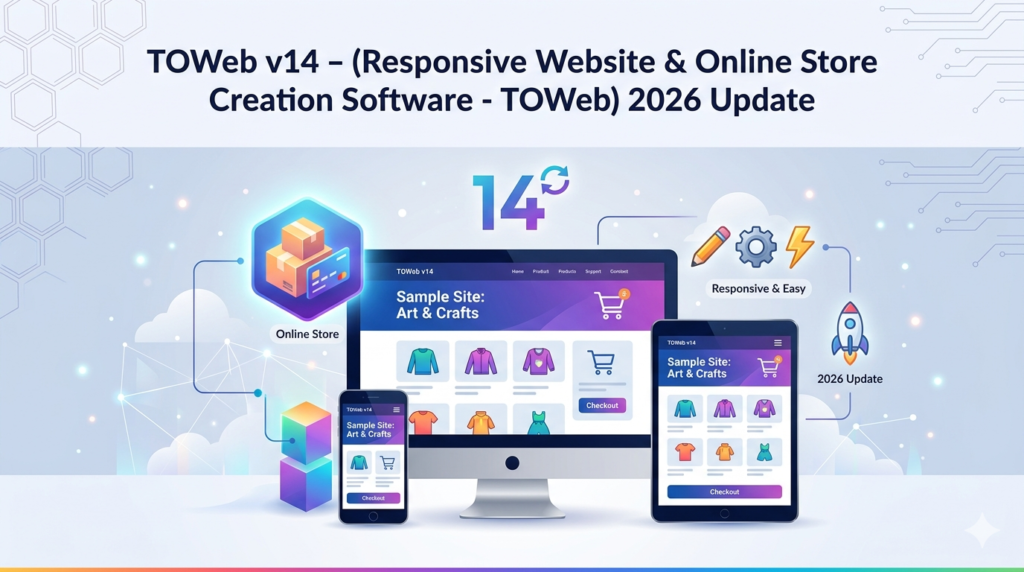
TOWeb v14 is a French-developed, WYSIWYG (What You See Is What You Get) website builder designed specifically for small business owners, educators, and non-profits. Unlike cloud-based platforms that charge monthly fees, TOWeb is a one-time purchase software that runs entirely on your Windows PC.
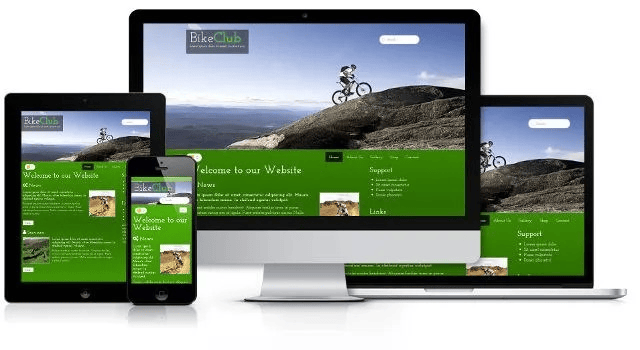
The software generates clean HTML5, CSS3, and JavaScript code, ensuring your site loads quickly and ranks well on search engines. Version 14 introduces significant improvements in responsive design controls, making it easier than ever to create sites that adapt seamlessly to smartphones, tablets, and desktops.
Key Features
TOWeb v14 includes a robust set of features aimed at simplifying web creation:
-
Drag-and-Drop Interface: Build pages visually without touching code.
-
Responsive Design Engine: Automatically adapts layouts for all screen sizes.
-
Integrated Online Store: Add products, manage inventory, and accept payments via PayPal or Stripe.
-
Blog Module: Create and manage posts with comments and categories.
-
Built-in SEO Tools: Edit meta titles, descriptions, alt tags, and generate XML sitemaps.
-
No Monthly Fees: Publish to any hosting provider via FTP or directly to TOWeb’s free hosting (limited).
-
Offline Editor: Work without an internet connection and publish when ready.
-
Form Builder: Create contact forms, surveys, and registration forms with spam protection.
-
GDPR Tools: Cookie consent banners and privacy policy templates.
What’s New in TOWeb v14 (2026 Update)
The 2026 release of TOWeb v14 focuses heavily on modern web standards and user experience. Key enhancements include:
-
Improved Responsive Grid System: A new 12-column flexbox grid allows pixel-perfect control on all devices.
-
WebP Image Support: Automatically optimizes images to WebP format for faster loading.
-
Schema Markup Generator: Built-in structured data for products, articles, and local business (JSON-LD).
-
AI-Assisted Text Generation: Helps write product descriptions and meta tags (optional, no API key required).
-
Dark Mode Editor Interface: Reduces eye strain during long design sessions.
-
One-Click Duplicate Site: Clone entire projects for rapid deployment of similar stores or landing pages.
System Requirements
Before installing TOWeb v14, ensure your system meets these requirements:
| Component | Minimum Requirement |
|---|---|
| Operating System | Windows 10, Windows 11, Windows Server 2019+ |
| Processor | 1.5 GHz dual-core (2.0 GHz recommended) |
| RAM | 4 GB (8 GB for large stores) |
| Hard Disk Space | 500 MB for installation + project space |
| Display | 1280 x 768 or higher |
| Internet Connection | Required for publishing and updates |
| Additional | FTP client optional; modern browser for preview |
Installation Guide
Follow these steps to install TOWeb v14 legally and safely:
-
Download the official installer from the developer’s website (Abelssoft or TOWeb official store). Avoid third-party download sites.
-
Right-click the downloaded
.exefile and select Run as administrator. -
Accept the license agreement and choose your installation folder (default is recommended).
-
Select Full Installation to include all templates and modules.
-
Wait for the installation to complete (usually 2–3 minutes).
-
Launch TOWeb and enter your license key (emailed after purchase).
-
The software will check for updates – allow it to download the latest components.
How to Use TOWeb v14
Creating a website with TOWeb v14 follows a logical, step-by-step process:
Step 1: Choose a Project Type
Select from:
-
Blank responsive site
-
Online store
-
Blog
-
Portfolio
-
Restaurant menu site
Step 2: Select a Template
TOWeb includes over 200 pre-designed, responsive templates. Filter by industry (e.g., bakery, law firm, photographer) to save time.
Step 3: Customize Content
-
Double-click any text block to edit
-
Drag images from your computer directly onto the canvas
-
Use the Style Manager to change global fonts, colors, and buttons
-
Add pages via the Page Tree panel
Step 4: Configure Your Online Store (if applicable)
-
Add products (name, price, description, image)
-
Set tax rates and shipping zones
-
Connect your payment gateway (Stripe/PayPal)
-
Test checkout in sandbox mode
Step 5: Optimize for SEO
Navigate to SEO > Page Settings. For each page:
-
Enter a unique title (50–60 characters)
-
Write a meta description (150–160 characters)
-
Define a URL slug (e.g.,
/organic-coffee) -
Add header (H1) and image alt text
Then run SEO Audit (Tools > SEO Checker) to fix any issues.
Step 6: Preview and Publish
-
Click Preview to test on desktop, tablet, and mobile views
-
Go to Publish > FTP Server and enter your hosting credentials
-
Or choose Export to Folder to upload manually via cPanel
Best Use Cases for TOWeb v14
TOWeb v14 excels in specific scenarios:
| Use Case | Why TOWeb Fits |
|---|---|
| Local Business Website | Easy to add opening hours, maps, and service lists without monthly fees. |
| Small eCommerce Store | Perfect for under 200 products. No transaction fees beyond your payment processor. |
| School or Non-Profit Site | Free hosting option and simple event calendar. |
| Personal Portfolio | Responsive galleries and built-in contact form. |
| Client Project (Agencies) | Export clean HTML/CSS to deliver to clients who don’t want a subscription. |
Advantages and Limitations
Advantages
-
No recurring costs: Pay once, use forever.
-
Full ownership: Your code, your hosting, your data.
-
Offline workflow: Work anywhere, no internet required for editing.
-
Beginner-friendly: No learning curve for HTML/CSS.
-
Clean code output: Passes W3C validation tests.
Limitations
-
Windows only: No native macOS or Linux version.
-
Limited advanced customization: Cannot directly edit HTML/CSS without breaking the WYSIWYG.
-
Smaller template library compared to Wix or Squarespace.
-
No built-in email marketing (requires integration with Mailchimp via API).
-
Free hosting is basic: 100 MB storage, no custom domain.
Alternatives to TOWeb v14
If TOWeb v14 doesn’t fit your needs, consider these legitimate alternatives:
| Software | Platform | Best For | Pricing Model |
|---|---|---|---|
| Mobirise | Windows/Mac | Offline, AI-powered builders | Free + paid extensions |
| RapidWeaver | Mac only | Professional Mac users | One-time purchase |
| Blocs | Mac only | Visual design with Bootstrap | One-time purchase |
| WordPress + Elementor | Web-based | Unlimited scalability | Free + paid plugins |
| Wix | Cloud | Drag-and-drop simplicity | Monthly subscription |
| Shopify | Cloud | Large eCommerce stores | Monthly + transaction fees |
For Windows users wanting a free offline builder, Mobirise is the closest alternative. For those needing more power, WordPress remains the industry standard.
Frequently Asked Questions
Is TOWeb v14 really free?
No, TOWeb v14 is a paid software. A free trial is available with limited features (3 pages, no export). The full version requires a one-time license purchase.
Can I use my own domain name with TOWeb?
Yes. Publish to any web host (e.g., Bluehost, Hostinger, Namecheap) and point your domain to that host. TOWeb does not restrict domains.
Does TOWeb v14 support multilingual sites?
Yes, but manually. You can create duplicate pages for each language and link them using a language switcher menu. No automatic translation is included.
Is coding knowledge required to use TOWeb?
No. The entire software is designed for non-technical users. However, knowing basic SEO and image optimization helps.
Can I migrate my TOWeb site to another builder later?
Not directly. You can export the HTML/CSS files, but you will lose drag-and-drop editability in the new platform. Plan carefully before building large sites.
Does TOWeb v14 include eCommerce features without extra fees?
Yes. The store module is included in the base license. You only pay your payment processor’s fees (Stripe/PayPal).
Is TOWeb GDPR compliant?
Yes, if you configure it correctly. Use the built-in cookie consent banner, add a privacy policy page, and disable any unnecessary data collection forms.
How often is TOWeb updated?
Major versions (v14, v15) are released annually. Minor security and compatibility updates are provided free within the same major version.
Final Thoughts
TOWeb v14 is an excellent choice for Windows users who want a one-time purchase, offline website builder that produces clean, responsive code. It shines for small business sites, simple online stores, and personal projects where monthly fees are unwelcome.
While it lacks the massive ecosystem of WordPress or the drag-and-drop polish of Wix, TOWeb offers something rare today: full ownership without a subscription. If you value control, privacy, and a straightforward workflow, TOWeb v14 deserves a close look.
Premium Software Support Service
If you need professional help with software installation, setup, or technical configuration, our team is available to assist you.
Contact & Support
For quick assistance and latest updates, connect with us using the links below:
🔹 Direct Telegram Support
https://t.me/PlayoutKing
🔹 Official Telegram Updates Group
https://t.me/yourgroup
Service Policy
- Remote testing available through AnyDesk before confirmation.
• Verify the setup and performance before completing the order.
• Support available for single or multiple systems.
• Step-by-step guidance to ensure smooth installation and working environment.
Our goal is to provide reliable technical assistance so your software runs smoothly without interruptions.