
Overview of the Software
Table of Contents
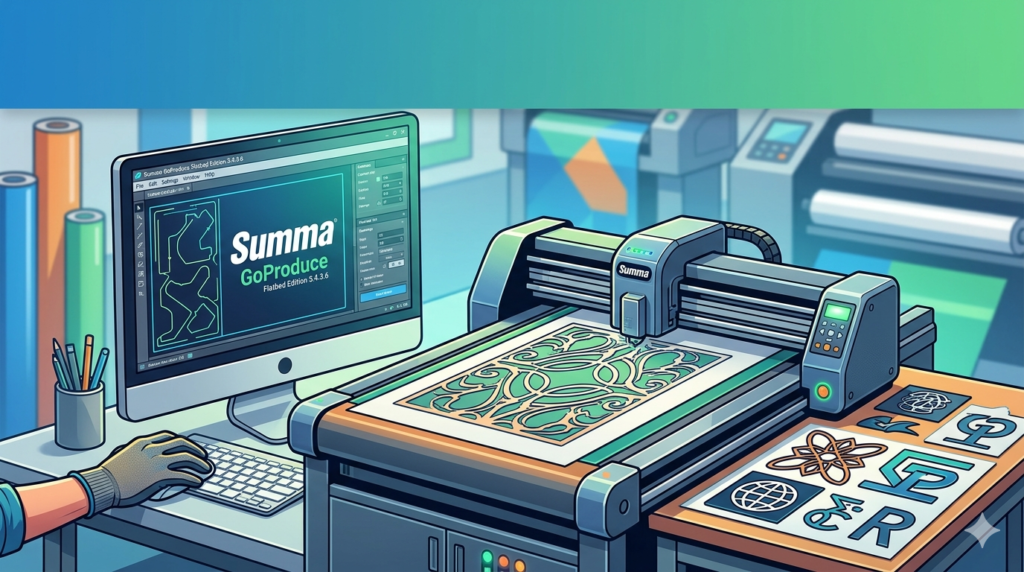
Summa GoProduce Flatbed Edition 3.4.3.6 is a professional-grade production management software designed exclusively for Summa flatbed cutting tables. When combined with the Pro Pack, the software transforms into an enterprise-level solution for digital finishing, print-to-cut workflows, and high-speed material processing.
Unlike basic drivers, GoProduce acts as a complete RIP and cut server. It interprets vector data, registers printed marks, and controls tooling parameters (routing, creasing, kiss-cutting, and through-cutting). The Flatbed Edition is specifically optimized for rigid substrates such as corrugated plastic (Coroplast), PVC foam board (Forex) , acrylic, aluminum composite panel (ACP) , and foam board.
Version 3.4.3.6 introduces improved registration algorithms for high-glare materials and enhanced barcode scanning integration.
Key Features
This software suite is built for precision and industrial throughput.
-
Automatic Barcode Scanning & Job Selection : Reads 1D and 2D barcodes printed on the material to automatically load the correct cutting job, eliminating manual file selection.
-
Multi-Tool Management : Supports dynamic tool changing between tangential knives, oscillating tools, routing bits, and creasing wheels within a single job.
-
Advanced Registration Mark Detection : Uses 3-point or 4-point optical registration to correct for skew, scaling, and printing distortion.
-
Pro Pack Exclusive – Step & Repeat : Automatically arrays a single design across a large flatbed sheet, optimizing material usage and reducing waste.
-
Nesting Algorithm : Calculates the most efficient arrangement of irregular shapes to maximize sheet yield.
-
On-the-Fly Speed & Force Adjustment : Allows operators to adjust cutting pressure and speed in real-time without stopping the job.
-
Job Logging & Reporting : Tracks cutting time, material usage, and tool wear for production analytics.
Pro Pack Add-On Capabilities
The Pro Pack is not a separate installer but a license unlock within version 3.4.3.6. It adds:
-
Barcode-to-job automation (full hands-free operation).
-
Advanced true-shape nesting.
-
QR code job reporting.
-
Multi-layer cutting with different tools per layer.
What’s New in the Latest Version (3.4.3.6)
This maintenance release focuses on stability and modern material compatibility.
-
Glare Compensation : Improved camera-based registration for high-gloss and laminated rigid sheets.
-
Windows 11 Native Support : Full compatibility with 64-bit versions of Windows 11 and Windows Server 2022.
-
Enhanced DXF/DWG Import : Support for AutoCAD 2024 file format and improved spline-to-arc conversion.
-
Pro Pack – CSV Barcode Import : Allows linking an external CSV database to automatically assign tool paths based on barcode values.
System Requirements
To run Summa GoProduce Flatbed Edition 3.4.3.6 + Pro Pack reliably, your workstation should meet these specifications.
| Component | Minimum Requirement | Recommended |
|---|---|---|
| Operating System | Windows 10 Pro (64-bit) | Windows 11 Pro or Enterprise |
| Processor | Intel Core i5 (8th gen) | Intel Core i7 / Xeon or AMD Ryzen 7 |
| RAM | 8 GB | 16 GB or more |
| Storage | 500 GB HDD | 512 GB NVMe SSD |
| GPU | Integrated graphics | Dedicated GPU (NVIDIA Quadro) |
| Connectivity | 1x USB 2.0 or Ethernet | USB 3.0 + Gigabit Ethernet |
| Display Resolution | 1920 x 1080 | 2560 x 1440 (for large toolpath previews) |
Installation Guide
Follow this step-by-step guide for a clean installation.
Step 1: Disable Antivirus Temporarily
Antivirus software can interfere with USB driver installation. Pause real-time protection during the install only.
Step 2: Run as Administrator
Right-click the Summa_GoProduce_Flatbed_3.4.3.6.exe file and select Run as Administrator.
Step 3: Choose Installation Type
-
Standard: Installs for all users (requires admin rights).
-
Portable (Advanced): For USB drive deployment on multiple machines.
Step 4: Install USB Drivers
When prompted, connect your Summa table or license dongle. Allow Windows to install the signed drivers.
Step 5: Activate the Pro Pack
After launching GoProduce, navigate to Help > Activate Pro Pack. Enter the 32-character license key provided by Summa. A restart is required.
Step 6: Configure Your Flatbed Cutter
Go to Settings > Cutter Configuration. Select your Summa flatbed model (e.g., F1612, F1832). Calibrate the home position and tool change station.
How to Use the Software
Mastering GoProduce involves three main phases: import, register, and cut.
1. Importing Design Files
GoProduce accepts native vector formats:
-
.PLT, .HPGL (Standard plotter files)
-
.DXF, .DWG (CAD formats)
-
.PDF, .EPS, .AI (Illustrator/Inkscape exports)
Pro Tip for Pro Pack Users: Use the Hot Folder feature. Save any supported file to a monitored network folder, and GoProduce will automatically import and queue it.
2. Setting Tool Parameters
For each vector color layer, assign a specific tool.
| Layer Color | Tool Type | Typical Pressure (gram) | Speed (mm/s) |
|---|---|---|---|
| Red | Kiss-cut (45° blade) | 250 | 300 |
| Blue | Through-cut (routing) | 800-1200 | 150 |
| Green | Creasing wheel | 500 | 200 |
| Yellow | Pen plot | 100 | 400 |
3. Running a Production Job
-
Press Load Material on the flatbed table.
-
In GoProduce, click Detect Registration Marks.
-
Verify the software shows “Skew angle: <0.5°”.
-
Click Start Cut.
-
Use the Live Camera View (if equipped) to monitor the first cut.
Best Use Cases
The Summa GoProduce Flatbed Edition + Pro Pack excels in specific industries.
-
Signage & Display Manufacturing : Cutting letters from acrylic or aluminum composite panels. The Pro Pack’s step-and-repeat feature saves hours for multi-sign jobs.
-
Packaging Prototyping : Creasing and kiss-cutting corrugated cardboard for mockups before die tooling.
-
Print Service Providers (PSPs) : Finishing UV-printed rigid sheets with contour cuts. The glare compensation in v3.4.3.6 is critical for glossy UV varnish.
-
Furniture & Fixture Production : Routing wood-based panels and composite materials for retail displays.
Advantages and Limitations
Advantages
-
Unmatched Precision : Summa’s optical registration is industry-leading, often achieving +/- 0.1mm accuracy.
-
True Automation (Pro Pack) : Barcode-to-cut functionality turns the flatbed into a hands-free production cell.
-
Material Versatility : Handles everything from thin vinyl (kiss-cut) to 25mm foam board (routing).
-
Reliable Support : Summa offers direct firmware and software updates for registered owners.
Limitations
-
Hardware Lock-in : This software works exclusively with Summa flatbed cutters. It cannot drive a Colex, Zünd, or Kongsberg.
-
Learning Curve : Tool offset calibration and registration mark setup require operator training (1-2 days).
-
No Mac Version : The software is Windows-only, though it can run on an emulated Windows session on macOS.
-
Pro Pack Cost : The Pro Pack is a paid annual or perpetual license on top of the base software.
Alternatives to the Software
Depending on your cutting table hardware, consider these alternatives.
| Software | Compatible Hardware | Key Difference from GoProduce |
|---|---|---|
| Zünd Cut Center (ZCC) | Zünd flatbed cutters | More advanced 3D routing but significantly more expensive. |
| Colex SharpCut | Colex flatbed tables | Better for heavy-duty ACP routing; less intuitive for print-to-cut. |
| Gerber Omega | Gerber & generic plotters | Offers design + cut in one package, but weaker for rigid substrates. |
| Automation iPC | Multi-brand (Kongsberg, Esko) | True vendor-agnostic but requires extensive custom scripting. |
Verdict: If you own a Summa flatbed, GoProduce is the optimal choice. For mixed fleets, third-party options like Automation iPC may reduce training complexity.
Frequently Asked Questions
Q1: Is Summa GoProduce Flatbed Edition 3.4.3.6 compatible with Windows 11?
Yes. Version 3.4.3.6 is fully tested and compatible with both Windows 10 64-bit and Windows 11 64-bit.
Q2: What is the difference between the standard edition and the Pro Pack?
The standard edition handles manual job setup and basic cutting. The Pro Pack adds barcode automation, true-shape nesting, step-and-repeat arrays, and advanced CSV database integration for fully unattended operation.
Q3: Can I use this software with a non-Summa cutting table?
No. GoProduce communicates via a proprietary Summa protocol. It will not detect or control cutters from Zünd, Colex, Multicam, or other brands.
Q4: Does the software include design tools (like Adobe Illustrator)?
No. GoProduce is a cut workflow manager, not a vector editor. You must create your designs in dedicated software (Illustrator, CorelDRAW, AutoCAD) and export to DXF, PDF, or HPGL.
Q5: How do I obtain a legal license for Summa GoProduce Flatbed Edition 3.4.3.6?
Licenses are sold exclusively through authorized Summa resellers or directly from Summa’s website (www.summa.com). The software requires a USB hardware dongle or an online activation code.
Q6: What file formats are best for contour cutting on a flatbed?
For best results, use DXF R12/LT (with polylines) or EPS/PDF with embedded registration marks. Avoid highly complex SVG files with hundreds of nodes.
Q7: Can the Pro Pack run on multiple workstations?
The Pro Pack license is typically node-locked to one workstation. For multiple stations, you must purchase additional licenses or a network floating license from Summa.
Final Thoughts
Summa GoProduce Flatbed Edition 3.4.3.6 + Pro Pack represents a mature, stable, and highly capable solution for digital finishing professionals. While the software requires a significant upfront investment (both in Summa hardware and the Pro Pack license), the return on investment becomes clear in high-volume production environments.
The 3.4.3.6 update addresses real-world pain points—specifically glare on glossy materials—and solidifies Windows 11 compatibility.
Our Paid Service
“We do not sell or provide any software. We only offer professional support services. If any software on your system is not working properly, or you are facing installation errors, crashes, or any other technical issue — just contact us. We will help you fix the problem quickly and remotely via AnyDesk. No software will be provided from our side — only expert troubleshooting and support.”